sketchucation logo sketchucation
    • Login
    Oops, your profile's looking a bit empty! To help us tailor your experience, please fill in key details like your SketchUp version, skill level, operating system, and more. Update and save your info on your profile page today!
    Check out Febhouse | New extensions for Shadow Analysis in SketchUp Download

    Cannot customize the toolbar(s) (2026.2)

    Scheduled Pinned Locked Moved SketchUp Discussions
    15 Posts 3 Posters 255 Views 3 Watching
    Loading More Posts
    • Oldest to Newest
    • Newest to Oldest
    • Most Votes
    Reply
    • Reply as topic
    Log in to reply
    This topic has been deleted. Only users with topic management privileges can see it.
    • H Offline
      H en I @Dave R
      last edited by

      @Dave-R thanks for your reply. I installed/repaired SketchUp, running by Administrator.

      I use SketchUp since 2006 (and give courses since 2012) and always I could drag out some tools from the Large Toolset and place them in another toolbar. I noticed that I can make a whole new toolbar and drag the few tools from the Large Tool Set in there. If it is not possible anymore to customize the toolbars by dragging in tools from another toolbar then will be the solution to make a whole new toolbar.

      1 Reply Last reply Reply Quote 0
      • Rich O BrienR Offline
        Rich O Brien Moderator
        last edited by

        Are you on Mac or Windows?

        You can't drag tools off Large Toolset on Windows and build a custom Toolbar.

        Download the free D'oh Book for SketchUp πŸ“–

        1 Reply Last reply Reply Quote 0
        • H Offline
          H en I
          last edited by

          I'm using Windows, but I succeeded to make a whole new toolbar from "Getting Started" and some tools from the "Large Toolset". So it was and is possible...

          1 Reply Last reply Reply Quote 0
          • Dave RD Offline
            Dave R
            last edited by

            You just can't customize the Large Toolset.

            Etaoin Shrdlu

            %

            (THERE'S NO PLACE LIKE)

            G28 X0.0 Y0.0 Z0.0

            M30

            %

            1 Reply Last reply Reply Quote 0
            • H Offline
              H en I
              last edited by

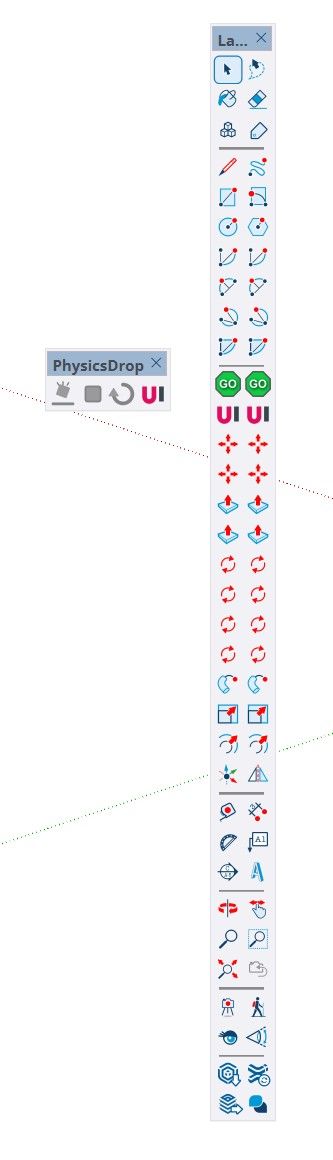
              I hope you can see the proof here under that it IS possible to customize a toolbar with some tools from the Large Toolset (in the green circles)...

              1da7477f-9a1c-45e0-b973-1936aa072531-image.jpeg

              1 Reply Last reply Reply Quote 1
              • Rich O BrienR Offline
                Rich O Brien Moderator
                last edited by

                Cool....problem solved? I can't do it but because I use SketchUp since version 3. When I install it SketchUp detects my proficiency level and the Getting Started toolbar is replaced with the Getting Old toolbar.

                Download the free D'oh Book for SketchUp πŸ“–

                H 1 Reply Last reply 😁 πŸ‘ Reply Quote 0
                • H Offline
                  H en I @Rich O Brien
                  last edited by

                  @Rich-O-Brien yes, problem solved πŸ™‚ but I made a new toolbar from the Getting Started + a few tools from the Large Toolset. A bit different than how I did it before, but so what... it works πŸ™‚

                  Dave RD 1 Reply Last reply Reply Quote 1
                  • Dave RD Offline
                    Dave R @H en I
                    last edited by

                    @H-en-I said:

                    I made a new toolbar from the Getting Started + a few tools from the Large Toolset.

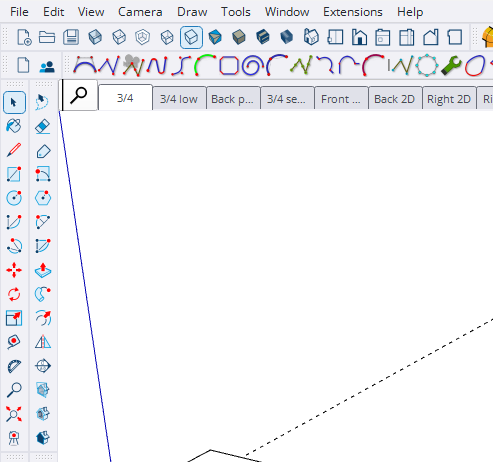
                    It doesn't matter if those native tools come from. It can be from those toolbars or their individual toolbars. They can be dragged to custom toolbars. For the last ten years I've been making three custom toolbars to replace native toolbars. The one at the top left under the menus and the two on the left. I leave out tools I have no need for such as Dimensions and the other text tools. This leaves more screen real estate for other tools.
                    Screenshot - 7_15_2026 , 9_10_25 AM.png

                    Etaoin Shrdlu

                    %

                    (THERE'S NO PLACE LIKE)

                    G28 X0.0 Y0.0 Z0.0

                    M30

                    %

                    H 1 Reply Last reply Reply Quote 1
                    • H Offline
                      H en I @Dave R
                      last edited by

                      @Dave-R said:

                      @H-en-I said:

                      I made a new toolbar from the Getting Started + a few tools from the Large Toolset.

                      It doesn't matter if those native tools come from. It can be from those toolbars or their individual toolbars. They can be dragged to custom toolbars. For the last ten years I've been making three custom toolbars to replace native toolbars. The one at the top left under the menus and the two on the left. I leave out tools I have no need for such as Dimensions and the other text tools. This leaves more screen real estate for other tools.

                      Screenshot - 7_15_2026 , 9_10_25 AM.png

                      Before the last version of SketchUp I could remove tools from for example the Getting Started toolbar and drag the tools I use from the Large Toolset in that Getting Started toolbar. In the newest version is that not possible anymore. That's why I made a whole new toolbar, which took a little more effort πŸ˜‰

                      Dave RD 1 Reply Last reply Reply Quote 0
                      • Dave RD Offline
                        Dave R @H en I
                        last edited by

                        @H-en-I said:

                        Before the last version of SketchUp I could remove tools from for example the Getting Started toolbar

                        Create a temporary custom toolbar and drag the tools from Getting Started to it. After you're done, delete the temporary toolbar.

                        @H-en-I said:

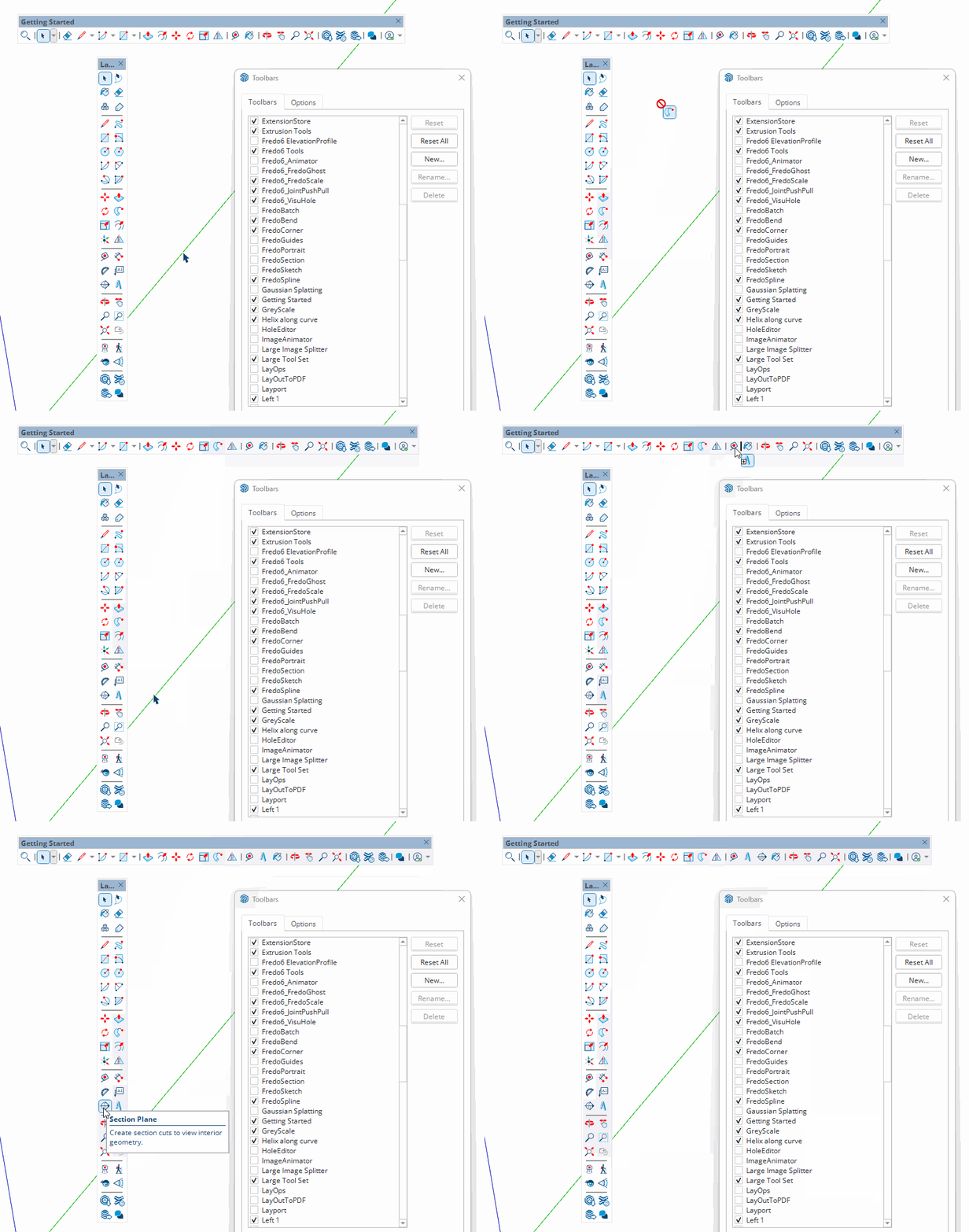
                        drag the tools I use from the Large Toolset in that Getting Started toolbar. In the newest version is that not possible anymore.

                        Hmmm ...
                        TB.gif

                        Hold Ctrl while dragging copies of the tools from the Large Toolset to another toolbar.

                        Etaoin Shrdlu

                        %

                        (THERE'S NO PLACE LIKE)

                        G28 X0.0 Y0.0 Z0.0

                        M30

                        %

                        1 Reply Last reply Reply Quote 1
                        • Rich O BrienR Offline
                          Rich O Brien Moderator
                          last edited by

                          Never do this

                          28b53b35-9209-47b2-b59d-58819bb3dbb4-image.jpeg

                          Download the free D'oh Book for SketchUp πŸ“–

                          1 Reply Last reply πŸ˜‚ Reply Quote 0
                          • H Offline
                            H en I
                            last edited by

                            OK, good to know... but before it was not neccessary to use Ctrl

                            Dave RD 1 Reply Last reply Reply Quote 0
                            • Dave RD Offline
                              Dave R @H en I
                              last edited by

                              @H-en-I said:

                              it was not neccessary to use Ctrl

                              Since toolbars were made customizeable, Ctrl (on Windows) has always been used as a modifier to copy tools from one toolbar to another.


                              Etaoin Shrdlu

                              %

                              (THERE'S NO PLACE LIKE)

                              G28 X0.0 Y0.0 Z0.0

                              M30

                              %

                              1 Reply Last reply πŸ‘ Reply Quote 0

                              Hello! It looks like you're interested in this conversation, but you don't have an account yet.

                              Getting fed up of having to scroll through the same posts each visit? When you register for an account, you'll always come back to exactly where you were before, and choose to be notified of new replies (either via email, or push notification). You'll also be able to save bookmarks and upvote posts to show your appreciation to other community members.

                              With your input, this post could be even better πŸ’—

                              Register Login
                              • 1 / 1
                              • First post
                                Last post
                              Buy SketchPlus
                              Buy SUbD
                              Buy WrapR
                              Buy eBook
                              Buy Modelur
                              Buy Vertex Tools
                              Buy SketchCuisine
                              Buy FormFonts

                              Advertisement