Issue Changing Color of Tag
-
Hello,
We are having an issue with our Layout all of a sudden. We have our Sketchup Tags organized under two groups : "Existing" and "Reference" and the rest of the tags are free floating in the list.
For tags free floating, we can easily change the color, line, and line weight.
For the tags listed under the two groups (Existing and Reference) we are not able to change the color, line, and weight.
We have been using this tag structure for a year and have never run into this issue. Our Layout is updated.
File is attached. Thank you! Layout Tag Issue.layout
-
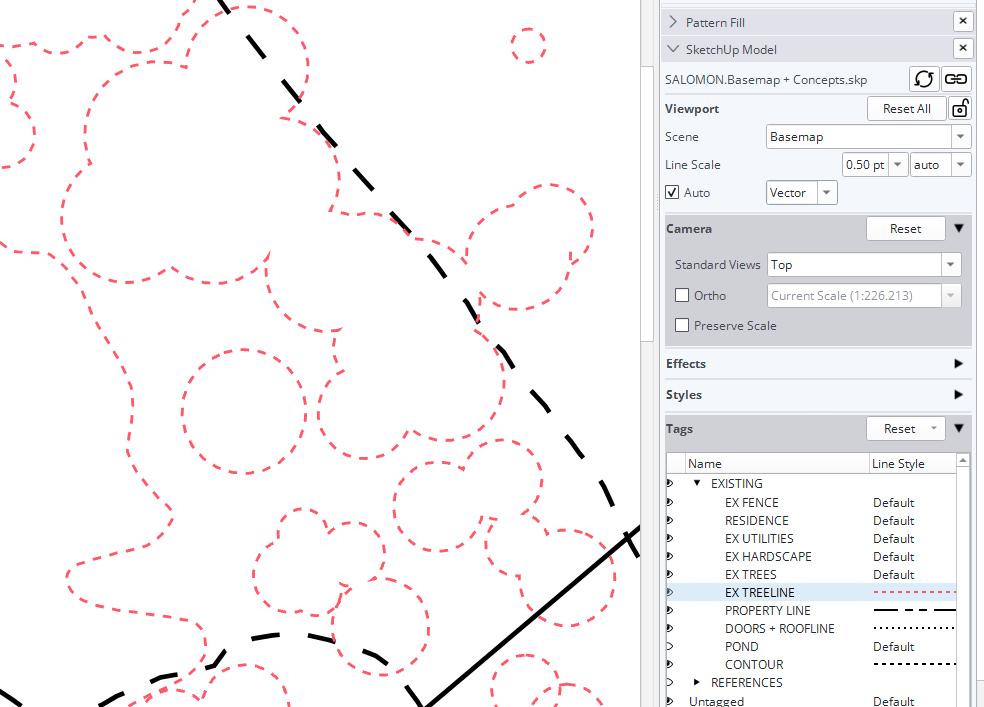
@adrienneverdefinegardens0131 I presume when you refer to groups in your post you are talking about Tag Folders. There have been a few reports of other users not being able to edit the color or dash style for tags in tag folders in SketchUp/LayOut 2026. I've been doing some testing and I'm not having any difficulty, though. Even in your file I can change the color and other parameters for dashes in LO. Here's an example in which I changed the color and scale of the EX TREELINE tag.
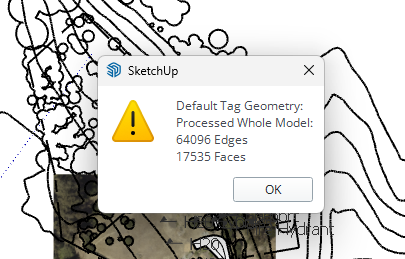
I see incorrect tag usage in your model. ALL edges and faces should be created and remain untagged. Tagging the geometry can create a number of problems including adjusting the dash styles as well as colors. This is the result of correcting the tag usage.
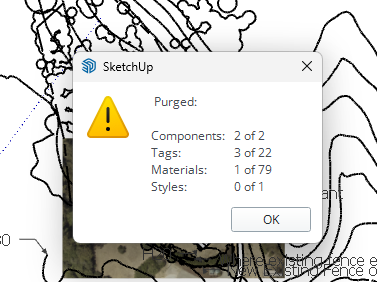
Purging unused content in the model.
Although not related to the dash and color thing, I notice you've overridden the Camera properties for the viewport. This can be a problem especially in cases where you've added labels and dimensions linked to the viewport.

Hello! It looks like you're interested in this conversation, but you don't have an account yet.
Getting fed up of having to scroll through the same posts each visit? When you register for an account, you'll always come back to exactly where you were before, and choose to be notified of new replies (either via email, or push notification). You'll also be able to save bookmarks and upvote posts to show your appreciation to other community members.
With your input, this post could be even better 💗
Register Login


Advertisement