[Plugin] FredoBend - v1.5a - 30 Jun 26




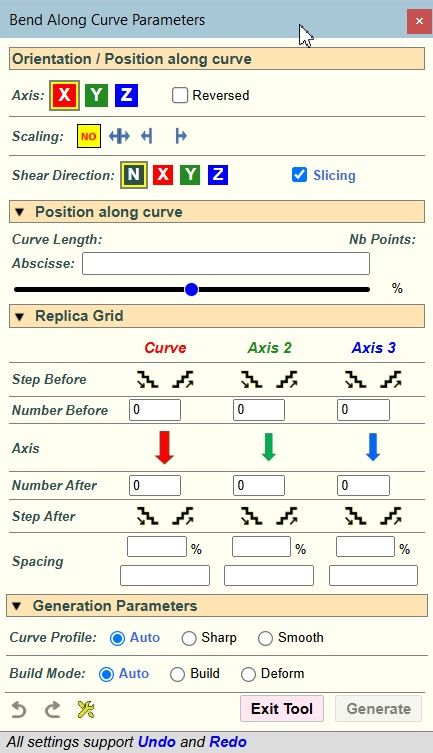
-
@fredo6 Yes, it would be nice to either give angle value, or radius. Maybe following: If you change angel in the angle value, the radius automaticly update, and if you then if you change the radius value the angle value would update.. If that is possible. If this make sense

-
Yes, indeed. Rdaius and angle are related. My question is whether you know in your model what value of radius you would enter?
-
-
This is a reasonable feature request for sure. I did not include it because personally, I did not see cases where I would have to specify the radius rather than the angle.
Actually the angle is an absolute parameter, that will stay the same, even if the shape changes.
In contrast, the radius depends on the total length of the shape along the bending direction. If you change the shape, the radius will change. Somehow, input of the radius is a one-time specification to compute the equivaleent angle for the given shape.
-
Yes, In example: We are buliding a big tank, 30 meters in diameter. This is made of rolled plates. I don`t allways know the length of the plate, but i know the diameter of the tank, so it would be easy to just punch in that number.
-
Ok. This is not complex to add in FredoBend, both for the Circular tool and the Dome tool.
However, there is question of the precedence of the angle versus the radius, since they are both related by a formula which also includes the length of the original shape along the bending direction.
1) Should the angle always prevail? that is, when you specify a radius, it calculates the angle and keep the angle as the main parameter. So, entering a radius is just a transient way to specify the angle.
2) or should the input mode be remembered? that is, if you specify a radius, FredoBend remembers that you specified a radius and will keep your radius value and adjust the angle dynamically, should the original shape change. Same if you specify an angle, it remembers that you specified than angle and will adjust the radius accordingly.
I also have to find a way to specify the radius in the VCB. Currently, a simple float value is for the angle. So, I'll probably set the convention for radius to be a flaot followed by a 'r' (ex: 3.5r, means 3.5 in current model unit), or a float with unit specification (ex: 3.5m or 3.5').
-
there is question of the precedence
I guess option 2 is the correct one.
I also have to find a way to specify the radius in the VCB
I guess r3,5 should be model uinits
And r3,5 plus units should set an arbitrary unit (different from the default model unit)If you put the "r" BEFORE the number I guess that you can safely assume that it will be radius based.
If there's no "r" in front, then the number specify the angle.If you put it after the number how do you specify the arbitrary unit?
In your example should be something like 3,5rcm (wich is weird compared to r3.5cm in my opinion). -
Opjtion 2 sounds good.
-
For information, you CANNOT put 'r' in front of the number. If you type 'r' as first character, then Sketchup will switch to whatever command has a shortcut 'r'.
The distinction between radius, angle and number of segments is based on whether a letter follows the number:
- if no character or 'd', this is an angle
- if 's', this is a number of segments
- if 'r' this is a radius
- if something else that can be interpreted as a unit (', ", m, cm, mm, etc...), then it is also a radius with specified units
- otherwise, it is ignored
Note that in the case of the Dome tool, you can add a digit 1 or 2 after, to specify whether this relates to the first or second curve.
- 33s2 will set 33 segments for the second curve
- 45.3d2 will set the angle to 45.3 degrees for the second curve
- so, 35.6r2 will set the radius to 35.6 model unit for the second curve
- and 35.6m2 will set the radius to 35.6m for the second curve
To finish with the VCB convention, if you type 2 values that are of the same categories, they apply to the curve1 and then the curve2. For instance: '33.4 45.6' will set the angles to 33.4 deg. for curve1 and 45.6 deg. for curve 2.
-



Hello! It looks like you're interested in this conversation, but you don't have an account yet.
Getting fed up of having to scroll through the same posts each visit? When you register for an account, you'll always come back to exactly where you were before, and choose to be notified of new replies (either via email, or push notification). You'll also be able to save bookmarks and upvote posts to show your appreciation to other community members.
With your input, this post could be even better 💗
Register Login


Advertisement