-
Hi everyone,
I’m Terra from D5, and I'd like to introduce D5 Lite, a rendering extension designed to bring real-time visualization directly inside SketchUp.
D5 Lite is not a standalone rendering software.
Instead, it works as a plugin integrated into SketchUp, allowing designers to quickly visualize models while working on them.The goal is to make it easier to explore design ideas visually without exporting the model to another application during early design stages.
D5 Lite does not modify or convert the original SketchUp geometry.
All components, groups, materials, and hierarchy remain exactly as they are in the SketchUp model. The plugin only reads the scene for visualization purposes.
Main Features
- Real-time visualization inside SketchUp
D5 Lite lets you preview lighting, materials, and atmosphere instantly while modeling.
This helps quickly test spatial ideas, lighting conditions, and overall mood during concept development.- AI-assisted concept rendering
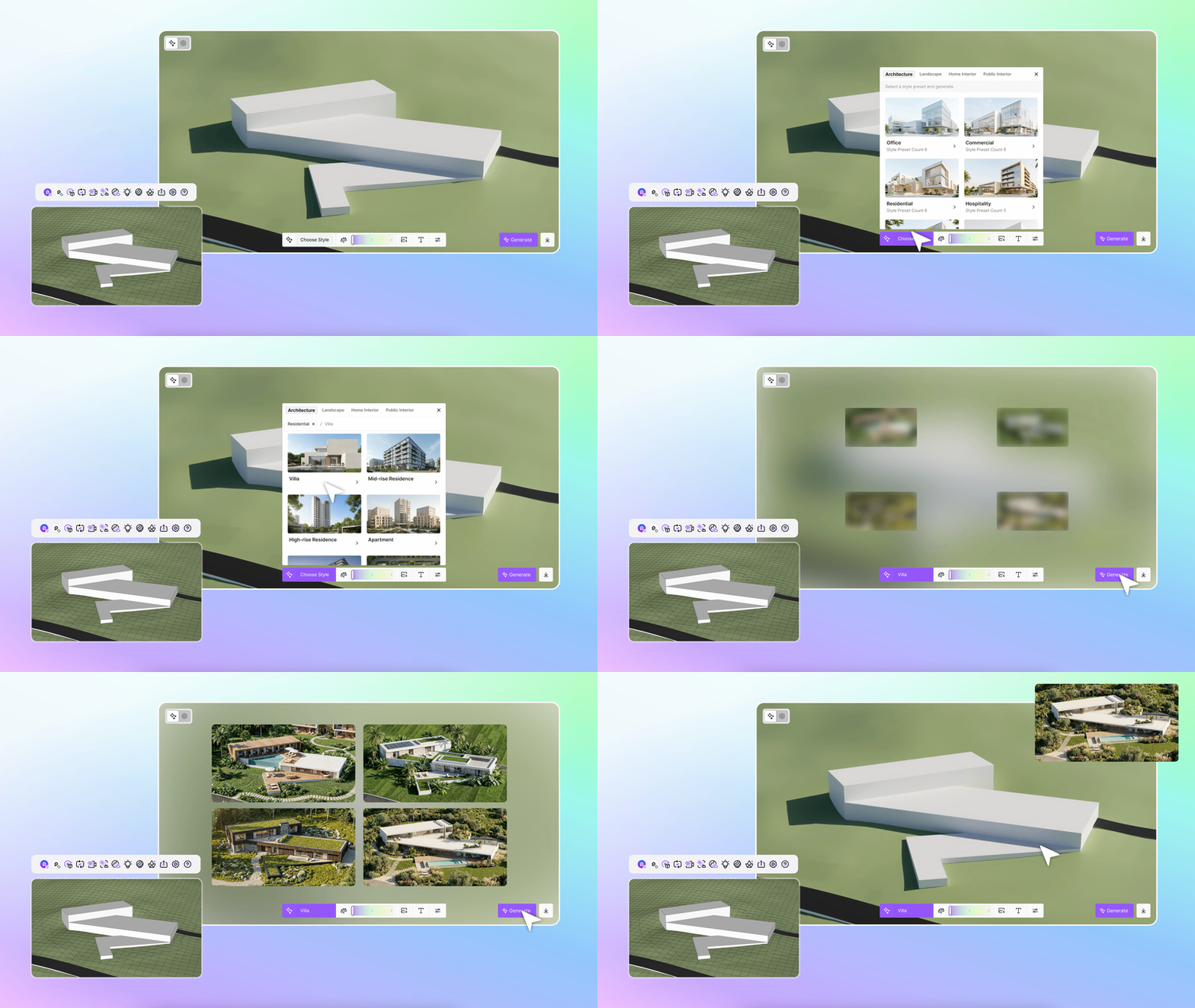
With AI rendering tools, even simple SketchUp massing models can be converted into more refined concept images.
This is useful for:
• early design exploration
• quick presentation visuals
• testing different visual styles- Lighting tools
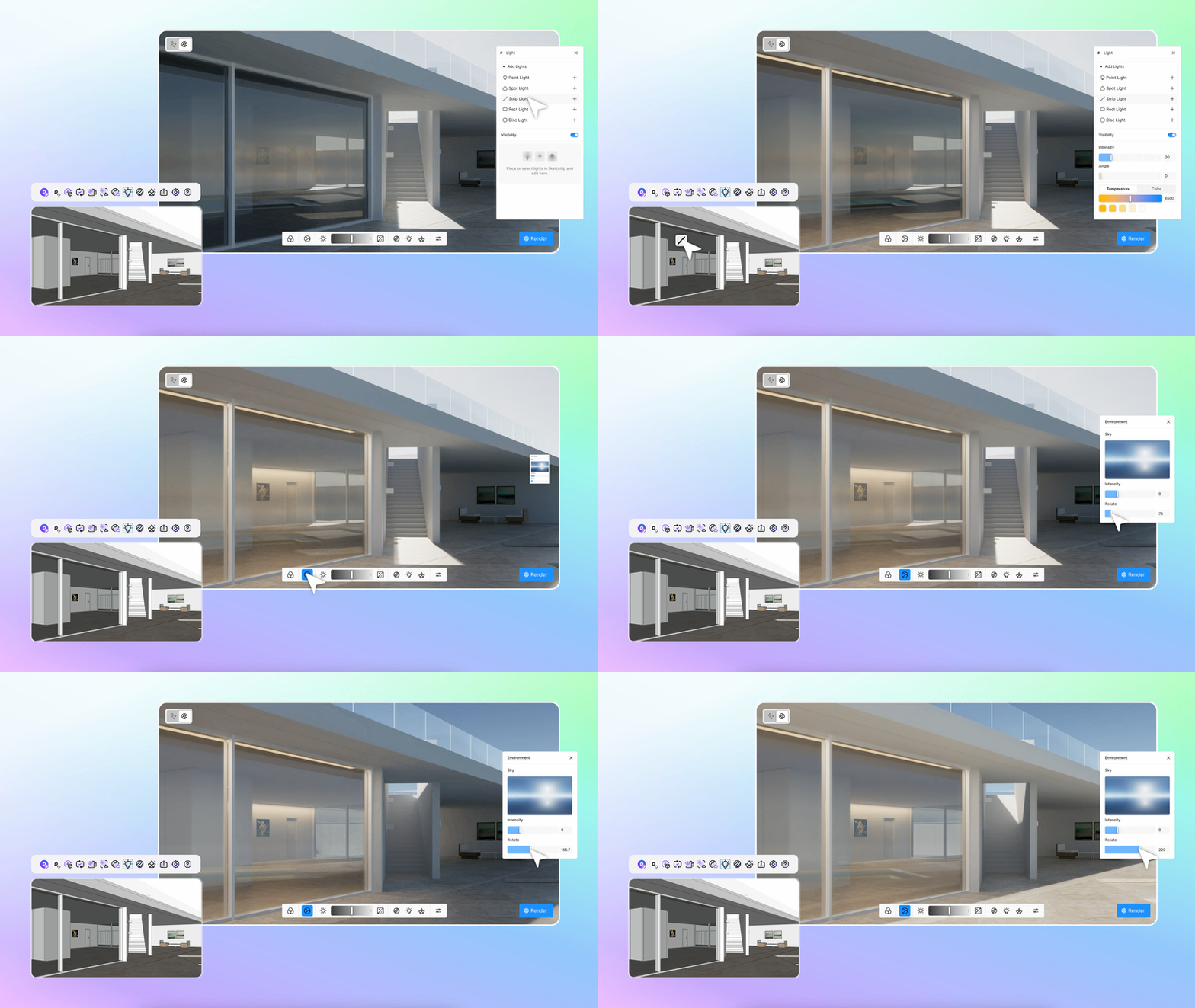
D5 Lite includes several lighting types that can be placed directly in the scene:
• Point Light
• Spotlight
• Rectangular Light
• Strip Light
• Disk LightThese can be used to quickly test interior or exterior lighting.
- Material editing
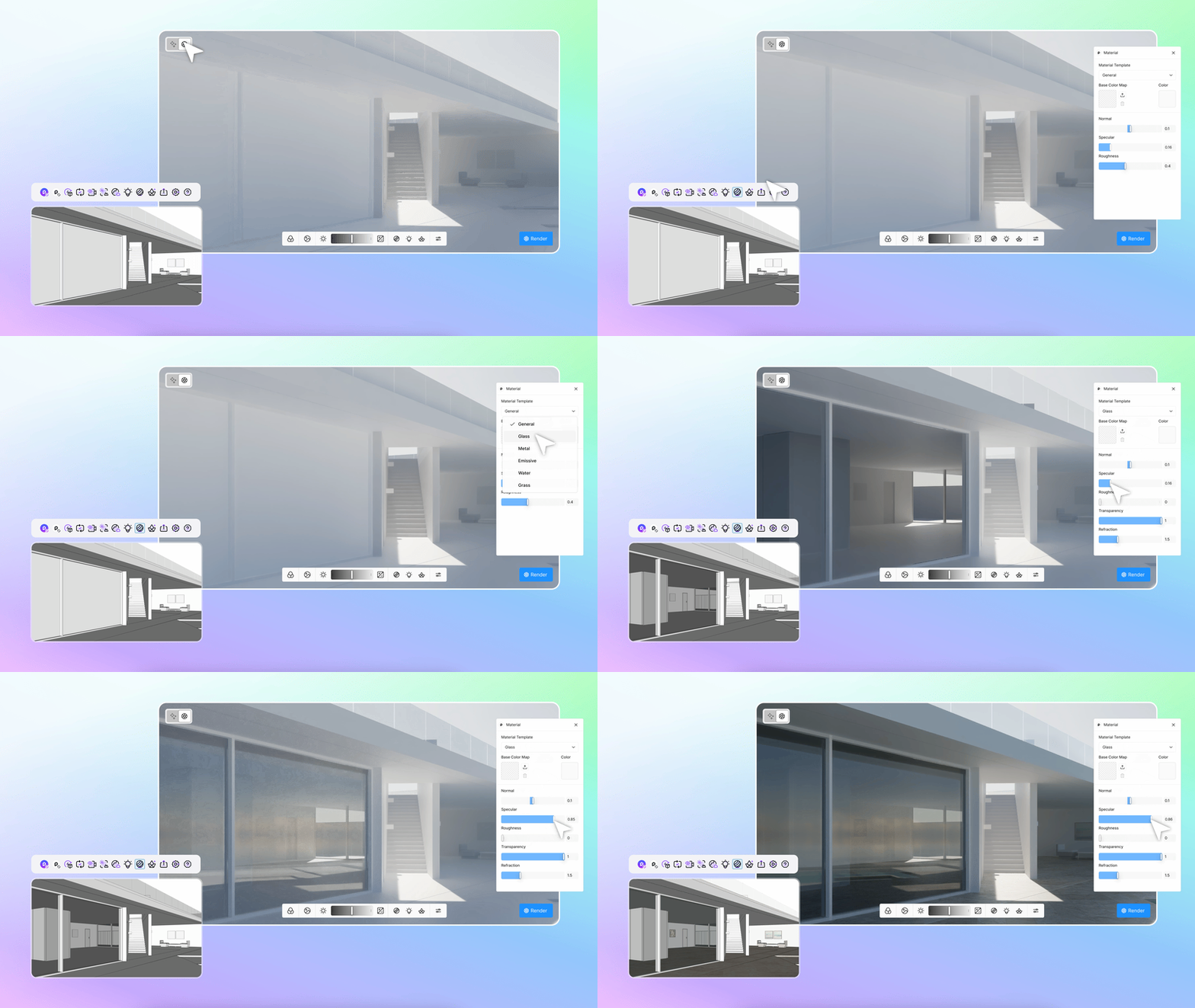
Basic material properties can be adjusted inside the plugin, including:
• color
• reflection
• roughness
• transparencyThis makes it easier to get quick visual feedback without leaving SketchUp.
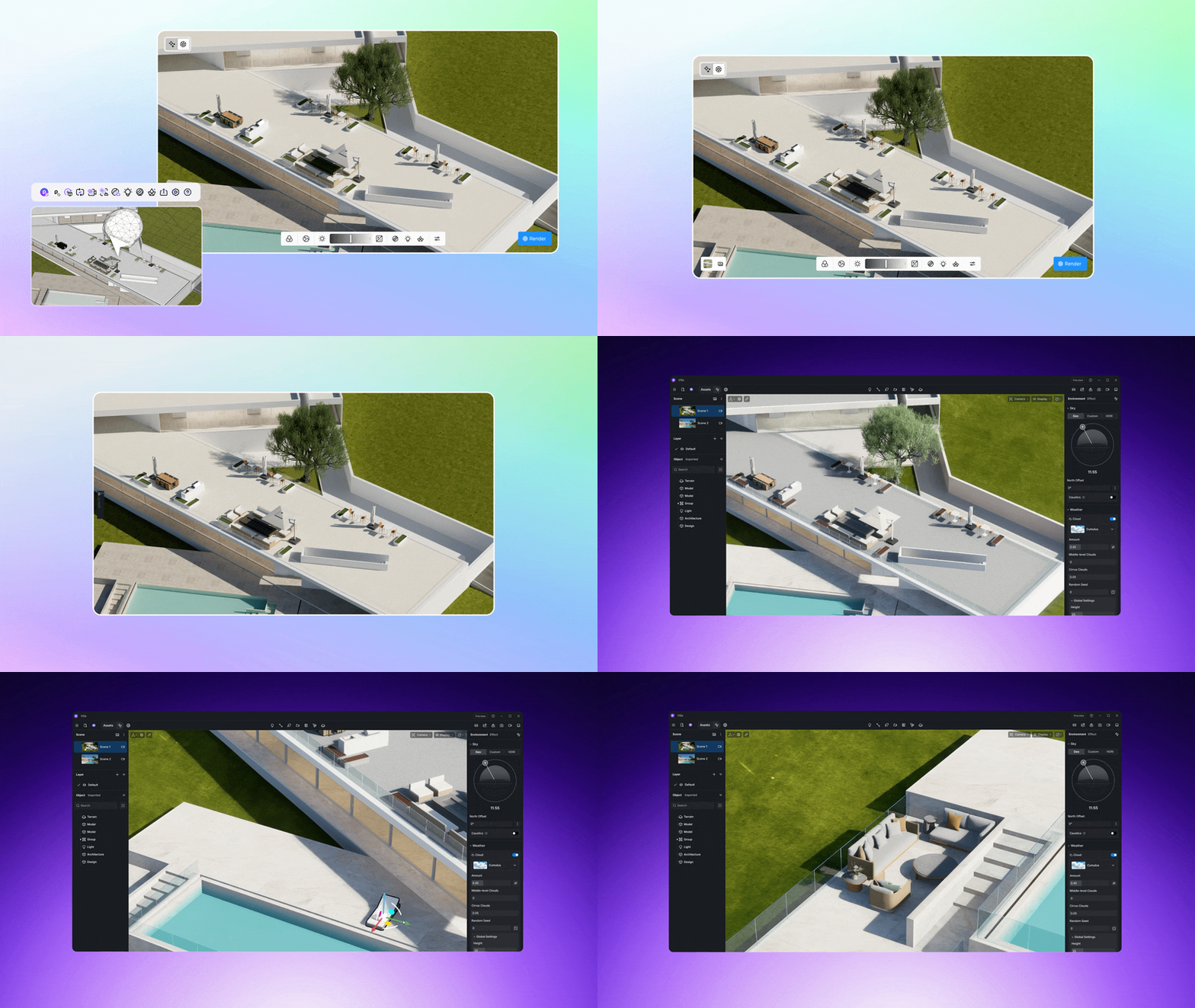
- Seamless workflow with D5 Render
Scenes created in D5 Lite can be sent directly to D5 Render if you want to continue working with:
• higher-quality rendering
• animation
• environment assets
• advanced lighting toolsAll camera views and scene settings are preserved.
Typical Workflow
- Model normally in SketchUp
- Use D5 Lite to preview lighting and materials instantly
- Generate quick concept visuals with AI rendering. The results are adjustable (can be reiterated) with prompt
- If needed, send the scene to D5 Render for final production
Compatibility
SketchUp 2021 – 2026
Windows 10 / 11Download
D5 Lite can be downloaded here: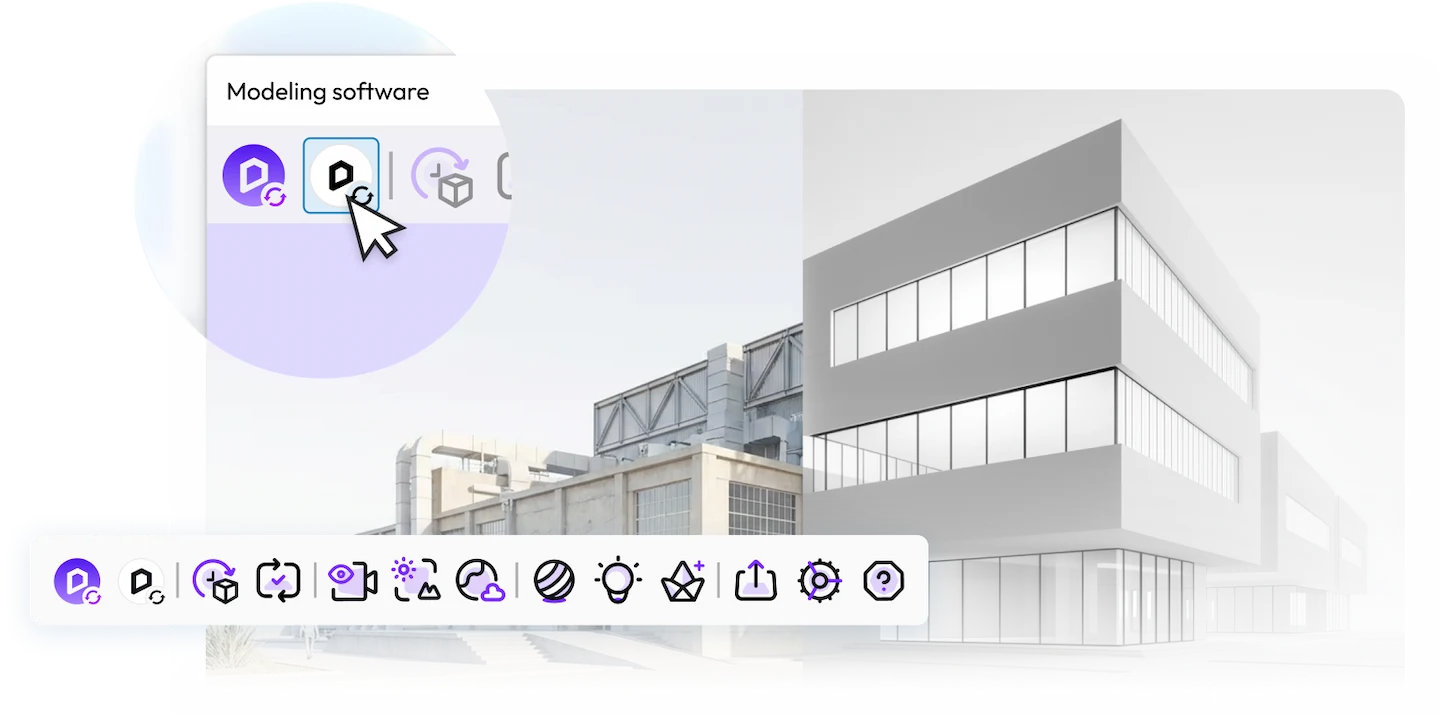
D5 Lite | Real-Time Rendering for SketchUp, Rhino & Revit
Real-time path tracing inside SketchUp, Rhino, and Revit. Preview lighting, materials, and atmosphere as you model — no export, no waiting. Free to start!

D5 (www.d5render.com)
Notes
The goal of D5 Lite is to make visualization easier during the concept and design development stages, while keeping the modeling workflow inside SketchUp.
We would really appreciate feedback from SketchUp users and plugin developers here.
If you have suggestions, questions, or encounter any issues, please let us know.
Also, we were wondering about the usual process for plugins to appear in the SketchUcation PluginStore. Is there a preferred submission format?
Would a download link from our website be acceptable, or is it necessary to upload the RBZ package directly?
Appreciate any guidance on this. Thanks!
-
 R Rich O Brien moved this topic from Developers' Forum on
-
Dear @rich-o-brien , I’d love to learn how we can add D5 Lite to the SketchUcation Plugin Store. Could you point me in the right direction or share the steps involved?
Thanks so much!
-
Send me an email at support@sketchucation.com and we will sort you out.
-
@Rich-O-Brien Thanks, Rich! I’ve just sent an and I really appreciate your help on this. Looking forward to the next steps.
Hello! It looks like you're interested in this conversation, but you don't have an account yet.
Getting fed up of having to scroll through the same posts each visit? When you register for an account, you'll always come back to exactly where you were before, and choose to be notified of new replies (either via email, or push notification). You'll also be able to save bookmarks and upvote posts to show your appreciation to other community members.
With your input, this post could be even better 💗
Register Login


Advertisement