Crash after pressing Manage License
-
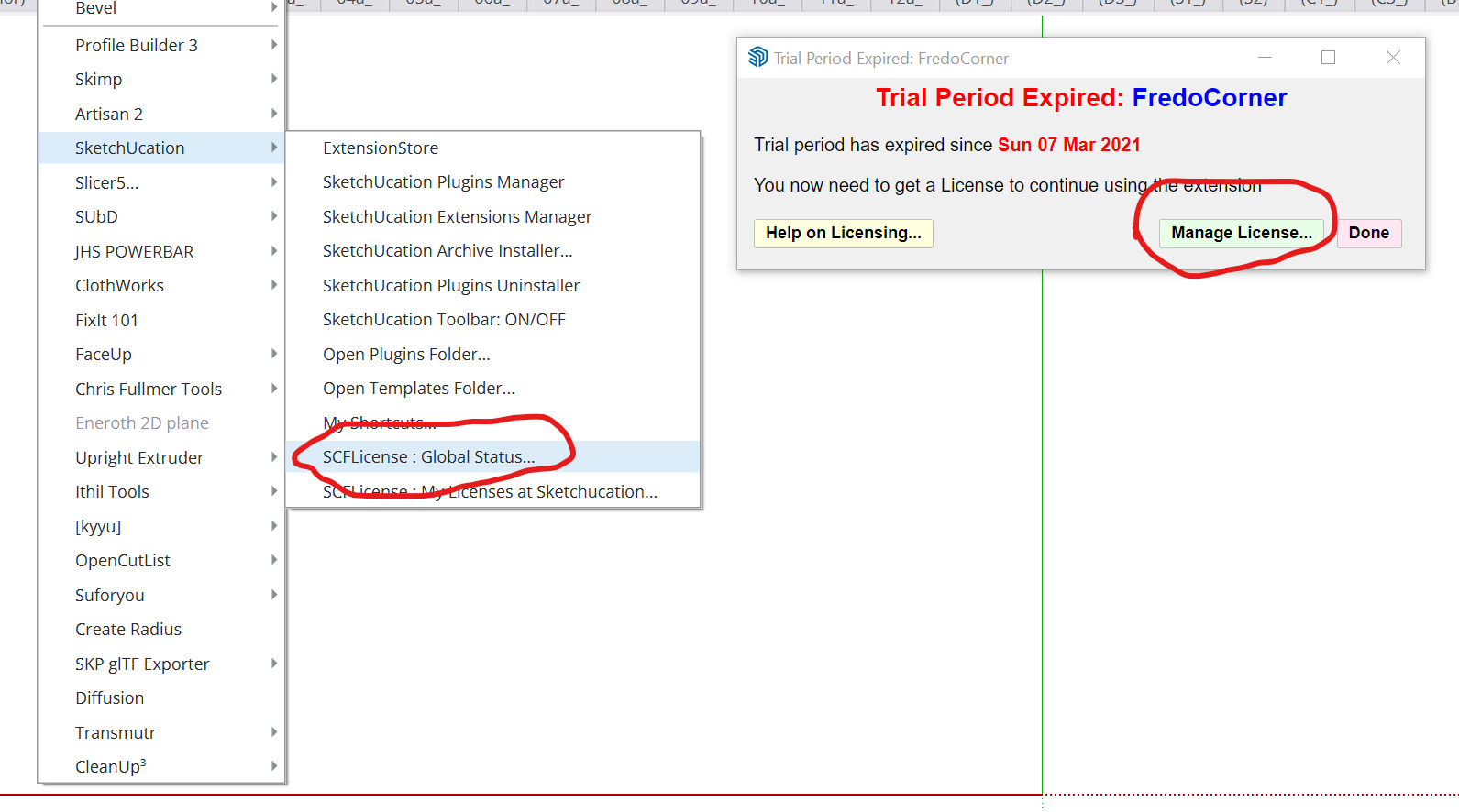
I have the problem that sketchUp will quit itself after pressing Manage License or SCFLicense: Global Status, I have try reinstall SU2024 to 2021 with different SketchUcation version still got same result, anyone solve this issue before?
-
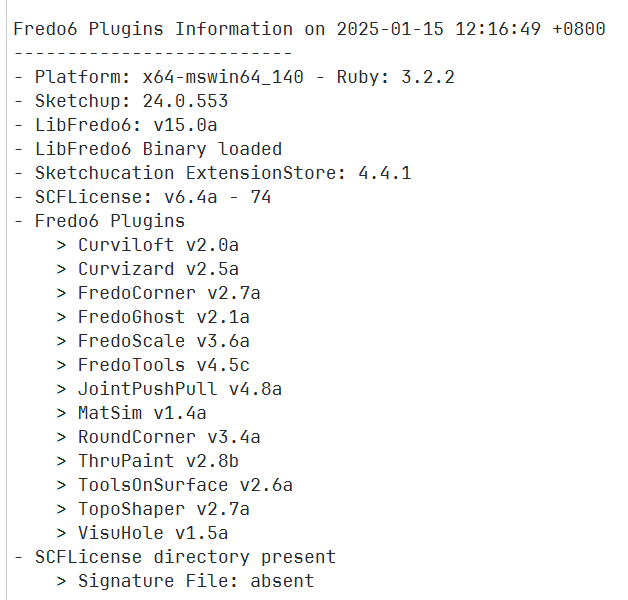
Please run the Window > Libfredo Settings > Fredo6 Plugins Information for Sketchucation Support menu command in SketchUp and copy/paste the output into your reply.
-
-
Before Rich comments... read the final line - There is a SCFLicense directory, BUT the Signature File is absent [aka missing].
Have you saved the license file[s] onto your computer is a logical location - like a subfolder in your Documents folder...
You then need to Manage and activate these... -
-
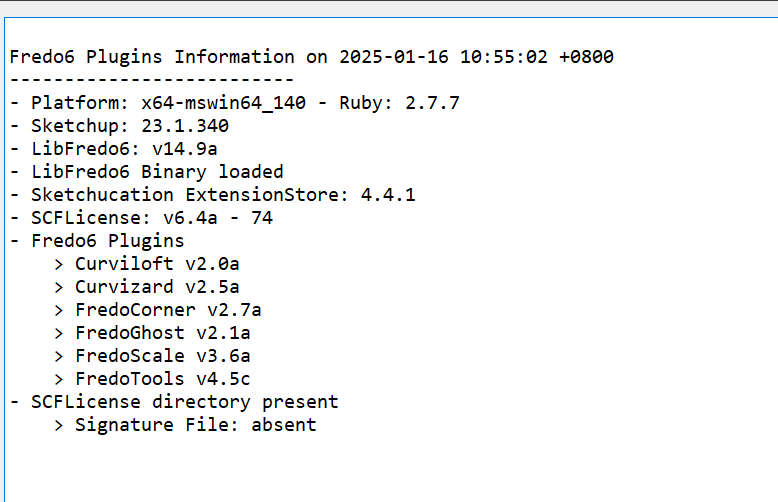
Why have you just posted another report-output - showing a slightly older version of LibFredo6 [which shouldn't cause an issue anyway!] and fewer installed Fredo6 extensions ?
Another computer ?
AND see how it still shows the SCFLicense directory exists, BUT the Signature File is 'absent'
Have you done anything to download, save and activate any licenses ?? -
Can you visit https://sketchucation.com/webshop/my-licences.php and download license files to your device
Open SketchUp
Go to Tools > Fredo Collection > Fredo Scale > License...
Click Activate and use your Fredo Scale license file
Report back result


Hello! It looks like you're interested in this conversation, but you don't have an account yet.
Getting fed up of having to scroll through the same posts each visit? When you register for an account, you'll always come back to exactly where you were before, and choose to be notified of new replies (either via email, or push notification). You'll also be able to save bookmarks and upvote posts to show your appreciation to other community members.
With your input, this post could be even better 💗
Register Login


Advertisement