Rayscaper New Releases
-
it is wounderfull to add cutout matrial in presets matrials type
-
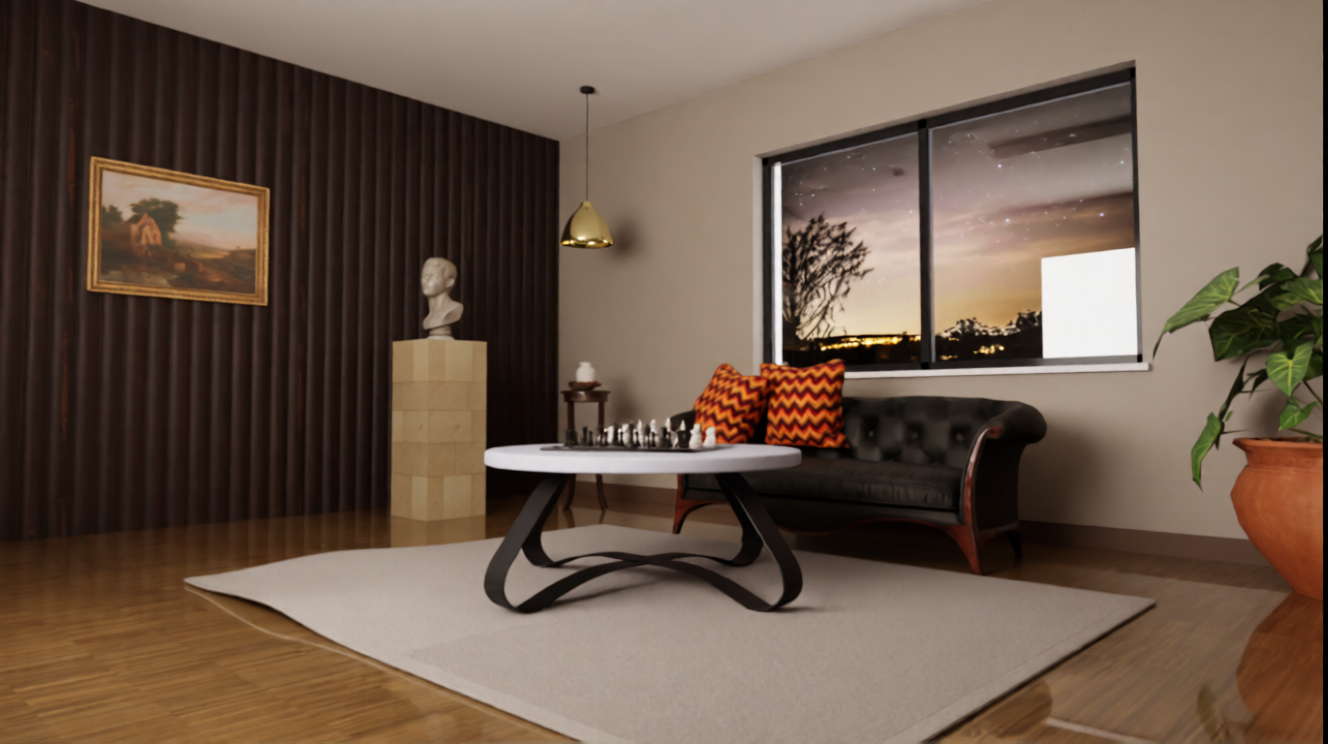
The scene is illuminated solely by an area light, which matches the dimensions of the window and is positioned perpendicular to it, just behind the window frame. The light’s "spread" value is set to 0. Why, then, does a white square appear on the window glass, even though the walls have a surface roughness of 100%? Additionally, when using a "fur" material for a carpet with long strands, the fur penetrates the thickness of the table’s metal surface.
-
Hey, Rayscaper users!
Rayscaper 1.0.3 is available. You can get it via:
- The SketchUcation store.
- Direct download: Rayscaper_Win_1.0.3.rbz.
I recommend upgrading to the latest version.
Section Planes
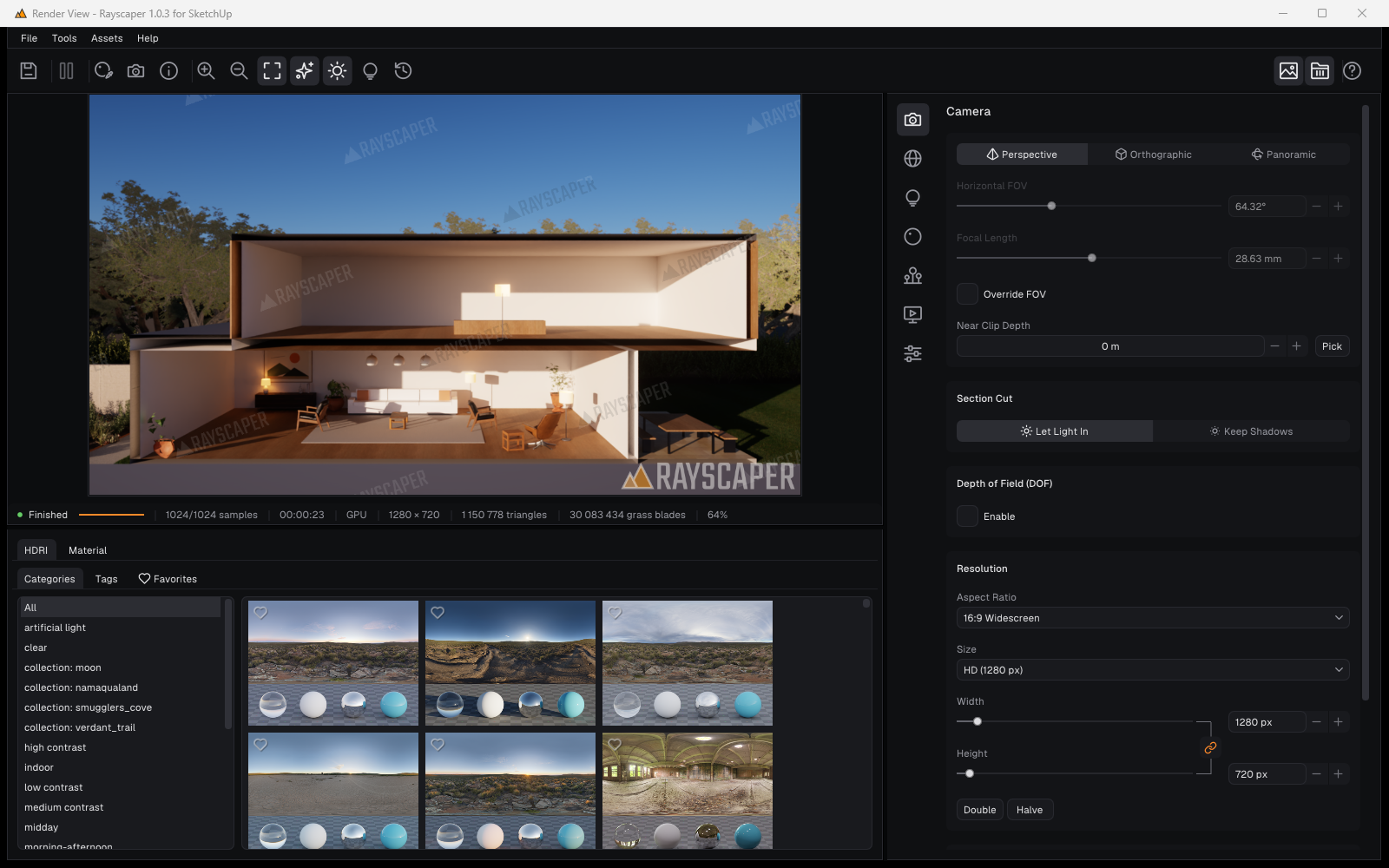
Rayscaper now renders SketchUp's section planes: what an active section plane cuts away in the SketchUp viewport is gone from the render too. Use it for section perspectives, a look into a building without hiding walls by hand, or a floor plan seen from above. Planes in nested groups, tilted planes, View > Section Cuts and the planes stored in scene tabs all work, and the render follows when you move a plane.
A new Section Cut setting in the Camera section decides what the cut does to the light. Let Light In lets the sun and the sky through the opening. Keep Shadows lights the model as if it were still closed, so a cut room keeps its own light and shadows. See Section Planes.
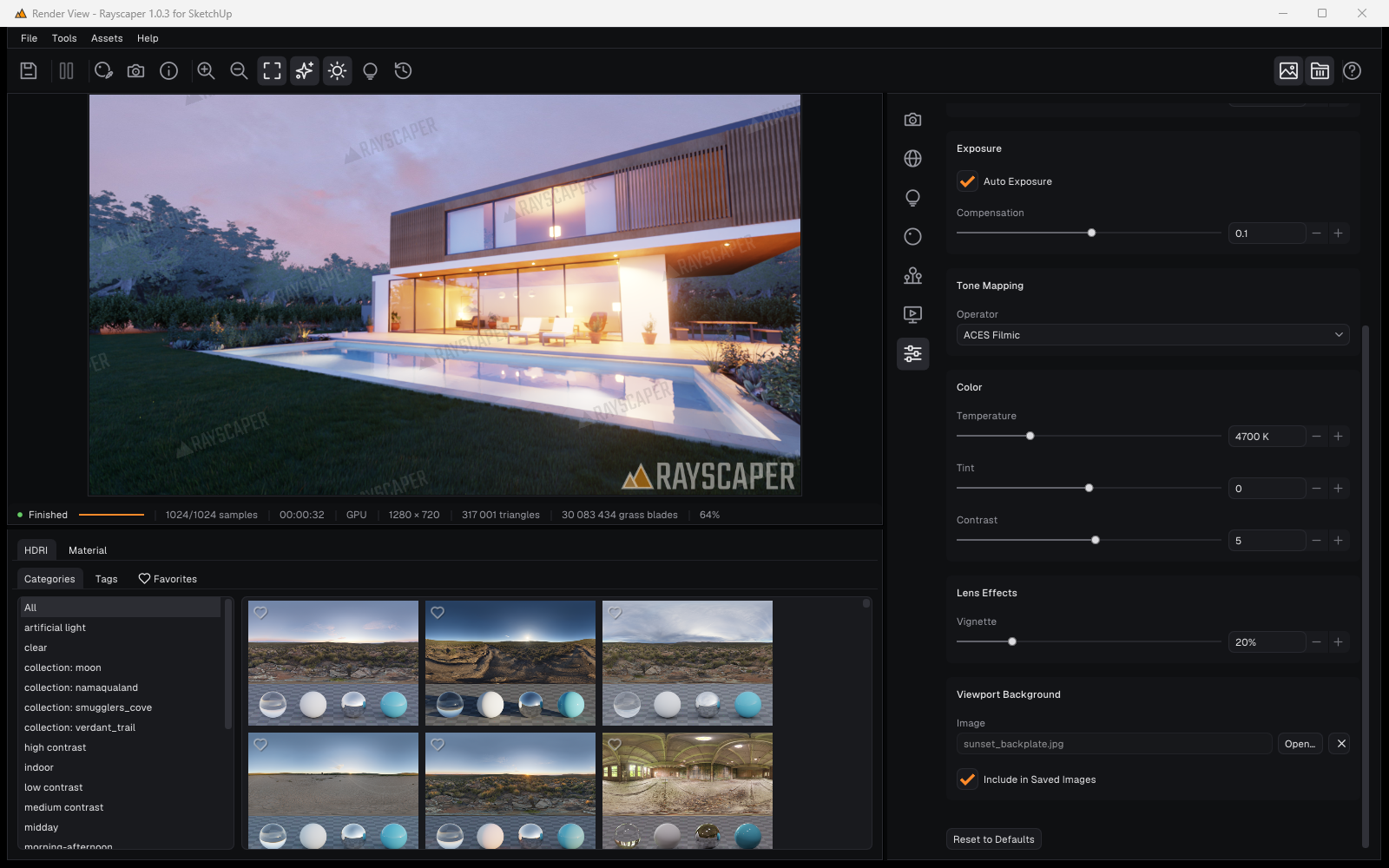
Save the Render over Its Background Photo
The Viewport Background of 1.0.2 shows a photo behind a transparent render. With the new Include in Saved Images checkbox, Rayscaper also saves the render over that photo: Save Image, the render history, Render Scenes and animations. No more compositing in an image editor for a quick backplate shot. EXR files and passes such as Material ID stay transparent. See Post Processing.
Use SketchUp Sun for Sky in the Render Window
The Environment section has a new Use SketchUp Sun for Sky checkbox under Sun, so you no longer need the Extensions menu to turn sun tracking on or off. It's the same setting as the menu item. See Environments.
Running Out of Memory
A render that runs out of memory partway now stops and keeps its image, so you can still save what you have, instead of starting over on the CPU. The denoiser also uses less GPU memory on large renders. And this release fixes SketchUp closing after a 4K render ran out of GPU memory.
Improvements
- The Asset Manager shows your saved materials while you're offline or the online assets can't be loaded, with a Retry button for the online ones.
- The online assets of the Asset Manager load over slow connections.
Bug Fixes
- Start Render did nothing on Windows when the user name has non-English characters (e.g. Chinese).
- The Render threads setting had no effect: CPU renders always used 8 threads. PCs with more cores now render faster on the CPU, and lowering the setting frees cores.
- The Material Picker picked a surface that Near Clip Depth cut away instead of the one visible behind it.
Full release notes: rayscaper.com/manual/release-notes
Help Me Build the Community

If you like Rayscaper, please share your renders (final or work-in-progress, it doesn't matter)! This is motivating and helps me showcase its capabilities to new users.
Follow me on X.
Happy Rendering!
Thomas -
@Alattab The white square isn't the light itself, it's a reflection.
With Spread at 0, an area light works like a projector: it only shines straight ahead, in a narrow beam with hard edges. That beam makes one very bright patch on the wall opposite the window. Glass reflects a little of everything in front of it, and that patch is so bright that its reflection in the window comes out white. The roughness of the walls doesn't matter here, because the glass is what reflects.
For a light that stands in for a window, set Spread to 180° (or around 120° if you want it a bit more directed). The light then fills the room softly, and the square goes away. The render gets darker, so raise the light's intensity or the exposure a little.
Cheers,
Thomas -
Hey folks,
Rayscaper 1.0.3 for Mac is up. Same link as before: Rayscaper for Mac
Since 1.0.1: section planes cut the render, Glass presets, a photo behind your render (also in saved PNGs), a render that runs out of memory keeps its image, the Asset Manager works offline and on slow connections, and the Render threads setting now works for CPU renders. The full list is in the release notes.
Restart SketchUp after installing it over an earlier version.
Cheers,
Thomas -
@pixelcruncher walls has no specular and set roughness to 100% , you can try
-
@pixelcruncher Is it possible to add a drag feature and basic manipulation capabilities for the background, so that it can be adjusted to fit the scenes?
-
@pixelcruncher thank you for the section planes!
-
@sashapepperspray , matrial outliner radio button benath martials list , it is good option to outline objects contain matrials
-
Hello Thomas,
My French friend Samuel Talet made this plugin that I discovered and I immediately saw an application related to Rayscaper.
Because it allows me to choose Polyhaven materials in sketchup...
but in Rayscaper, you should be able to find them by their exact name. And I don't think that's possible at the moment.
Do you think you could add this function one day?
Many thanks
https://community.sketchucation.com/topic/160433/plugin-material-browser-v1.1.2-15-nov-2026/53?page=3


Hello! It looks like you're interested in this conversation, but you don't have an account yet.
Getting fed up of having to scroll through the same posts each visit? When you register for an account, you'll always come back to exactly where you were before, and choose to be notified of new replies (either via email, or push notification). You'll also be able to save bookmarks and upvote posts to show your appreciation to other community members.
With your input, this post could be even better 💗
Register Login


Advertisement