Used wrong model info
-
While I was monitoring my G-son in a school virtual video session I decided to design an item in Sketchup 15. I didn't go to Model Info first and change it to mm (the default is M unless you change it before going on in my version of Sketchup) so the item wound up being designed in m! Somehow Slice still printed it in mm (no idea why .. yet) and it came out fine BUT.. Is there a way other than just go back to item info and change it which shows the measurement in mm but I'd like it to be a 1 to 1 scale. (i.e. instead of 35000.00 mm after the correction, I want it to be 35.0 mm)
Hope that was clear..
-
You should be able to resize the model to the real world dimensions. First go into Model Info>Units and set them to Millimeters. Then in the model space, get the Tape Measure tool. Measure the distance between two points making sure you click on both ends. Type the actual dimension and press Enter. SketchUp will ask you if you want to resize the model. Choose the affirmative answer. If you used components in the model, right click on each one and choose Scale Definition to correct the size.
As for why it worked to 3D print your model, the exported .stl file has no units. 35 is just 35. When the .stl is imported into the slicer software the slicer is set up to millimeters and it all plays nicely. As an example, here's a thing I modeled in SketchUp using meters as the units.
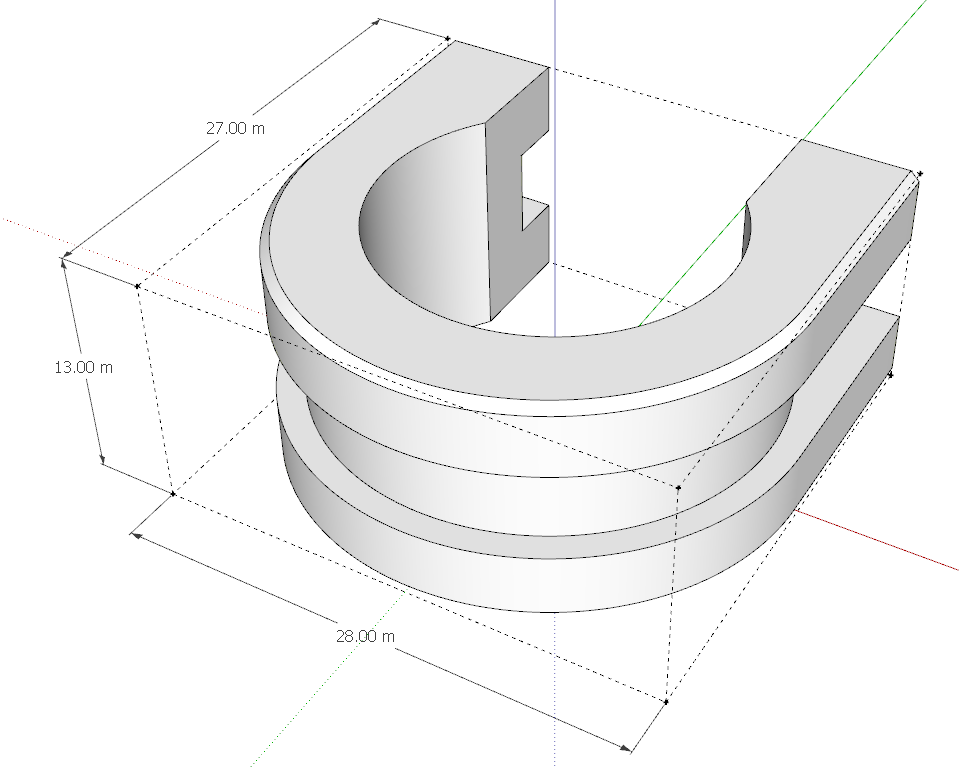
And the first rough 3D print. They snap right on to the 18mm dia. tube.


Hello! It looks like you're interested in this conversation, but you don't have an account yet.
Getting fed up of having to scroll through the same posts each visit? When you register for an account, you'll always come back to exactly where you were before, and choose to be notified of new replies (either via email, or push notification). You'll also be able to save bookmarks and upvote posts to show your appreciation to other community members.
With your input, this post could be even better 💗
Register Login


Advertisement