sketchucation logo sketchucation
    • Login
    Oops, your profile's looking a bit empty! To help us tailor your experience, please fill in key details like your SketchUp version, skill level, operating system, and more. Update and save your info on your profile page today!
    ⚠️ Update | Sketchucation Tools 5.0.8 released with licensing improvements and bugfixes Download

    SCFLicense: Extension Licensing on Sketchucation

    Scheduled Pinned Locked Moved Plugins
    2.3k Posts 515 Posters 2.6m Views 520 Watching
    Loading More Posts
    • Oldest to Newest
    • Newest to Oldest
    • Most Votes
    Reply
    • Reply as topic
    Log in to reply
    This topic has been deleted. Only users with topic management privileges can see it.
    • S
      simplesketch
      last edited by

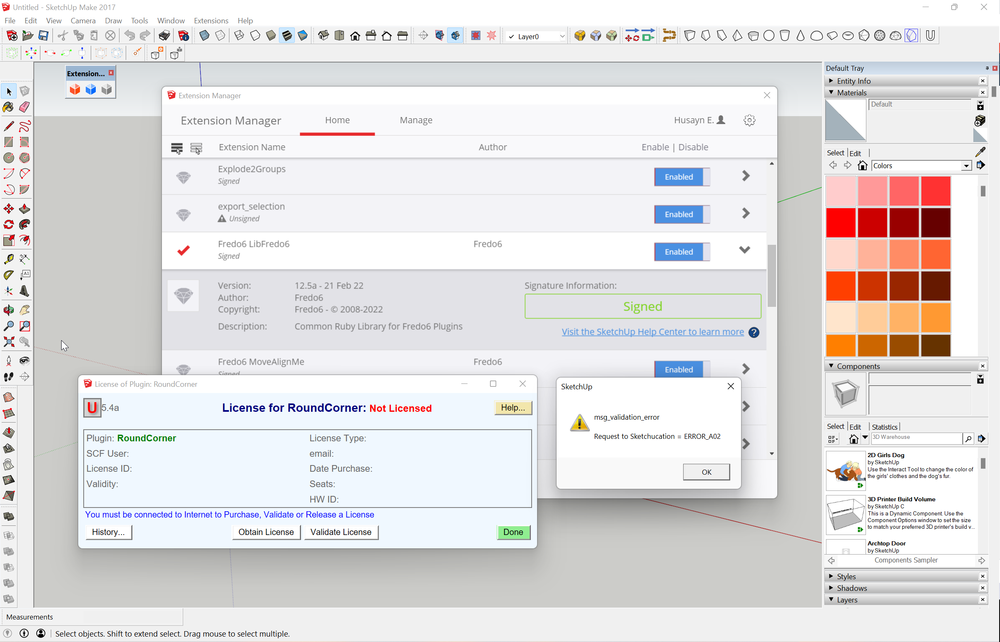
      I updated my profile, I am using
      Sketchup Make 2017
      Windows 11 64-bit operating system

      I have Freedo6 library version 12.5a (21 Feb 22) installed
      I have RoundCorner installed
      latest version of Sketchucation

      Untitled.png

      1 Reply Last reply
      Reply Quote 0
      • TIGT
        TIG Moderator
        last edited by

        See
        https://sketchucation.com/pluginstore?pln=LibFredo6
        The latest version is 12.8a 17-03-2022 - yours is out of date...
        Try installing that etc...

        TIG

        1 Reply Last reply
        Reply Quote 0
        • S
          simplesketch
          last edited by

          @tig said:

          See
          https://sketchucation.com/pluginstore?pln=LibFredo6
          The latest version is 12.8a 17-03-2022...
          Try installing that etc...

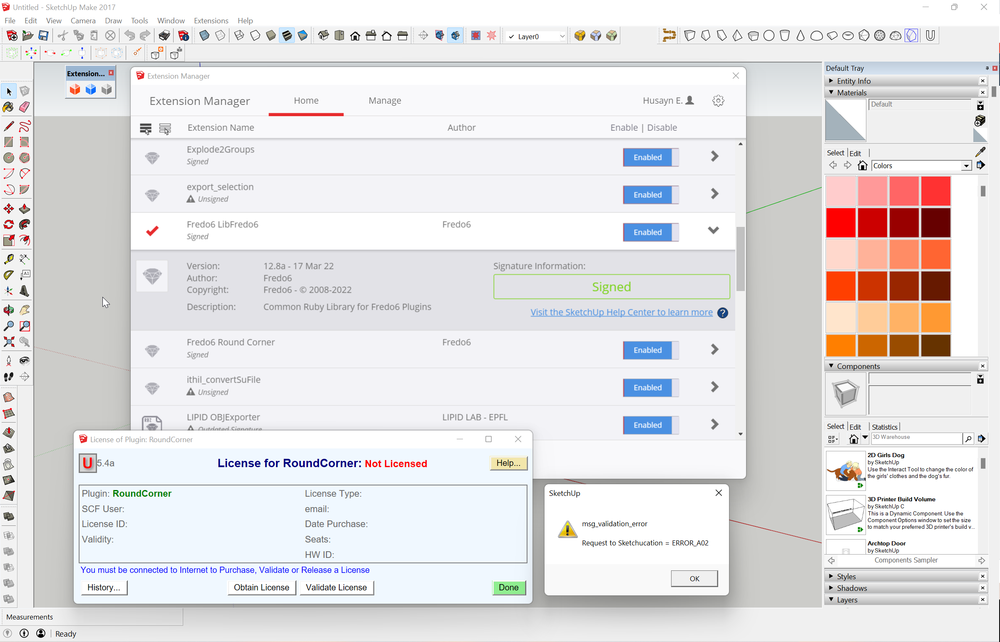
          I now uninstalled all Freedo6 plugins and LibFredo6. I deleted the SCF file. Then I restarted sketchup, reinstalled the LibFredo6 (latest version 12.8) and RoundCorner using the Sketchucation plugin. Restarted sketchup again. Tried to validate license, same error.

          Untitled.png

          1 Reply Last reply
          Reply Quote 0
          • Rich O BrienR
            Rich O Brien Moderator
            last edited by

            Error A02 is related to your signature file. Please send your scflicense file and signature file to support[at]sketchucation.com so we can examine them. Thanks

            Download the free D'oh Book for SketchUp πŸ“–

            1 Reply Last reply
            Reply Quote 0
            • J
              Jenkus
              last edited by

              We purchased the bundle for Fredo and followed the descriptions.
              When trying to validate the license it says
              'msg_validation_error ..... ERROR_07'
              Sketchucation is up to date.
              The licenses don't show up in 'Global status of plugins under SCF License'.
              What to do?

              1 Reply Last reply
              Reply Quote 0
              • Rich O BrienR
                Rich O Brien Moderator
                last edited by

                @jenkus said:

                We purchased the bundle for Fredo and followed the descriptions.
                When trying to validate the license it says
                'msg_validation_error ..... ERROR_07'
                Sketchucation is up to date.
                The licenses don't show up in 'Global status of plugins under SCF License'.
                What to do?

                Screenshot the error message. We have no ERROR_07 message But we do have A07, B07 etc....

                Download the free D'oh Book for SketchUp πŸ“–

                1 Reply Last reply
                Reply Quote 0
                • V
                  vizz1999
                  last edited by

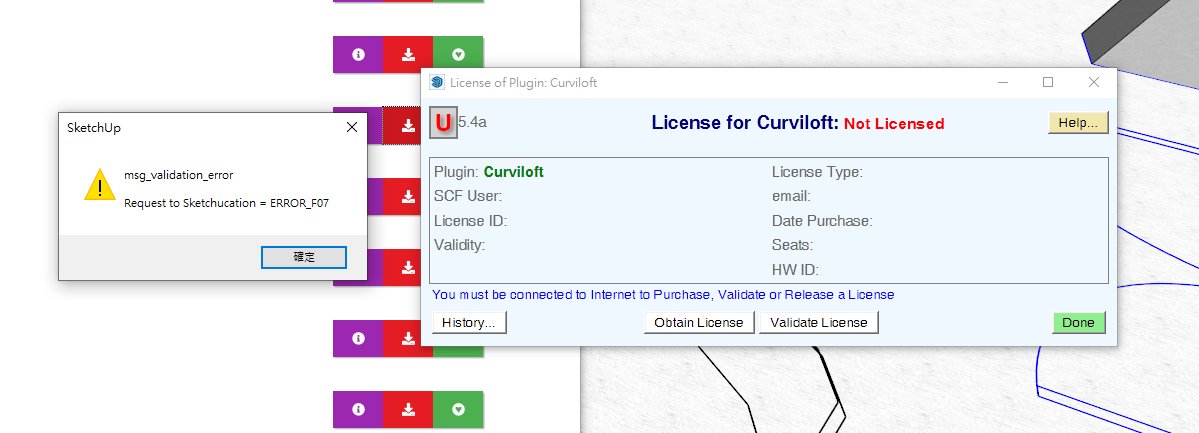
                  With some problem on validation error. How can i fix it? I had try delete license file, but it doesn't work.

                  θž’εΉ•ζ“·ε–η•«ι’ 2022-04-06 214231.png

                  1 Reply Last reply
                  Reply Quote 0
                  • Rich O BrienR
                    Rich O Brien Moderator
                    last edited by

                    Make sure you are using Sketchucation Tools v4.2.5 and the latest LibFredo.

                    Download the free D'oh Book for SketchUp πŸ“–

                    1 Reply Last reply
                    Reply Quote 0
                    • TIGT
                      TIG Moderator
                      last edited by

                      As you might see from similar posts...
                      You need to have the following installed...

                      Latest SketchUcation toolset [>= v4.2.5]
                      Latest Lib Fredo [>= 12.5a]
                      Latest versions of the [to be] licensed Fredo-extensions.

                      After the installations you need to restart SketchUp to ensure everything is synced.

                      If this doesn't resolve an issue there are recommendations to delete a file and let it be recreated, or failing that, to email your scflicense file and signature file to support[at]sketchucation.com...

                      On a side note... when you installed SketchUp did you do it correctly ?
                      Do in wrongly can result in all finds of unpredictable permission issues down the line...
                      To fix it...
                      Close SketchUp.
                      While logged into Windows with your normal user-account...
                      Find the relevant SketchUp installer's exe file [usually in your Downloads folder].
                      Select its icon, right-click > context-menu > "Run as administrator"
                      When prompted choose "Repair"
                      Let it complete...
                      Restart SketchUp...

                      Running a installer's exe file in any other way - e.g. by double-clicking it to 'Run' - is not equivalent - even if your normal user-account has admin powers...

                      TIG

                      1 Reply Last reply
                      Reply Quote 0
                      • J
                        Jenkus
                        last edited by

                        @rich o brien said:

                        @jenkus said:

                        We purchased the bundle for Fredo and followed the descriptions.
                        When trying to validate the license it says
                        'msg_validation_error ..... ERROR_07'
                        Sketchucation is up to date.
                        The licenses don't show up in 'Global status of plugins under SCF License'.
                        What to do?

                        Screenshot the error message. We have no ERROR_07 message But we do have A07, B07 etc....
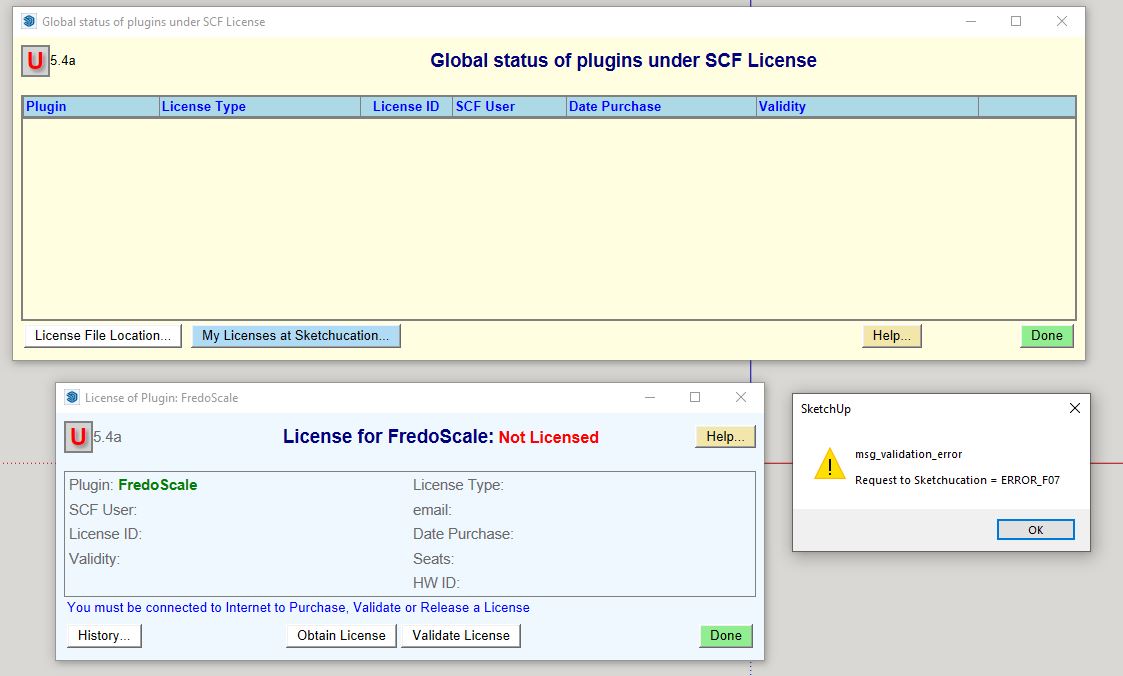

                        Unbenannt.JPG

                        1 Reply Last reply
                        Reply Quote 0
                        • C
                          carus
                          last edited by

                          Hi!
                          I just purchased the plug in bundle but the validation of the licence file gives me some troubles.
                          Somebody there that can help with this issue..?

                          Thanks


                          error.PNG

                          1 Reply Last reply
                          Reply Quote 0
                          • Dave RD
                            Dave R
                            last edited by

                            @carus said:

                            ...but the validation of the licence file gives me some troubles.

                            As has been indicated repeatedly in this thread, update the Sketchucation Extension Store and then restart SketchUp.

                            Please complete your profile with SketchUp version and operating system.

                            Etaoin Shrdlu

                            %

                            (THERE'S NO PLACE LIKE)

                            G28 X0.0 Y0.0 Z0.0

                            M30

                            %

                            1 Reply Last reply
                            Reply Quote 0
                            • Rich O BrienR
                              Rich O Brien Moderator
                              last edited by

                              For ERROR_F07 I would follow TIG's instructions....

                              403 Forbidden

                              favicon

                              (sketchucation.com)

                              For deletion of signature files you need to go to your \AppData\Local\SCF Licenses and delete the file named...

                              SCFLicenseSignature - DO NOT MODIFY OR DELETE.txt
                              

                              Download the free D'oh Book for SketchUp πŸ“–

                              1 Reply Last reply
                              Reply Quote 0
                              • TIGT
                                TIG Moderator
                                last edited by

                                This is the issue raised by some earlier posts...
                                Please read those in detail for more info...

                                BUT from the dialog you posted it's clear that you have not installed the latest SketchUcation toolset and consequently you do not have the latest SCF licensing tool installed...

                                Also ensure that you have latest versions of the Fredo-extensions installed.

                                Restart SketchUp after installations to ensure everything is synced...

                                TIG

                                1 Reply Last reply
                                Reply Quote 0
                                • Rich O BrienR
                                  Rich O Brien Moderator
                                  last edited by

                                  OK, so after some backend probing 😳 we have pinpointed the F07 error that is appearing.

                                  It likely your .scflicense having no content. If it's 0kb in size then that's the issue.

                                  We are reverting back a few hours and reissuing license files which should fix these f07 errors.

                                  Sorry about that.

                                  Download the free D'oh Book for SketchUp πŸ“–

                                  1 Reply Last reply
                                  Reply Quote 0
                                  • V
                                    vizz1999
                                    last edited by

                                    @rich o brien said:

                                    OK, so after some backend probing 😳 we have pinpointed the F07 error that is appearing.

                                    It likely your .scflicense having no content. If it's 0kb in size then that's the issue.

                                    We are reverting back a few hours and reissuing license files which should fix these f07 errors.

                                    Sorry about that.

                                    Should we contact if our license files is 0KB, or later we will got a new file in email

                                    1 Reply Last reply
                                    Reply Quote 0
                                    • Rich O BrienR
                                      Rich O Brien Moderator
                                      last edited by

                                      @vizz1999 said:

                                      @rich o brien said:

                                      OK, so after some backend probing 😳 we have pinpointed the F07 error that is appearing.

                                      It likely your .scflicense having no content. If it's 0kb in size then that's the issue.

                                      We are reverting back a few hours and reissuing license files which should fix these f07 errors.

                                      Sorry about that.

                                      Should we contact if our license files is 0KB, or later we will got a new file in email

                                      We will email out new license files shortly. We can see which ones are empty so expect a proper license file soon

                                      Download the free D'oh Book for SketchUp πŸ“–

                                      1 Reply Last reply
                                      Reply Quote 0
                                      • S
                                        simplesketch
                                        last edited by

                                        Hello, yes I thought it was strange that all my license files were 0kb empty files. I just received emails with new licenses that are about 600 bytes in size. I just tried to validate the RoundCorner license with the new license file and it worked. Thank you

                                        1 Reply Last reply
                                        Reply Quote 0
                                        • Rich O BrienR
                                          Rich O Brien Moderator
                                          last edited by

                                          @simplesketch said:

                                          I just tried to validate the RoundCorner license with the new license file and it worked. Thank you

                                          No, thank you for your patience.

                                          Download the free D'oh Book for SketchUp πŸ“–

                                          1 Reply Last reply
                                          Reply Quote 0
                                          • John SBJ
                                            John SB
                                            last edited by

                                            Hi any and all.

                                            I have followed TIG's directions but I'm still getting ERROR_F07. I'm using SU Pro 2022 on a PC. I have used TIG's directions - launched the exe as admin - and repaired my install. I have version 4.2.5 of the plugin store installed. I have version 12.8a of LibFredo6 installed. I have installed, closed and reopened SU and all the toolbars are visible. But I cannot get the validation to work.


                                            1 Reply Last reply
                                            Reply Quote 0

                                            Hello! It looks like you're interested in this conversation, but you don't have an account yet.

                                            Getting fed up of having to scroll through the same posts each visit? When you register for an account, you'll always come back to exactly where you were before, and choose to be notified of new replies (either via email, or push notification). You'll also be able to save bookmarks and upvote posts to show your appreciation to other community members.

                                            With your input, this post could be even better πŸ’—

                                            Register Login
                                            • 1
                                            • 2
                                            • 13
                                            • 14
                                            • 15
                                            • 16
                                            • 17
                                            • 115
                                            • 116
                                            • 15 / 116
                                            • First post
                                              Last post
                                            Buy SketchPlus
                                            Buy SUbD
                                            Buy WrapR
                                            Buy eBook
                                            Buy Modelur
                                            Buy Vertex Tools
                                            Buy SketchCuisine
                                            Buy FormFonts

                                            Advertisement