[Plugin] Material Browser - v1.1.1 - 15 Nov 2025
-
That's a really great plugin, I had some trouble getting it to work also: I had to disable a bunch of plugins for it to work, so there is a conflict somewhere.
For reference, here is the error I was getting
Error Loading File C:/Users/adam.fairclough/AppData/Roaming/SketchUp/SketchUp 2021/SketchUp/Plugins/material_browser/load.rb
Error: #<TypeError: superclass mismatch for class StreamableStream>
C:/Users/adam.fairclough/AppData/Roaming/SketchUp/SketchUp 2021/SketchUp/Plugins/material_browser/Libraries/zip/streamable_stream.rb:2:in<module:Zip>' C:/Users/adam.fairclough/AppData/Roaming/SketchUp/SketchUp 2021/SketchUp/Plugins/material_browser/Libraries/zip/streamable_stream.rb:1:in<top (required)>'
C:/Program Files/SketchUp/SketchUp 2021/Tools/RubyStdLib/rubygems/core_ext/kernel_require.rb:92:inrequire' C:/Program Files/SketchUp/SketchUp 2021/Tools/RubyStdLib/rubygems/core_ext/kernel_require.rb:92:inrequire'
C:/Users/adam.fairclough/AppData/Roaming/SketchUp/SketchUp 2021/SketchUp/Plugins/material_browser/Libraries/zip.rb:30:in<top (required)>' C:/Program Files/SketchUp/SketchUp 2021/Tools/RubyStdLib/rubygems/core_ext/kernel_require.rb:92:inrequire'
C:/Program Files/SketchUp/SketchUp 2021/Tools/RubyStdLib/rubygems/core_ext/kernel_require.rb:92:inrequire' C:/Users/adam.fairclough/AppData/Roaming/SketchUp/SketchUp 2021/SketchUp/Plugins/material_browser/utils.rb:27:in<top (required)>'
C:/Program Files/SketchUp/SketchUp 2021/Tools/RubyStdLib/rubygems/core_ext/kernel_require.rb:72:inrequire' C:/Program Files/SketchUp/SketchUp 2021/Tools/RubyStdLib/rubygems/core_ext/kernel_require.rb:72:inrequire'
C:/Users/adam.fairclough/AppData/Roaming/SketchUp/SketchUp 2021/SketchUp/Plugins/material_browser/model.rb:26:in<top (required)>' C:/Program Files/SketchUp/SketchUp 2021/Tools/RubyStdLib/rubygems/core_ext/kernel_require.rb:72:inrequire'
C:/Program Files/SketchUp/SketchUp 2021/Tools/RubyStdLib/rubygems/core_ext/kernel_require.rb:72:inrequire' C:/Users/adam.fairclough/AppData/Roaming/SketchUp/SketchUp 2021/SketchUp/Plugins/material_browser/materials_observer.rb:24:in<top (required)>'
C:/Program Files/SketchUp/SketchUp 2021/Tools/RubyStdLib/rubygems/core_ext/kernel_require.rb:72:inrequire' C:/Program Files/SketchUp/SketchUp 2021/Tools/RubyStdLib/rubygems/core_ext/kernel_require.rb:72:inrequire'
C:/Users/adam.fairclough/AppData/Roaming/SketchUp/SketchUp 2021/SketchUp/Plugins/material_browser/app_observer.rb:24:in<top (required)>' C:/Program Files/SketchUp/SketchUp 2021/Tools/RubyStdLib/rubygems/core_ext/kernel_require.rb:72:inrequire'
C:/Program Files/SketchUp/SketchUp 2021/Tools/RubyStdLib/rubygems/core_ext/kernel_require.rb:72:inrequire' C:/Users/adam.fairclough/AppData/Roaming/SketchUp/SketchUp 2021/SketchUp/Plugins/material_browser/load.rb:25:in<top (required)>'
... -
HI. I just installed this and only get errors when SU starts.
A lot of errors all to do with this: 2021/Tools/RubyStdLib/rubygems/core_ext/kernel_require.rb:72:in `require'
I installed a few of your other plugins, all working fine.
Anything you can suggest to fix this?
Thanks
Z
-
Why are there no replies to posts here? The extension does not work as I posed above.
-
@evilboris said:
That's a really great plugin, I had some trouble getting it to work also: I had to disable a bunch of plugins for it to work, so there is a conflict somewhere.
...Hello,
Can You share a list of plugins you had to disable? I got the same errors. I would love to use this plugin, searching materials by name is so obvious it should be implemented in native tools of SketchUp, and this add on do so much more!
Thank You.
Maciej.
my error log
Error Loading File C:/Users/maslo/AppData/Roaming/SketchUp/SketchUp 2021/SketchUp/Plugins/material_browser/load.rb
Error: #<TypeError: superclass mismatch for class StreamableStream>
C:/Users/maslo/AppData/Roaming/SketchUp/SketchUp 2021/SketchUp/Plugins/material_browser/Libraries/zip/streamable_stream.rb:2:in<module:Zip>' C:/Users/maslo/AppData/Roaming/SketchUp/SketchUp 2021/SketchUp/Plugins/material_browser/Libraries/zip/streamable_stream.rb:1:in<top (required)>'
C:/Program Files/SketchUp/SketchUp 2021/Tools/RubyStdLib/rubygems/core_ext/kernel_require.rb:92:inrequire' C:/Program Files/SketchUp/SketchUp 2021/Tools/RubyStdLib/rubygems/core_ext/kernel_require.rb:92:inrequire'
C:/Users/maslo/AppData/Roaming/SketchUp/SketchUp 2021/SketchUp/Plugins/material_browser/Libraries/zip.rb:30:in<top (required)>' C:/Program Files/SketchUp/SketchUp 2021/Tools/RubyStdLib/rubygems/core_ext/kernel_require.rb:92:inrequire'
C:/Program Files/SketchUp/SketchUp 2021/Tools/RubyStdLib/rubygems/core_ext/kernel_require.rb:92:inrequire' C:/Users/maslo/AppData/Roaming/SketchUp/SketchUp 2021/SketchUp/Plugins/material_browser/utils.rb:27:in<top (required)>'
C:/Program Files/SketchUp/SketchUp 2021/Tools/RubyStdLib/rubygems/core_ext/kernel_require.rb:72:inrequire' C:/Program Files/SketchUp/SketchUp 2021/Tools/RubyStdLib/rubygems/core_ext/kernel_require.rb:72:inrequire'
C:/Users/maslo/AppData/Roaming/SketchUp/SketchUp 2021/SketchUp/Plugins/material_browser/model.rb:26:in<top (required)>' C:/Program Files/SketchUp/SketchUp 2021/Tools/RubyStdLib/rubygems/core_ext/kernel_require.rb:72:inrequire'
C:/Program Files/SketchUp/SketchUp 2021/Tools/RubyStdLib/rubygems/core_ext/kernel_require.rb:72:inrequire' C:/Users/maslo/AppData/Roaming/SketchUp/SketchUp 2021/SketchUp/Plugins/material_browser/materials_observer.rb:24:in<top (required)>'
C:/Program Files/SketchUp/SketchUp 2021/Tools/RubyStdLib/rubygems/core_ext/kernel_require.rb:72:inrequire' C:/Program Files/SketchUp/SketchUp 2021/Tools/RubyStdLib/rubygems/core_ext/kernel_require.rb:72:inrequire'
C:/Users/maslo/AppData/Roaming/SketchUp/SketchUp 2021/SketchUp/Plugins/material_browser/app_observer.rb:24:in<top (required)>' C:/Program Files/SketchUp/SketchUp 2021/Tools/RubyStdLib/rubygems/core_ext/kernel_require.rb:72:inrequire'
C:/Program Files/SketchUp/SketchUp 2021/Tools/RubyStdLib/rubygems/core_ext/kernel_require.rb:72:inrequire' C:/Users/maslo/AppData/Roaming/SketchUp/SketchUp 2021/SketchUp/Plugins/material_browser/load.rb:25:in<top (required)>'
... -
@zorankp said:
Why are there no replies to posts here?
Hi everyone!
Sorry, I wasn't subscribed to current topic. I don't have conflicts on my computer. Try to disable all other plugins and re-enable them one by one. Yes I know it's a tedious task but I see no other way...
-
I just published 1.0.6 version. It should fix "TypeError: superclass mismatch for class StreamableStream" issue. Please upgrade if you have this issue. Then, tell me if it works.
-
A SketchUp 2021 user reported that Material Browser v1.0.6 conflicts with SketchUcation ExtensionStore. You can't enable these plugins at same time because they use the same Zip library.
I'm looking for a solution... -
1.0.7 version fixes "TypeError: superclass mismatch for class StreamableStream" issue. Material Browser plugin is now compatible with SketchUcation ExtensionStore plugin.
-
1.0.8 version fixes "special chars in material name" issue. For example: a material named "<auto>1" doesn't cause anymore a missing thumbnail.
-
Thank you for your two above, prompt actions. It’s greatly appreciated.
judedouch
-
1.0.9 version improves user experience. You don't need anymore to reopen Material Browser UI after you've checked "Display only model materials", etc.
-
Amazing!
Thanks for letting me know you fixed the extension store issue
-
Something weird is going on with your extension for some users...
It's reported over at SketchUp.com
It seems to be copying/moving its zip.rb and zip folder from your ../Libraries/ subfolder into the Plugin folder.
First off it looked like SCF toolset doing this, as it has a similar Rubyzip set up, bt it seems to narrow down to you !
Ideas ??
https://forums.sketchup.com/t/what-is-zip-in-extension-manager-can-i-uninstall-it/172133 -
@unknownuser said:
My bad. Old versions of material_browser.rbz file include Rubyzip library at root… That’s why there’s a zip.rb file and a zip folder at root of Plugins folder. You can safely uninstall the “zip” library with native Extension Manager. Then, if you want to continue to use Material Browser plugin: upgrade it. New versions of Material Browser plugin include Rubyzip library in a proper way.
Source: https://forums.sketchup.com/t/what-is-zip-in-extension-manager-can-i-uninstall-it/172133/29
-
Thanks for the explanation and the fix...
-
Is it possible to create a custom filter? I'm doing work for a client that has unique filters for different material types. I have the material library created (over 200 materials) but would like to filter it for specifics like "wall covering", tile wall, tile floor, fabric, concrete, plastic, window film, etc.
I want to hand this to the team with the filters the other designers uses and not these defaults.
-
If I understand well, you use a custom collection of .skm files?
Today, plugin categorizes materials automatically depending on a subtype-type dictionary... For example: "D:\Textures\Floor\Red Marble 02.skm" is categorized automatically in "Stone" because of "Marble" word.
Do you think it would be more relevant if plugin categorizes materials depending on filesystem hierarchy? We could filter materials by categories with a classic tree view at left.
-
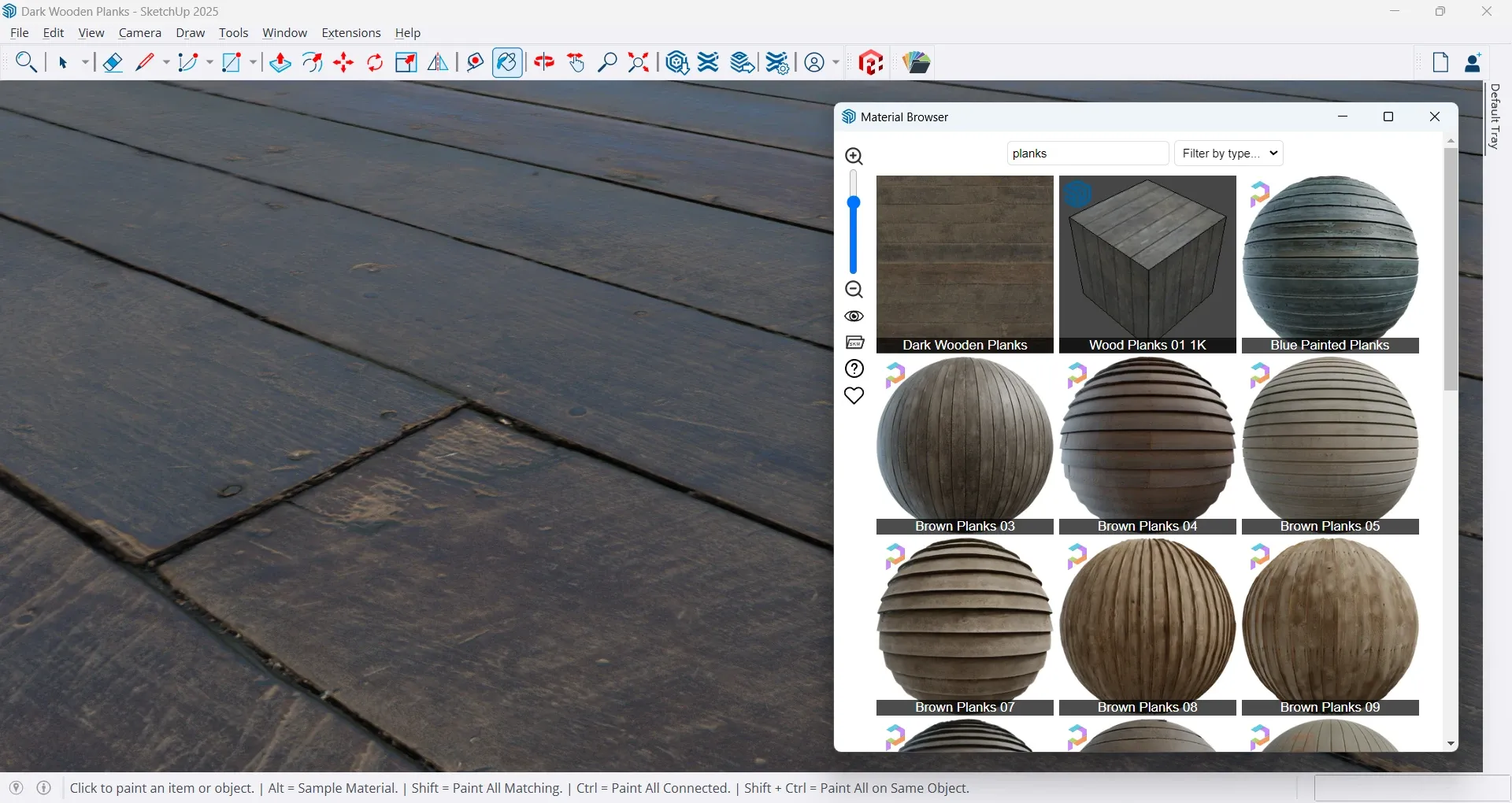
Next version of Material Browser plugin will support Poly Haven's PBR textures, on SketchUp 2025:
-
Yummy. Great feature to add.
-
Hello,
I have the joy to announce availability of Material Browser v1.1.0!
 ️
️
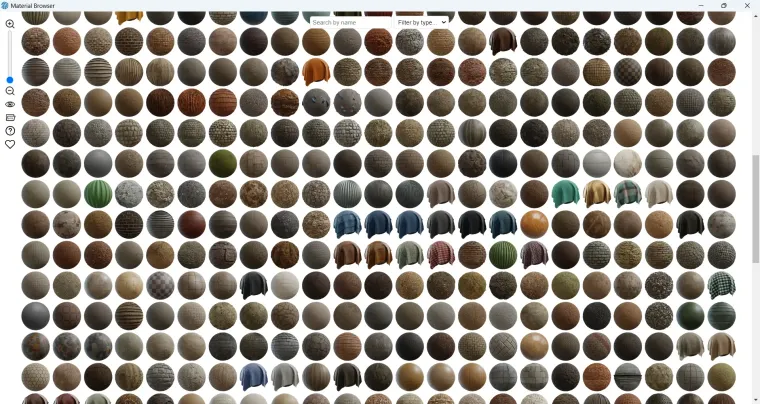
So, what's new in this version?- Poly Haven textures: Access 701 textures made by Poly Haven (formerly Texture Haven).
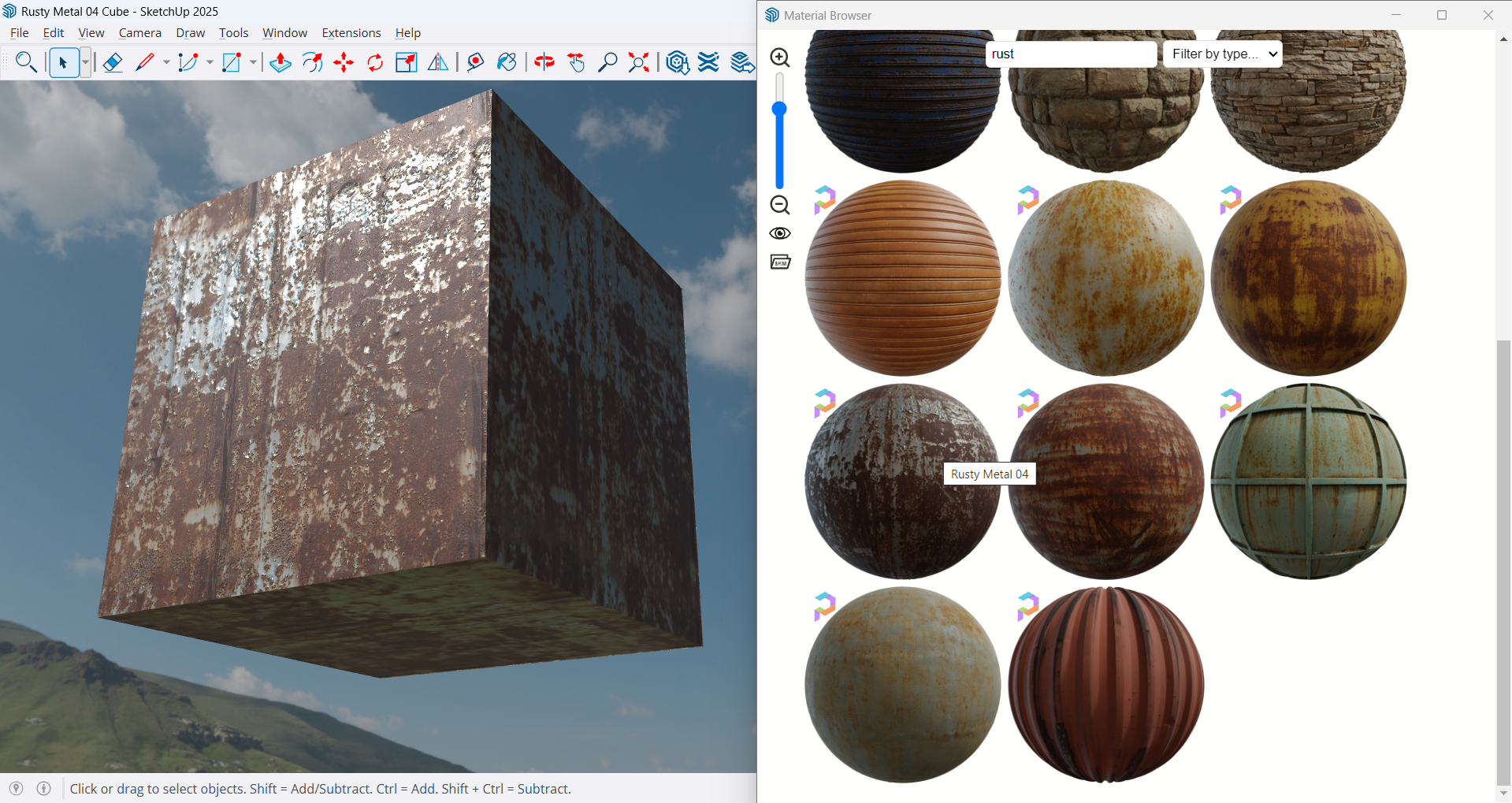
- Photoreal materials: If you use SketchUp 2025-2026, plugin sets all necessary PBR maps for you.
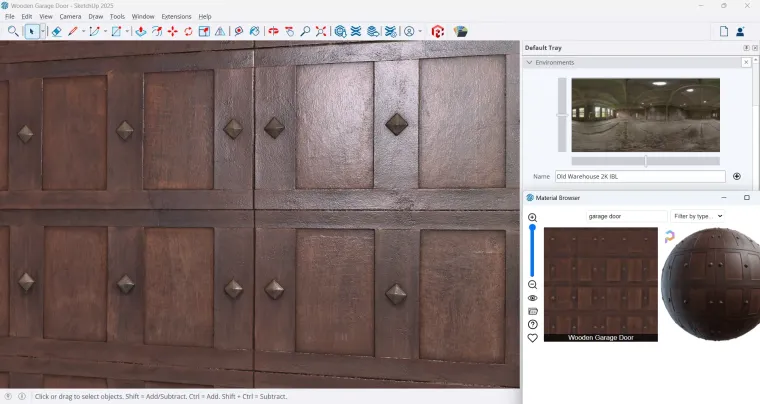
- Host acceleration: Material Browser has no more impact on SketchUp startup time!

- Longer SKM caching: Local collections thumbnails are kept until they are outdated or unused.
- Polished interface: Colored tooltips, loading screens, etc.
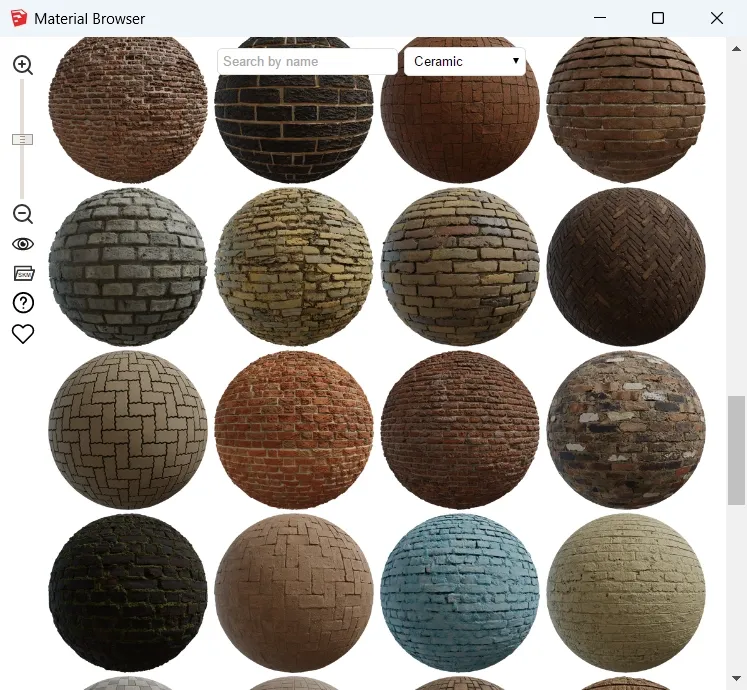
- Materials types: Brick is now categorized as Ceramic, more materials are guessed by words.
- Link to plugin FAQ: Help is accessible through question mark icon.
- Link to donate page: Heart icon opens my Ko-fi page. Consider donating if you like this plugin
 ️
️ - Better integration: Material Browser has finally... a toolbar!
- Plugin compatibility: It should be compatible with Fredo6's LordOfTheToolbars plugin.
- Cleaner codebase: A lot of code refactoring has been done.
Download latest Material Browser plugin from SketchUcation PluginStore.




Hello! It looks like you're interested in this conversation, but you don't have an account yet.
Getting fed up of having to scroll through the same posts each visit? When you register for an account, you'll always come back to exactly where you were before, and choose to be notified of new replies (either via email, or push notification). You'll also be able to save bookmarks and upvote posts to show your appreciation to other community members.
With your input, this post could be even better 💗
Register Login


Advertisement