스케치업 플러그인 다운로드
-
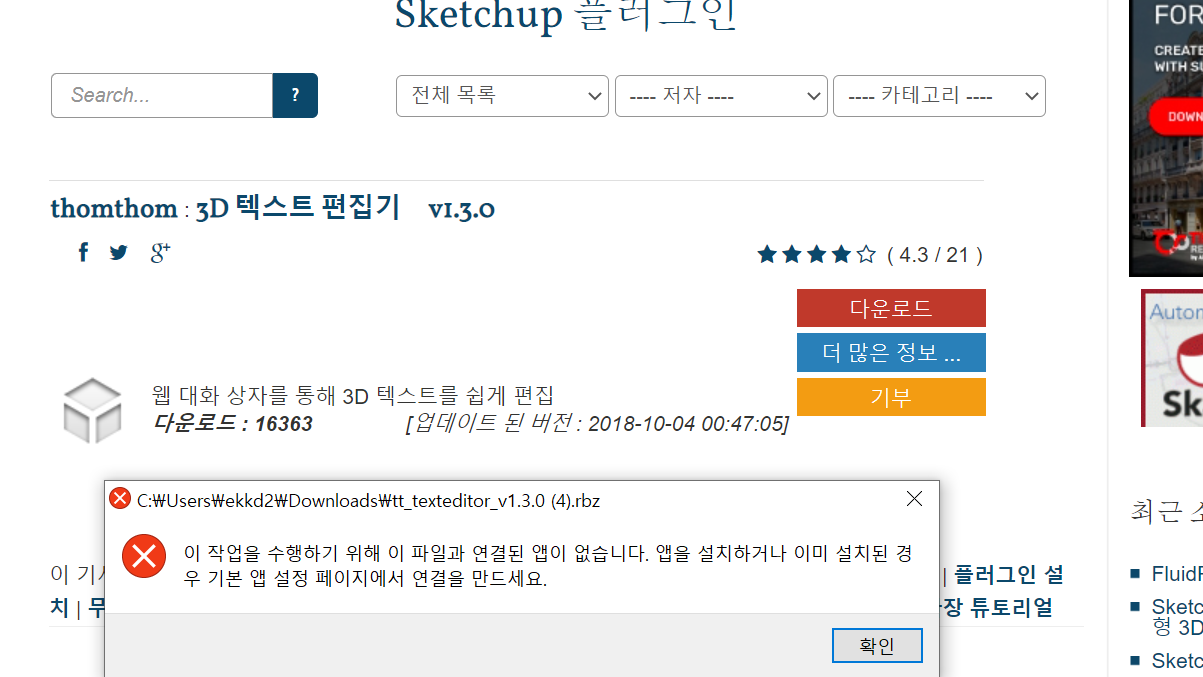
첨부파일에서 보이는 것처럼 플러그인 다운로드 버튼을 누르면 앱을 설치하라고 뜹니다. 무슨 앱을 설치해야 하는건가요?
-
Translated by Google:
@unknownuser said:
As shown in the attached file, when you click the download plugin button, you are prompted to install the app. What app should I install?
Save the .rbz file to your Downloads folder. Then go to the Window menu in SketchUp and select the Extension Manager. At the bottom click Install Extension. Navigate to where you saved the file, select it and choose Open.
What version of SketchUp are you really using? Your profile says 2019 Free/Make which is impossible.
Since this is not a bug, I've moved it from the Bugs category.

Hello! It looks like you're interested in this conversation, but you don't have an account yet.
Getting fed up of having to scroll through the same posts each visit? When you register for an account, you'll always come back to exactly where you were before, and choose to be notified of new replies (either via email, or push notification). You'll also be able to save bookmarks and upvote posts to show your appreciation to other community members.
With your input, this post could be even better 💗
Register Login


Advertisement