sketchucation logo sketchucation
    • Login
    Oops, your profile's looking a bit empty! To help us tailor your experience, please fill in key details like your SketchUp version, skill level, operating system, and more. Update and save your info on your profile page today!
    ⚠️ Update | Sketchucation Tools 5.0.8 released with licensing improvements and bugfixes Download

    Sketchup 2019 ! FAILED TO SAVE DOCUMENT !

    Scheduled Pinned Locked Moved SketchUp Bug Reporting
    sketchup
    15 Posts 4 Posters 13.1k Views 4 Watching
    Loading More Posts
    • Oldest to Newest
    • Newest to Oldest
    • Most Votes
    Reply
    • Reply as topic
    Log in to reply
    This topic has been deleted. Only users with topic management privileges can see it.
    • madomenM
      madomen
      last edited by

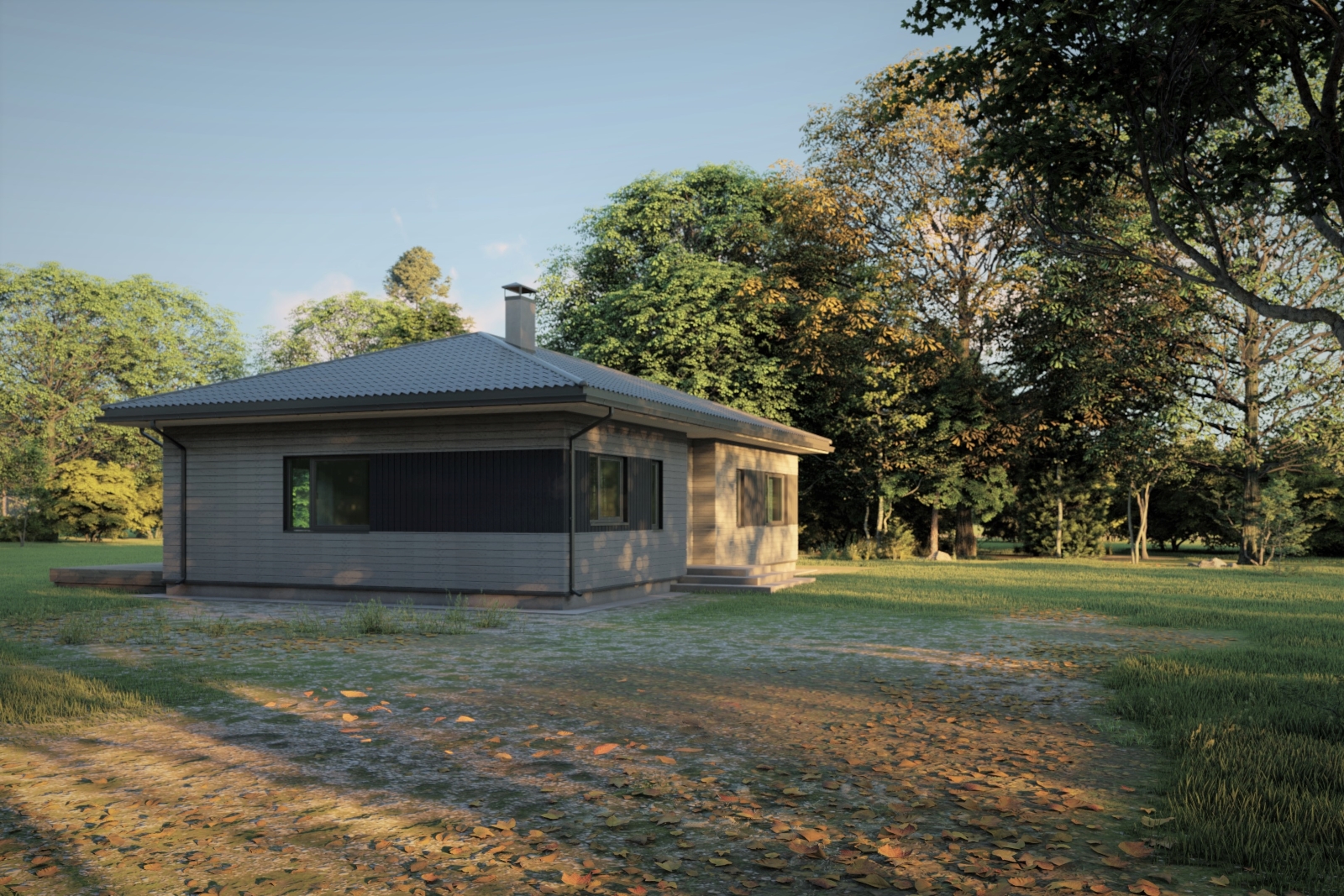
      I found a copy of the file and was able to finish the job.
      Here is the result ......

      Grobina_02.jpg

      1 Reply Last reply
      Reply Quote 0
      • G
        Glenn at home
        last edited by

        So it was the file that was bad?

        SketchUp Pro 2025/2026 Dell XPS 8950 i9-12900K 64GB Ram RTX 3080

        1 Reply Last reply
        Reply Quote 0
        • madomenM
          madomen
          last edited by

          The file it couldn't be, think something went wrong with Autosave, reinstall Sketchup.
          I lost my 4 hour job yesterday, today almost the same thing happened!

          1 Reply Last reply
          Reply Quote 0
          • TIGT
            TIG Moderator
            last edited by

            Don't ever rely on AutoSave - it's the backup when the wheels fall off...
            Save you model regularly - 4 hours of lost work could be 20 minutes if you saved more frequently....

            PS: the file path in the error certainly looked FUBAR !

            TIG

            1 Reply Last reply
            Reply Quote 0
            • G
              Glenn at home
              last edited by

              So autosave just "went bad" out of the blue? It worked well before?

              SketchUp Pro 2025/2026 Dell XPS 8950 i9-12900K 64GB Ram RTX 3080

              1 Reply Last reply
              Reply Quote 0
              • TIGT
                TIG Moderator
                last edited by

                Did you try the 'Repair' idea ??

                TIG

                1 Reply Last reply
                Reply Quote 0
                • madomenM
                  madomen
                  last edited by

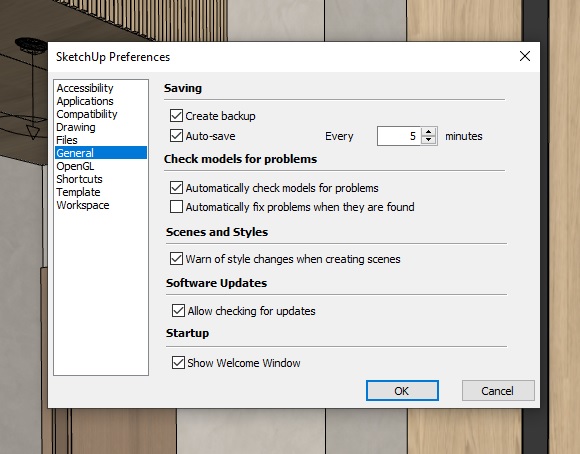
                  Auto save settings stand for 5 minutes, nothing was changed, previously worked perfectly.
                  PS: I still can't repair the program. I'll do it next week.

                  Mado


                  Autosave.jpg

                  1 Reply Last reply
                  Reply Quote 0
                  • G
                    Glenn at home
                    last edited by

                    Huh, weird. I have the exact same setting except for the "Show Welcome Window". Should be default as I haven't changed it since I installed 2020. I'm sort of psycho about saving. I learned CAD back in '89 on DOS and I got into the habit of saving every little bit JUST. IN. CASE! πŸ˜‰ I mean like every few minutes I save the file. No matter if it's AutoCAD, SU, Blender, Form Z, Adobe..whatever.

                    SketchUp Pro 2025/2026 Dell XPS 8950 i9-12900K 64GB Ram RTX 3080

                    1 Reply Last reply
                    Reply Quote 0
                    • R
                      rv1974
                      last edited by

                      This is severe bug in last 3 versions (in v2020 fortunately still didn't see it, but some guys in the office did). I noticed it happens when file gets rather complex with lots of Acad files inserted. The only way to save the work is (portion by portion) copy-paste model to a new empty file (without acad linework and purge it.

                      1 Reply Last reply
                      Reply Quote 0
                      • madomenM
                        madomen
                        last edited by

                        This document used an Autocad file for house modeling ...... maybe that was the reason, but I would like to say that the problems on both days started with the import of roofing from 3d Warehouse, in any case it was not observed before.

                        1 Reply Last reply
                        Reply Quote 0
                        • R
                          rv1974
                          last edited by

                          IDK maybe file size is a trigger..

                          1 Reply Last reply
                          Reply Quote 0

                          Hello! It looks like you're interested in this conversation, but you don't have an account yet.

                          Getting fed up of having to scroll through the same posts each visit? When you register for an account, you'll always come back to exactly where you were before, and choose to be notified of new replies (either via email, or push notification). You'll also be able to save bookmarks and upvote posts to show your appreciation to other community members.

                          With your input, this post could be even better πŸ’—

                          Register Login
                          • 1 / 1
                          • First post
                            Last post
                          Buy SketchPlus
                          Buy SUbD
                          Buy WrapR
                          Buy eBook
                          Buy Modelur
                          Buy Vertex Tools
                          Buy SketchCuisine
                          Buy FormFonts

                          Advertisement