Layout - Scrapbooks
-
When creating scrapbooks in Layout I often import saved components from S/U for the sake of uniformity. I realize this can create large reference lists. The idea being that you only have to do it once for details that are repeated.
Each time I have to set the Scale, Preserve Scale, and Vector settings. Is there anyway to set these as defaults? I would suspect this has more to do with how the component was saved.[/size] -
Are you creating a scene in SketchUp with the camera set to Parallel Projection so you can set a scale for the viewport when you get into LO. If you do that before saving the scapbook, the inserted scrapbook item will have the scale you want. If you use a few different scales, you can set up multiple viewports of the same scene with different scales as I show here:
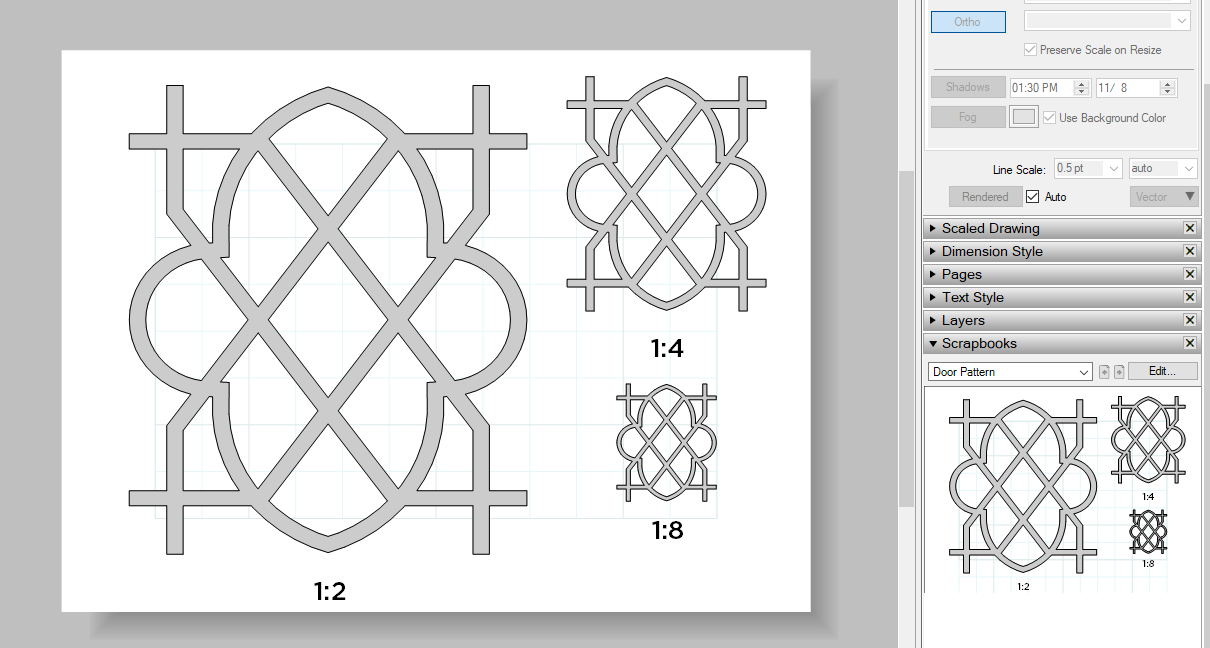
Note: I set the paper size to be only slightly larger than the area covered by the content so that the content would display larger in the Scrapbook.Since the scrapbook entity is still a Sketchup file, you can rescale the thing after you bring it into LO, too. Click on the GIF below if it doesn't move.
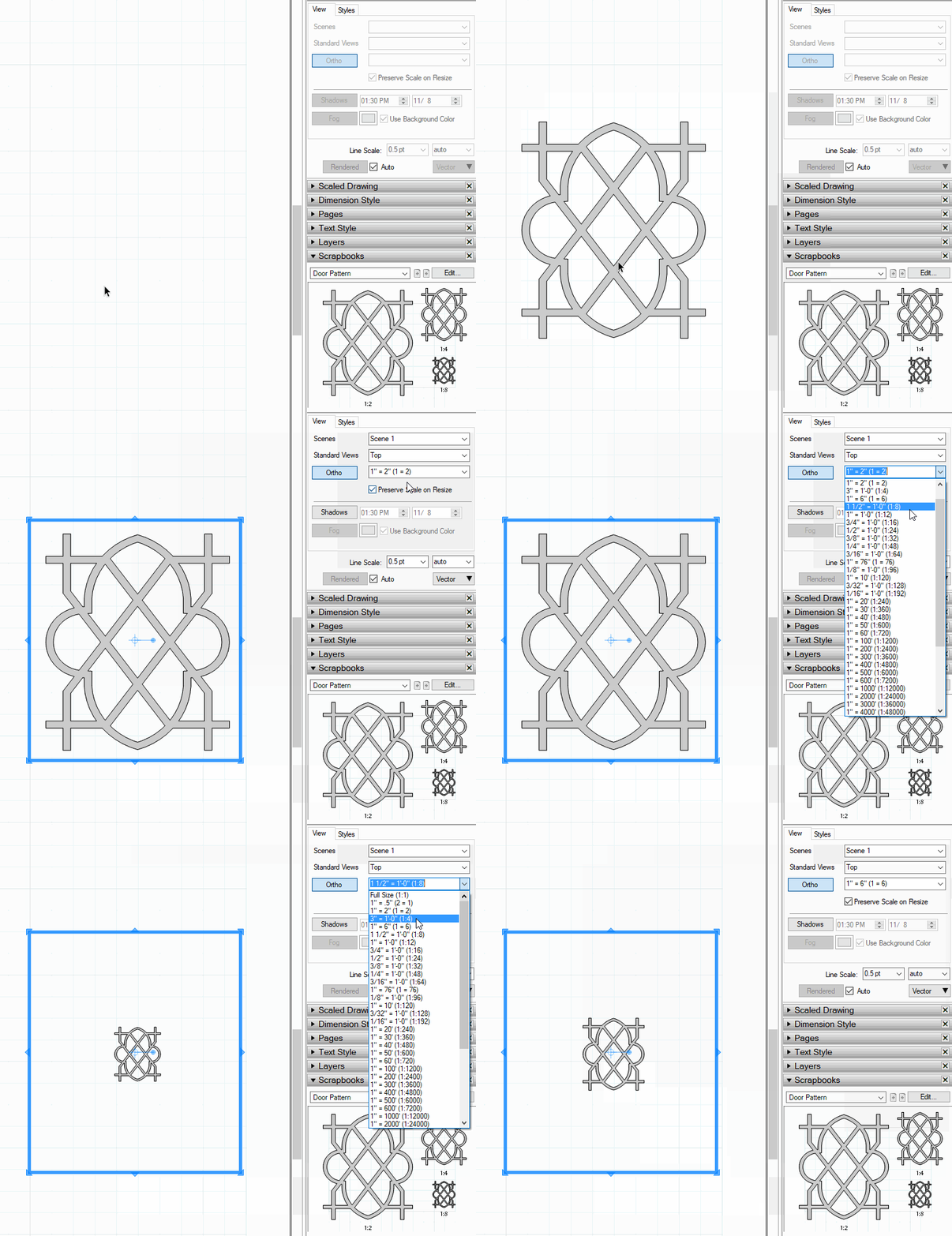
You won't need to make the extra copies up front although making them at the normal scales you might use makes it more straightforward and faster to insert them later.
-
... a valuable hint

-
Thank you, sir.


Hello! It looks like you're interested in this conversation, but you don't have an account yet.
Getting fed up of having to scroll through the same posts each visit? When you register for an account, you'll always come back to exactly where you were before, and choose to be notified of new replies (either via email, or push notification). You'll also be able to save bookmarks and upvote posts to show your appreciation to other community members.
With your input, this post could be even better 💗
Register Login


Advertisement