sketchucation logo sketchucation
    • Login
    Oops, your profile's looking a bit empty! To help us tailor your experience, please fill in key details like your SketchUp version, skill level, operating system, and more. Update and save your info on your profile page today!
    ⚠️ Update | Sketchucation Tools 5.0.8 released with licensing improvements and bugfixes Download

    Shadows below ground-level

    Scheduled Pinned Locked Moved Newbie Forum
    sketchup
    15 Posts 5 Posters 3.7k Views 5 Watching
    Loading More Posts
    • Oldest to Newest
    • Newest to Oldest
    • Most Votes
    Reply
    • Reply as topic
    Log in to reply
    This topic has been deleted. Only users with topic management privileges can see it.
    • S
      shawb
      last edited by

      Tried this out in SU 2018 Pro using the various shipped Styles (Default & Assorted) and all versions had a similar result to the screenshot below.
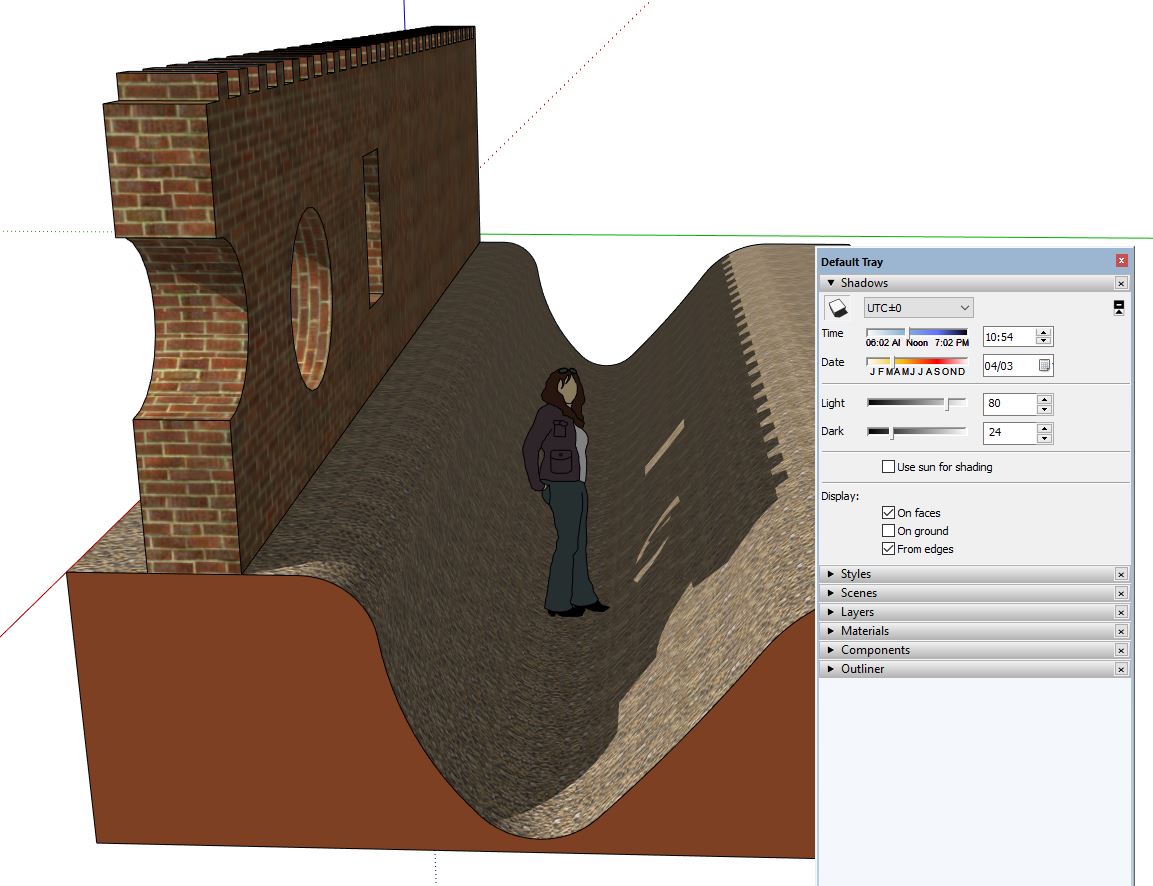
      Shadow below ground plane 02.JPG

      A sample model would be useful to check out further.

      1 Reply Last reply
      Reply Quote 0
      • pbacotP
        pbacot
        last edited by

        That's quite a wall and trench!

        That deserves a reference to some of the greatest walls and trenches ever.
        https://www.youtube.com/watch?v=qe9uOpCCvnI

        MacOSX MojaveSketchUp Pro v19 Twilight v2 Thea v3 PowerCADD

        1 Reply Last reply
        Reply Quote 0
        • S
          shawb
          last edited by

          Yes, the Romans could do a decent wall!

          1 Reply Last reply
          Reply Quote 0
          • D
            djh
            last edited by

            @pbacot said:

            It could be you have a graphics card problem and you could try unchecking "fast feedback" for OpenGL under "Preferences"

            This didn't help.

            1 Reply Last reply
            Reply Quote 0
            • Dave RD
              Dave R
              last edited by

              So far you haven't shown us exactly what you are seeing so we can only guess. How about uploading the SKP file so we can see exactly what you've got modeled and help you sort out the problem?

              Etaoin Shrdlu

              %

              (THERE'S NO PLACE LIKE)

              G28 X0.0 Y0.0 Z0.0

              M30

              %

              1 Reply Last reply
              Reply Quote 0
              • D
                djh
                last edited by

                @dave r said:

                So far you haven't shown us exactly what you are seeing so we can only guess. How about uploading the SKP file so we can see exactly what you've got modeled and help you sort out the problem?

                The SKP file seemed to big to upload.
                The shadows work okay with 0131_Silver material, but not with 0128_White.
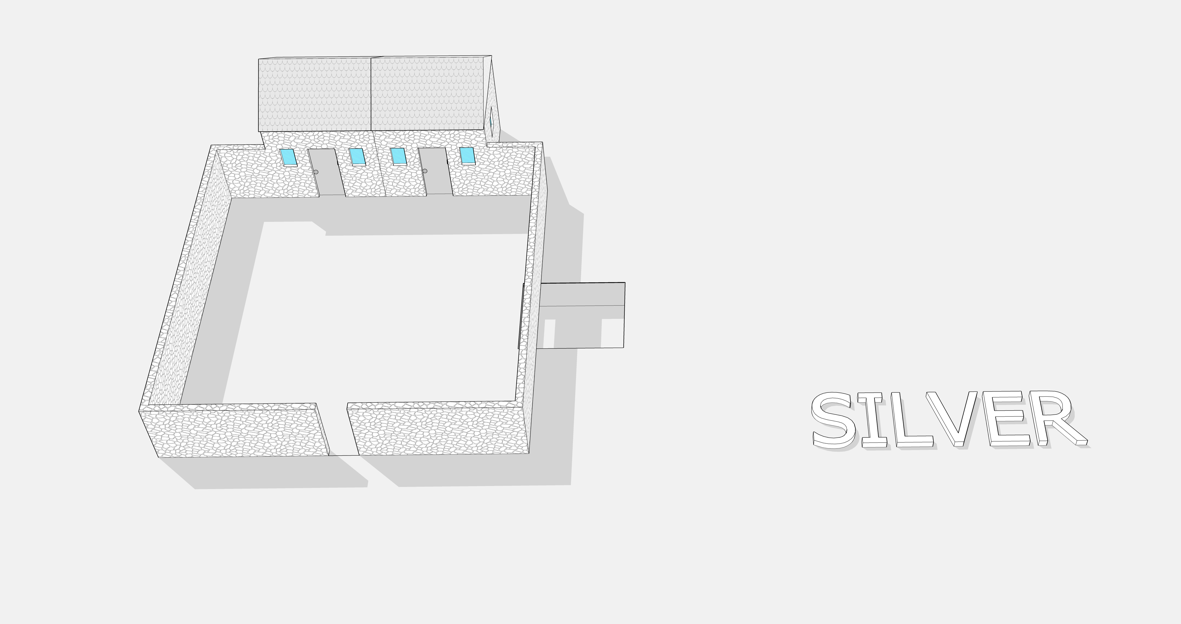

                418 006 Silver.png


                418 006 White.png

                1 Reply Last reply
                Reply Quote 0
                • Dave RD
                  Dave R
                  last edited by

                  Can't really tell anything useful from your screen shots. Try purging unused stuff from your model and see if that gets the size down enough to upload (Window>Model Info>Statistics>Purge Unused.) If not, upload it to Drop Box and share the link.

                  Etaoin Shrdlu

                  %

                  (THERE'S NO PLACE LIKE)

                  G28 X0.0 Y0.0 Z0.0

                  M30

                  %

                  1 Reply Last reply
                  Reply Quote 0
                  • pbacotP
                    pbacot
                    last edited by

                    I tried to think of a way that two colors could display shadows--and no shadows--on the ground. I assumed that the hole material in the second picture is not white. Try adjusting this number in the shadow dialog. Just guessing though.
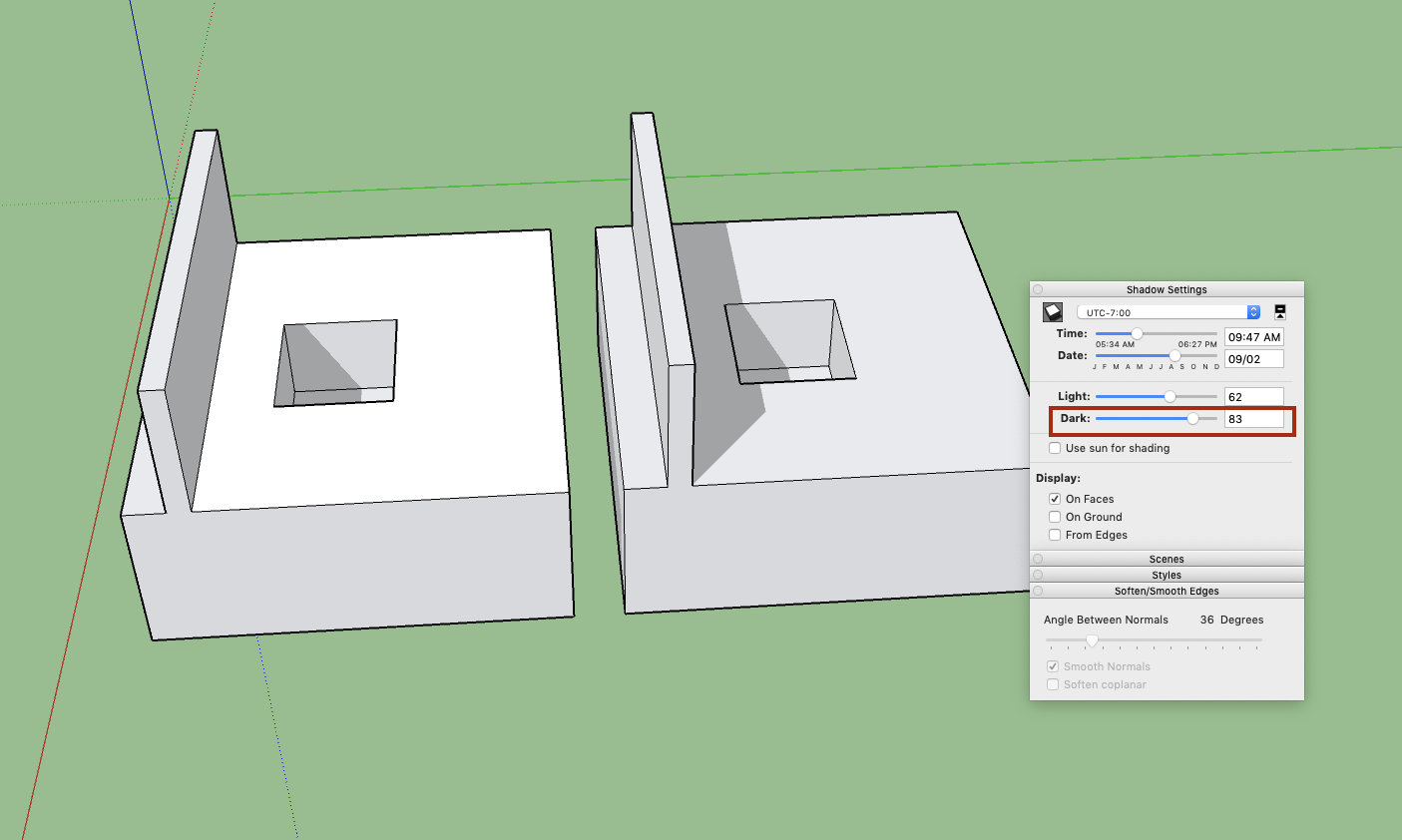

                    Screen Shot 2019-08-06 at 3.29.55 PM.png

                    MacOSX MojaveSketchUp Pro v19 Twilight v2 Thea v3 PowerCADD

                    1 Reply Last reply
                    Reply Quote 0
                    • D
                      djh
                      last edited by

                      Dave R and pbacot,

                      1. Try purging unused stuff from your model and see if that gets the size down enough to upload (Window>Model Info>Statistics>Purge Unused.)

                      2. I tried to think of a way that two colors could display shadows--and no shadows--on the ground. I assumed that the hole material in the second picture is not white. You were correct, it was silver.

                      Try adjusting this number in the shadow dialog.

                      I used both of your suggestions 1) purge and 2) adjust shadow dialog and ... it works - now there are realistic shadows. The shadows don't work in certain shadow settings on white, but that can be dealt with.

                      Thank you for your time and patience.
                      DJH


                      418 009.skp

                      1 Reply Last reply
                      Reply Quote 0
                      • pbacotP
                        pbacot
                        last edited by

                        Good. It's just that when you put a high setting for shadows, it gets wiped-out on a white material.

                        MacOSX MojaveSketchUp Pro v19 Twilight v2 Thea v3 PowerCADD

                        1 Reply Last reply
                        Reply Quote 0
                        • Dave RD
                          Dave R
                          last edited by

                          Thank you for finally uploading the file. The problem, as Peter alludes to, is that you have the Light and Dark shadow sliders crossed up and Dark is set so high that shadows won't show on white. What is it you are trying to achieve with the sliders set as they are? If you set the Dark slider down to 78 or less, shadows should start to appear on the white face.
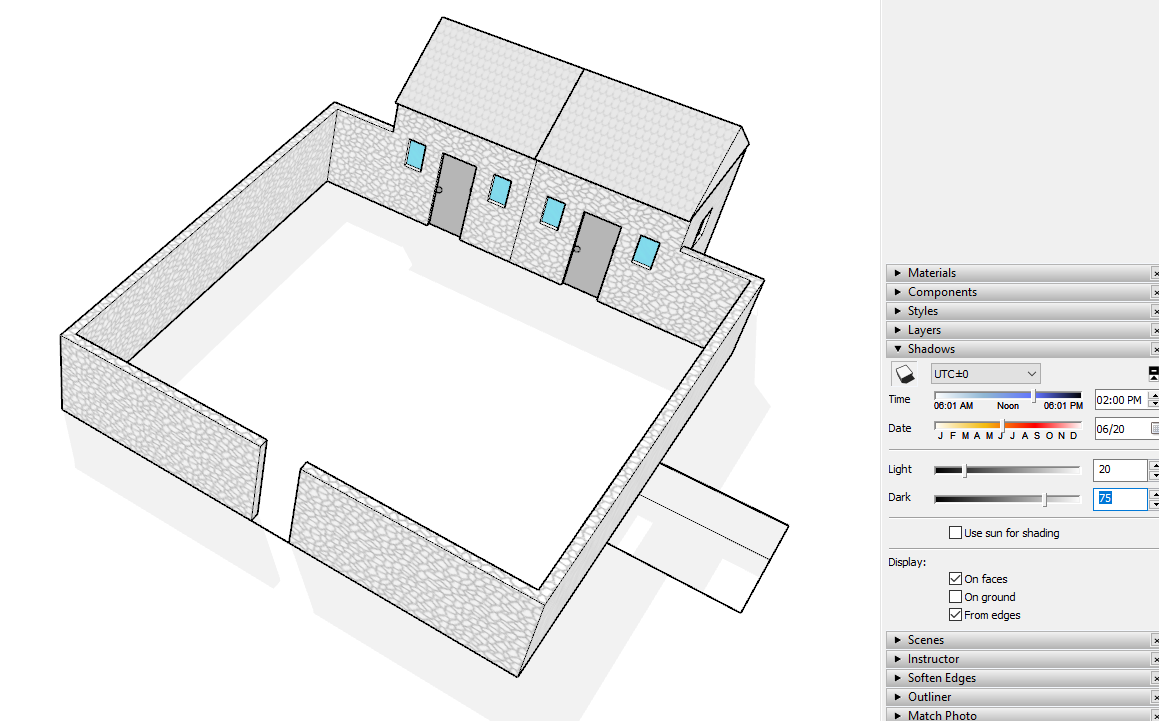
                          Screenshot - 8_7_2019 , 6_50_34 AM.png
                          The shadows are falling below your white ground face into the hole, too.

                          Etaoin Shrdlu

                          %

                          (THERE'S NO PLACE LIKE)

                          G28 X0.0 Y0.0 Z0.0

                          M30

                          %

                          1 Reply Last reply
                          Reply Quote 0

                          Hello! It looks like you're interested in this conversation, but you don't have an account yet.

                          Getting fed up of having to scroll through the same posts each visit? When you register for an account, you'll always come back to exactly where you were before, and choose to be notified of new replies (either via email, or push notification). You'll also be able to save bookmarks and upvote posts to show your appreciation to other community members.

                          With your input, this post could be even better 💗

                          Register Login
                          • 1 / 1
                          • First post
                            Last post
                          Buy SketchPlus
                          Buy SUbD
                          Buy WrapR
                          Buy eBook
                          Buy Modelur
                          Buy Vertex Tools
                          Buy SketchCuisine
                          Buy FormFonts

                          Advertisement