Problem with Displacement - Vray
-
How to fix this problem with Vray for Skp? Please!!!

-
Keep continuity
-
Oh, sorry!
This is the real problem I want to ask, with 2 different materials:
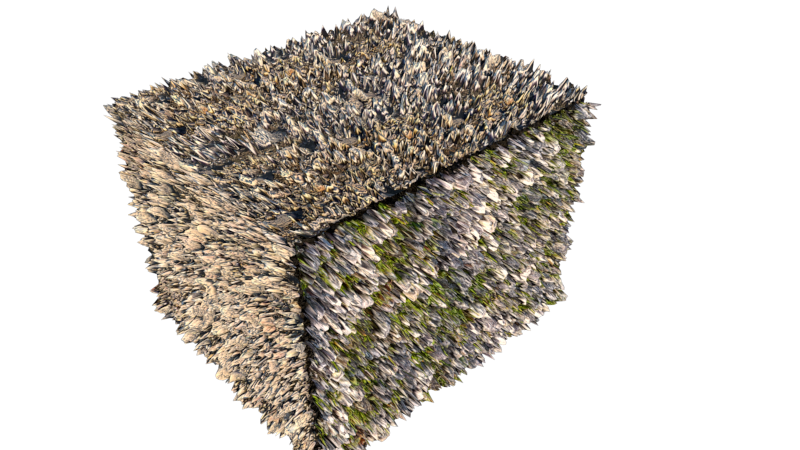
-
Help me. Please!!!
-
I already told you. Check keep continuity option
-
Thanks!
But, this option only works with the same material.
With 2 different materials ... like the image above.
Sorry, if my English makes you confusing. I'm Vietnammese. -
Why do you need 2 materials? All sides on your picture look identical.
Anyway if you still want 2 the easiest fix is PS. Select problematic areas, then Fill with content Aware option. Plus some Stamp tool.
P.S. In 3ds Max displacement can work as modifier (not like a part of material) so multiple materials on one object is not a problem.
Good luck.
P.P.S. Try Vray Fur- it has no seams.
Hello! It looks like you're interested in this conversation, but you don't have an account yet.
Getting fed up of having to scroll through the same posts each visit? When you register for an account, you'll always come back to exactly where you were before, and choose to be notified of new replies (either via email, or push notification). You'll also be able to save bookmarks and upvote posts to show your appreciation to other community members.
With your input, this post could be even better 💗
Register Login


Advertisement