Make an object stationary in viewspace
-
This one stumps me.
I need to make an object remain stationary in viewspace, exactly like "un-pinned text".
I need to also be able to change view angles to all other objects as normally done when un-pinned text is visible.
Sorta like an object that always faces camera, but doesn't move either.
I want to put a stationary 3D logo on some of my model print exports.
Grouping an object with a text group doesn't work. The text moves with the object, but always faces camera. -
Background Image?
-
Watermark?
-
Pbacot; A background image would seem to move as the camera moves, and would be blocked by any object in between.
Dave; That seems like it might work. How do I make a watermark?
-
It's done in the Styles panel. Go to Edit and click on the Watermark icon, between Background and Modeling settings. Add the watermark image by clicking on the + in the circle. Decide whether you want it an overlay or a background image, make the other required adjustments and you're all set.
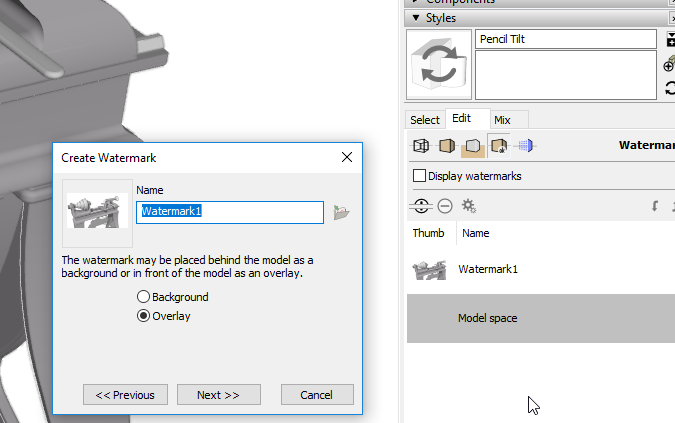
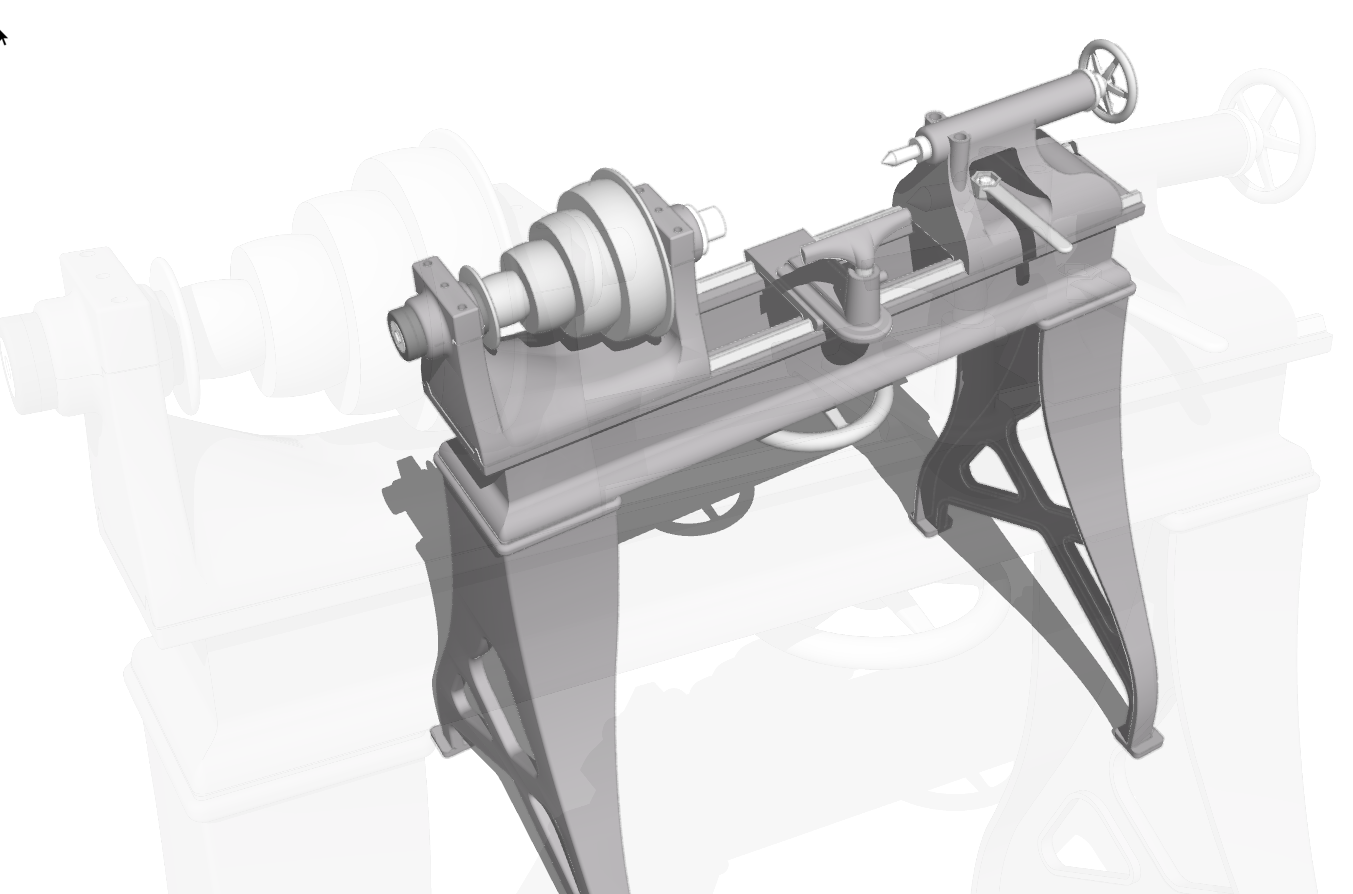
-
I mean watermark, which I think of as a background image. Sorry that wasn't clear enough. Whether you have it in front or back is up to you. It will have to be an image with transparency for the areas around the object.
-
I'm missing something. It may be I'm using 2015 Make, but I can't find "create watermark".
I find "add watermark" but that takes me to materials to load a .JPG image.
I want to make a watermark from a drawn object. -
jg, You'd have to export an image of the object with no background. Probably a .png image using a style without ground or sky, and a white background. It would be a static view, not a 3d view where you see different sides of the model.
-
As Peter indicates, you need to create an image to use as the watermark, first. I used an image of the lathe that I had already exported to make the watermark in my screen shot.
-
OK, I can live with that. It would be similar to a "material" I created for an airplane HUD that was transparent but with symbolic imagery. Just have to rethink what that logo would be in 2D.
Thanks to both of you. -
HUD is kind of a good analogy. The image can be of a 3D object but of course it will be a 2D representation because it's an image.



Hello! It looks like you're interested in this conversation, but you don't have an account yet.
Getting fed up of having to scroll through the same posts each visit? When you register for an account, you'll always come back to exactly where you were before, and choose to be notified of new replies (either via email, or push notification). You'll also be able to save bookmarks and upvote posts to show your appreciation to other community members.
With your input, this post could be even better 💗
Register Login


Advertisement