sketchucation logo sketchucation
    • 登入
    Oops, your profile's looking a bit empty! To help us tailor your experience, please fill in key details like your SketchUp version, skill level, operating system, and more. Update and save your info on your profile page today!
    ⚠️ Important | Libfredo 15.6b introduces important bugfixes for Fredo's Extensions Update

    Some tips and tricks from out of the Box

    已排程 已置頂 已鎖定 已移動 SketchUp Tutorials
    sketchup
    203 貼文 20 Posters 183.1k 瀏覽 20 Watching
    正在載入更多貼文
    • 從舊到新
    • 從新到舊
    • 最多點贊
    回覆
    • 在新貼文中回覆
    登入後回覆
    此主題已被刪除。只有擁有主題管理權限的使用者可以查看。
    • BoxB 離線
      Box
      最後由 編輯

      I've neglected this thread lately so,
      A little truebend and twilight for some 'different' Chrissy decorations.
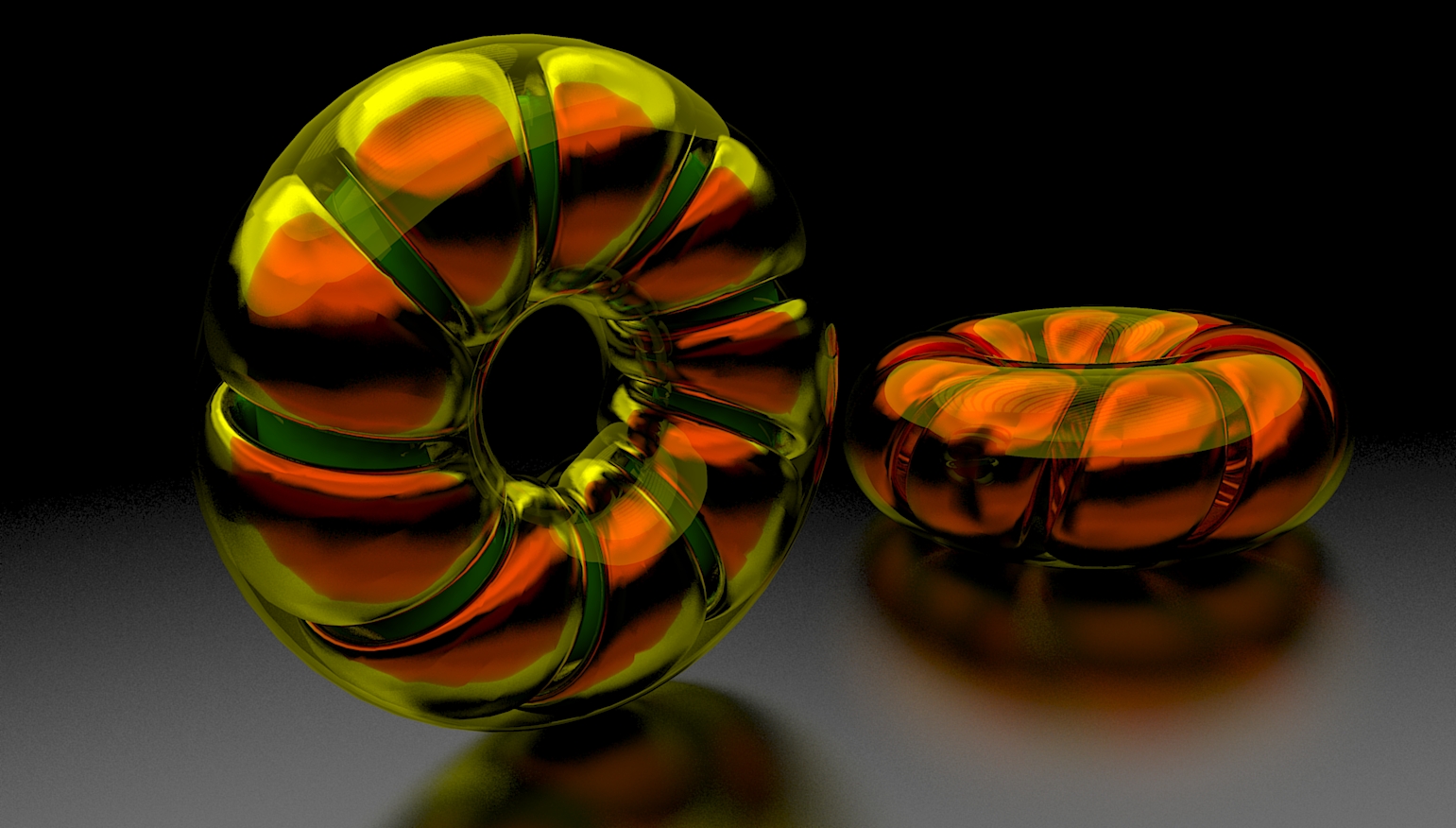

      Weird donut.jpg

      1 條回覆 最後回覆 回覆 引用 0
      • bazB 離線
        baz
        最後由 編輯

        Nice. I am tempted to print,(2d), a couple out and hang em on a stick.

        1 條回覆 最後回覆 回覆 引用 0
        • BoxB 離線
          Box
          最後由 編輯

          My first test of Fredo's Animator, what a great tool.
          So much more to learn.

          https://i.imgur.com/FRhpy2L.gif

          1 條回覆 最後回覆 回覆 引用 0
          • HornOxxH 離線
            HornOxx
            最後由 編輯

            great! - and what a beautiful mechanical study on top

            never trust a skinny cook

            1 條回覆 最後回覆 回覆 引用 0
            • ntxdaveN 離線
              ntxdave
              最後由 編輯

              That is really great Box. Would be a great one for one of your informative tutorials!

              Press F1...thank me later

              1 條回覆 最後回覆 回覆 引用 0
              • BoxB 離線
                Box
                最後由 編輯

                I could easily do a demo for the geometry of the worm, but I couldn't do the animation setup, too much poking at buttons trying to work out what is going on. You're far better off with the tutorials Fredo supplies, that's how I got to understand how it works. And I have barely scratched the surface.
                I did play with it a little late last night to show the secret mechanism they are currently building in Vancouver to appear on stage as if by magic. I suspect I'm breaching an NDA by showing this.

                https://i.imgur.com/A00nuPN.gif

                1 條回覆 最後回覆 回覆 引用 0
                • BoxB 離線
                  Box
                  最後由 編輯

                  This is the basic method I used to make the worm and pin.

                  https://i.imgur.com/bvG01bs.gif

                  1 條回覆 最後回覆 回覆 引用 0
                  • ntxdaveN 離線
                    ntxdave
                    最後由 編輯

                    Again, really well done. I think the second one speaks volumes if you have ever used Animator. I think it verifies what I was thinking (I have used Animatore several times in the past). I used to use it to animate car washes. When I saw the first version my immediate thought was about matching the timing of the “arm” with the timing of the turning of the thread.

                    Well done sir! 👍 👍 👍 👍 👍

                    Press F1...thank me later

                    1 條回覆 最後回覆 回覆 引用 0
                    • BoxB 離線
                      Box
                      最後由 編輯

                      Just wanted to test the youtube embed.

                      1 條回覆 最後回覆 回覆 引用 0
                      • bazB 離線
                        baz
                        最後由 編輯

                        I much prefer this to the Gifs. Easy to step back when I miss one of your moves. Cheers.

                        1 條回覆 最後回覆 回覆 引用 0
                        • BoxB 離線
                          Box
                          最後由 編輯

                          I know Baz, people often ask for vids rather than gifs, but vids are a pain. You have to record them then upload them to youtube with all that that involves then paste the link back here with the right bb code.
                          Gifs, make em, drag to screen, done.

                          1 條回覆 最後回覆 回覆 引用 0
                          • bazB 離線
                            baz
                            最後由 編輯

                            @box said:

                            I know Baz, people often ask for vids rather than gifs, but vids are a pain. You have to record them then upload them to youtube with all that that involves then paste the link back here with the right bb code.
                            Gifs, make em, drag to screen, done.

                            I wonder if there is a way to 'pause/step back' with Gifs?

                            1 條回覆 最後回覆 回覆 引用 0
                            • BoxB 離線
                              Box
                              最後由 編輯

                              On my facebook page ( https://www.facebook.com/BoxGifs ) you can pause them by clicking them, or if you go to the vid section of the page all the gifs are there as videos so you can go back and forward on those. But the ones here in the forum are generally very short, or at least that was the idea when I originally produced them. Short and to the point.
                              John, aka Driven created a gif player for use with my gifs within sketchup, but he seems to have disappeared off the face of the earth and he didn't release it.
                              There are gif players out there but I don't know one to recommend.
                              Some of my gifs are loaded here from imgur, all the ones on this page for example, and if you right click and choose Open in New Tab you will get the gif with player controls.

                              Try this one. I made it for a thread but got distracted for 3 seconds and Dave and Rich answered.

                              https://i.imgur.com/fTowPmh.gif

                              1 條回覆 最後回覆 回覆 引用 0
                              • bazB 離線
                                baz
                                最後由 編輯

                                Got it, I didn't know the Open in New Tab trick.
                                And will check out your FB. Ta

                                1 條回覆 最後回覆 回覆 引用 0
                                • ntxdaveN 離線
                                  ntxdave
                                  最後由 編輯

                                  Wish there was a way to open in a new tab on my iPad, 😞

                                  Press F1...thank me later

                                  1 條回覆 最後回覆 回覆 引用 0
                                  • BoxB 離線
                                    Box
                                    最後由 編輯

                                    Surely the ipad has a context click option, tap and hold for example?

                                    1 條回覆 最後回覆 回覆 引用 0
                                    • ntxdaveN 離線
                                      ntxdave
                                      最後由 編輯

                                      @box said:

                                      Surely the ipad has a context click option, tap and hold for example?

                                      Yes, Tao and hold will let you open in a tab but I have not figured out how to.pause or move backward.

                                      Press F1...thank me later

                                      1 條回覆 最後回覆 回覆 引用 0
                                      • BoxB 離線
                                        Box
                                        最後由 編輯

                                        I've recently posted a couple of non extension thread techniques elsewhere, in truth tho they aren't really true threads because they have multiple 'paths'. So I just did this one for the hell of it, mistakes and all, and thought the best place to hide it was here.

                                        https://i.imgur.com/kdgCNDY.gif

                                        1 條回覆 最後回覆 回覆 引用 0
                                        • BoxB 離線
                                          Box
                                          最後由 編輯

                                          Making quick work of what would be a tedious job by using solid tools.
                                          I've used Split, but Difference is all you need if you just want the grid structure.

                                          https://i.imgur.com/PeiNTZ9.gif

                                          1 條回覆 最後回覆 回覆 引用 0
                                          • pilouP 離線
                                            pilou
                                            最後由 編輯

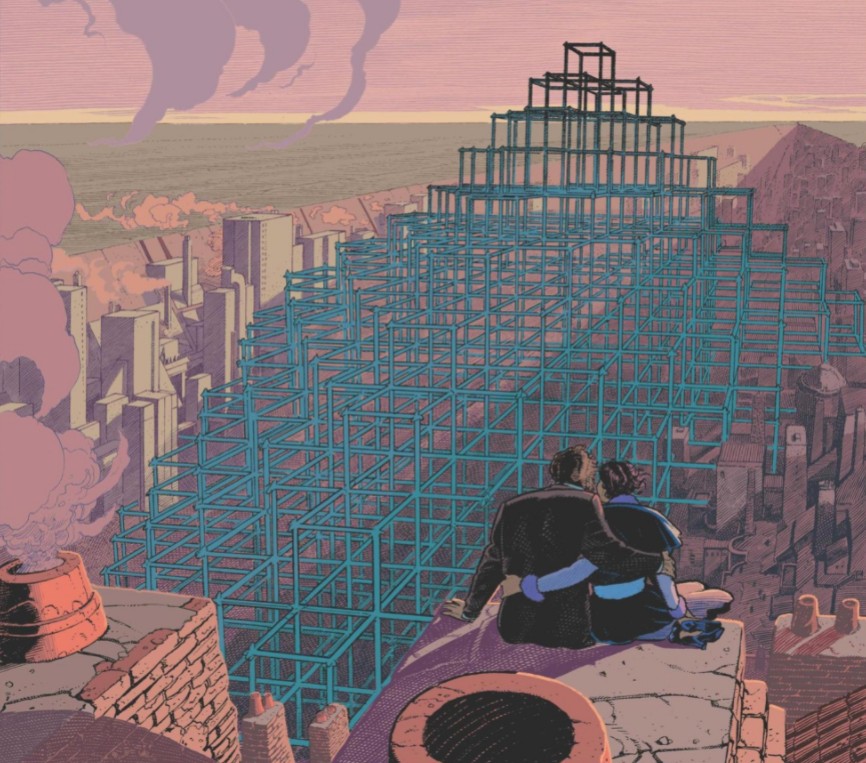
                                            La fièvre d'Urbicande by Schuiten & Peeters 😉


                                            uf.jpg

                                            Frenchy Pilou
                                            Is beautiful that please without concept!
                                            My Little site :)

                                            1 條回覆 最後回覆 回覆 引用 0
                                            • 1
                                            • 2
                                            • 7
                                            • 8
                                            • 9
                                            • 10
                                            • 11
                                            • 11 / 11
                                            • 第一個貼文
                                              最後的貼文
                                            Buy SketchPlus
                                            Buy SUbD
                                            Buy WrapR
                                            Buy eBook
                                            Buy Modelur
                                            Buy Vertex Tools
                                            Buy SketchCuisine
                                            Buy FormFonts

                                            Advertisement