# pages
-
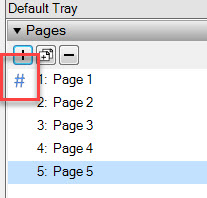
How does the blue # sign works in Layout pages ? Does it mean something special ?? can it be changed ??
-
The blue hashtag mark indicates the Page where the sheets numbering starts, according to your attachment the numbering begins on Page 1 (Sheet No.1=Page 1).
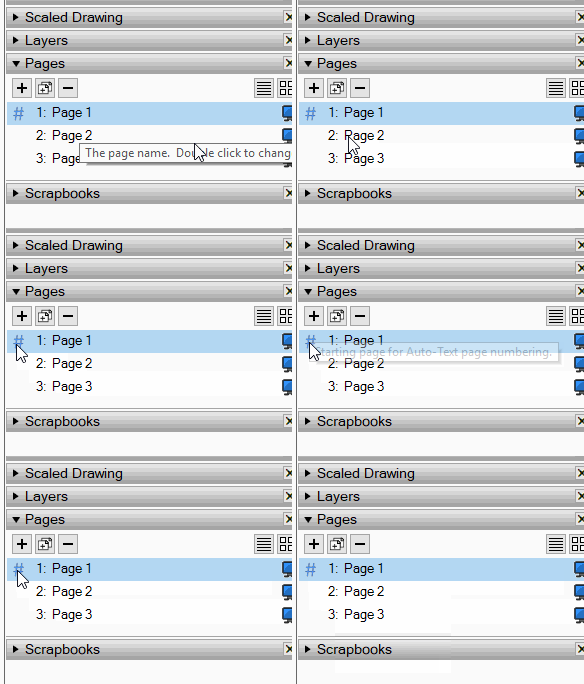
Yes, this can be changed to a different page: File menu>Document setup>Auto-text>Page number, Start page. -
If you hover over the # you'll see a message telling you what it means.
-
OK, I now understand how to change it. What would be an logic example of using it. If i change the names and even can manually move them up and down, i can`t see the bottom concept of using # - I try to compare it to the Layers panel where there is no # mark and works logically. Thanks
-
This allows you to have the page number as Auto text on an "On every page" layer and prevent it from showing on certain pages. For example you might have a cover page and possibly a few intro pages that shouldn't get page numbers and this allows you to start the numbering later.
-
Ok, I get it
Thanks

Hello! It looks like you're interested in this conversation, but you don't have an account yet.
Getting fed up of having to scroll through the same posts each visit? When you register for an account, you'll always come back to exactly where you were before, and choose to be notified of new replies (either via email, or push notification). You'll also be able to save bookmarks and upvote posts to show your appreciation to other community members.
With your input, this post could be even better 💗
Register Login


Advertisement