sketchucation logo sketchucation
    • 登入
    Oops, your profile's looking a bit empty! To help us tailor your experience, please fill in key details like your SketchUp version, skill level, operating system, and more. Update and save your info on your profile page today!
    🔌 Smart Spline | Fluid way to handle splines for furniture design and complex structures. Download

    [Plugin] ClothWorks v1.8.0 - 28 Apr 2024

    已排程 已置頂 已鎖定 已移動 Plugins
    699 貼文 161 Posters 669.9k 瀏覽 161 Watching
    正在載入更多貼文
    • 從舊到新
    • 從新到舊
    • 最多點贊
    回覆
    • 在新貼文中回覆
    登入後回覆
    此主題已被刪除。只有擁有主題管理權限的使用者可以查看。
    • J 離線
      jerry8924564
      最後由 編輯

      hi, can you release licenses on MyLicenses page , I can't release my licenses from MyLicenses page on Sketchucation.

      ID 10193

      thanks.

      1 條回覆 最後回覆 回覆 引用 0
      • Rich O BrienR 離線
        Rich O Brien Moderator
        最後由 編輯

        Licenses released. You need to run Sketchucation Tools v4.2.9
        Link Preview Image
        Sketchucation Tools | SketchUcation

        3D SketchUp Community for Design and Engineering Professionals.

        favicon

        (sketchucation.com)

        on future installs to manage online releases

        Download the free D'oh Book for SketchUp 📖

        1 條回覆 最後回覆 回覆 引用 0
        • C 離線
          CLOESKOD1992
          最後由 編輯

          Hi!

          I've added 30 pins across the length of a long cloth. When I press play, a lot of the pins are not attached to the cloth. It's a little random where some pins are attached and some aren't. I'm not sure what's going on, and haven't seen any posts about this. Wondering if anyone has encountered this or has any advice?

          Thank you!
          Cloe

          1 條回覆 最後回覆 回覆 引用 0
          • Dave RD 離線
            Dave R
            最後由 編輯

            It would be helpful if you share the .skp file so it can be examined.

            Etaoin Shrdlu

            %

            (THERE'S NO PLACE LIKE)

            G28 X0.0 Y0.0 Z0.0

            M30

            %

            1 條回覆 最後回覆 回覆 引用 0
            • Rich O BrienR 離線
              Rich O Brien Moderator
              最後由 編輯

              Best practice is to pin at vertices...

              https://i.imgur.com/GaV4zP6.png

              ...as edges are ignored

              Download the free D'oh Book for SketchUp 📖

              1 條回覆 最後回覆 回覆 引用 0
              • R 離線
                ronmero
                最後由 編輯

                Excellent work! This is an incredible plugin. I can't figure out a way to create a round table cloth instead of a rectangle. Appreciate any assistance!
                Thanks!

                1 條回覆 最後回覆 回覆 引用 0
                • Dave RD 離線
                  Dave R
                  最後由 編輯

                  @ronmero said:

                  I can't figure out a way to create a round table cloth instead of a rectangle. Appreciate any assistance!
                  Thanks!

                  I'd start with a circle for the tablecloth.

                  Etaoin Shrdlu

                  %

                  (THERE'S NO PLACE LIKE)

                  G28 X0.0 Y0.0 Z0.0

                  M30

                  %

                  1 條回覆 最後回覆 回覆 引用 0
                  • Y 離線
                    yatu
                    最後由 編輯

                    Hi Guys. I don't know what has happened, but recently my SketchUp keeps crashing the second I start a cloth simulation. Maybe two seconds in it crashes the latest. I don't know what I have changed to my system, other than doing a windows upgrade recently. Would anyone know what could be causing this or how to solve it`? I'm on the latest sketchup version 2022.

                    Thanks so much in advance and best regards!

                    1 條回覆 最後回覆 回覆 引用 0
                    • Dave RD 離線
                      Dave R
                      最後由 編輯

                      What version of Windows are you using? Is it the Preview build?

                      Etaoin Shrdlu

                      %

                      (THERE'S NO PLACE LIKE)

                      G28 X0.0 Y0.0 Z0.0

                      M30

                      %

                      1 條回覆 最後回覆 回覆 引用 0
                      • Dave RD 離線
                        Dave R
                        最後由 編輯

                        Do you get a Bug Splat message when SketchUp closes?

                        Could be due to your Windows upgrade, especially if you are using Windows 11 Preview build. Could be due to graphics driver issues, possibly graphics drivers that don't support the Windows uild you are using. Could be due to incorrect installation of SketchUp. The correct method for installation requires right clicking on the downloaded installer and choosing Run as administrator.

                        What graphics card do you have?

                        I would anticipate that if you haven't got a legitimate license for Clothworks or you haven't correctly installed the license certain features wouldn't work but it wouldn't crash SketchUp.

                        Please update your forum profile to include SketchUp version and operating system version. That information helps us help you.

                        Etaoin Shrdlu

                        %

                        (THERE'S NO PLACE LIKE)

                        G28 X0.0 Y0.0 Z0.0

                        M30

                        %

                        1 條回覆 最後回覆 回覆 引用 0
                        • A 離線
                          Anton_S
                          最後由 編輯

                          @yatu said:

                          Hi Guys. I don't know what has happened, but recently my SketchUp keeps crashing the second I start a cloth simulation. Maybe two seconds in it crashes the latest. I don't know what I have changed to my system, other than doing a windows upgrade recently. Would anyone know what could be causing this or how to solve it`? I'm on the latest sketchup version 2022.

                          Thanks so much in advance and best regards!

                          EDIT: I can get it to work very inconveniently like this: I need to make a clean reinstall of the plugin, and while I don't close SketchUp, the plugin will work normally. Once I reopen SketchUp, it keeps on crashing the second I start to simulate... do you think this is a licensing problem?

                          Hi,

                          Can you try a fresh install of sketchucationtools and clothworks? Please follow the steps in the installation manual: https://antonsynytsia.github.io/manuals/ClothWorks/installation_manual_v174.pdf

                          Start from the Uninstallation Steps and then the Installation Steps.

                          Let me know how it goes after performing these steps. I am not sure if this is ClothWorks or SketchUcationTools

                          1 條回覆 最後回覆 回覆 引用 0
                          • Y 離線
                            yatu
                            最後由 編輯

                            Guys, thanks for the offered help! I'm currently away on vacation and will try your suggestions once more once I'm back. Anton, I was already on Windows 11 and did the official service update. And I already have tried the clean uninstallation / re-installation, which leads to clothworks working as it should - until I close Sketchup and reopen it, then it starts crashing.

                            Dave, I don't get a bug splat window, it just closes immediately. I am running a legit Sketchup and clothworks license. If it was a windows / graphic driver related issue, I doubt I could get it to work after a fresh reinstall. I've got a RTX 3090.

                            Thanks so far for your help, I'll keep you posted!
                            cheers 😄

                            1 條回覆 最後回覆 回覆 引用 0
                            • A 離線
                              Anton_S
                              最後由 編輯

                              @yatu said:

                              Guys, thanks for the offered help! I'm currently away on vacation and will try your suggestions once more once I'm back. Anton, I was already on Windows 11 and did the official service update. And I already have tried the clean uninstallation / re-installation, which leads to clothworks working as it should - until I close Sketchup and reopen it, then it starts crashing.

                              Dave, I don't get a bug splat window, it just closes immediately. I am running a legit Sketchup and clothworks license. If it was a windows / graphic driver related issue, I doubt I could get it to work after a fresh reinstall. I've got a RTX 3090.

                              Thanks so far for your help, I'll keep you posted!
                              cheers 😄

                              Thanks for the detailed feedback. I haven't personally tested ClothWorks on Windows 11. It's interesting that it only works on the first try. Suggests this may have to do with copying binaries versus loaded existing-copied binaries.

                              1 條回覆 最後回覆 回覆 引用 0
                              • N 離線
                                ngoctan0912
                                最後由 編輯

                                Hi author. I am in Vietnam and I see that the technical community uses Sketchup in architectural design and other fields a lot, and at the same time I have noticed that people also use your ClothWorks Plugin. I have researched and aim to help people make good use of this Plugin in my country's technical community, as well as make your application more known. I would like to contribute a complete Vietnamese translation of the application. We look forward to your interest and will integrate this translation into the application in future updates.
                                Thank you.

                                1 條回覆 最後回覆 回覆 引用 0
                                • H 離線
                                  hank_hogan
                                  最後由 編輯

                                  Hi Anton,
                                  I can also confirm that Clothworks plugin crashes SketchUp 2022 pro (without any bugsplat info) a moment after I press toggle play button to start cloth simulation. I have a powerfull laptop MSI GS66, so hardware shouldn't be an issue here. I have Win 11. Sketchup, sketchucation and clothworks plugins are up to date. I tried to unistall and reinstall clothworks according to Your guide and nothing changed. Even simple file with rectangle (cloth) and cylinder (collider) crashes right after simulation starts. Can you please help?

                                  1 條回覆 最後回覆 回覆 引用 0
                                  • Dave RD 離線
                                    Dave R
                                    最後由 編輯

                                    @hank_hogan said:

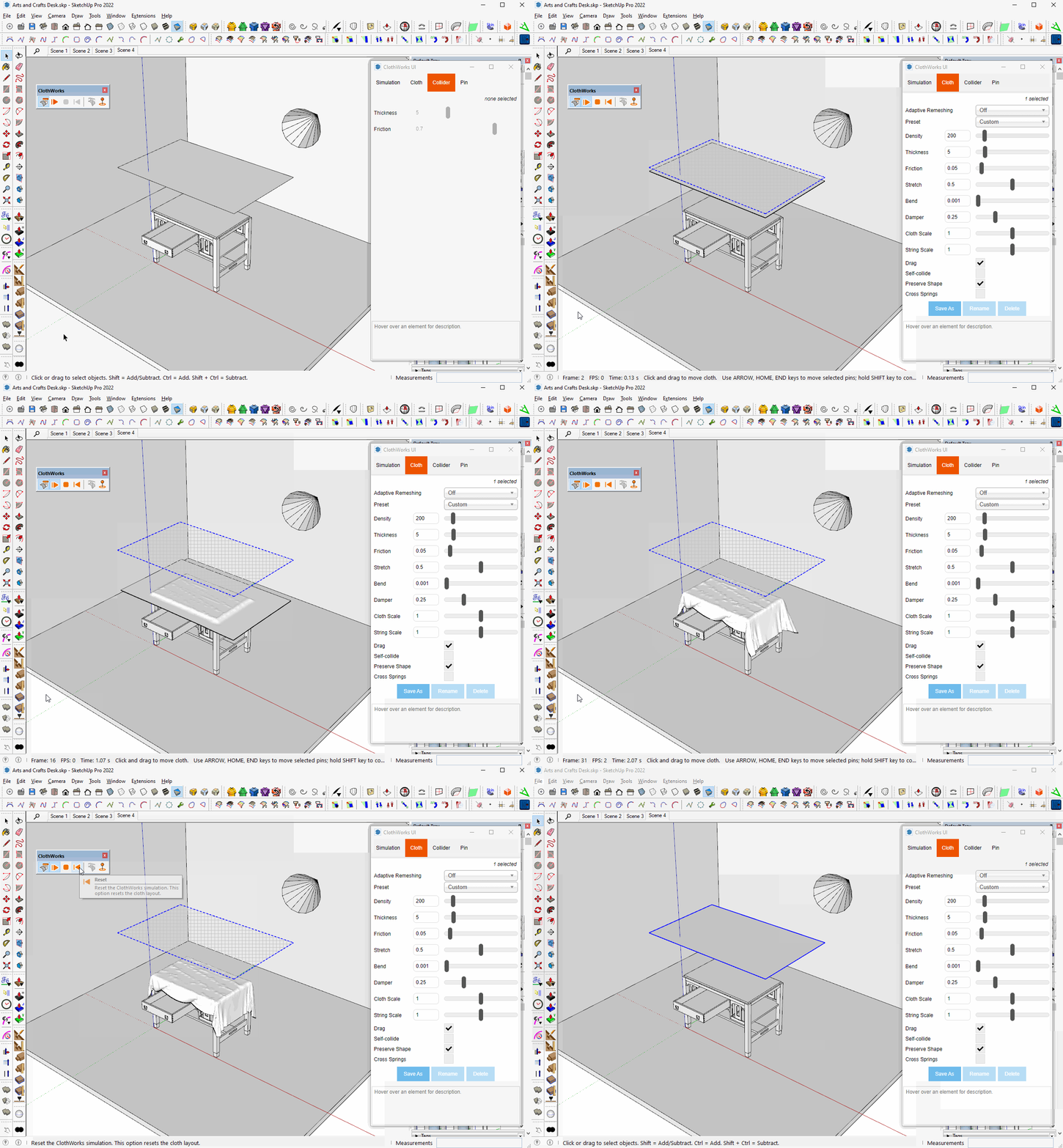
                                    I can also confirm that Clothworks plugin crashes SketchUp 2022 pro (without any bugsplat info) a moment after I press toggle play button to start cloth simulation.

                                    Hmmm.... I'm not seeing this with SketchUp 2022. 6 or 7 year old computer with Nvidia GeForce 960.

                                    Click on the picture.
                                    cw.gif

                                    What graphics card in your computer? Windows 10 or Windows 11?

                                    BTW, your profile indicates you are using 2017 Make. Please update your info. Thanks.

                                    Etaoin Shrdlu

                                    %

                                    (THERE'S NO PLACE LIKE)

                                    G28 X0.0 Y0.0 Z0.0

                                    M30

                                    %

                                    1 條回覆 最後回覆 回覆 引用 0
                                    • H 離線
                                      hank_hogan
                                      最後由 編輯

                                      As I wrote, I have Windows 11 Pro. Also I have i7-11800H 2.30GHz, 32GB RAM and RTX 3080.

                                      Sorry for inacurate profile info, it's just been corrected.

                                      1 條回覆 最後回覆 回覆 引用 0
                                      • Rich O BrienR 離線
                                        Rich O Brien Moderator
                                        最後由 編輯

                                        @unknownuser said:

                                        I can also confirm that Clothworks plugin crashes SketchUp 2022 pro (without any bugsplat info) a moment after I press toggle play button to start cloth simulation

                                        Lots of additional info is missing. Your input mesh or simulation settings could be the cause.

                                        In many cases its the simulation settings that cause SketchUp to buckle. Try sharing a simple file that 100% fails on your system.

                                        Download the free D'oh Book for SketchUp 📖

                                        1 條回覆 最後回覆 回覆 引用 0
                                        • H 離線
                                          hank_hogan
                                          最後由 編輯

                                          At firts I tried default setting suggested by plugin. Then I tried settings presented in plugin's author in manual. All leads to the same effect... but ok, I see I'm in the minority of users with such problem, so it's cause must be on my end. Will keep looking. Thank You all for help.

                                          1 條回覆 最後回覆 回覆 引用 0
                                          • Dave RD 離線
                                            Dave R
                                            最後由 編輯

                                            As Rich suggested, share the file that shows CLothworks crashing SketchUp so we can try to help you. No point in trying to sort it out on your own when there's help freely available.


                                            Etaoin Shrdlu

                                            %

                                            (THERE'S NO PLACE LIKE)

                                            G28 X0.0 Y0.0 Z0.0

                                            M30

                                            %

                                            1 條回覆 最後回覆 回覆 引用 0
                                            • 1
                                            • 2
                                            • 26
                                            • 27
                                            • 28
                                            • 29
                                            • 30
                                            • 34
                                            • 35
                                            • 28 / 35
                                            • 第一個貼文
                                              最後的貼文
                                            Buy SketchPlus
                                            Buy SUbD
                                            Buy WrapR
                                            Buy eBook
                                            Buy Modelur
                                            Buy Vertex Tools
                                            Buy SketchCuisine
                                            Buy FormFonts

                                            Advertisement