Batch Image Output
-
Maybe I'm a little slow today, please clarify:
A. do you need to do a batch output from SketchUp to a directory
B. do you need to do a batch input to SketchUp (single file containing all) from a directory
C. do you need to do a batch input to SketchUp (single file for each image) from a directory -
D. I need to export a single image from several hundred skp files One image file export per each file but as a batch process.
So ...to open each skp and export out a 2d image, probably jpg, close the file and go on to the next one.
I could to it manually but life is short
Cheers -
The following comes up (one of a number of hits) from a search of the SketchUcation Pluginstore, search term "images":
You're welcome.
-
Thanks, juju
Looks like it would be the opposite-creates a component from an image file.
Thanks for your help though. I hadn't looked on the current plugins list just the older sites that are compatible with SU8. I shall look thru the later ones. -
since v6, SU has had a method #Sketchup.save_thumbnail("skp_filename", "image_filename")...
with it there is no need to open each skp file, it extracts the one that's already in the file...
so look for a batch extension that uses that, or write your own...
john
-
Thanks, John
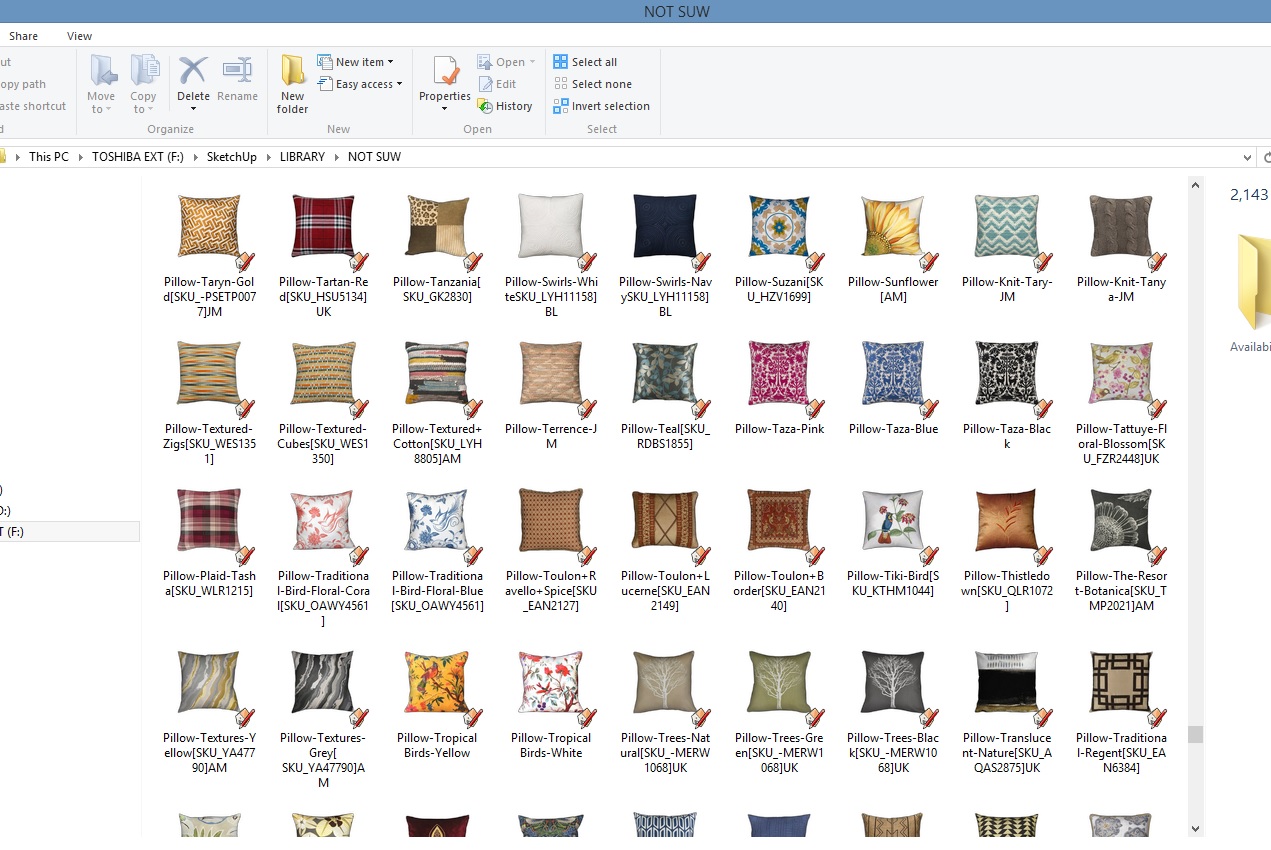
The preview of each skp file that is shown in Windows Explorer is exactly what I need as individual images.
Is there a way to save them as stand alone image files?
Sorry I'm not very tech-savvy. I see what I want to do just don't know how to accomplish it.
Even if it wasn't a batch process just cutting out the time required to open each skp file and output the 2d image would be huge.
This may be more of a Windows solution than a Sketchup solution, I think.
-
-
I no longer have v8, but this code may work if run from Ruby Console...
find where it gets downloaded too...
open Window >> Ruby Console >> add the following line with that path...
load "<path to the download>"john
-
Thanks,John
I'll try to figure it out.
There seem to be a number of Window solutions also-thanks for opening up that possibility also as a method. -
Take a look at XnView, it used to be able to do that with SKP files a while back when I used it (I have MooTools 3D Viewer & Polygon Cruncher now), it probably still does...
@unknownuser said:
XnView is an efficient multimedia viewer, browser and converter.
Really simple to use! Support of more than 500 image formats.
No Adware, No Spyware. -
Nice..looks promising.
I have the Mootools set also but couldn't figure out how to create a Catalog or a slideshow that could be opened by someone without a 3DS viewer or Mootools itself.
Are you able to save the image to jpg or png from 3D Viewer? -
Sorry I should have looked on their website (Mootools) first. If I don't immediately see something in the drop down menus I figure it can't be done.
Thanks for pointing me in this direction.... -
An update for anyone wanting to create a ’Catalogue’ of skp thumbnails using Mootools 3d Browser.
It may not be the best process but it works just great for my requirements.- Open directory of thumbnails in Mootools
- Print to OneNote
- Save resulting Print file as a PDF
Thanks to JuJu for reminding me that I have Mootools.
CATALOGUE-DECORATIVE OBJECTS.pdf

Hello! It looks like you're interested in this conversation, but you don't have an account yet.
Getting fed up of having to scroll through the same posts each visit? When you register for an account, you'll always come back to exactly where you were before, and choose to be notified of new replies (either via email, or push notification). You'll also be able to save bookmarks and upvote posts to show your appreciation to other community members.
With your input, this post could be even better 💗
Register Login


Advertisement