.dae import fail
-
I've searched the forum for answers to this, but everyone else seems to be struggling with additional software and more technical issues than mine. I simply wish to import a collada file into sketchup Pro 2017, but it just says "Import Failed" every time - I've nothing to go on other than that, so I don't know what is going wrong. I've tried every configuration of the options (merging coplanar faces on/off and validate dae file) but it makes no difference.
I'm running the latest version of sketchup and following the simple steps listed here https://help.sketchup.com/en/article/3000168, so I don't know what's going wrong. Can you help me please?
-
How about sharing the DAE file so we can have a look?
-
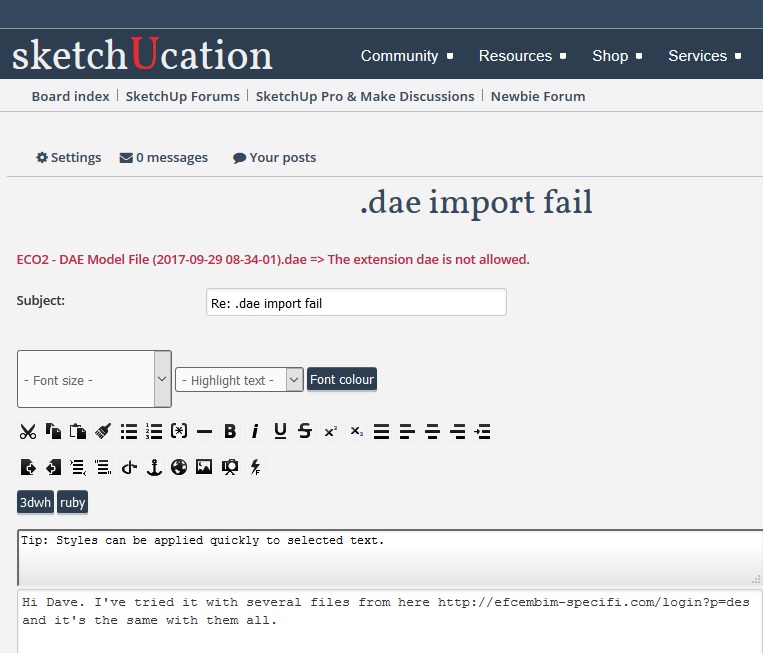 Hi Dave. I've tried it with several files from here http://efcembim-specifi.com/login?p=des and it's the same with them all. I'm also struggling to upload it to here too as it says the "dae extension is not allowed"
 -
Try zipping the file and uploading the zip file. It could be the files are corrupt.
-
How about this instead as 7-zip was taking too long. https://www.dropbox.com/s/q5to8cecwnevkkm/ECO2%20-%20DAE%20Model%20File%20%282017-09-29%2008-34-01%29.dae?dl=0
-
Alternatively, could you share a .dae file that you know to be fine with me please?


Hello! It looks like you're interested in this conversation, but you don't have an account yet.
Getting fed up of having to scroll through the same posts each visit? When you register for an account, you'll always come back to exactly where you were before, and choose to be notified of new replies (either via email, or push notification). You'll also be able to save bookmarks and upvote posts to show your appreciation to other community members.
With your input, this post could be even better 💗
Register Login


Advertisement