sketchucation logo sketchucation
    • Login
    Oops, your profile's looking a bit empty! To help us tailor your experience, please fill in key details like your SketchUp version, skill level, operating system, and more. Update and save your info on your profile page today!
    ⚠️ Update | Sketchucation Tools 5.0.8 released with licensing improvements and bugfixes Download

    Medeek Wall Plugin

    Scheduled Pinned Locked Moved Plugins
    1.6k Posts 29 Posters 2.0m Views 28 Watching
    Loading More Posts
    • Oldest to Newest
    • Newest to Oldest
    • Most Votes
    Reply
    • Reply as topic
    Log in to reply
    This topic has been deleted. Only users with topic management privileges can see it.
    • medeekM
      medeek
      last edited by

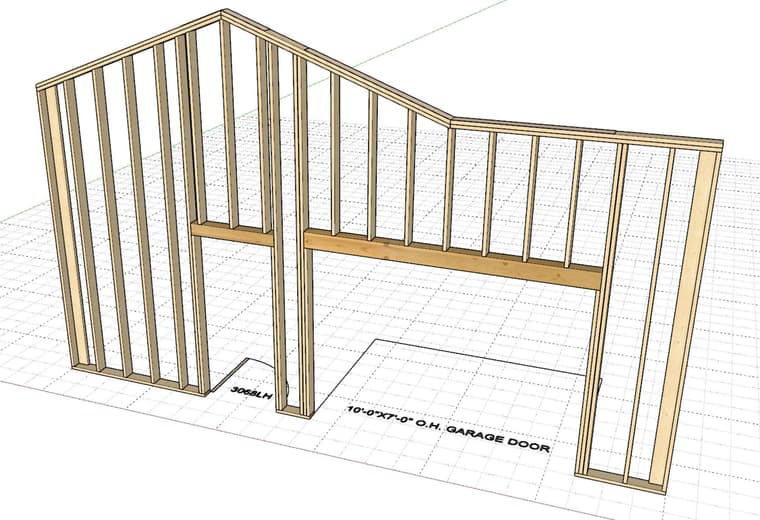
      Testing garage doors and doors:

      wall_su1327_800.jpg

      Nathaniel P. Wilkerson PE
      Medeek Engineering Inc
      design.medeek.com

      1 Reply Last reply
      Reply Quote 0
      • medeekM
        medeek
        last edited by

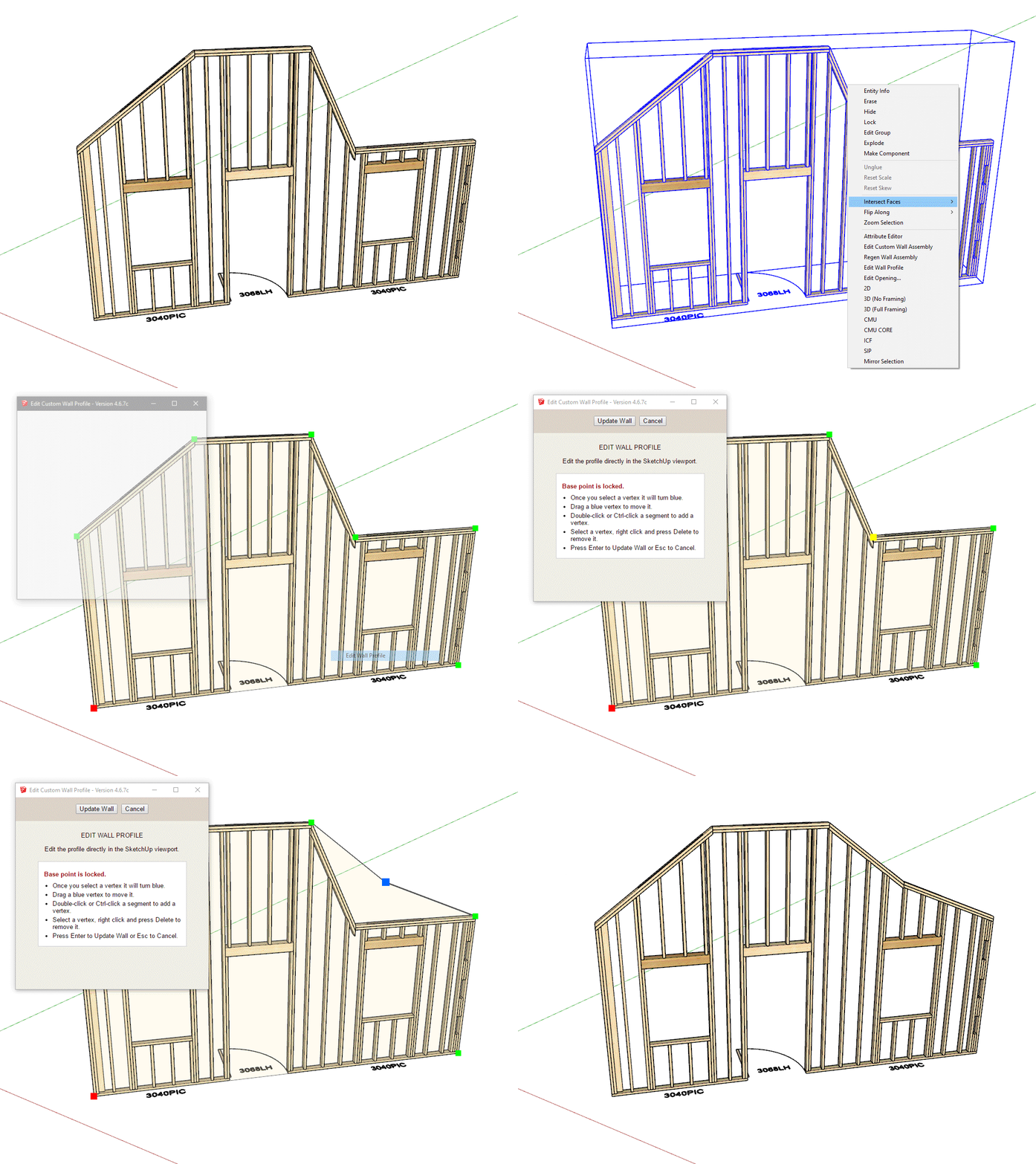
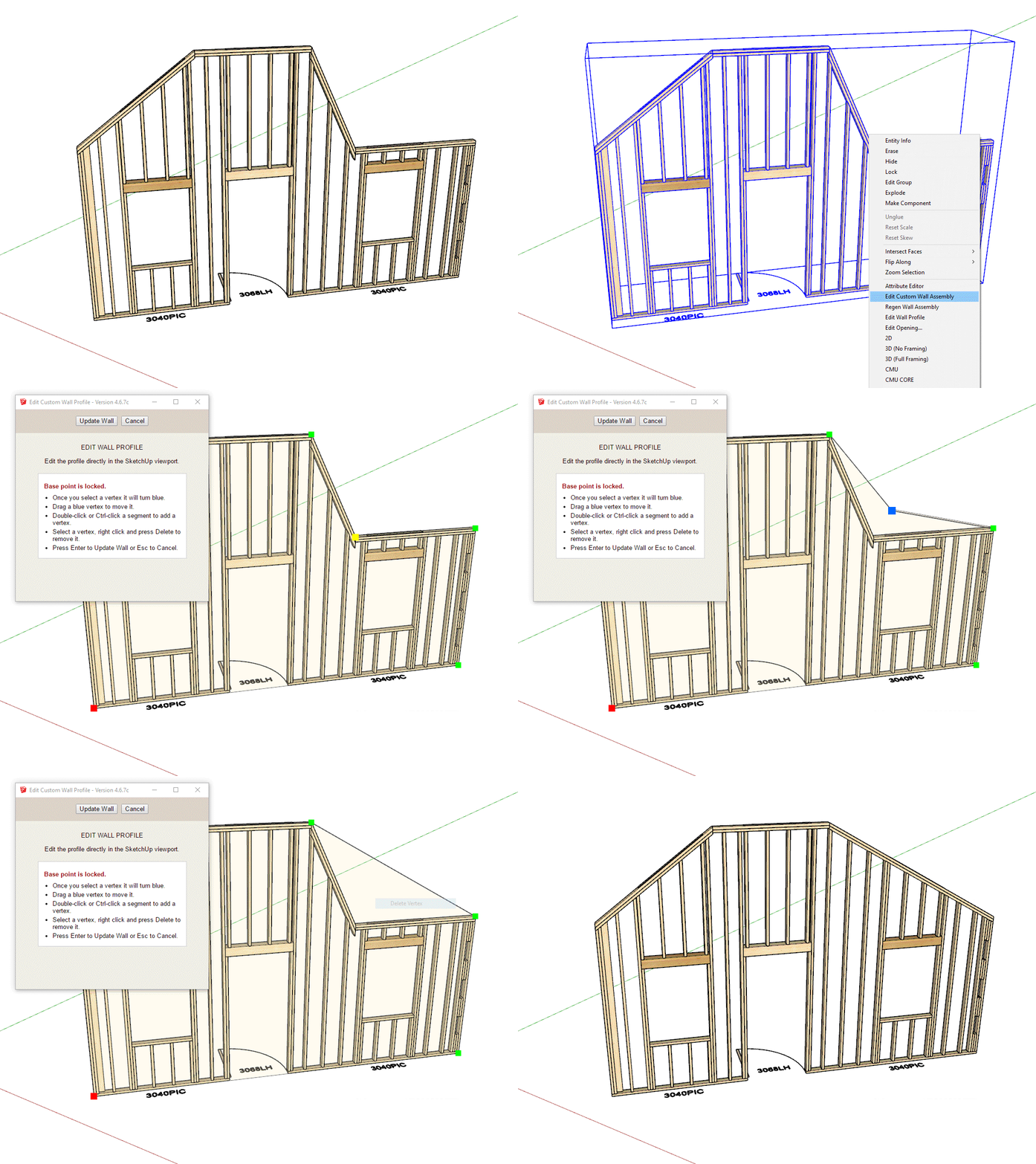
        Custom or "complex" walls are really no different than complex roofs or floors. They are defined by an array of points. I was just going to adapt my current "Outline Edit" method for Custom walls but I felt like it was time for a bit of an upgrade. I'm hoping people will find this new tool a bit more intuitive. After I fully test it I may incorporate the same logic/tool into the other plugins for the following: Complex Roofs, Floors, Slab-on-Grad foundations, Polyline Stemwalls and Railings
        profile_edit1.gif

        profile_edit2.gif

        Nathaniel P. Wilkerson PE
        Medeek Engineering Inc
        design.medeek.com

        1 Reply Last reply
        Reply Quote 0
        • medeekM
          medeek
          last edited by medeek

          Version 4.6.8 - 07.06.2026

          • Added a new "Custom" wall option in the Gable Wall tool.
          • Added Doors, Windows and Garage Doors for Custom walls.
          • Created a new interactive Custom Wall profile editing tool.

          This new "custom" wall is still not quite ready for prime time, however I want to put it out there so that the power users can BETA test it for me and tell me what works for them and what does not. I still need to add in all the advanced options and I'm sure there are a few holdovers from the previous wall menu (ie. Wall Height and Wall Length) that are not relevant to this wall type.

          Please be advised that this new wall type is not production ready. Right now it is for testing purposes only.

          Nathaniel P. Wilkerson PE
          Medeek Engineering Inc
          design.medeek.com

          1 Reply Last reply
          Reply Quote 1
          • medeekM
            medeek
            last edited by

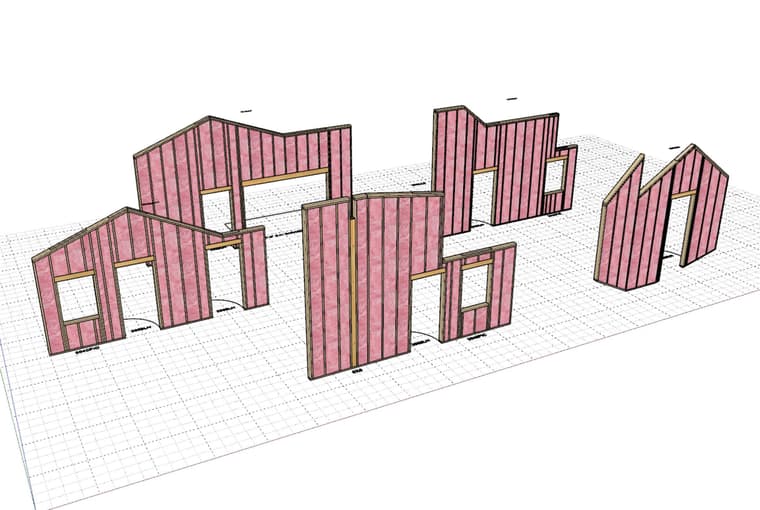
            First look at cavity insulation for custom walls:
            wall_su1360_800.jpg

            Nathaniel P. Wilkerson PE
            Medeek Engineering Inc
            design.medeek.com

            1 Reply Last reply
            Reply Quote 1
            • medeekM
              medeek
              last edited by

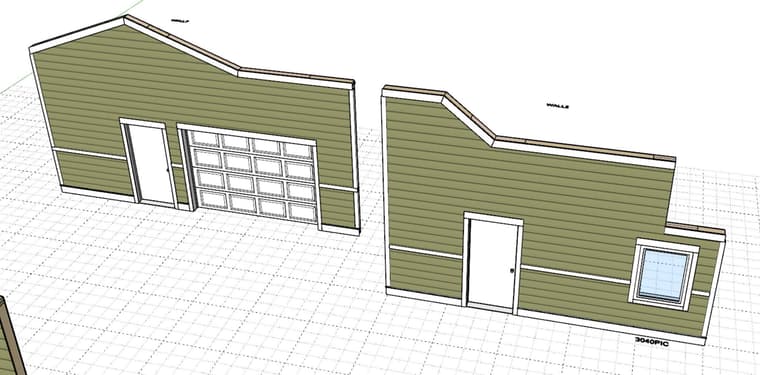
              First look at exterior trim applied to custom walls:
              wall_su1364_800.jpg

              wall_su1365_800.jpg

              Nathaniel P. Wilkerson PE
              Medeek Engineering Inc
              design.medeek.com

              1 Reply Last reply
              Reply Quote 0
              • medeekM
                medeek
                last edited by

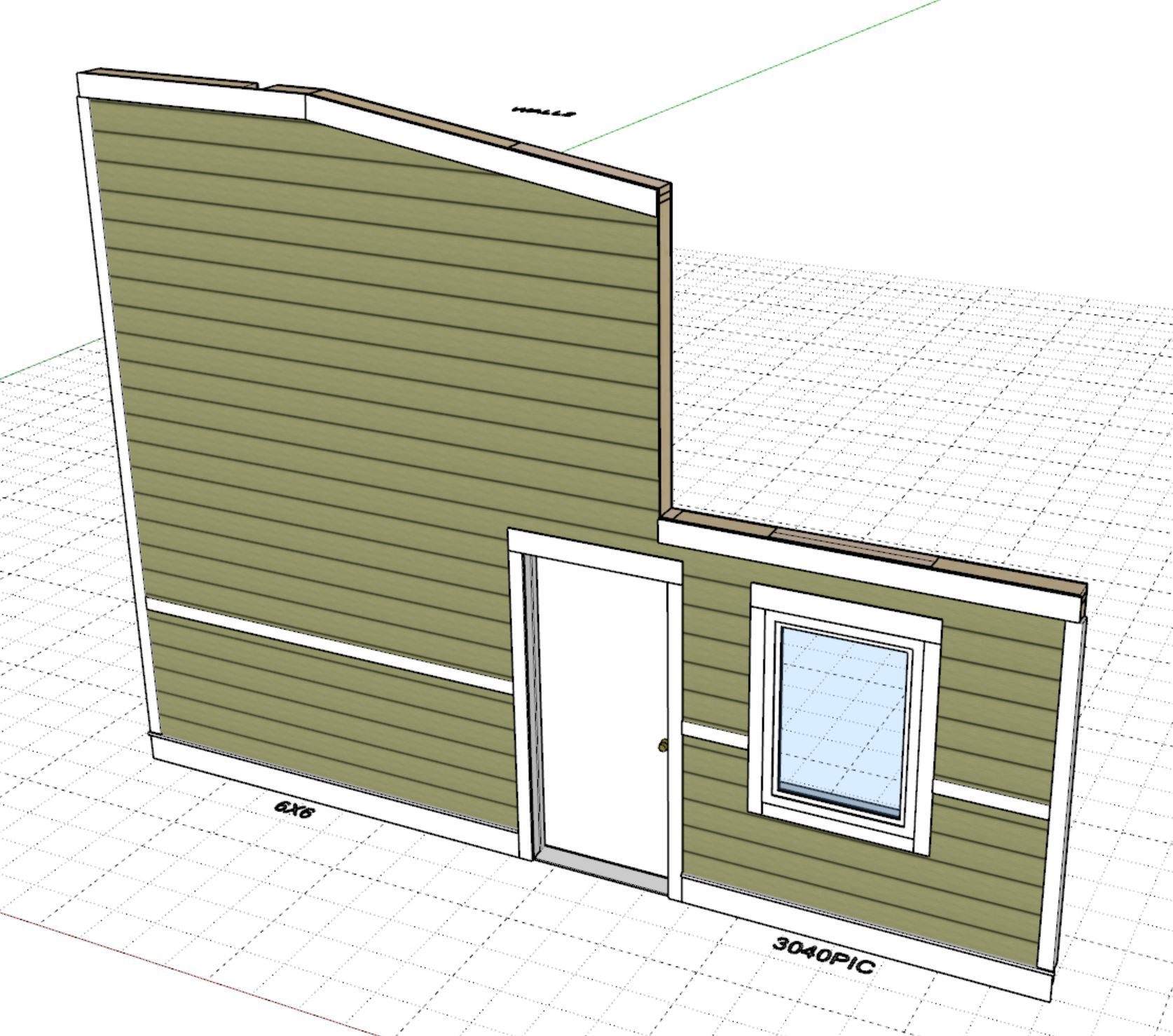
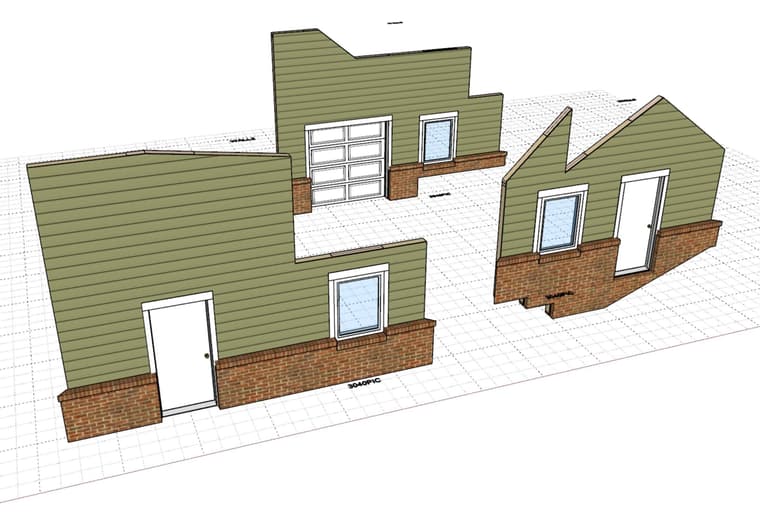
                First look at wainscot applied to Custom walls.
                wall_su1374_800.jpg

                Nathaniel P. Wilkerson PE
                Medeek Engineering Inc
                design.medeek.com

                1 Reply Last reply
                Reply Quote 1
                • medeekM
                  medeek
                  last edited by

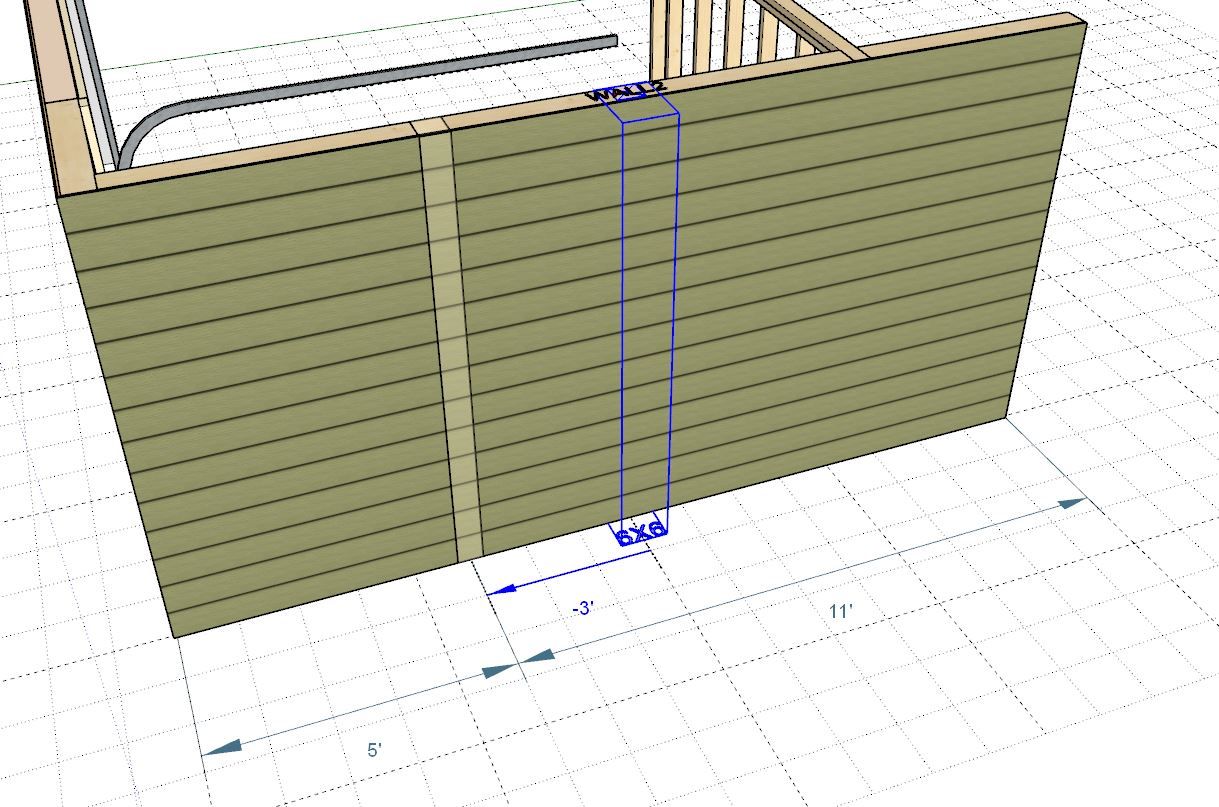
                  First look at quoins applied to Custom walls.
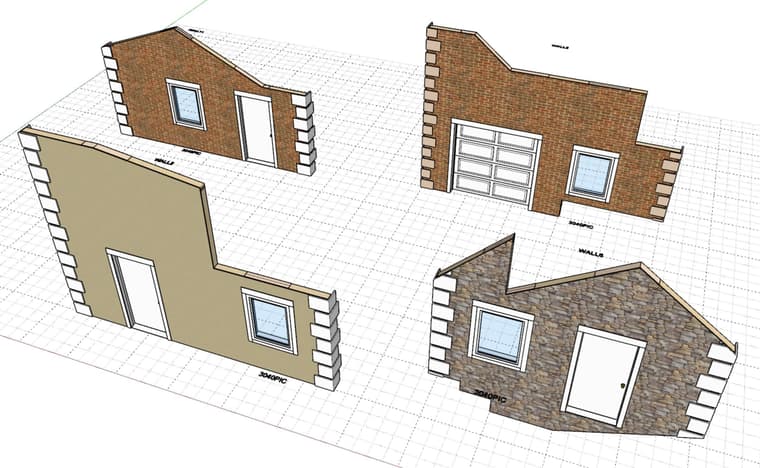
                  wall_su1376_800.jpg

                  Nathaniel P. Wilkerson PE
                  Medeek Engineering Inc
                  design.medeek.com

                  1 Reply Last reply
                  Reply Quote 1
                  • medeekM
                    medeek
                    last edited by medeek

                    Version 4.6.9 - 07.16.2026

                    Enabled advanced options for Custom walls.
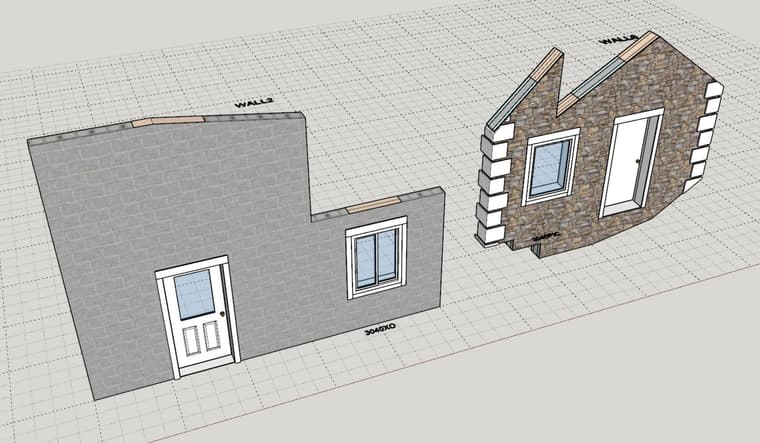
                    wall_su1377_800.jpg

                    Currently the custom wall draw tool requires that a face be draw and then selected to draw a custom wall. I think I also need to allow for a point-by-point polyline method. I will give this some further consideration tomorrow.

                    I also think it might be convenient to be able to switch a rectangular wall to a custom wall, however the ability to switch back will be disabled or disallowed since a custom wall will potentially have too many points that define it so it can’t be cleanly converted back into a rectangular profile, I will need to give this some additional thought.

                    Nathaniel P. Wilkerson PE
                    Medeek Engineering Inc
                    design.medeek.com

                    1 Reply Last reply
                    Reply Quote 2
                    • medeekM
                      medeek
                      last edited by

                      Tutorial 92: Custom Walls - (14:47 min)

                      Nathaniel P. Wilkerson PE
                      Medeek Engineering Inc
                      design.medeek.com

                      1 Reply Last reply
                      Reply Quote 0
                      • medeekM
                        medeek
                        last edited by

                        Version 4.7.0b - 07.20.2026

                        • Added a floating grid to the Custom wall draw and profile edit tool when the "Grid Snap" option is toggled on.
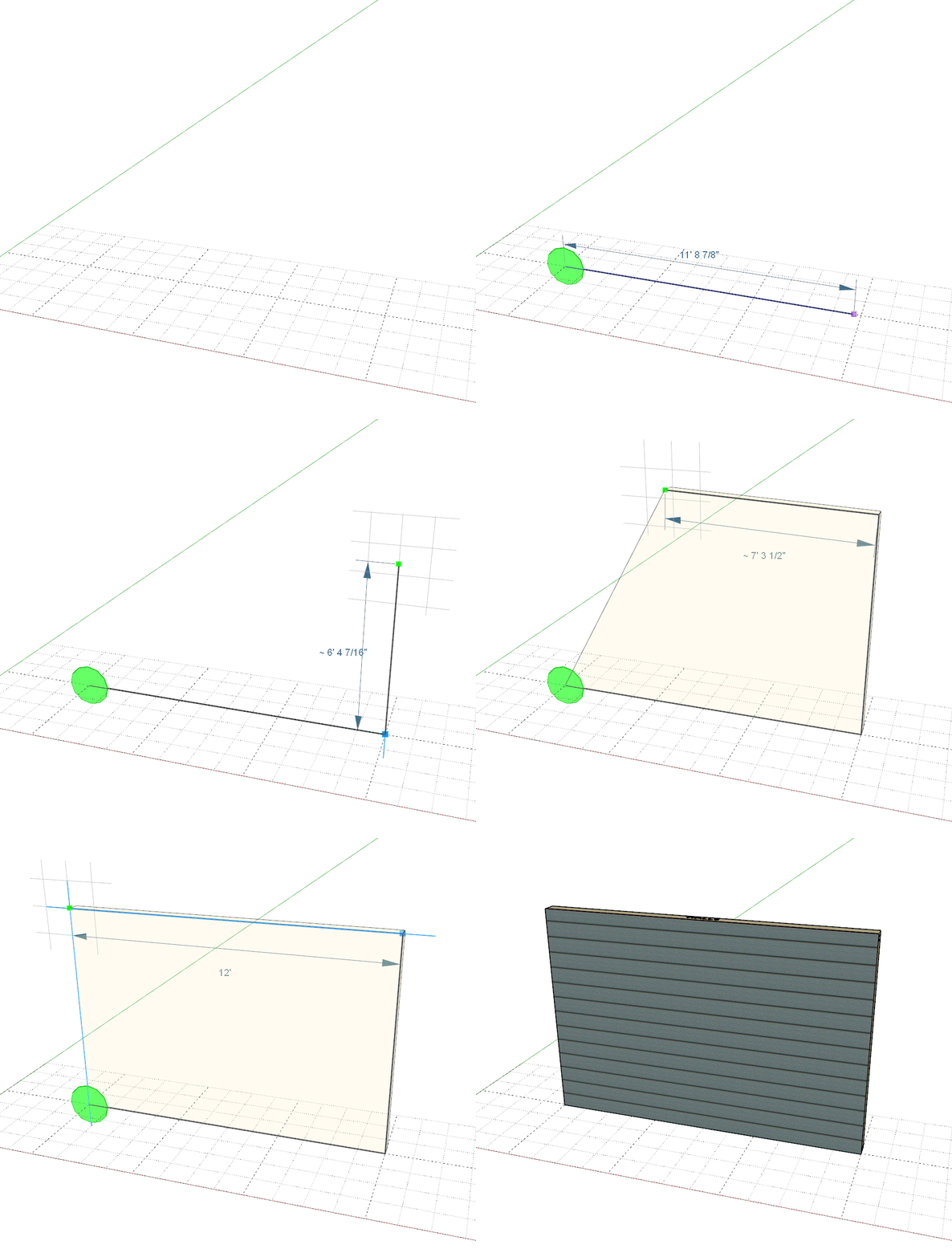
                        CUSTOM_WALL_GRID.gif

                        Nathaniel P. Wilkerson PE
                        Medeek Engineering Inc
                        design.medeek.com

                        1 Reply Last reply
                        Reply Quote 2
                        • Rich O BrienR
                          Rich O Brien Moderator
                          last edited by

                          That's a really clever UI helper.

                          Download the free D'oh Book for SketchUp 📖

                          1 Reply Last reply
                          Reply Quote 0
                          • medeekM
                            medeek
                            last edited by

                            Version 4.7.1b - 07.29.2026

                            • Fixed a bug with multi-trimmer stud windows.

                            !!! WARNING !!!
                            This is a critical bug fix. The bug was most likely introduced with Version 4.6.8 and has persisted through all versions until this version (4.7.1b). Please update your extension as your earliest convenience.

                            Nathaniel P. Wilkerson PE
                            Medeek Engineering Inc
                            design.medeek.com

                            1 Reply Last reply
                            Reply Quote 0
                            • medeekM
                              medeek
                              last edited by

                              Version 4.7.2 - 08.31.2026

                              • Updated the opening move tool with additional construction dimensions.
                              • Updated the column move tool with additional construction dimensions.
                              • Fixed a minor bug in the stair module (riser materials).
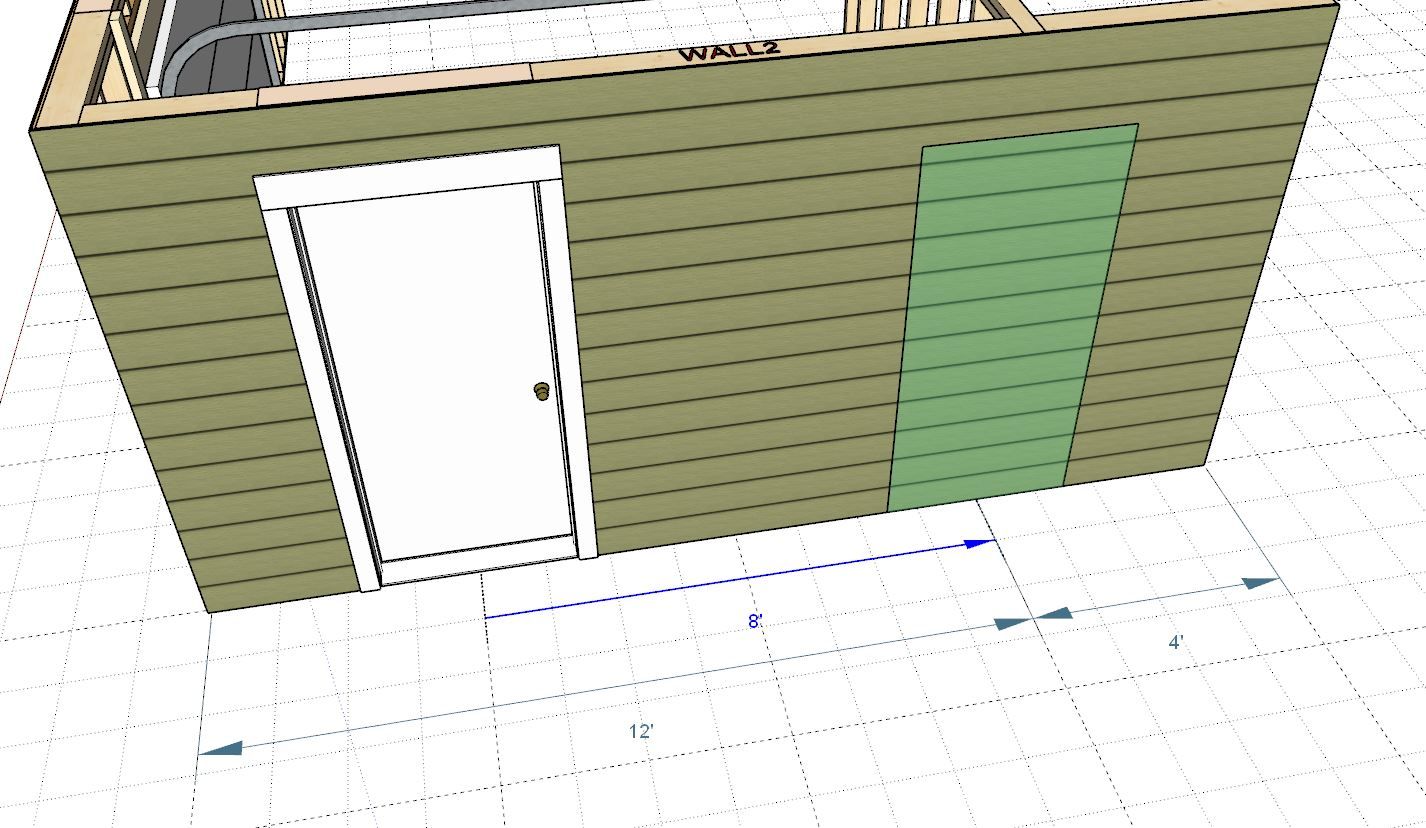
                              wall_su1379_800.jpg

                              wall_su1380_800.jpg

                              Nathaniel P. Wilkerson PE
                              Medeek Engineering Inc
                              design.medeek.com

                              1 Reply Last reply
                              Reply Quote 0

                              Hello! It looks like you're interested in this conversation, but you don't have an account yet.

                              Getting fed up of having to scroll through the same posts each visit? When you register for an account, you'll always come back to exactly where you were before, and choose to be notified of new replies (either via email, or push notification). You'll also be able to save bookmarks and upvote posts to show your appreciation to other community members.

                              With your input, this post could be even better 💗

                              Register Login
                              • 1
                              • 2
                              • 24
                              • 25
                              • 26
                              • 27
                              • 28
                              • 80
                              • 81
                              • 26 / 81
                              • First post
                                Last post
                              Buy SketchPlus
                              Buy SUbD
                              Buy WrapR
                              Buy eBook
                              Buy Modelur
                              Buy Vertex Tools
                              Buy SketchCuisine
                              Buy FormFonts

                              Advertisement