Medeek Wall Plugin
-
Medeek Wall Plugin Tutorial 47 - Custom Glass Garage Doors (w/ Webcam)
-
Version 3.5.6 - 03.21.2024
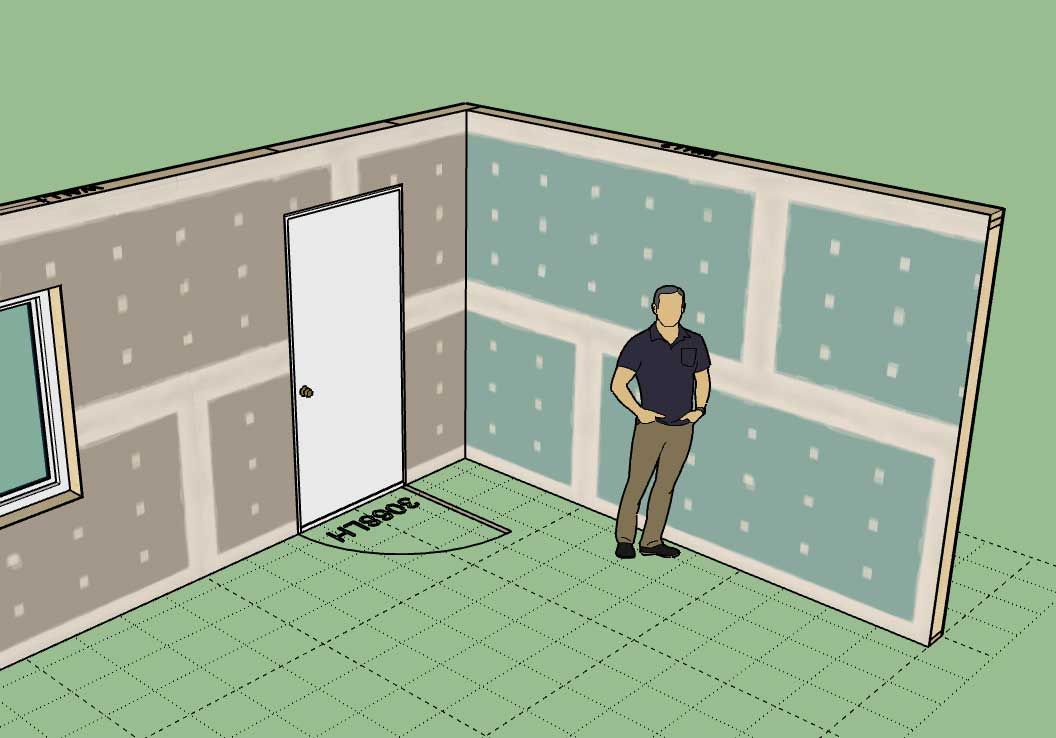
- Added built-in "Taped" and "Green Taped" gypsum materials for all wall types.
- Updated and added additional tool tips within the Global Settings.
Nathaniel P. Wilkerson PE
Medeek Engineering Inc
design.medeek.com -
is that a level 4 or level 5 finish?

-
Version 3.5.7 - 04.17.2024
- Fixed a compatibility bug with SketchUp 2024 while maintaining compatibility with previous versions of SketchUp.
-
Version 3.5.8 - 04.25.2024
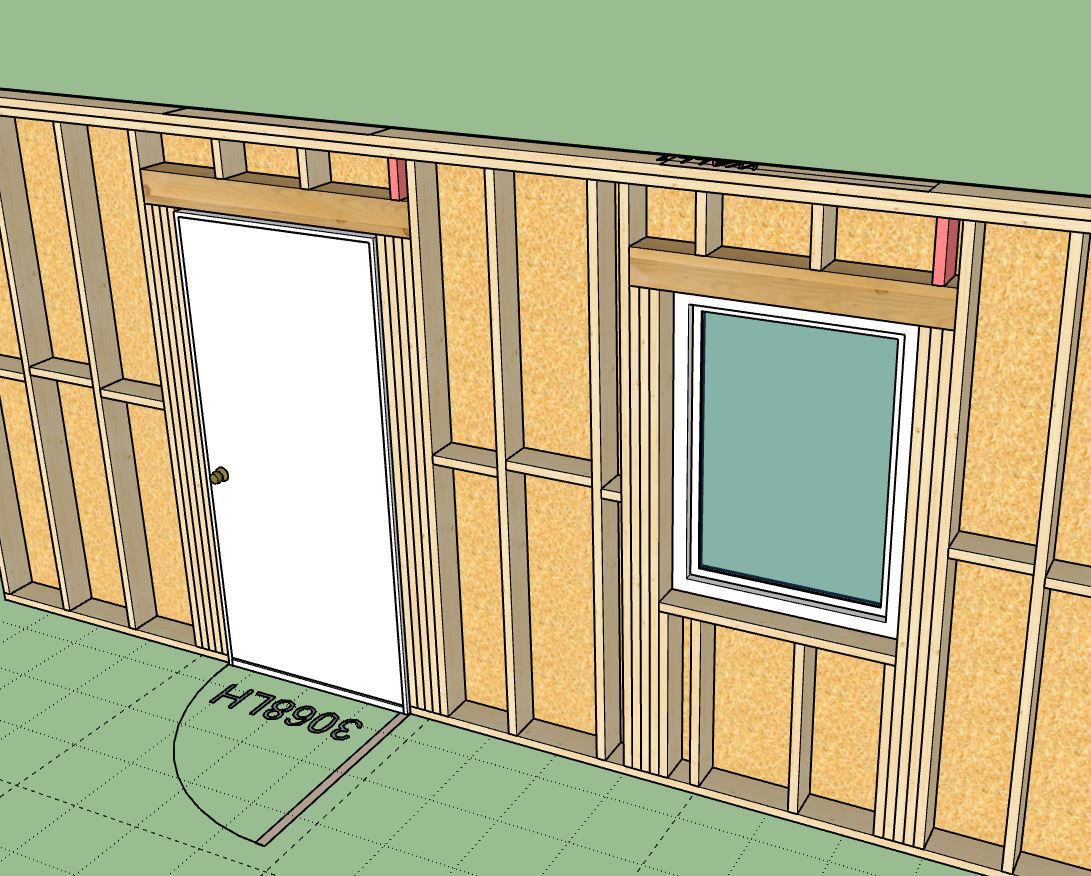
- Fixed a bug with cripple studs over windows and doors.
- Fixed a bug with the copy wall tool.
-
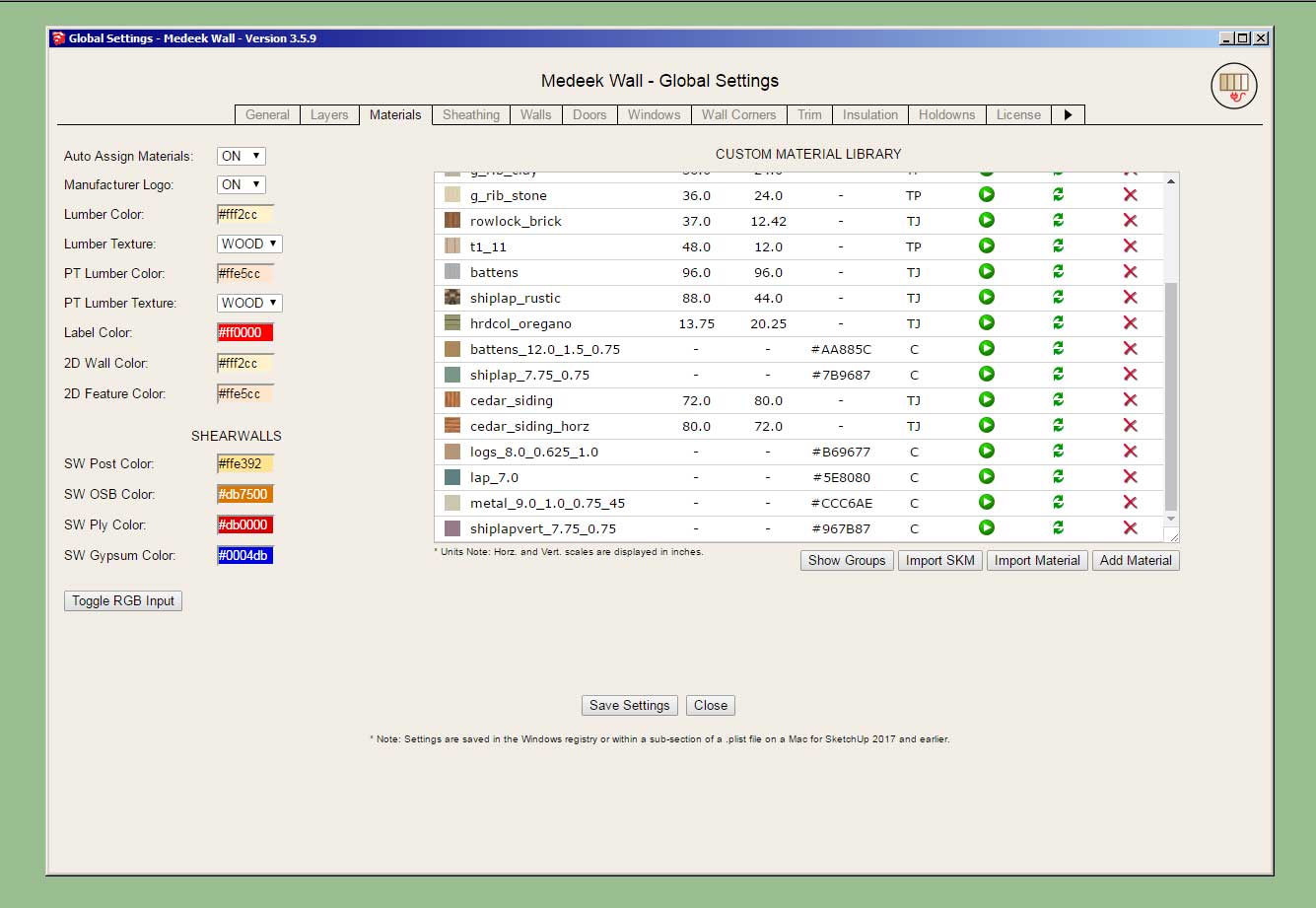
[b]Version 3.5.9[/b] - 05.01.2024
- Added a rainscreen option for gable walls (vertical, horizontal, 45 and 135 degree).
- Added a rainscreen option for shed walls (vertical, horizontal, 45 and 135 degree).
- Added a rainscreen option for hip walls (vertical, horizontal, 45 and 135 degree).
- Updated the license verification system with a more secure and improved algorithm.
-
[b]Version 3.6.0[/b] - 05.04.2024
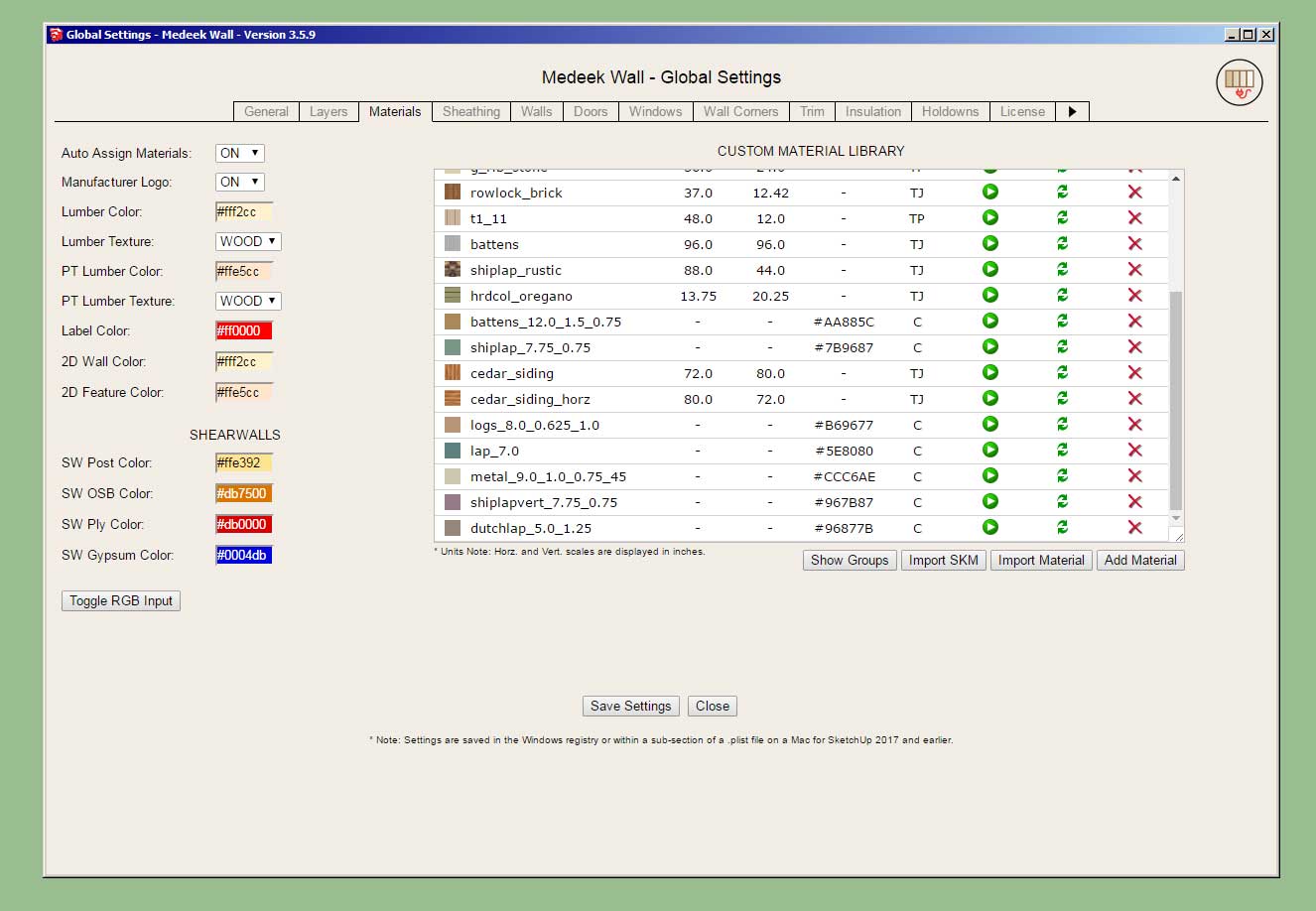
- Added the ability to create custom "Vertical Shiplap" wall cladding materials within the Material Library.
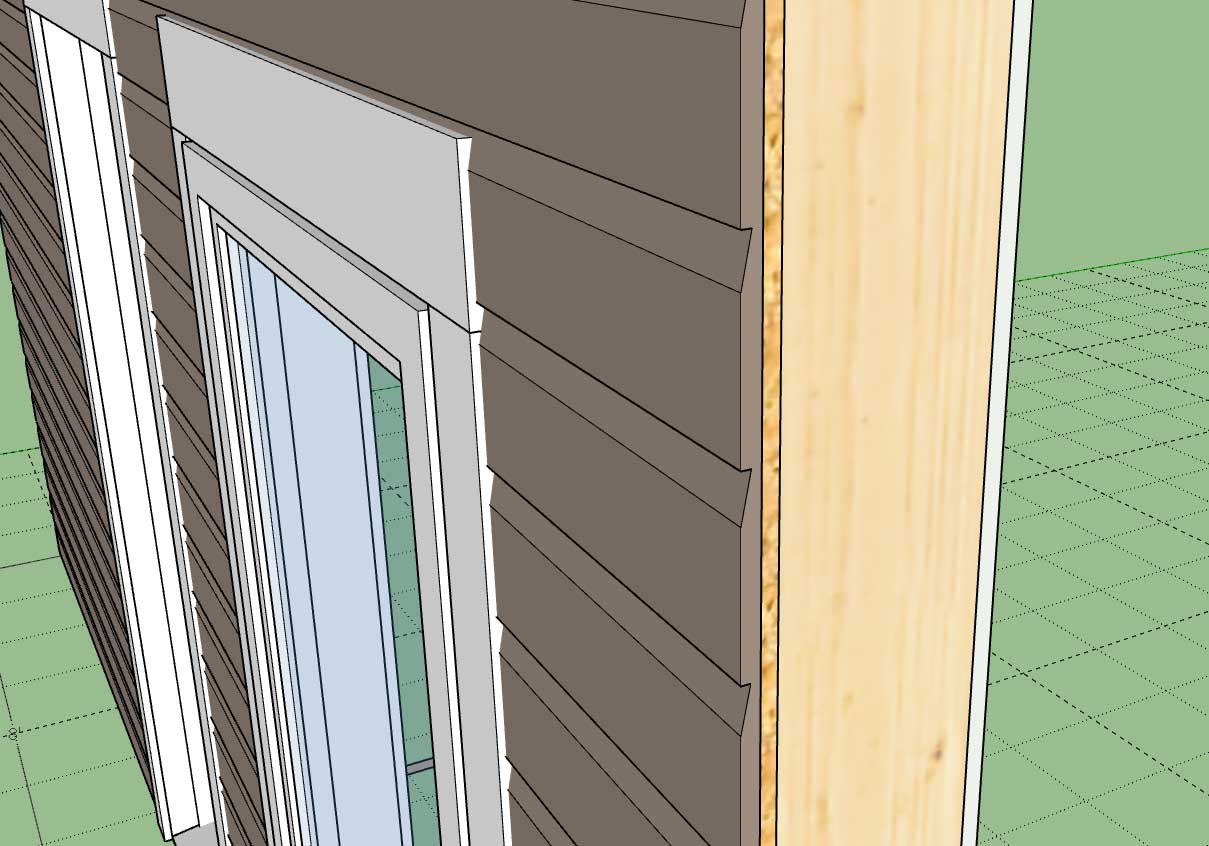
- Enabled "3D" Vertical Shiplap wall cladding for all wall types: Rectangular, Gable, Shed and Hip.
- Added the ability to create custom Dutchlap" wall cladding materials within the Material Library.
- Enabled "3D" Dutchlap wall cladding for all wall types: Rectangular, Gable, Shed and Hip.
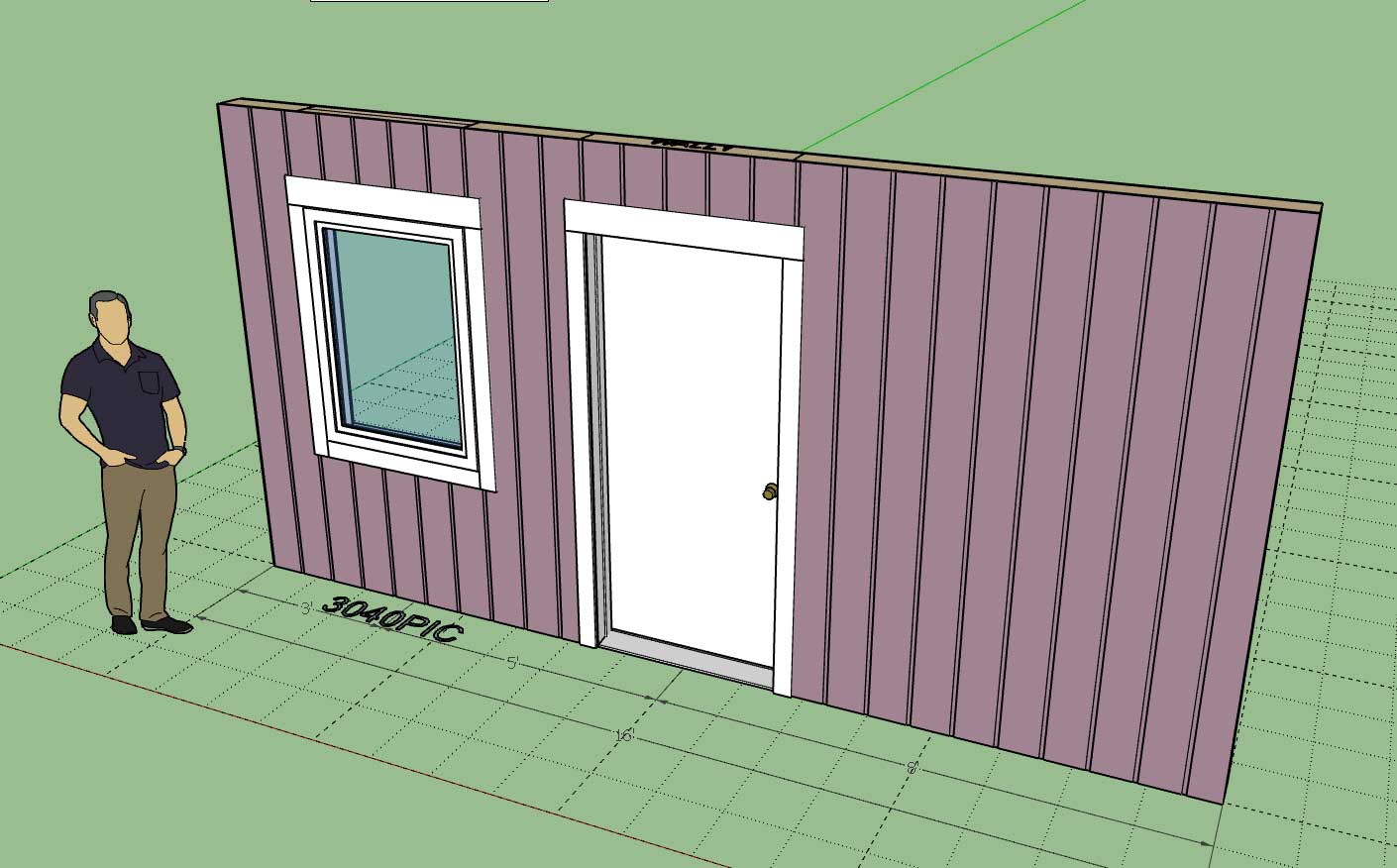
This update per customer request.
-
-
The original 3D cladding tutorial showed the following four materials:
- Board and Batten
- Shiplap
- Log
- Lap
The three additional ones added since this video are:
- Metal
- Shiplap (Vertical)
- Dutchlap
There are now seven different types of 3D cladding materials one can configure within the Custom Material Library.
-
Version 3.6.1 - 05.13.2024
Added Symbol 2 Layer specfically for 2D door swing symbols (Layer tab of the global settings).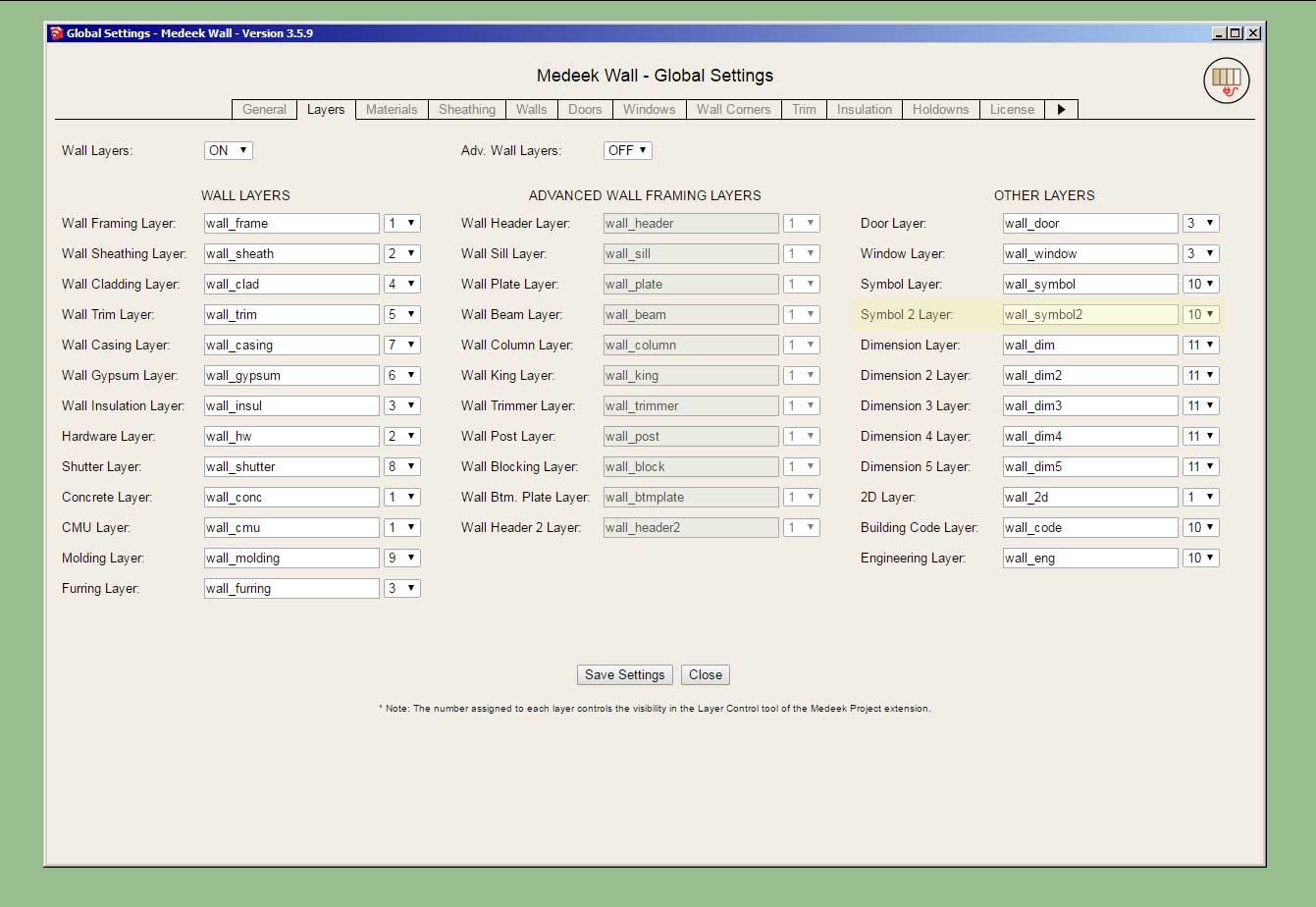
-
I will be running a Memorial Day promotion beginning May 22th until Jun. 5th with 35% off of the regular mdkBIM bundle price (permanent license) using the coupon code MEMORIAL24.
This will reduce the bundle price from $280.00 USD to $182.00 USD. This promo code does not apply to any of the extensions purchased separately. As part of this promotion a permanent license for the electrical plugin will be included upon request at no additional cost. The offer ends on Jun. 5th and no rain checks will issued thereafter.
-
Double sliders are kind of interesting windows.
![[img]https://global.discourse-cdn.com/sketchup/original/3X/6/4/64053bedf882932aab501290cdb0080fb93e8c0e.gif[/img]](https://global.discourse-cdn.com/sketchup/original/3X/6/4/64053bedf882932aab501290cdb0080fb93e8c0e.gif)
Sometimes I forget how cool it is to be able to create something like this in SketchUp and have it animate like it does. Can I say I love my job?
-
Version 3.6.3 - 06.06.2024
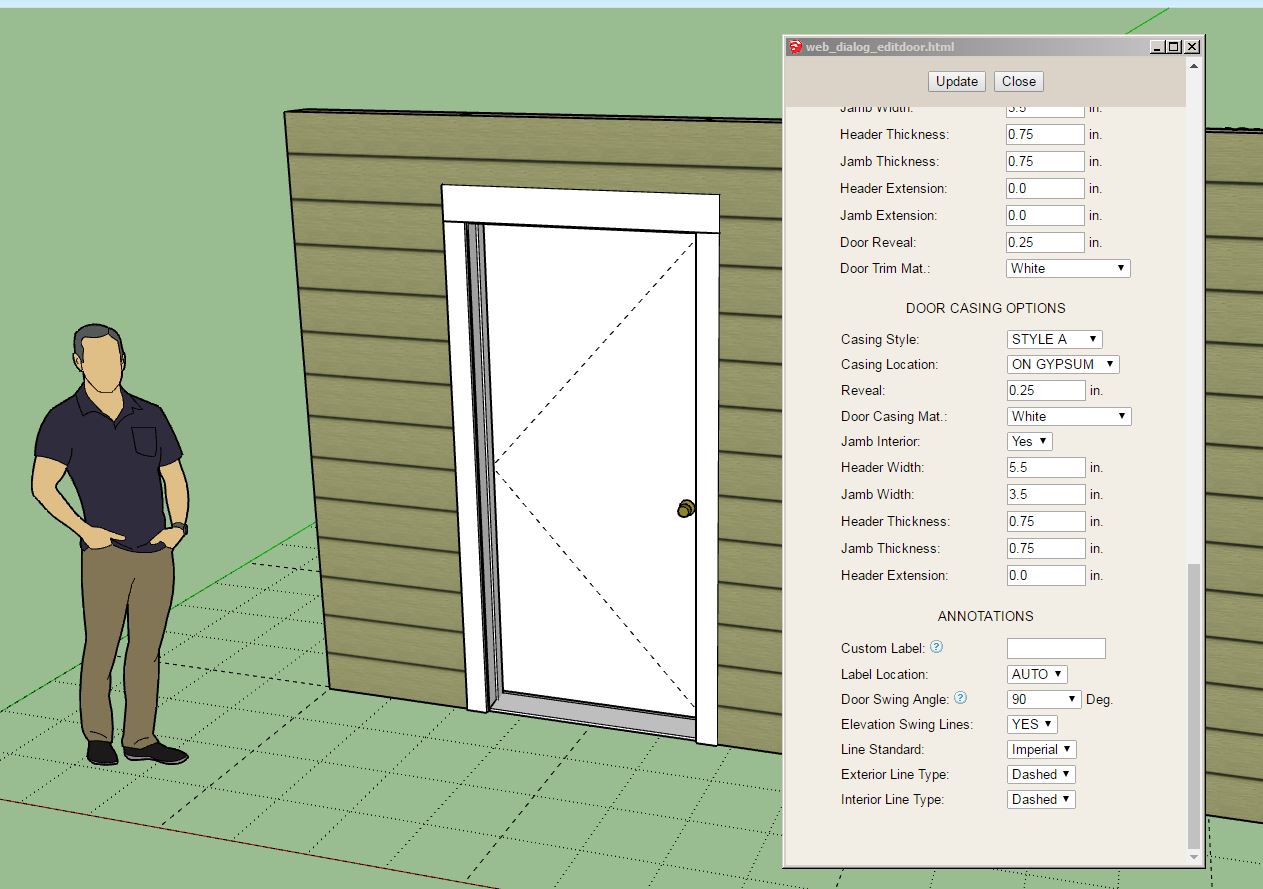
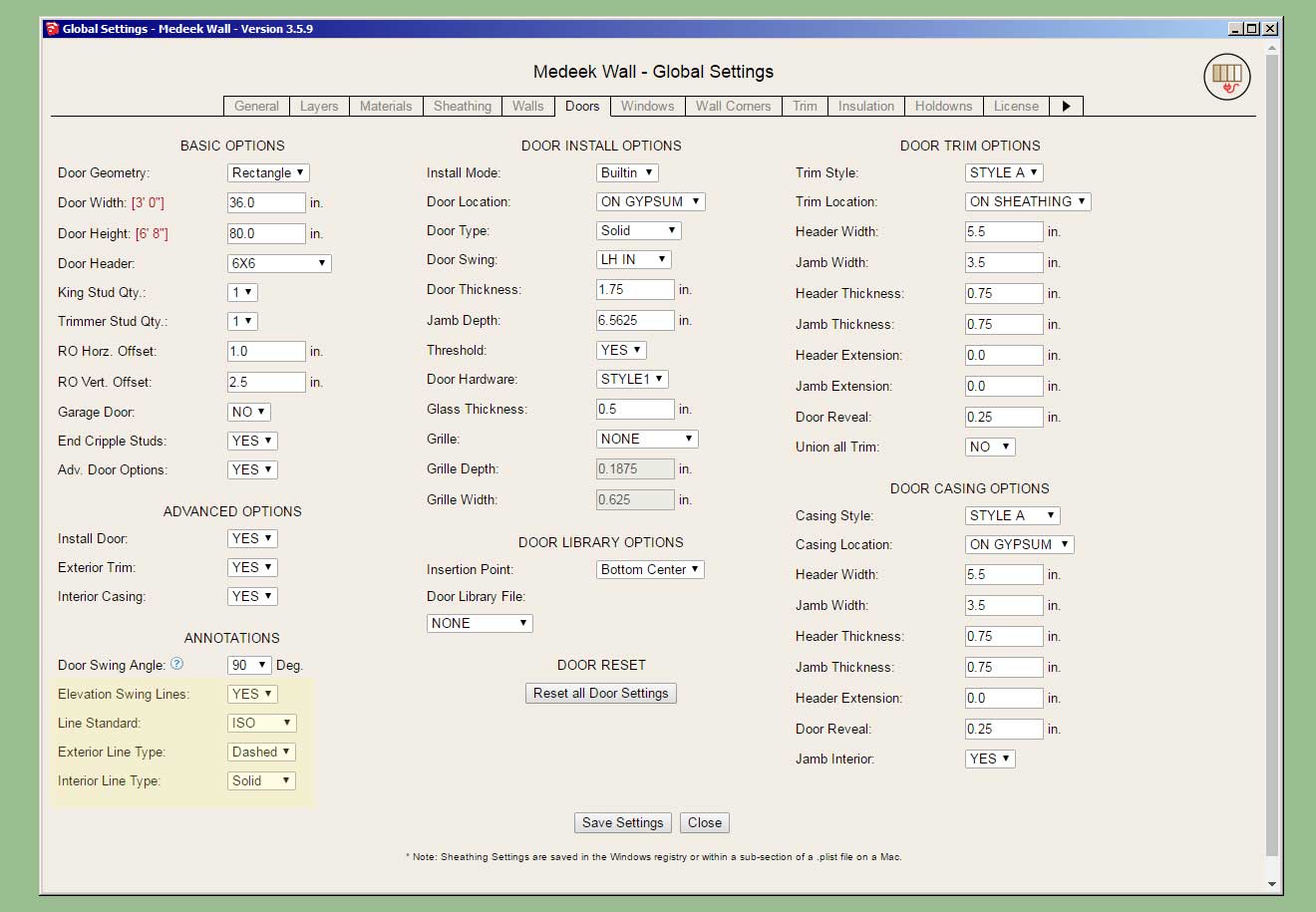
- Enabled elevation swing/opening lines for doors and windows.
- Added elevation swing line annotation settings to the Door tab of the Global Settings.
- Added elevation swing line annotation settings to the Window tab of the Global Settings.
- Enabled opening and closing for all double hung type windows.
-
Tutorial 48 - Elevation Swing Lines (8:31 min.)
-
Version 3.6.4 - 06.08.2024
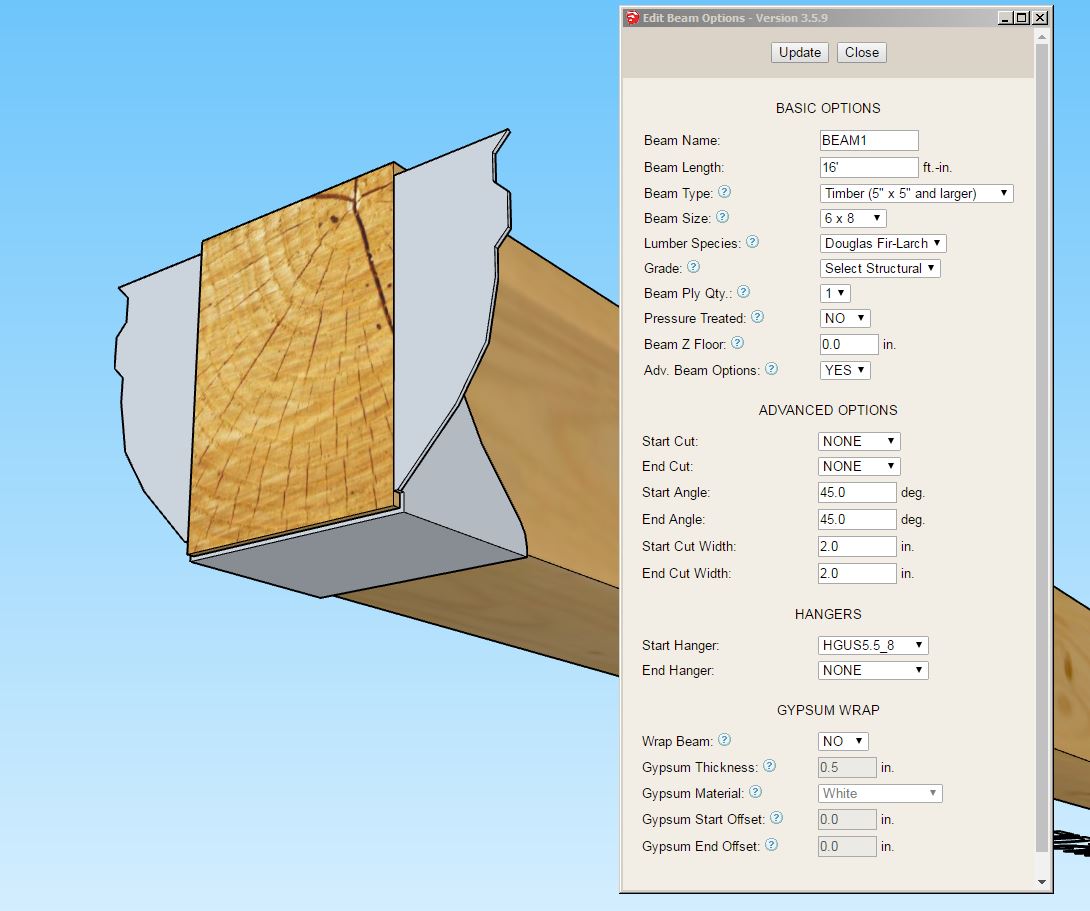
- Added the following additional Wide Flange (W) beams to the beam module: W10X49, W10X54, W10X60, W10X68, W10X77, W10X88, W10X100, W10X112, W12X45, W12X50, W12X53, W12X58, W12X65, W12X72, W12X79, W12X87, W12X96, W12X106, W12X120, W12X136, W12X152, W12X170, W12X190, W30X90, W30X99, W30X108.
- Added the following Simpson Strong-Tie heavy girder hangers to the beam hanger library: HGUS2.75/10, HGUS2.75/12, HGUS2.75/14, HGUS3.25/10, HGUS3.25/12, HGUS412, HGUS5.25/10, HGUS5.25/12, HGUS5.5/8, HGUS5.5/10, HGUS5.5/12, HGUS5.5/14, HGUS7.25/8, HGUS7.25/10, HGUS7.25/12, HGUS7.25/14.
- Allowed the use of a period "." in custom beam hanger library names.
-
Version 3.6.5 - 06.12.2024
- Added the following Simpson Strong-Tie heavy girder hangers to the beam hanger library: HGUS5.62/10, HGUS5.62/12, HGUS5.62/14, HGUS6.88/10, HGUS6.88/12, HGUS6.88/14, HGUS7.37/10, HGUS7.37/12, HGUS7.37/14, HGUS26, HGUS26-2, HGUS26-3, HGUS26-4, HGUS28, HGUS28-2, HGUS28-3, HGUS28-4, HGUS210, HGUS210-2, HGUS210-3, HGUS210-4, HGUS212-3, HGUS212-4, HGUS214-3, HGUS214-4, HGUS5.25/10, HGUS46, HGUS48, HGUS410, HGUS412.
Nathaniel P. Wilkerson PE
Medeek Engineering Inc
design.medeek.com -
Tutorial 49 - Component Libraries (13:05 min.)
-
Version 3.6.6 - 06.24.2024
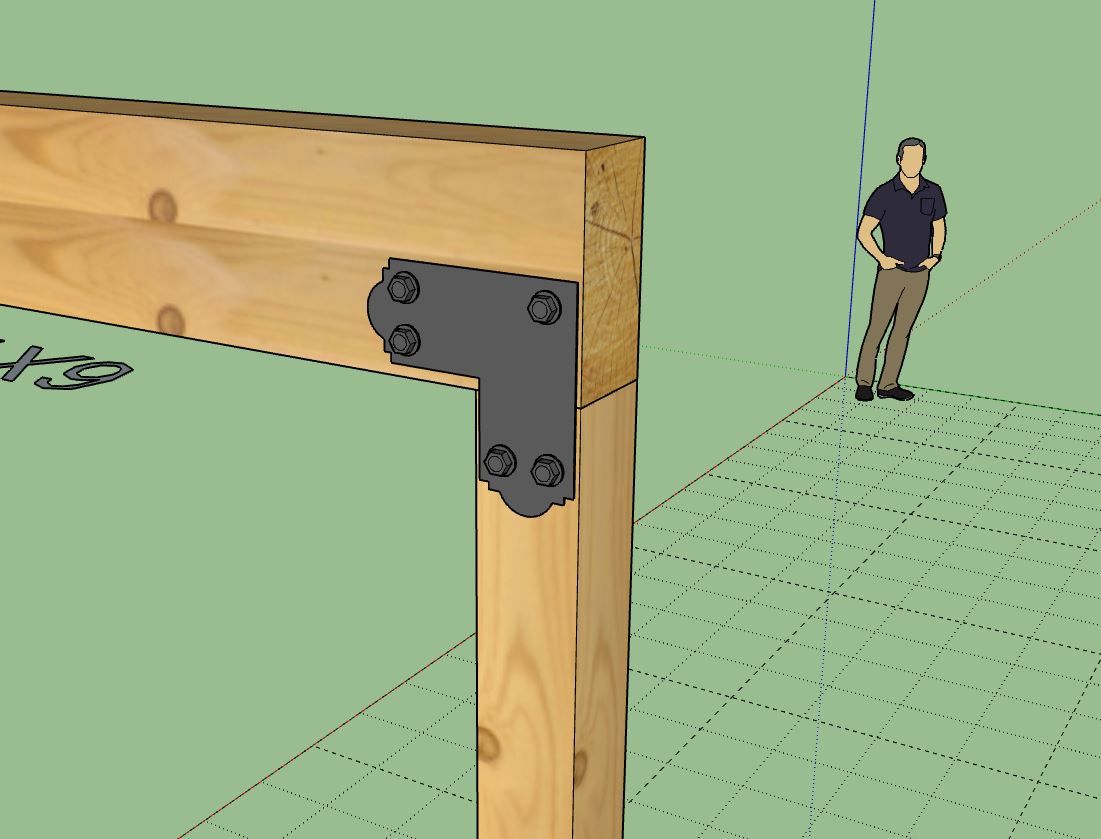
- Added hardware (caps and bases) options to the post module.
- Updated the material/color parameter for (exterior) wall trim to include custom materials.
-
Tutorial 50 - Post Hardware (8:45 min.)
-
Version 3.6.6b - 06.24.2024 thru 06.25.2024
- Fixed a minor bug with the post cap positioning algorithm.
- Added the following Simpson post cap: APL6



Hello! It looks like you're interested in this conversation, but you don't have an account yet.
Getting fed up of having to scroll through the same posts each visit? When you register for an account, you'll always come back to exactly where you were before, and choose to be notified of new replies (either via email, or push notification). You'll also be able to save bookmarks and upvote posts to show your appreciation to other community members.
With your input, this post could be even better 💗
Register Login


Advertisement