Twilight Render Create Lights
-
It's been quite some time since I used Twilight Render (Hobby), and I installed for my SU2017 today, and noticed that I cannot create lights. I thought I was able to do that previously. Is this a bug? or did they remove that feature from the Hobby version?
Thanks in advance
-
you should have access to the light editor with Twilight's hobby version. the appearance of the various Twilight editing windows did change some between TwilightV1 and TwilightV2 , could that have caused some trouble for you? Have you posted over on Twilight's user forum?
-
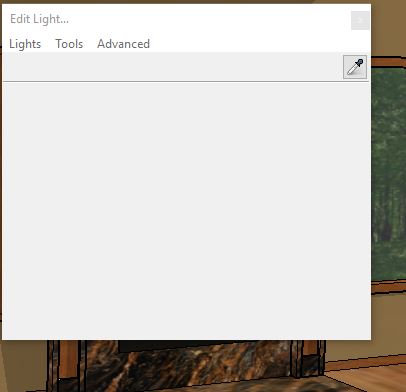
I have not posted anything on the Twilight Forum, but the attached screen shot is what pops up when I activate the light tool
-
The menus looked grayed out. On my Mac they are not. Regardless, do you get a cursor so you can place a light... that's what comes next, if you have no lights already to edit.
-
@sft01 I just tried it in 2017 and yes you see the dialog as you mention but as others have mentioned, you should see the cursor changes to look like a small hand. You can then do the normal three clicks in your model to create a light. The panel is initially showing up that way because you do not already have a light in your model.
At least that is the way it is working for me but I do have the Pro version. I suggest you give it another try.
-
pbacot/ntxdave
Thank you. I was able to place lights based on your suggestions.
It's been log enough that I forgot how that worked.




Hello! It looks like you're interested in this conversation, but you don't have an account yet.
Getting fed up of having to scroll through the same posts each visit? When you register for an account, you'll always come back to exactly where you were before, and choose to be notified of new replies (either via email, or push notification). You'll also be able to save bookmarks and upvote posts to show your appreciation to other community members.
With your input, this post could be even better 💗
Register Login


Advertisement