Curviloft ''narrowing''
-
Is there a way to maintain a consistent geometry width? In the attached example, the 1'-7 3/8" dimension illustrates my point.
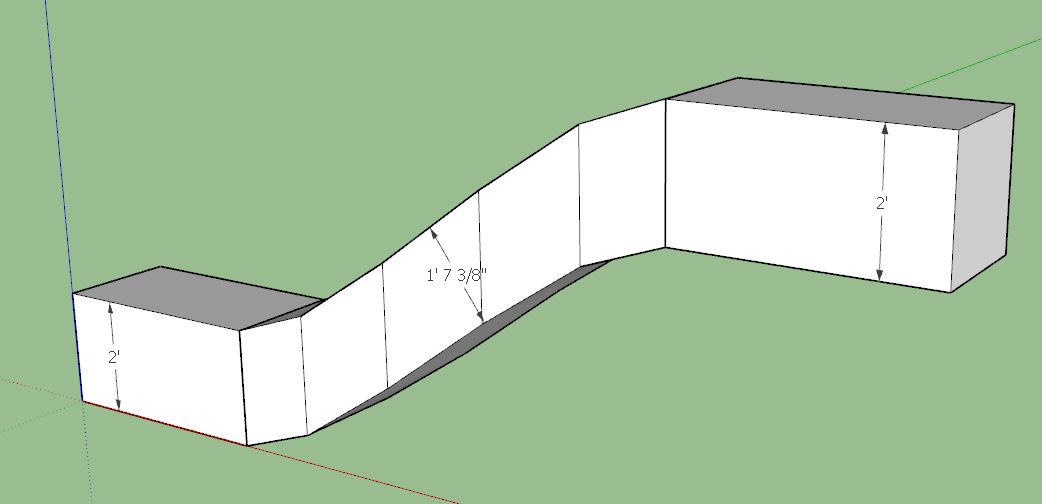
-
Yes. Use Follow me tool.

-
Don't understand the question!

You want the same width along the form ? Or height ?In any case it's always a good thing to save as V6 for a more large audience!

Here I had the 2016 open so obliged to open the 2017 ! -
You might try Extrusion tools which will define a path along rails. FollowMeAndKeep too.
-
Is this what you're trying to achieve?
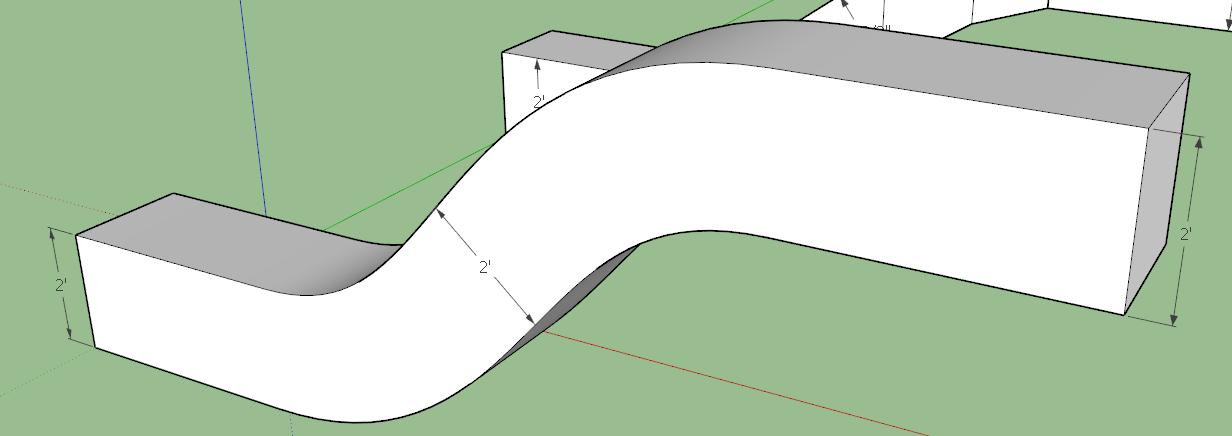
-
yes, dave r. - but with the simplicity and speed of the curviloft tool. is that what you used?
-
pilou - i saved as ver 6 just moments ago.
-
@pipingguy said:
yes, dave r. - but with the simplicity and speed of the curviloft tool. is that what you used?
No. I drew a path and used Follow Me. If you use Curviloft, you'll need to make the right settings to maintain the cross section dimensions. And you'll need a cleaner curve between the ends.
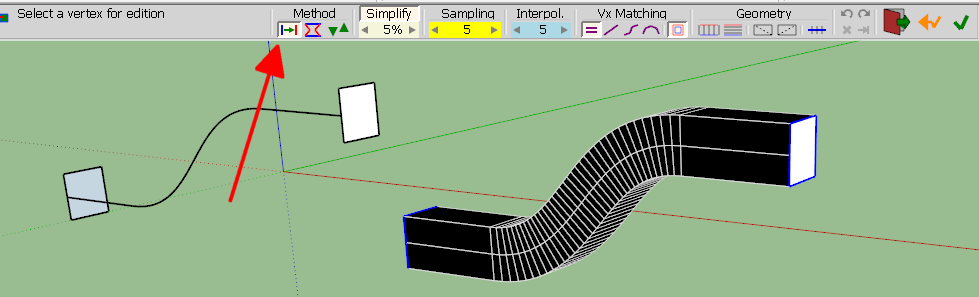
-
Just to complete this subject, hopefully the creator of the extension reads this post so he may attempt to improve the issue. If that's even possible.
-
What's to improve? It does what you asked for already with the right settings.
-
My goal is to connect two offset rectangles with the speed and simplicity of using Curviloft - but without a reduction in aspect ratio. Want to avoid the extra step of manually drawing a path between said rectangles.




Hello! It looks like you're interested in this conversation, but you don't have an account yet.
Getting fed up of having to scroll through the same posts each visit? When you register for an account, you'll always come back to exactly where you were before, and choose to be notified of new replies (either via email, or push notification). You'll also be able to save bookmarks and upvote posts to show your appreciation to other community members.
With your input, this post could be even better 💗
Register Login


Advertisement