sketchucation logo sketchucation
    • Login
    Oops, your profile's looking a bit empty! To help us tailor your experience, please fill in key details like your SketchUp version, skill level, operating system, and more. Update and save your info on your profile page today!
    ⚠️ Update | Sketchucation Tools 5.0.8 released with licensing improvements and bugfixes Download

    SketchUcation Tools in 2017

    Scheduled Pinned Locked Moved SketchUp Discussions
    sketchup
    113 Posts 17 Posters 18.4k Views 17 Watching
    Loading More Posts
    • Oldest to Newest
    • Newest to Oldest
    • Most Votes
    Reply
    • Reply as topic
    Log in to reply
    This topic has been deleted. Only users with topic management privileges can see it.
    • N
      NickW
      last edited by

      Hi TIG,

      On my installation it has been running as "Unrestricted" from the get go.

      I have tried Repairing, Uninstalling and re-installing, all as Administrator, and all to no avail. I have also tried version 3.0.2 but still no joy I'm afraid.

      1 Reply Last reply
      Reply Quote 0
      • BoxB
        Box
        last edited by

        Ok, I have installed the latest, and it works for me. But then the .0b was working so I'm guessing it was something in my device update.

        1 Reply Last reply
        Reply Quote 0
        • TIGT
          TIG Moderator
          last edited by

          @nickw said:

          Hi TIG,

          On my installation it has been running as "Unrestricted" from the get go.

          I have tried Repairing, Uninstalling and re-installing, all as Administrator, and all to no avail. I have also tried version 3.0.2 but still no joy I'm afraid.
          So why is it showing as 'Disabled' ?
          Have you tried v3.0.2 of the RBZ ?

          TIG

          1 Reply Last reply
          Reply Quote 0
          • JQLJ
            JQL
            last edited by

            @rich o brien said:

            3.0.2 available to download

            404 Not Found

            favicon

            (sketchucation.com)

            Can you try this?

            Tried it. Failed.

            Tried ti after registry clean. Failed.

            Tried it after repairing 2017 with admin rights. Failed again.

            I'm sure it's 3.0.2

            www.casca.pt
            Visit us on facebook!

            1 Reply Last reply
            Reply Quote 0
            • TIGT
              TIG Moderator
              last edited by

              ... and v3.0.2 resulted in ?

              TIG

              1 Reply Last reply
              Reply Quote 0
              • N
                NickW
                last edited by

                @tig said:

                @nickw said:

                Hi TIG,

                On my installation it has been running as "Unrestricted" from the get go.

                I have tried Repairing, Uninstalling and re-installing, all as Administrator, and all to no avail. I have also tried version 3.0.2 but still no joy I'm afraid.
                So why is it showing as 'Disabled' ?
                Have you tried v3.0.2 of the RBZ ?

                It was showing as disabled because I set it that way - I can't remember quite what I was doing that for, but rest assured it is not disabled now.

                Yes, I have tried 3.0.2.
                Capture.PNG

                1 Reply Last reply
                Reply Quote 0
                • N
                  NickW
                  last edited by

                  @tig said:

                  ... and v3.0.2 resulted in ?

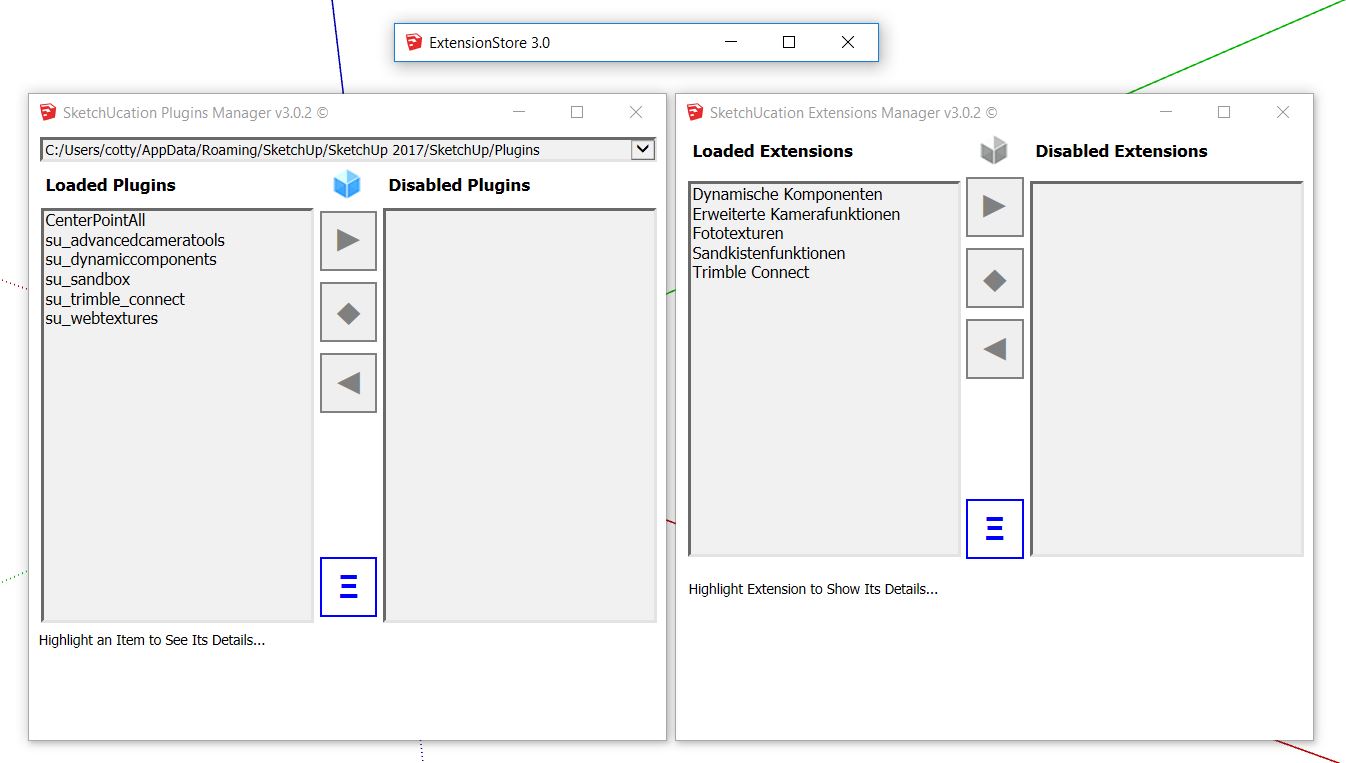
                  It resulted in no change, as shown in the screen shot above.

                  1 Reply Last reply
                  Reply Quote 0
                  • ntxdaveN
                    ntxdave
                    last edited by

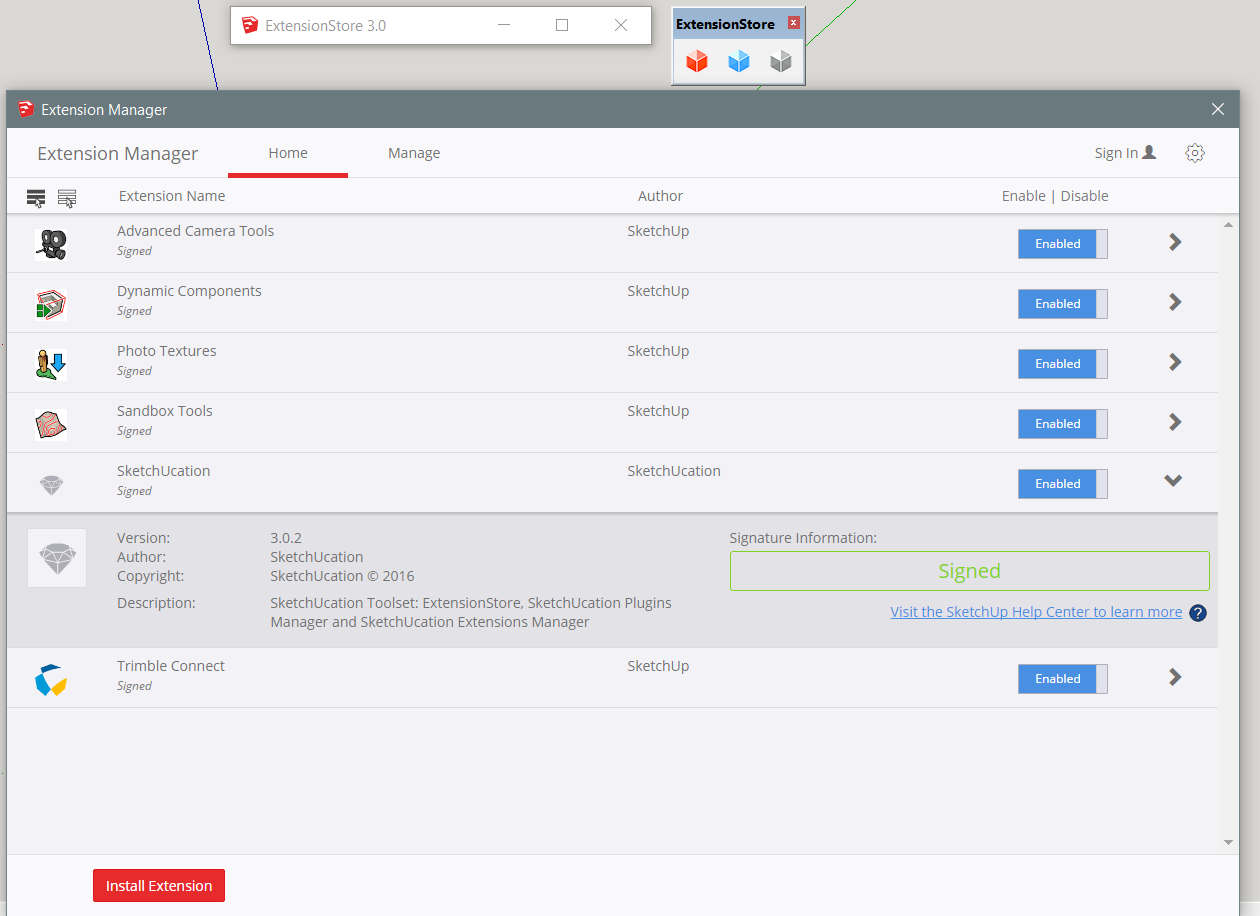
                    Well, I think I have tried everything suggested and still cannot use the tool. Here are the latest screen shots:
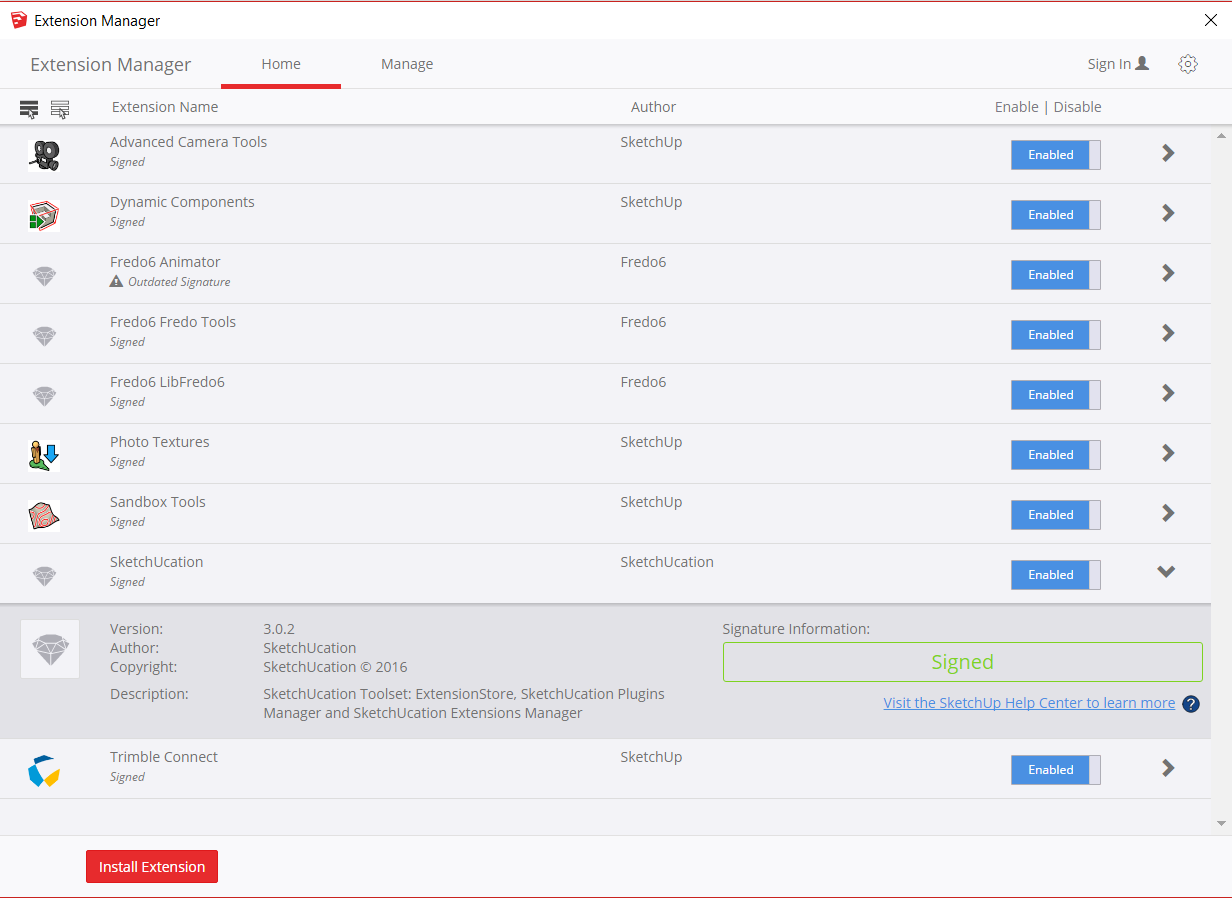
                    SketchUp Extension Manager
                    SktechUcations Tools 3.0.2 (expanded width)

                    I still have IE 11 set as my default browser. Is there any way that that could be part of the problem? I really would like to resolve this before moving on to updating all of my plugins/extensions.

                    Press F1...thank me later

                    1 Reply Last reply
                    Reply Quote 0
                    • cottyC
                      cotty
                      last edited by

                      @jql said:

                      Tig, tried your Registry steps and it didn't work. Sketchucation store did open as only the top bar but very small, I pushed it to the right and no buttons poped up.

                      Same here, no ruby console output...
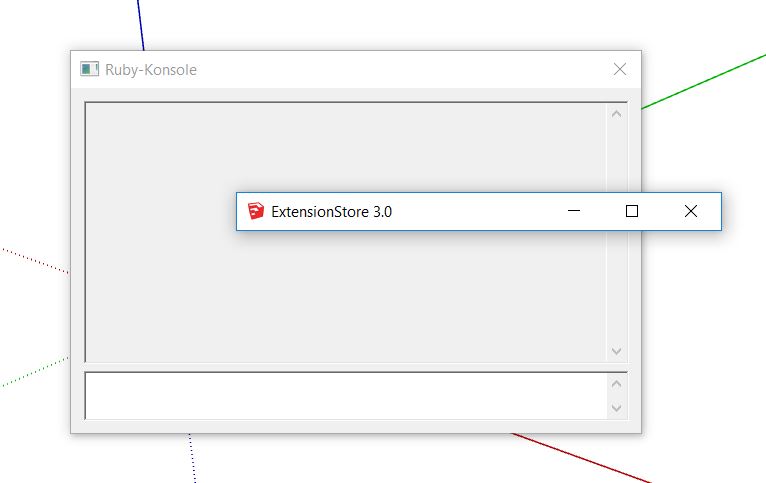
                      suerror.JPG

                      my SketchUp gallery

                      1 Reply Last reply
                      Reply Quote 0
                      • soloS
                        solo
                        last edited by

                        Works like a charm, Win 10 home edition. So much better and faster than the native Sketchup extension warehouse.

                        http://www.solos-art.com

                        If you see a toilet in your dreams do not use it.

                        1 Reply Last reply
                        Reply Quote 0
                        • ntxdaveN
                          ntxdave
                          last edited by

                          @solo said:

                          Works like a charm, Win 10 home edition. So much better and faster than the native Sketchup extension warehouse.

                          Wonder what you did different than those of us who are having problems?

                          Press F1...thank me later

                          1 Reply Last reply
                          Reply Quote 0
                          • cottyC
                            cotty
                            last edited by

                            The other 2 windows are OK...

                            suerror2.JPG

                            my SketchUp gallery

                            1 Reply Last reply
                            Reply Quote 0
                            • ntxdaveN
                              ntxdave
                              last edited by

                              @cotty said:

                              The other 2 windows are OK...

                              Same on my machine πŸ˜•

                              Press F1...thank me later

                              1 Reply Last reply
                              Reply Quote 0
                              • TIGT
                                TIG Moderator
                                last edited by

                                Have you tried the old trick of deleting the IE cache ?
                                Then restarting SketchUp and dialog ?

                                TIG

                                1 Reply Last reply
                                Reply Quote 0
                                • ntxdaveN
                                  ntxdave
                                  last edited by

                                  @tig said:

                                  Have you tried the old trick of deleting the IE cache ?
                                  Then restarting SketchUp and dialog ?

                                  Just tried that and that did not solve the problem either. Still same result 😞

                                  Press F1...thank me later

                                  1 Reply Last reply
                                  Reply Quote 0
                                  • ntxdaveN
                                    ntxdave
                                    last edited by

                                    A silly question: Could this be an OpenGL problem and how do I check to see that my laptop configuration support OpenGL 3.0?

                                    Press F1...thank me later

                                    1 Reply Last reply
                                    Reply Quote 0
                                    • N
                                      NickW
                                      last edited by

                                      In SU

                                      Window>Preferences>OpenGL>Graphics Card Details

                                      mine is 4.5.0.

                                      I too am an IE user.

                                      1 Reply Last reply
                                      Reply Quote 0
                                      • FrederikF
                                        Frederik
                                        last edited by

                                        @rich o brien said:

                                        3.0.2 available to download
                                        Can you try this?

                                        Sorry for my ignorance, but how do I install the RBZ on SU2017...??
                                        I don't have the "Install extension" options available in SU2017...
                                        The installation video doesn't help me in any way...

                                        Cheers
                                        Kim Frederik

                                        1 Reply Last reply
                                        Reply Quote 0
                                        • BoxB
                                          Box
                                          last edited by

                                          Go to Window/Extension Manager and the Install button is on the bottom left.

                                          1 Reply Last reply
                                          Reply Quote 0
                                          • FrederikF
                                            Frederik
                                            last edited by

                                            Cheers, Box... πŸ‘

                                            Any way... Like others, it's still the same for me...
                                            I see the Extension Store bar and nothing else...
                                            Can resize it and clicking the maximize just makes the top bar wider...

                                            Similar to JQL I've tried everything Tig has suggested to no avail...

                                            Cheers
                                            Kim Frederik

                                            1 Reply Last reply
                                            Reply Quote 0

                                            Hello! It looks like you're interested in this conversation, but you don't have an account yet.

                                            Getting fed up of having to scroll through the same posts each visit? When you register for an account, you'll always come back to exactly where you were before, and choose to be notified of new replies (either via email, or push notification). You'll also be able to save bookmarks and upvote posts to show your appreciation to other community members.

                                            With your input, this post could be even better πŸ’—

                                            Register Login
                                            • 1
                                            • 2
                                            • 3
                                            • 4
                                            • 5
                                            • 6
                                            • 6 / 6
                                            • First post
                                              Last post
                                            Buy SketchPlus
                                            Buy SUbD
                                            Buy WrapR
                                            Buy eBook
                                            Buy Modelur
                                            Buy Vertex Tools
                                            Buy SketchCuisine
                                            Buy FormFonts

                                            Advertisement