Need help with specific dimension plugin
-
Hi all.
I'm not a Ruby programmer and having a headache with one simple question:
Is it possible to create a plugin for making numbers of dimensions instead measurements?
For examle: D1, D2, D3... etcAsking for help.
Thanks in advance -
First add the dimension initially:
http://www.sketchup.com/intl/en/developer/docs/ourdoc/entities#add_dimension_linear
Or to modify an existing dim:
http://www.sketchup.com/intl/en/developer/docs/ourdoc/dimensionlinear
Then use:
http://www.sketchup.com/intl/en/developer/docs/ourdoc/dimension#text=
to edit what that dim's text actually says... -
You can also do this with your text override.
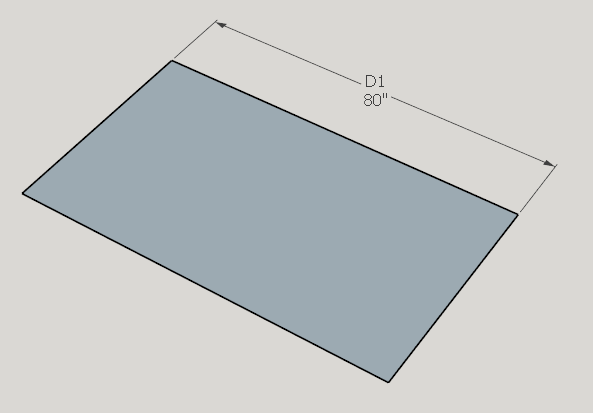
dim.text = "D1\n<>"
\n = means newline and puts the dimension on a second line
<> = means include the model's units in with the dimension -
I like that tip Garry!
-
Thank you guys for replying
So, after titanic labour I have produced this:require 'sketchup.rb' SKETCHUP_CONSOLE.show UI.menu("Plugins").add_item("DimPlugin") {addim} def addim entities = Sketchup.active_model.entities dim = entities.add_dimension_linear [50, 10, 0], [100, 10, 0], [0, 20, 0] dim.text = "D1" endAnd questions:
- How can I choose points for a new dimension (like basic sketchup tool "Dimension" does)?
- How can I create multiple dimensions (D1, D2, D3... etc)?
Thanks again...
-
dimension first then try
dims = Sketchup.active_model.entities.grep(Sketchup;;Dimension)
i = 0
dims.each do |d|
i+=1
d.text = "D#{i}"
end
it hard to do a sort, but maybe the order of dimensioning will be honoured...
john
-
Thank you! It works much better!
But I still need a way to pick two dimension's points.
Or another decision (if it easier):
I could make dimensions by default Sketchup tool, but then I would to replace all of them by my plugin. -
You need to make a "Tool" in Ruby code.
This then allows you to pick two or three points etc.
http://www.sketchup.com/intl/en/developer/docs/ourdoc/toolLook at the code in my 2dTools to make a Rectangle.
Points 1 and 2 would be the dimension start and end and point 3 could set the offset etc.
Obviously you don't use the add_line() method, you need this:
http://www.sketchup.com/intl/en/developer/docs/ourdoc/entities#add_dimension_linear -
Thanks for advice, TIG, but I already tried it... It's too hard code for my low programming skill.
Could you answer me:
Where can I find sketchup dimension tool code for try to edit it? (Is it possible?)
Or how could I solve my problem another way (maybe by replacing text in existing dimensions)?My current "frankenstein"-code
 :
:require 'sketchup.rb' SKETCHUP_CONSOLE.show UI.menu("Plugins").add_item("DimPlugin") {addim} def addim entities = Sketchup.active_model.entities dim = entities.add_dimension_linear [50, 10, 0], [100, 10, 0], [0, 20, 0] dims = Sketchup.active_model.entities.grep(Sketchup;;Dimension) i = 0 dims.each do |d| i+=1 d.text = "D#{i}" end endThanks again
-
You can't do much with native tools, except activate them using
Sketchup.send_action()
To mimic the native tools you must use the Ruby API.
There are many methods.
Using the methods I suggested would allow you to make a tool of your own which placed dimensions by picking points etc...@driven already gave you a way of editing existing dimensions' text...
http://sketchucation.com/forums/viewtopic.php?p=594206#p594206
It is applied to all available dimensions in the model, or could be adjusted to process just the selected ones... -
Oh, my! It works! Thank you guys so so much!
TIG you are a Ruby wizard! Thank you for your patienceSo, here is my final result:


Hello! It looks like you're interested in this conversation, but you don't have an account yet.
Getting fed up of having to scroll through the same posts each visit? When you register for an account, you'll always come back to exactly where you were before, and choose to be notified of new replies (either via email, or push notification). You'll also be able to save bookmarks and upvote posts to show your appreciation to other community members.
With your input, this post could be even better 💗
Register Login


Advertisement