FlexWindow 2.1 - dynamic component
-
@pixero said:
You could perhaps make a setting for glass thickness where 0 is just a single plane.
Yep, that could easily be done. I'm just afraid of having too many settings on the 'component options' window. And it will add yet more hidden geometry which I'd like to keep to a minimum.
As it is now, I feel there are too many settings. The window barely fits on my screen (1200 pixels vertically), and I'm thinking of adding even more features and setting in future versions... Like beams between the pillars (they are kind of missing I think) I'm not sure where all the settings are going to fit...
suggestions for real estate optimization methods are welcome!
How about, if I make the glass one surface to begin with. And if anyone wants it to be think, just to push pull it in the 'natural' direction and it will center itself (like it does now)? It's a small difference than how it is now, but easier for the end user I think.

-
For rendering it is better with glass who has thickness.
-
Very useful fast windows creator. Thank you. I only miss the option to make casement windows.
-
Looks appetizing enough to buy

Please could you add some smart solution for corners (L shaped window with\without mullion in the corner).
2. Mullion-less window: only large glass panels with thin layer of sealer between plates. With option to add glass ribs in the interior side. The columns behind the window you've already have.. are they created as components? It could give us option to add some details afterwards.
3. Most mportant: LMM! Special Lock Module (between mullions) Mode. Thus only first and the last portions of the window will diverge from defined module.
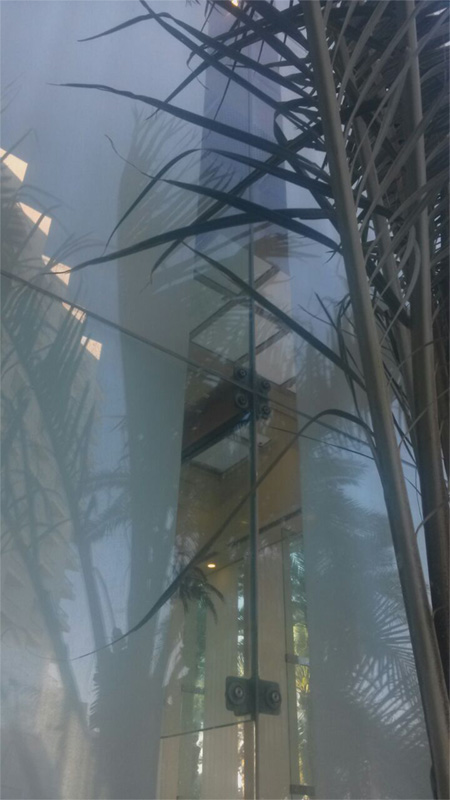
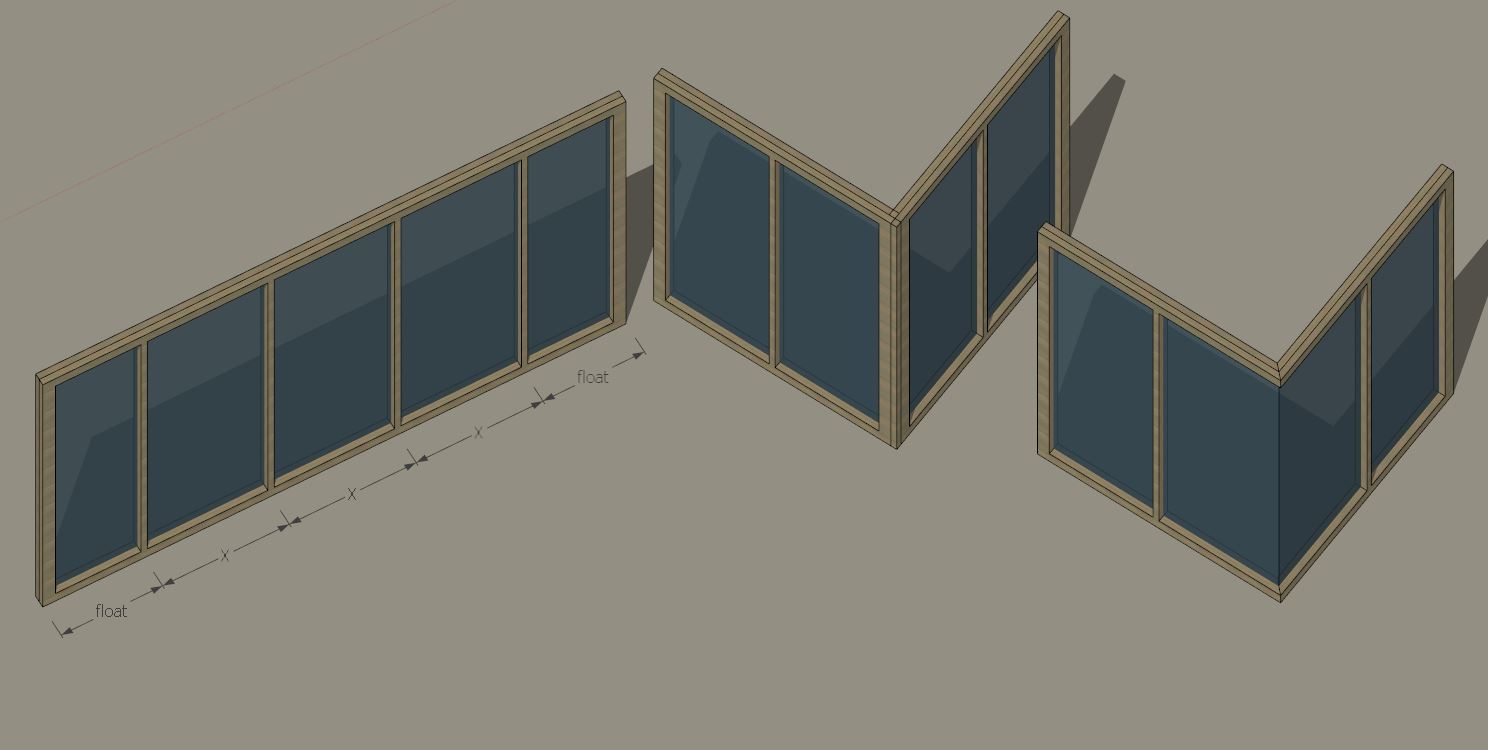
-
Yes... there are many many types of windows out there!
But I'm ready for challenges!I believe each window type/category would eventually require a 'specialized' dynamic component. It's hard for me to see how I could incorporate all these into one.
-
For casement windows, srx, if you could send me an example of how you would want it to look/work. So I'll have something to think about...
-
rv1974, A corner window...with and without a mullion that could be interesting to make!
Right now, with a mullion, you can easily take two of the current flexwindow and stick'em together and it works pretty well (not ideal, but it works). -
Ever since I started working with the Flexwindow as a facade generator (and not just for single windows) I have been dreaming of when I'll make the all-glass mullion-less facade, or mullion-less banister/railing... like you've just suggested. The tricky part is introducing the connectors in a way that won't make it too slow for calculation... I'll see what I can do. Also in this case, I believe it would be a separate component from the current version. I don't want to add too many options in one - it will make it too complicated to use.
Thanks for the ideas and support guys! Keep'em coming!
-
-
@pixero said:
For rendering it is better with glass who has thickness.
So some people use thickness and some don't. I have done both. Thickness for closer shots, but I haven't seen a problem in many cases using one face, sometimes none, depending.
-
I am with you pbacot concerning the thickness of the glass when rendering. If not a close up it only leads to longer rendering times and no significant better quality of the render.(at least not were I use them for)
erikB -
1. I just discovered this topic:
"vray makes sketchup slow! (dynamic components)"
http://sketchucation.com/forums/viewtopic.php?f=322%26amp;t=60187Yes, disabling Vray makes them (so much) faster! (highly recommended).
2. If one wishes to fine tune a DC - to move parts that don't necessarily move where you want them to. Instead of exploding everything and losing the component definitions, you can 'strip them away from their dynamic attributes':
http://sketchucation.com/forums/viewtopic.php?f=323%26amp;t=42923and,
http://sketchucation.com/forums/viewtopic.php?f=15%26amp;t=40538%26amp;p=592702#p592702- Added both of these to the 'notes' in the first post
- I have also updated the download link.
Good Day!

-
I copied several times the window example and modified one of them and i was expecting that all of them would be modified. I am not familiar with dynamic components. Am i doing something wrong, or thats the way they work, and i need to modify each one sepertaly ?
Thanks
-
@agrazdi said:
I copied several times the window example and modified one of them and i was expecting that all of them would be modified. I am not familiar with dynamic components. Am i doing something wrong, or thats the way they work, and i need to modify each one sepertaly ?
Thanks
Dynamic components work a bit differently...
Once you change one of the dynamic components (that you have copied), it becomes a new component. ("#1") is added to the end of the 'definition name' (see in the entity info window).
If you wish to edit multiple dynamic components and wish that they all change in the same way, you must select all of them, and then make the changes. Note, that it won't always work like you'd expect it to - because it really depends how the dynamic component was written.
In the case of FlexWindow, currently, if you select all of them, then make the changes in the 'component options window', they will all change to look the same! even if one of them wasn't in the same proportions to begin with...
Also, editing multiple dynamic components in this way, may cause some unwanted side effects which I am currently looking into... some 'setting' can kinda stop working...
I actually intend to introduce in the next update to Flexwindow, a sub-version where one will be able to change settings to multiple instances, without affecting their scale. (thanks to user feedback!)
-
@agrazdi said:
I copied several times the window example and modified one of them and i was expecting that all of them would be modified. I am not familiar with dynamic components. Am i doing something wrong, or thats the way they work, and i need to modify each one sepertaly ?
Thanks
And... To make things easy, you could simply insert the dynamic component into a 'regular' component, and copy the 'regular' one all over the place, and they will all be the same... even if you edit the one inside...
-
And... To make things easy, you could simply insert the dynamic component into a 'regular' component, and copy the 'regular' one all over the place, and they will all be the same... even if you edit the one inside...[/quote]
Thanks, it worked perfect.
Any date for Corner Window + Door + Slat realese ???
-
@agrazdi said:
Thanks, it worked perfect.
Any date for Corner Window + Door + Slat realese ???
Glad that worked!
I have a few more fixes and updates I wish to add to the current FlexWindow.
In the coming week or so, I hope to introduce FlexSlat! (it's almost done), and the rest will follow... and maybe even more than just those mentioned... -
FlexWindow 1.3 released!
What's new:
- Inset guide - toggle on/off - for easy placement in existing openings.
- Glass thickness control
- "no-dims" version - without 'opening width & height' dimensions - Enables the ability to select and edit multiple FlexWindow components at once, and each will continue to maintain it's original dimensions.
If you've already purchased FlexWindow, you may download this update as well. To access the download, use the same link you received in your original registration email.
Enjoy!
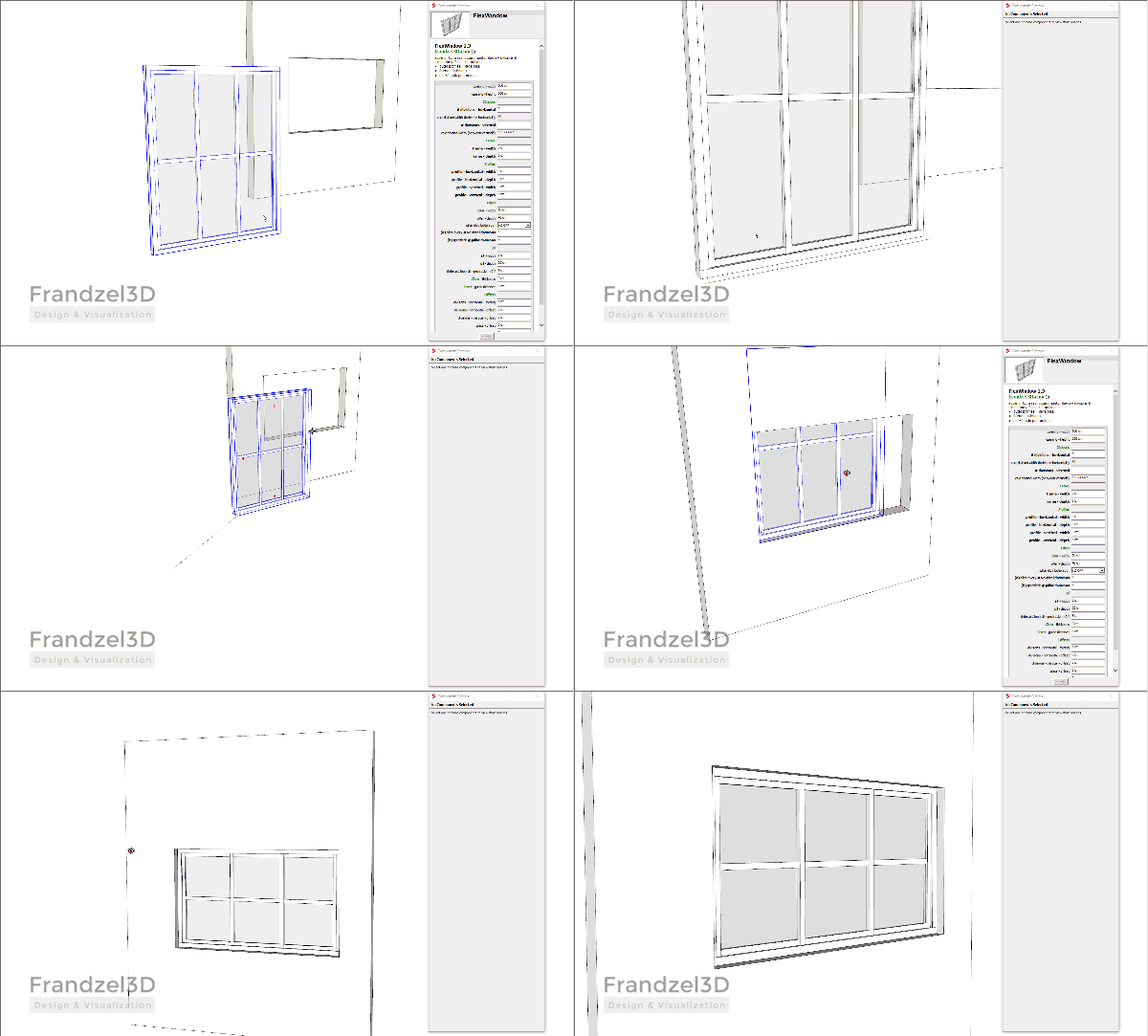
-
Is there a way to change the default window's glass color and units to meters ??
Thanks
-
@agrazdi said:
Is there a way to change the default window's glass color and units to meters ??
Thanks
- To change the glass color, like in any component in Sketchup, simply double-click your way in, until you reach the glass geometry and apply any color / material you wish...
If the glass has thickness, you might need to apply the material to the inside too, (hide one face, apply to all and unhide...)
- The component is set to use which ever units the model is in. So if your model is defined to display in meters, the component options should be in meters too.
Hope that helps
-
I have just released FlexSlat 1.0 - The second member of the Flex-Family
Check it out:
http://sketchucation.com/forums/viewtopic.php?f=40%26amp;t=64960 -
FlexWindow 2.0 is out and about!
I've been working hard to perfect FlexWindow to make it more useful and adaptable.
The major update in this release: You can now choose between 4 different 'profile distribution options'! From now on, every profile will be exactly where you want it to be!
Please note that the 'pillars' have been removed in this new edition. I intend to reintroduce them in a new Flex component in the future...
For more information on the new 'distribution options' and on other improvements and changes, please see the first post, and/or visit:
-
Is the price for fixed product or you practicing some free updates?
-
As I've done with version 1.x till now... same with version 2.x. Updates within version 2 will be free for who ever purchased 2.0.
Of course, for good updates, the more feedback the merrier!
Sent from my iPhone using Tapatalk







Advertisement