FlexWindow 2.1 - dynamic component
-
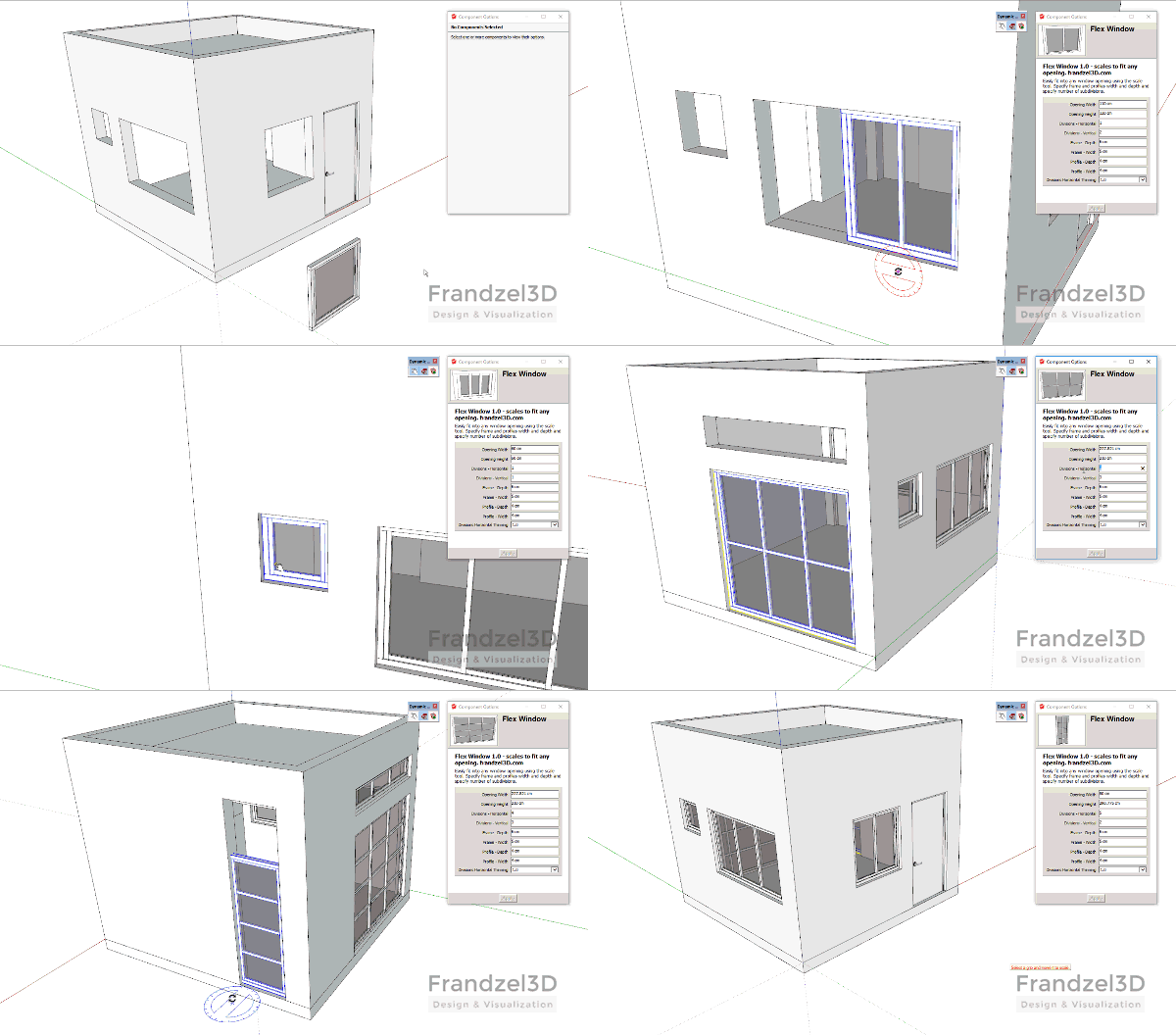
Glad to present FlexWindow - a dynamic window component I've been developing.
Designed to be ultra light, simple, yet versatile - for quick generation of many types of architectural facades.FlexWindow 2.1, FlexWindow 1.3 can be found here:
http://frandzel3d.com/flexwindow/The FlexWindow dynamic component consists of:
- an outer frame.
- inner profiles (mullions).
- glass - single component.
- pillars (removed in version 2.0! still available in 1.3)
- window sill
- inset guide
- works with all model units.
- Sketchup 2015 and up

Usage:
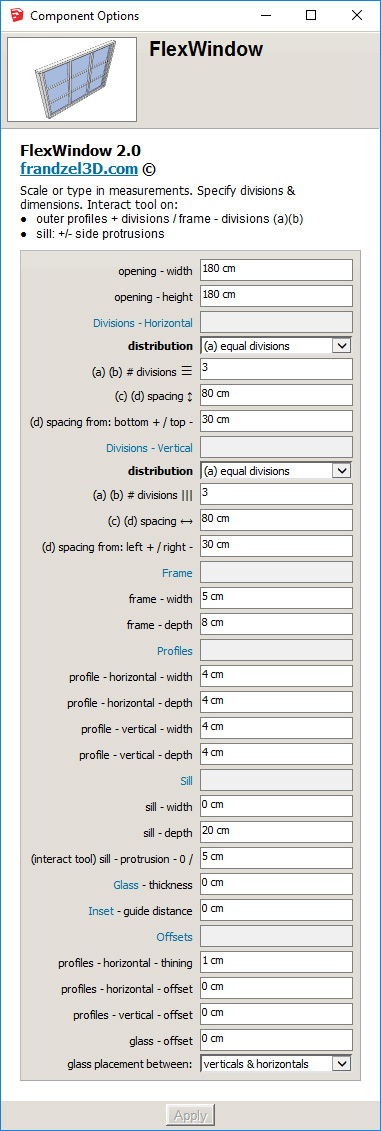
- Scale to fit any opening. Alternately type in the 'opening' dimensions.
- specify dimensions of the frame profiles
- if frame width set to 0 - frame disappears (though it's 'depth' still affects the component boundaries)
- specify dimensions of the horizontal and vertical profiles
- select 1 of 4 profile distribution options. (New in 2.0)
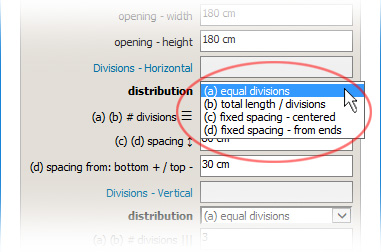
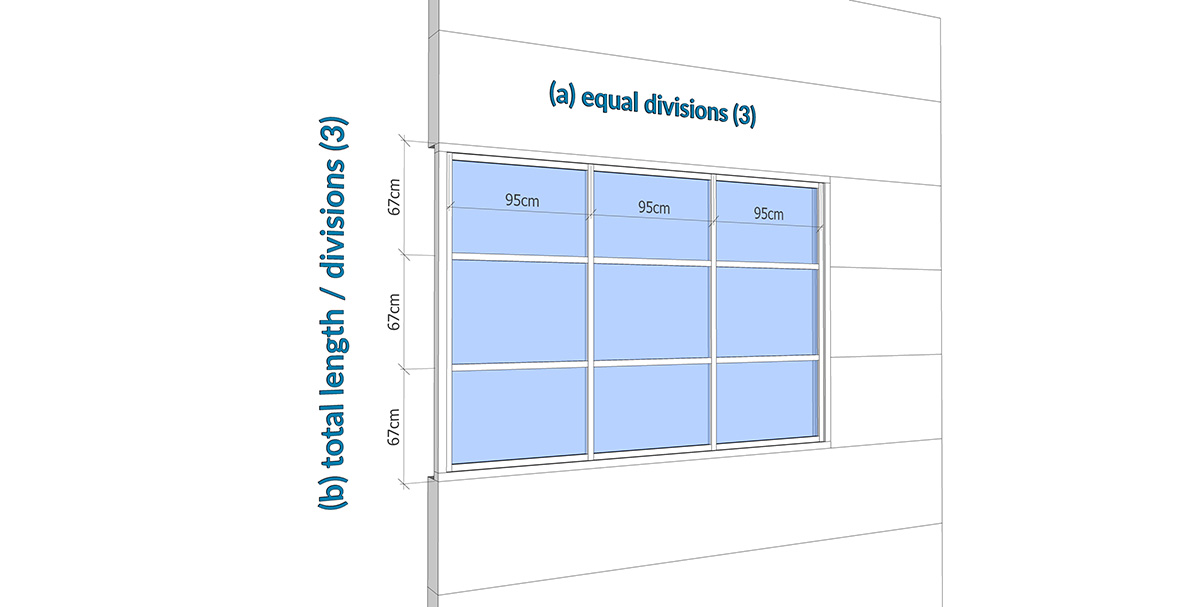
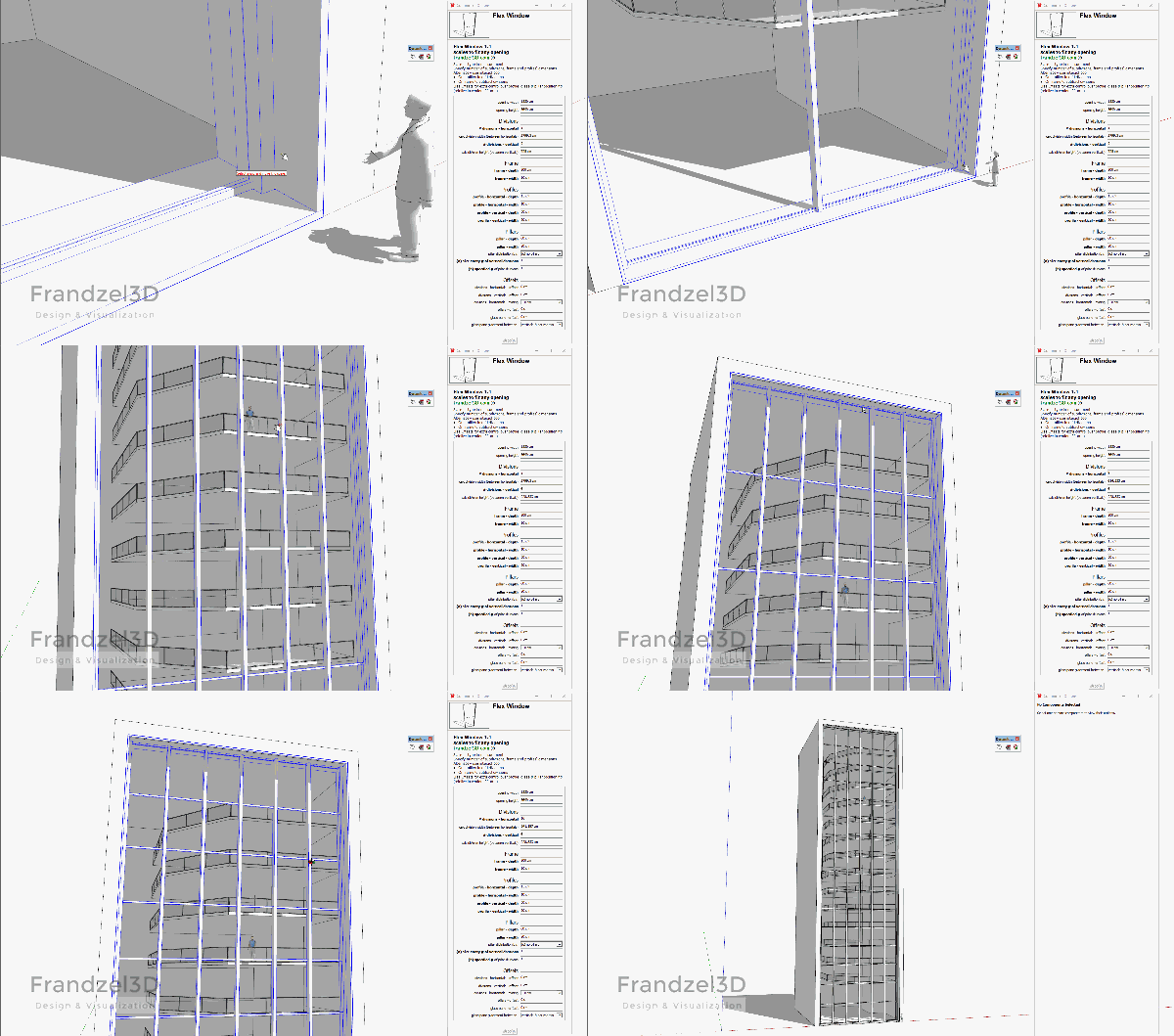
- (a) equal divisions – specify the number of profiles and the space between them is calculated to be equal.
- (b) total length / divisions – The distance including the width of the frame is divided into the number of specified divisions. In this mode for example, the profiles would align exactly with equally spaced panels that are on the wall (see illustration below).
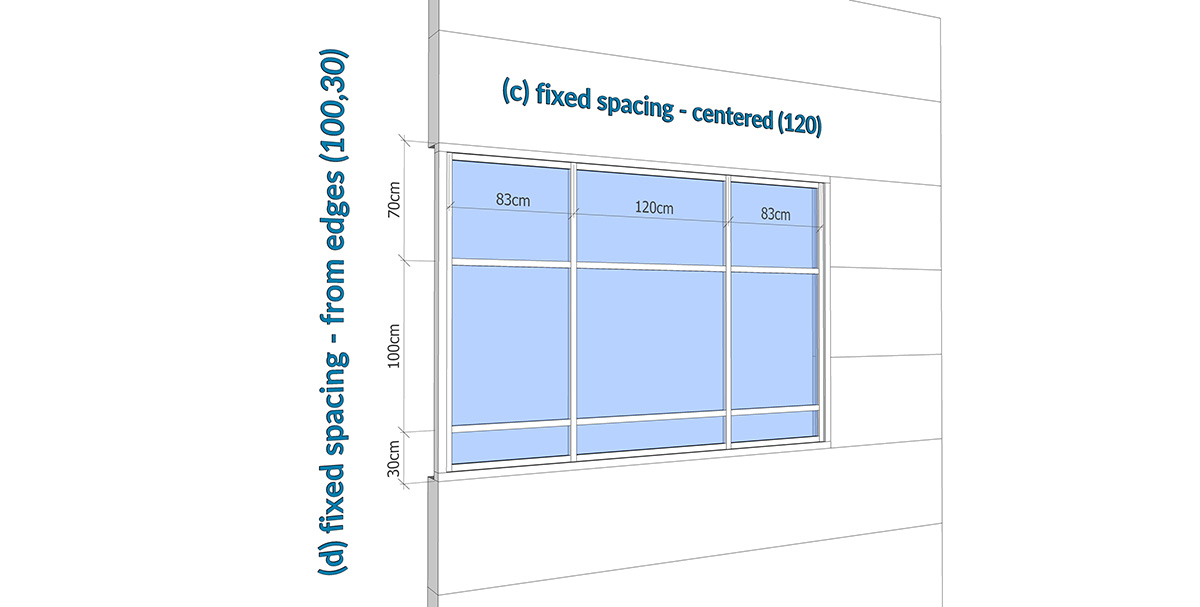
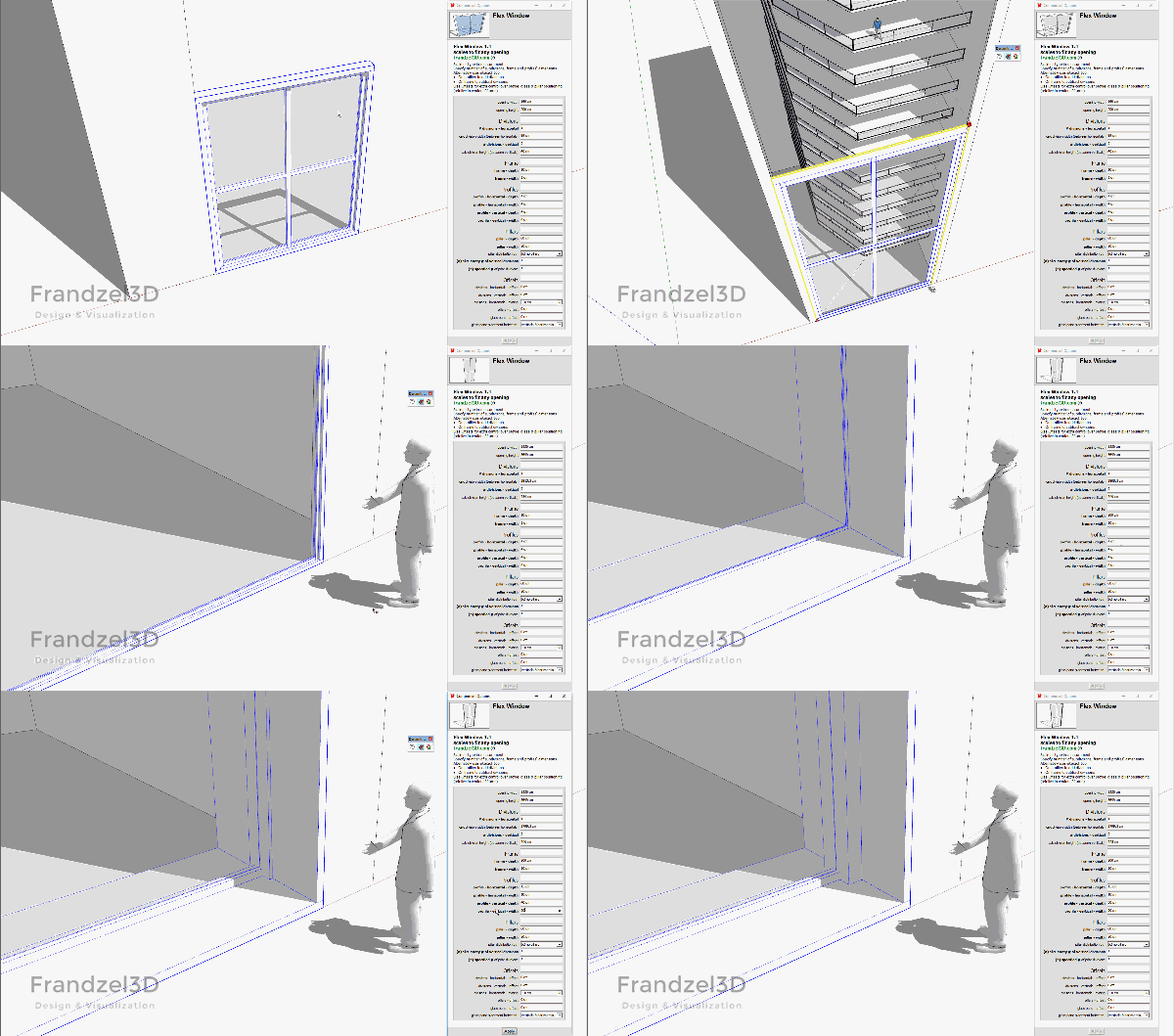
- (c) fixed spacing – centered – ignores the specified number of divisions, and instead you specify the desired space between profiles. The correct number of profiles are positioned and centered.
- (d) fixed spacing – from ends – Same as (c), but instead of centering the profiles, you may also specify the distance of the first or last profile from the far edge of the frame. Positive numbers determine the distance from the left or bottom. Negative from the right or top.
[attachment=3:2xv1cu70]<!-- ia3 -->distribution (a)(b).jpg<!-- ia3 -->[/attachment:2xv1cu70]
[attachment=2:2xv1cu70]<!-- ia2 -->distribution (c)(d).jpg<!-- ia2 -->[/attachment:2xv1cu70]-
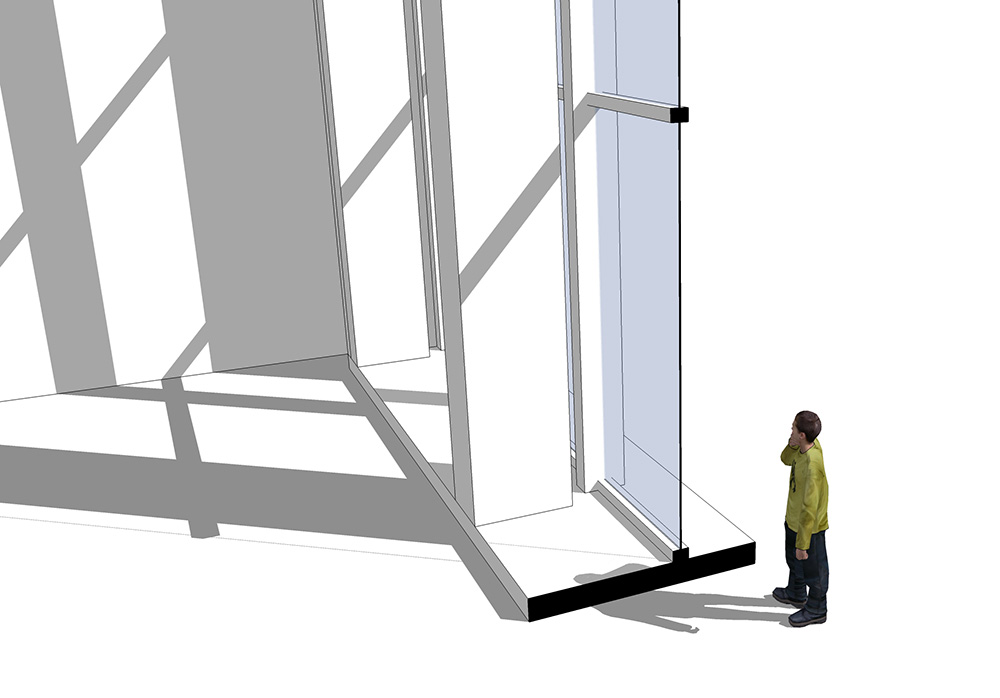
Sill – width larger than 0, the sill appears. (also see interact tool below),
-
Glass - thickness control – set to 0 for single faced component. default material is different for glass with or without thickness.
-
Inset – if larger than 0 a guide appears for easy ‘inset’ placement of the window.
-
Offsets – for extra control over profile and glass positioning - (what is in front of what)
-
“drag-n-drop” version – for easily dragging into model from folder or library.
-
“no-dims” version without opening ‘width & height’ dimensions – enables the ability to select and edit multiple FlexWindow components at once, and each will continue to maintain it’s original dimensions (Thank you Thibault!)
-
interact tool on:
outer profiles - adds divisions. (distributions (a) & (b) only)
frame - subtracts divisions. (distributions (a) & (b) only)
window sill - toggles protrusions to the sides (To be kept off when scaling Flexwindow!!!)
[attachment=5:2xv1cu70]<!-- ia5 -->flexwindow_20_01 component options_defaults.jpg<!-- ia5 -->[/attachment:2xv1cu70]
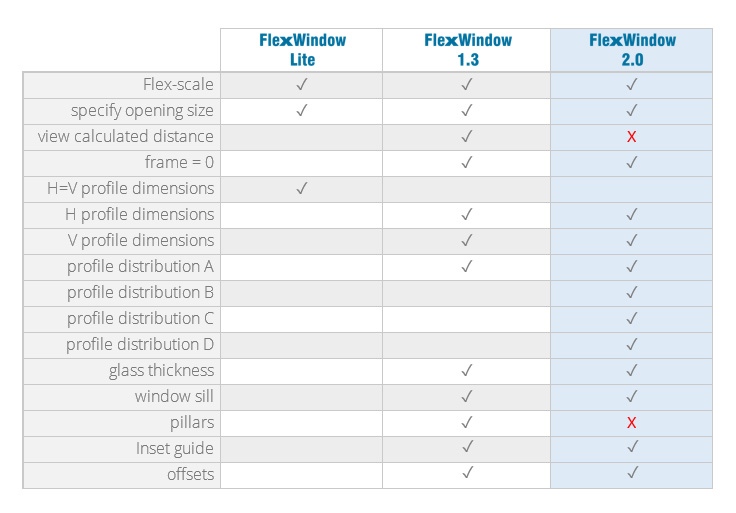
Version Differences:
[attachment=4:2xv1cu70]<!-- ia4 -->flex-versions.jpg<!-- ia4 -->[/attachment:2xv1cu70]
( profile distribution options added in 2.0)
– ‘pillars’ removed in 2.0 – may be re-introduced in a future Flex component… )
– ‘view calculated distance’ removed in 2.0 )Notes:
- Dynamic components work (a lot) faster with Vray disabled - see:
http:http://sketchucation.com/forums/viewtopic.php?f=322&t=60187 - One way to fine tune a DC (dynamic component) to suite one's needs - is to disable all DC attributes of ALL the DC's in the model (not reversible! - except for immediate undo) - see Tig's code here:
http:http://sketchucation.com/forums/viewtopic.php?f=323&t=42923 - (USE WITH CAUTION!!!)
(If anyone has the time to write that into a plugin, and make that work also on 'selected components only' - that would be really great!)
**I'd love to hear comments and suggestions for further development & improvement **
Version History:
2.1
- Added random distribution of profiles.
2.0
-
4 new profile distribution methods:
-
(a) equal divisions
-
(b) total length / divisions
-
(c) fixed spacing – centered
-
(d) fixed spacing – from ends
-
menu optimizations
-
removed
-
removed
1.3
-
inset guide introduced.
-
glass thickness control - if glass = 0cm => glass single face.
-
"no-dims" version added - for multiple component edits while maintaining original dimensions.
1.2 -
window sill added
-
set sill width to 0 makes it disappear.
-
interact tool on sill - toggles side protrusions. note: protrusions should be turned off when scaling the component.
-
improved pillar positioning in relation to frame width minimum - (option (a))
-
restyled options window to take less real estate.
-
totally rewritten to accommodate further development...
1.1
-
pillars added (see one post below)
(a) pillars are centered with the vertical profiles.
(note: If pillars are large enough to extend beyond the frame, they are no longer centered exactly but distributed in an equal distance between the boundaries of the component (like in option b).
(b) freely specify number of pillar divisions between the frame.
(c) pillars OFF. -
set frame width to 0 - frame disappears!
notes: 1.It will affect how pillars are centered in option (b). 2.frame depth still affects component boundaries. -
interact tool on:
profiles - adds divisions
on frame - subtracts divisions. -
offsets introduced
1.0 -
first version[/list]
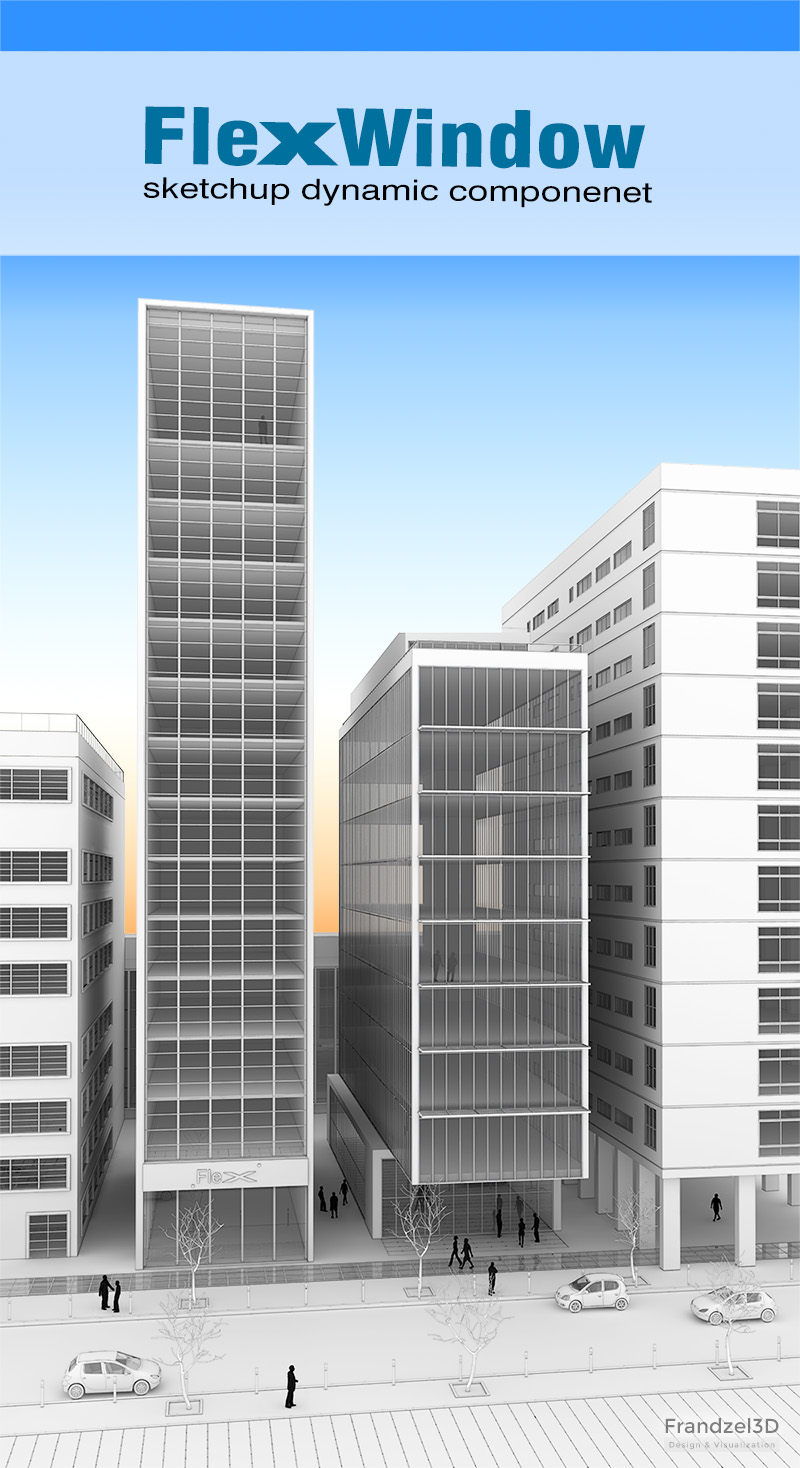
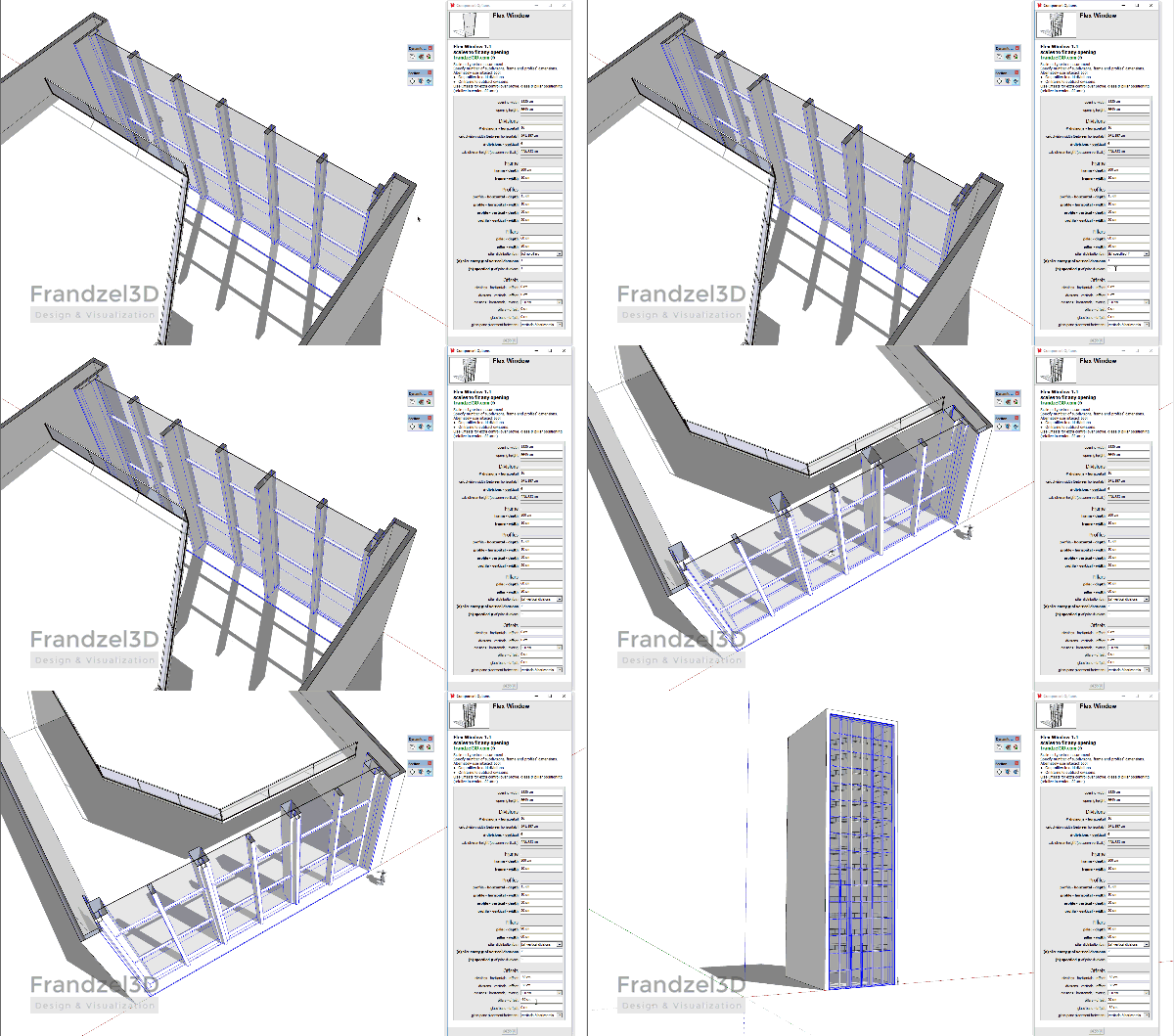
[attachment=1:2xv1cu70]<!-- ia1 -->flexwindow_dc_10_exmp_08_s15_08_800.jpg<!-- ia1 -->[/attachment:2xv1cu70]
([EDIT] 05/05/2017 - version 2.1)
([EDIT] 30/05/2016 - version 2.0)
([EDIT] 18/05/2016 - a few changes and updated images)
([EDIT] 07/05/2016 - version 1.3)
([EDIT] 03/05/2016 - link updated, notes added)
([EDIT] 17/04/2016 - version 1.2 and refined info)
([EDIT] 15/04/2016 - added some info)
-
Funny!

Nothing about circle or round forms? (Front or Top )


-
@pilou said:
Funny!
Nothing about circle or round forms? (Front or Top )Are the above images from a plugin or dc you've made? (they look familiar
 )
)I started this dynamic component out of a need to quickly populate sketch models with all sorts of (straight!
) windows. And I mean, really quickly! I know there are many plugins that do windows out there... For me, most of them go into too much detail. Or they are too slow or inconvenient... I'm sure I may have missed a few that could be helpful.I can imagine how to make windows round in front... Would you need that? On top... that would probably be a bit more difficult.
As for Gaudy! I think only he would know how to make a DC for his windows
-
Alas I have no SU Pro version so DC creations are not for me!

But I can use them created by other genious creators!
(Maybe it's a chance for have possibilities to make other funny things!
Personnaly I have no need "curvated windows" but seems that will be useful for someone!

-
Simple and interesting..
-
what's the difference between the lite version and the full/pro version?
-
@juju said:
what's the difference between the lite version and the full/pro version?
Basically everything above where it says "Additions in the full version:" is in the lite version. And everything below that is in the full version - including the latest addition of pillars in v1.1 .
Maybe my description isn't clear, I'll try to rewrite it to make things clearer.
-
This looks good but I have had this error come up
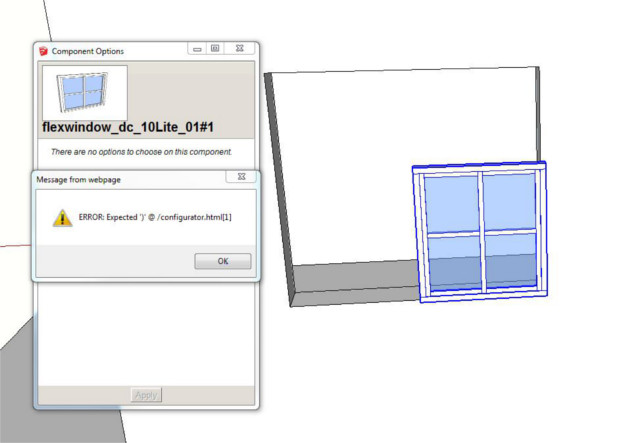
Followed by this one..
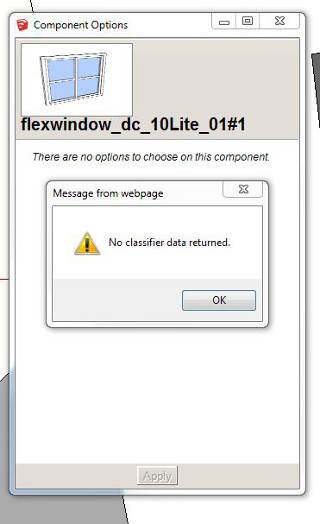
-
Try to explode the component once and see if it works...
Sent from my iPhone using Tapatalk
-
Thanks. Yes that works now. I notice several of the parts overlap and do not automatically trim, such as the glass and horizontal profiles. Is that to make it quicker?
-
@nickchun said:
Thanks. Yes that works now. I notice several of the parts overlap and do not automatically trim, such as the glass and horizontal profiles. Is that to make it quicker?
.Yep. I kept the glass as one component to keep things as speedy as possible. I'll mention that too in the description...
-
@halroach said:
@nickchun said:
Thanks. Yes that works now. I notice several of the parts overlap and do not automatically trim, such as the glass and horizontal profiles. Is that to make it quicker?
.Yep. I kept the glass as one component to keep things as speedy as possible. I'll mention that too in the description...
That'll make it terrible to have a section run through...
-
@juju said:
@halroach said:
@nickchun said:
Thanks. Yes that works now. I notice several of the parts overlap and do not automatically trim, such as the glass and horizontal profiles. Is that to make it quicker?
.Yep. I kept the glass as one component to keep things as speedy as possible. I'll mention that too in the description...
That'll make it terrible to have a section run through...
I guess it depends what you're using the section for. In the 2 section images above, I used the "section cut face" plugin, it worked perfectly.
The calculations for separate glass panels pretty much defeats the whole idea behind Flexwindow. Over a certain amount of divisions it just slows down to a crawl. I could try to make an option to toggle between one glass panel for speed, and separate panels for finalizing... I'll think about it.
-
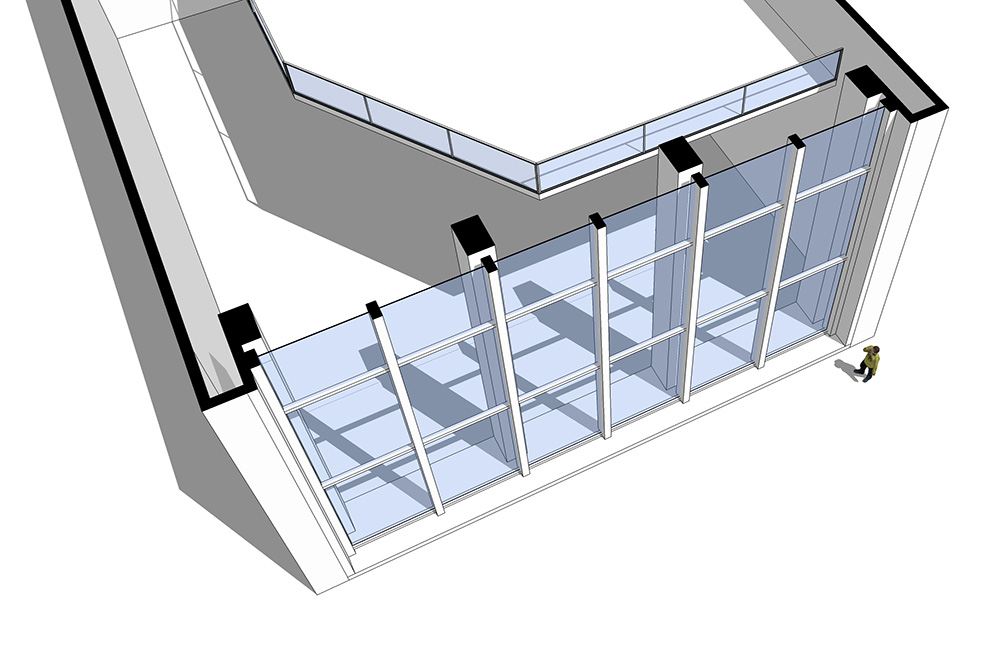
Flexwindow 1.1 is out! - [highlight=#ffff80:14yns36y]Dynamic pillars added![/highlight:14yns36y]
To make Flexwindow a 'little closer' to reality when creating large facades, there is now an option to add pillars. (vs. the earlier version in which I used the vertical profiles as pillars).
Pillar options:
- (a) pillars are centered with the vertical profiles.
(note: If pillars are larger than 2*framewidth, they are no longer centered exactly but distributed in an equal distance between the boundaries of the component. - (b) freely specify number of pillar divisions between the frame.
- (c) pillars OFF.
Additional features:
- frame width can be set to 0 - and it disappears!
note: **1.**It will affect how pillars are centered in option (b). **2.**frame depth still affects component boundaries. - Using the interact tool:
on profiles - adds divisions
on frame - subtracts divisions.
note: You can click as many times as you want on the frame to subtract and it will always stay with the minimum of 2 - don't worry about clicking too much.
note for those who have purchased flexwindow 1.0, you should be able to use the same links to download the updated flexwindow 1.1. If there are any problems, let me know.
I'll be glad to hear some feedback, opinions, suggestions for additional/better/easier/clearer features...
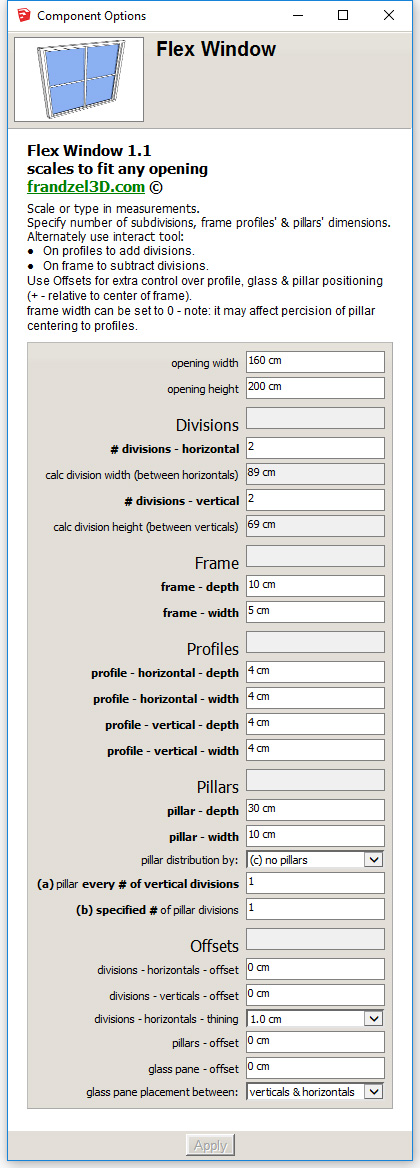
- (a) pillars are centered with the vertical profiles.
-
Flexwindow 1.2 is out! - [highlight=#ffff80:be77ejqe]Window sill added![/highlight:be77ejqe]
New in this version:
- window sill added
- specify sill width, depth, protrusion to the sides.
- set sill width to 0 makes it disappear.
- interact tool on sill - toggles side protrusions. note: protrusions should be toggled to off when scaling the component.
- improved pillar positioning in relation to frame width minimum - (option (a))
- restyled options window to take less real estate.
- rearranged options to make them more comfortable.
- totally rewritten to accommodate further development...!
Those who have purchased previous versions can now download this version as well.
Enjoy!
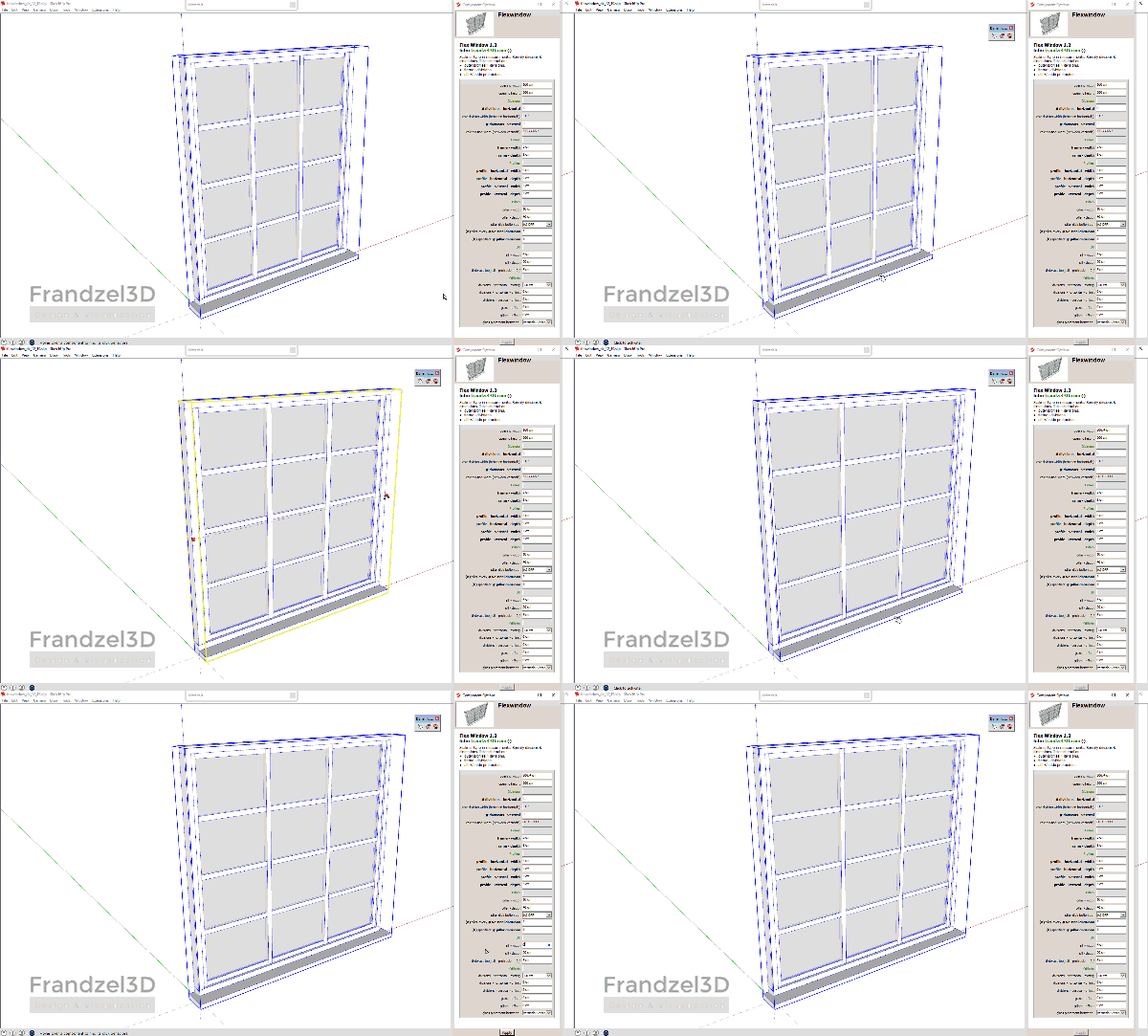
[attachment=1:be77ejqe]<!-- ia1 -->flexwindow 1.2 component options window<!-- ia1 -->[/attachment:be77ejqe]
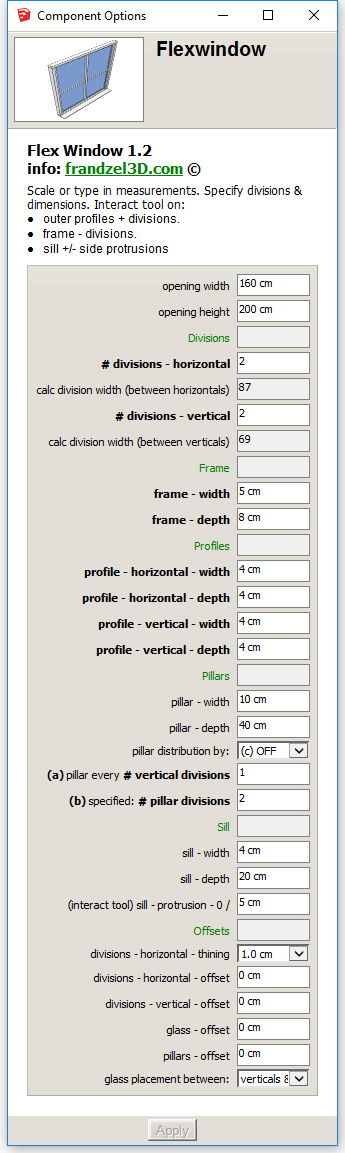
-
Very handy dynamic component for quick and easy use. Especially with the new feature (window sill).
Concerning the glass. As far as I am concerned I do not mind it running trough the mullions BUT speaking for myself there even should not be double panes. It is hardly visible in a sketchup drawing (only with a close-up) and when rendering (p.e. thea) double panes are rarely used because it only creates extra time and no significant difference in the outcome.Come to think off it in sketchup the double panes also gives a extra thick line when using a section cut.
But all in all, congrats for this very useful component,erikB
-
By Double panes--is each glass component two surfaces or insulated panes that are two surfaces separated by 1" or more...or four surfaces?
-
No, I mean the glass is draw as 2 planes (representing the two panes I suppose, or perhaps giving the one pane some thickness? Either way for my the use a simple plane (1) (representing 2 separated glas panes or thickness if one pane was intended ) would have been enough. (cfr. windowizer here the glas is also only represented by a simple plane.
erikB -
@erikb said:
No, I mean the glass is draw as 2 planes (representing the two panes I suppose, or perhaps giving the one pane some thickness? Either way for my the use a simple plane (1) (representing 2 separated glas panes or thickness if one pane was intended ) would have been enough. (cfr. windowizer here the glas is also only represented by a simple plane.
erikBHi Erik,
Yes, the window is simply a 1cm wide box. You can easily convert it to a single plane by double clicking your way into it, selecting all the geometry and deleting the "thickness" - basically replacing it with a single face. Just make sure to place the face right on the axis of the component!
Let me know if there is any problem with it... it should work just fine!
-
You could perhaps make a setting for glass thickness where 0 is just a single plane.









Advertisement