Mac and Windows 'New Model' differences...
-
auto_create
Error: #<NameError: undefined local variable or methodsel' for main:Object> <main>:26:inwith_selection'
<main>:36:inauto_create' <main>:in<main>'
SketchUp:1:in `eval' -
cheers for testing Garry, I chopped the bit out of a bigger plugin and missed re-defining sel for the new model
i.e. sel = Sketchup.active_model.selection
I updated the example code...
did it produce a model?
before fixing that, on the mac I get the new skp, then the sel error shows in RC...
i.e. it doesn't stop the new skp happening...
john
-
empty_selection works on PC and SU2014.
with_selection seems to work but not really. Perhaps because I can't find the 'copy:','newDocument:', and 'pasteInPlace:' .send_action options in the API.
However the 'newDocument:' option must work since I end up with an empty untitled model.
Also 'sel' needs to be passed to the with_selection method or changed to @sel.
-
@sdmitch said:
empty_selection works on PC and SU2014.
that's good news, maybe I had another glitch in the full plugin...
@unknownuser said:
with_selection seems to work but not really. Perhaps because I can't find the 'copy:','newDocument:', and 'pasteInPlace:' .send_action options in the API.
they should all exist, but I may need to use the numeric values on a PC?
I recall, checking them all for Dan and thought PC's could use either...@unknownuser said:
However the 'newDocument:' option must work since I end up with an empty untitled model.
@unknownuser said:
good start...
Also 'sel' needs to be passed to the with_selection method or changed to @sel.
you need to re-define sel or the @sel would refer to the original skp not the new one [on mac at least]...
I did update the code for that, did it still not work?
thanks for testing...
john -
I had already made the 'sel' change in my copy of the code.
Like before, the file created on the desktop is the same for with_selection and empty_selection. With_selection leaves me with an empty Untitled model.
I get no errors output to the RC.
-
does finding the send actions work the same on a PC?
i.e. if I set 'copy' as a Shortcut, and then run Sketchup.get_shortcuts the wording returned can be used as a send_action string?
john
-
I removed the previous
send_action()'s but added inSketchup.send_action('makeGroup:')which should work on both platforms...on a mac I get this, does it work the same on a PC?
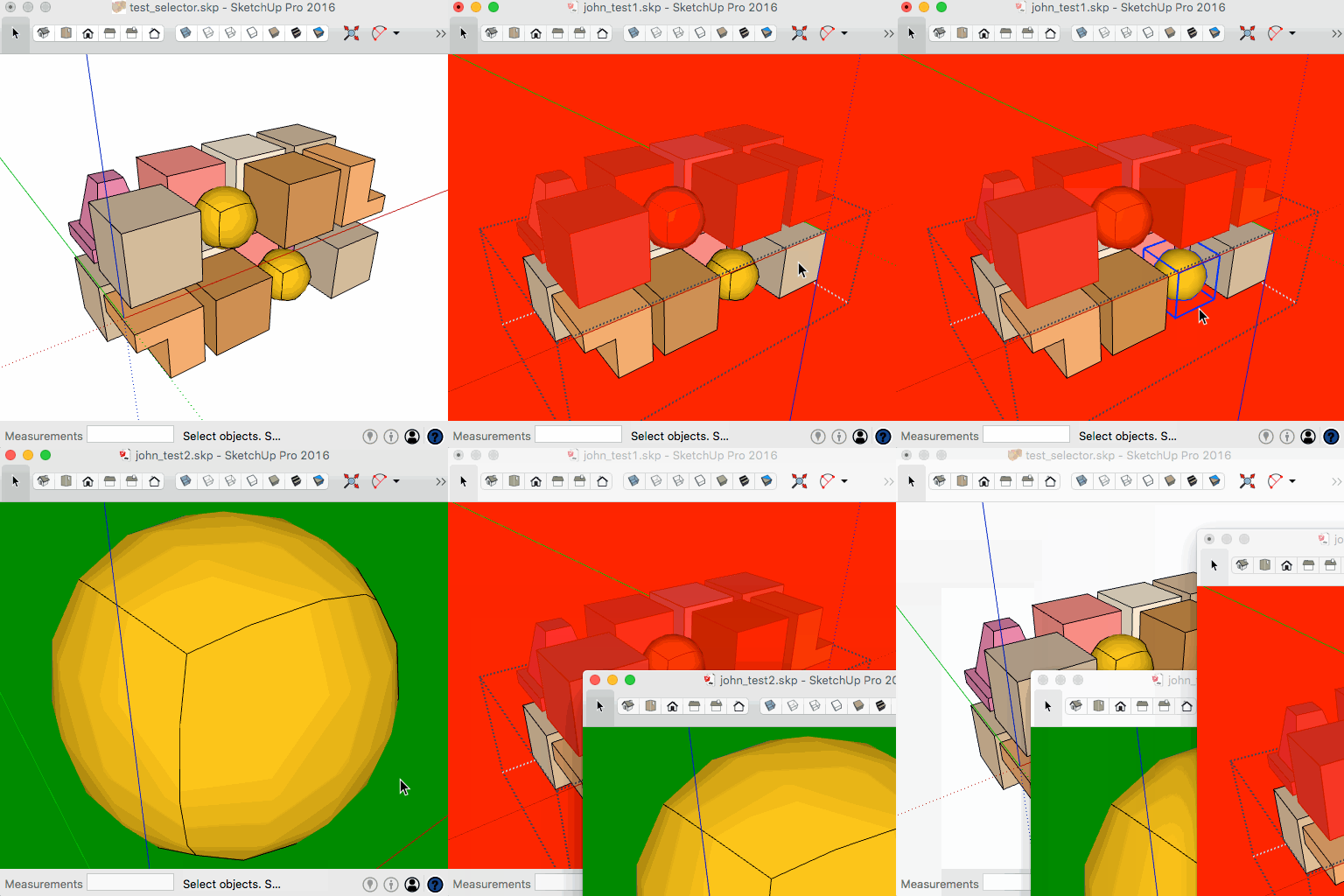
##########################################################################################
# first is quicker if selection is empty?...
def empty_selection
	new_skp = File.expand_path("~/Desktop/john_test1.skp")
	begin
	  Sketchup.active_model.save_copy(new_skp) # [0.14629]
	rescue # for un-saved original
	  Sketchup.active_model.save(new_skp) # original closes [1.222455]
	end
	Sketchup.open_file(new_skp) #with save_copy() original stays open [1.920228]
	Sketchup.active_model.rendering_options['BackgroundColor'] = 'red'
end

# faster than collecting and deleting unwanted items...
def with_selection
	new_skp = File.expand_path("~/Desktop/john_test2.skp")
 	sel = Sketchup.active_model.selection
	ins = sel[0].to_component
	defn = ins.definition
	# named only to check if it's been undone...
	defn.name = "Explode Me Later"
	defn.save_as(new_skp)
	# revert original
	3.times {Sketchup.undo}
	Sketchup.open_file(new_skp) # original stays open time depends on the selection size...
	Sketchup.active_model.rendering_options['BackgroundColor'] = 'green'
end

def auto_create
	t1 = Time.now
	sel = Sketchup.active_model.selection
	sel.empty? ? empty_selection ; with_selection
	p time = Time.now - t1
	UI.messagebox(time)
end
john
-
Your undocumented:
Sketchup.send_action("makeGroup:")
doesn't work on [my] PC - BUT:
Sketchup.send_action(21182)
does work on [my] PC [but of course that doesn't work on MAC !]But if you are working with creating a group from a Selection, then you can use the cross-platform API methods, thus:
group = Sketchup.active_model.active_entities.add_group( Sketchup.active_model.selection.to_a ); Sketchup.active_model.selection.add( group )
which mimics those other platform specific 'send_actions' on either OS... -
auto_create
0.12499
1I get a big red screen - that is all
My default template is set to mm with a precision of 0.001 -
cheers Tig, I may have gotten there eventually...
this works on the mac as suggested...
do I need to close the original on a PC for the new one to open with geometry and green background?
it's driving nuts as every version I've tried runs on a mac, and each one has been faster that the last...
# faster than collecting and deleting unwanted items... def with_selection new_skp = File.expand_path("~/Desktop/john_test2.skp") sel = Sketchup.active_model.selection group = Sketchup.active_model.active_entities.add_group( sel.to_a ) Sketchup.active_model.selection.add( group ) if sel.length > 0 ins = group.to_component defn = ins.definition # named only to check if it's been undone... defn.name = "Explode Me Later" defn.save_as(new_skp) # revert original 3.times {Sketchup.undo} Sketchup.open_file(new_skp) # original stays open time depends on the selection size... # re-define for new skp... Sketchup.active_model.rendering_options['BackgroundColor'] = 'green' end -
@Garry, the template shouldn't matter...
I just can't figure out why you don't get the geometry...
This is just a tiny part of a working mac plugin that I'm now porting to PC...
on the mac it can grab 100 mixed items from a 1000 item file and cleanly add them to a new model...
one test file took 6 hrs to process and delete the 900 unwanted entities, where this take seconds...
john
-
On a PC an instance of SketchUp is opened for separate for each SKP.
On a MAC one instance of SketchUp opens all SKPs.
So on a PC, if you you use:
Sketchup.open_file("C:/users/tig/desktop/a.skp")
its opens that SKP file, BUT closes the current one !
But you could use:
UI.openURL("file:///#{full_path_to_skp}")
which, on a PC, will open the specified SKP in a new instance of SketchUp [and it'll probably work on a MAC, but then it'll be using the same SketchUp]... -
@tig said:
...But you could use:
UI.openURL("file:///#{full_path_to_skp}")
which, on a PC, will open the specified SKP in a new instance of SketchUp [and it'll probably work on a MAC, but then it'll be using the same SketchUp]...it works exactly the same as open_file on a mac...
you can pass the new model to the next ruby method...
on a PC, I assume a new instance would need manual intervention to carry on to step 2 of any ruby script?
Are there ways around that?
I'm starting to see why 'component_edit_window' has so many observers...
john
-
@tig said:
...
So on a PC, if you use:
Sketchup.open_file("C:/users/tig/desktop/a.skp")
its opens that SKP file, BUT closes the current one !
...on re-reading this and it may be all I need...
i.e. opens the new_skp [containing the selection] in the current ruby session...
Is that what happens?
keeping the original open isn't a requirement, in fact I'm wanting to preserve intact, and run my actual tool which is destructive on the copy/sub-set...
john
-
Yes, opening a second SKP in the same SketchUp preserves the current Ruby settings from the first SKP.
If you open up a second SketchUp, then the first SKP's Ruby set up is potentially in accessible.
Of course, in the first SKP you could write some 'defaults' out to SketchUp [i.e. into the PC Registry], and read those back in, while inside the second SKP, but you then need to load/run some code ? -
cheers Tig,
the plugin runs my 'selector' tool after new_skp has been cleaned up...
the 'selector' can be scaled, rotated or moved before running the cuts...
any solids remain solids afterwards...
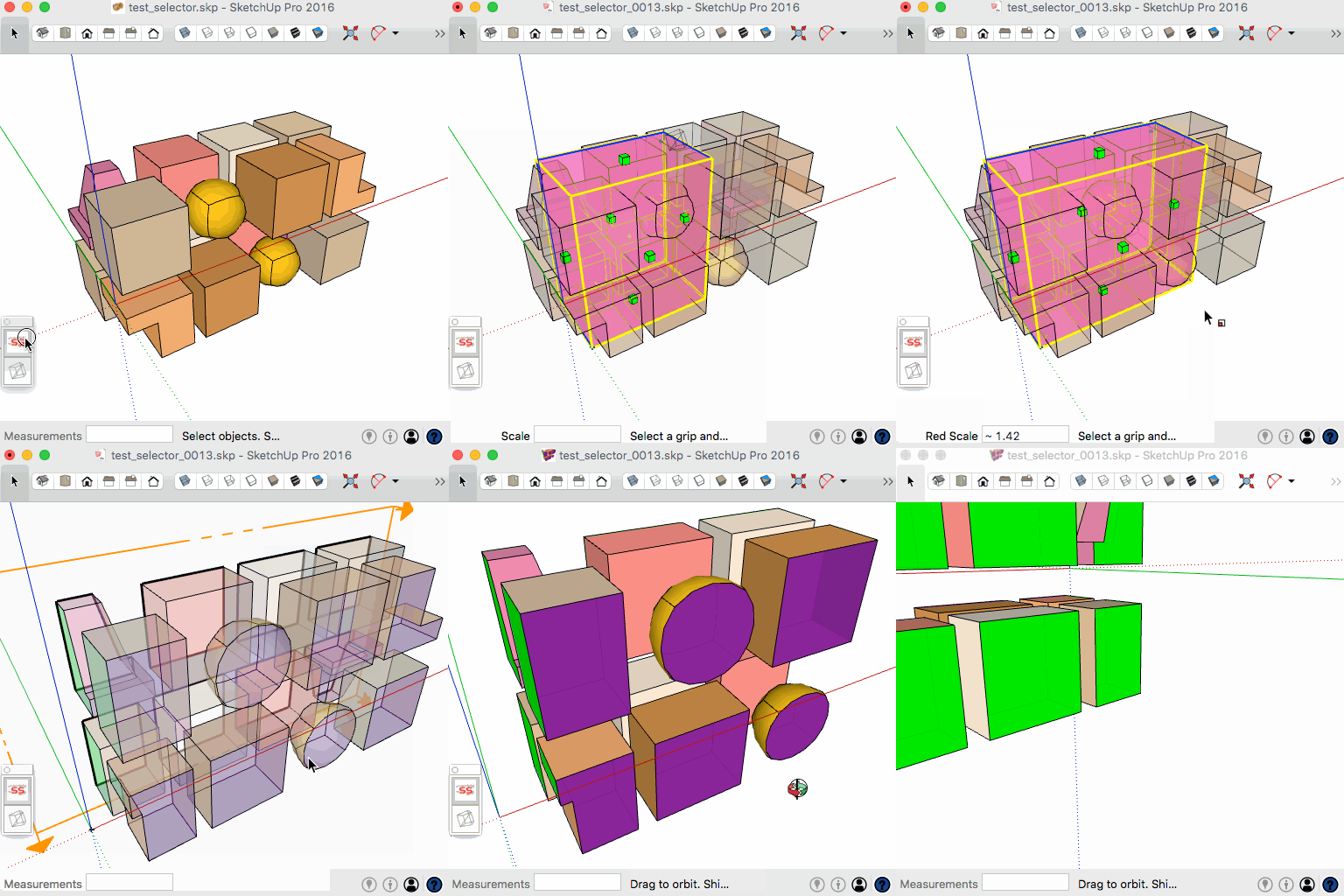
I need a PC version to attract more testers...
john


Hello! It looks like you're interested in this conversation, but you don't have an account yet.
Getting fed up of having to scroll through the same posts each visit? When you register for an account, you'll always come back to exactly where you were before, and choose to be notified of new replies (either via email, or push notification). You'll also be able to save bookmarks and upvote posts to show your appreciation to other community members.
With your input, this post could be even better 💗
Register Login


Advertisement