Trouble with basic solid-making, checking for solid"ness"
-
I have a pair of shapes (attached) that I would like to print. Neither one is solid now. I want the whole thing to be a solid; the gap is necessary to the design, but must be filled in to make the whole thing solid ie I have tried to drop perpendiculars to the rectangle but failed to make a single entity.
What I want to do is make the whole thing a single solid, find out how to check for defects so that it can be printed, and, lastly, convert the .skp file into a printable one. I am willing to buy plugins if necessary but I do not know which to buy.
Your help would be greatly appreciated.
-
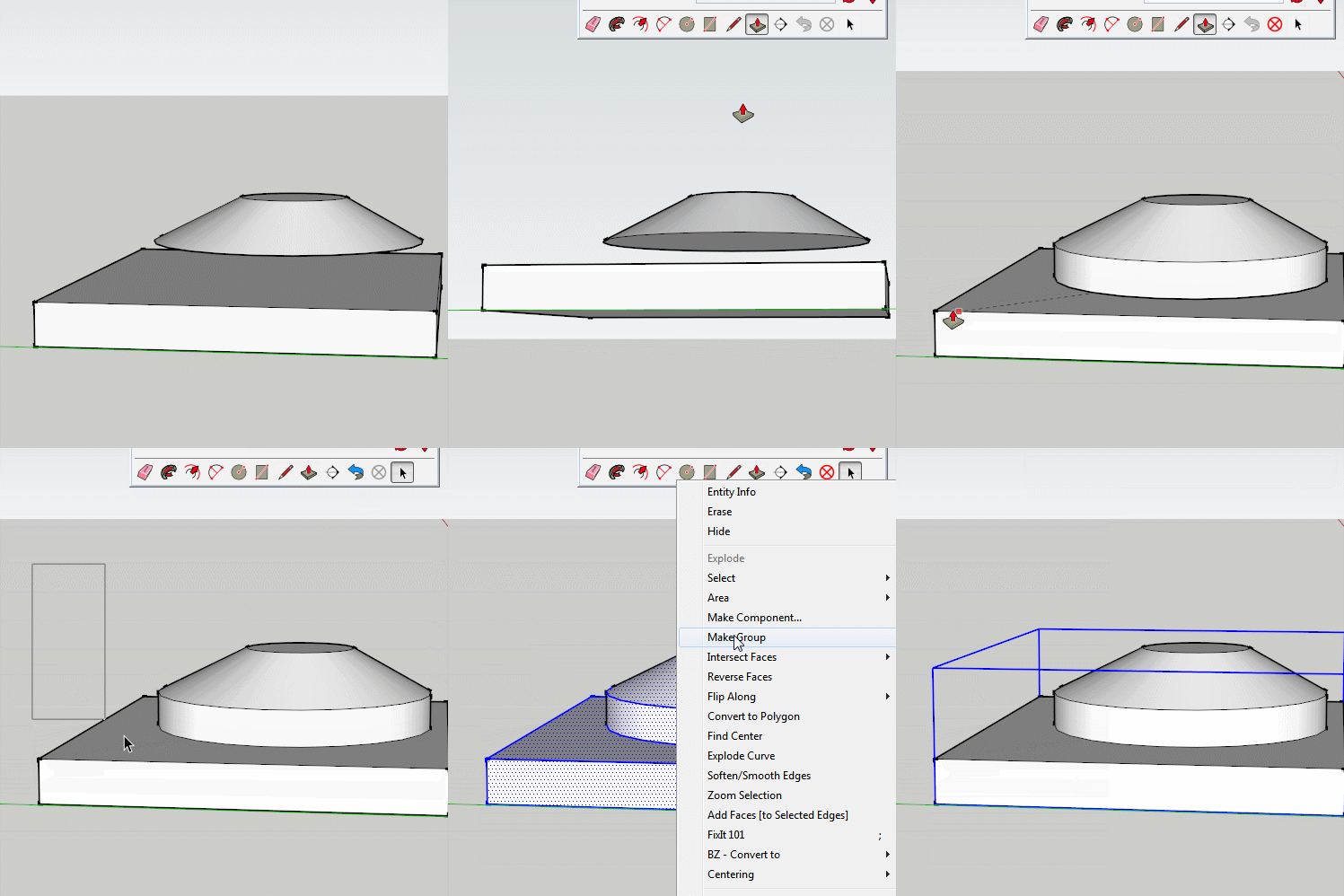
Select all the geometry, right click and create a group.
It will then be solid and entity info will show you volume
-
Is this the result you want?
-
Yes, thank you so much. That is exactly what I wanted. I was trying to make it harder than it is. I will get the extension for .skp --> .stl.

Hello! It looks like you're interested in this conversation, but you don't have an account yet.
Getting fed up of having to scroll through the same posts each visit? When you register for an account, you'll always come back to exactly where you were before, and choose to be notified of new replies (either via email, or push notification). You'll also be able to save bookmarks and upvote posts to show your appreciation to other community members.
With your input, this post could be even better 💗
Register Login


Advertisement