4k menus
-
Hi guys,
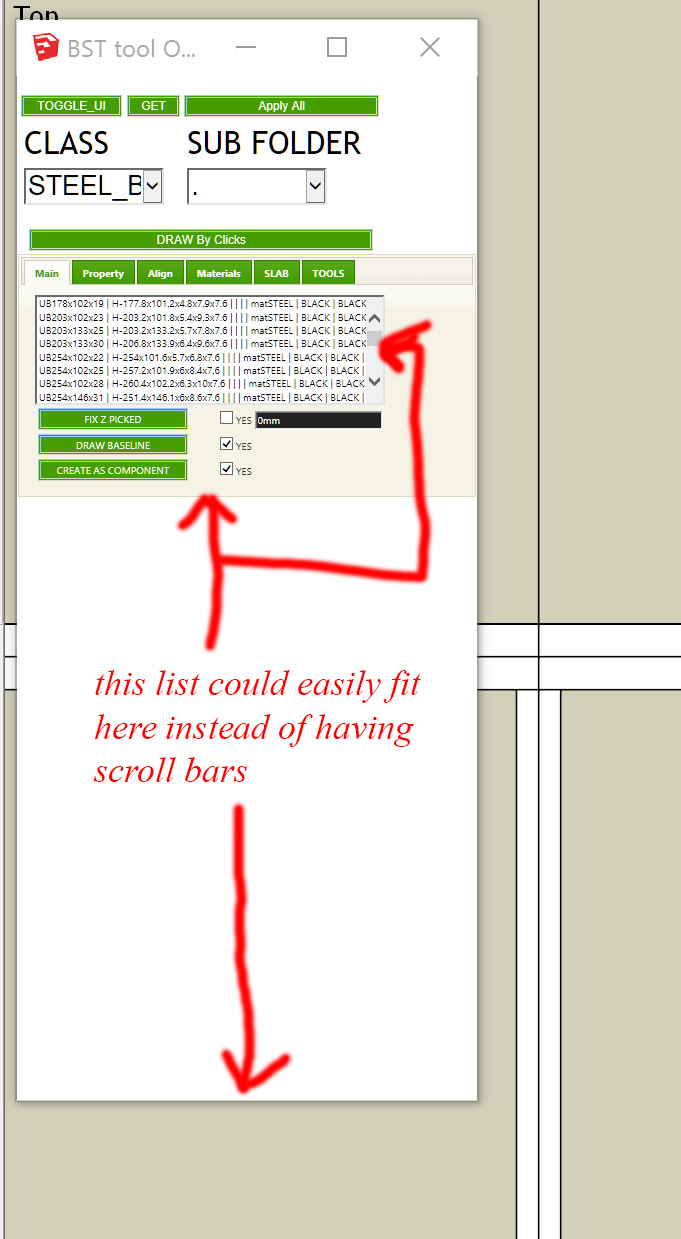
I have a 4k monitor and some plugin menus dont resize in their boxes to take advantage of the extra screen estate. An example would be BST tools.
There is a list of steel beams, but you still have to use a scroll bar despite me being able to drag the menu all the way to the bottom of the screen which would easily enable the steel beam list to appear in its entirety.
Is there anyway to make this happen? An option I've missed maybe?Cheers!
-
That is most likely a result of the way the author of the plugin programmed the HTML for the web dialog, not a SketchUp issue per-se. It is possible to set things up in HTML so that a web page refuses to resize its contents.
Hello! It looks like you're interested in this conversation, but you don't have an account yet.
Getting fed up of having to scroll through the same posts each visit? When you register for an account, you'll always come back to exactly where you were before, and choose to be notified of new replies (either via email, or push notification). You'll also be able to save bookmarks and upvote posts to show your appreciation to other community members.
With your input, this post could be even better 💗
Register Login


Advertisement