[Plugin] GKWare Cabinet Maker
-
CabMaker 3.0.132 and CutMaster 3.0.1.80 are now available from my website.
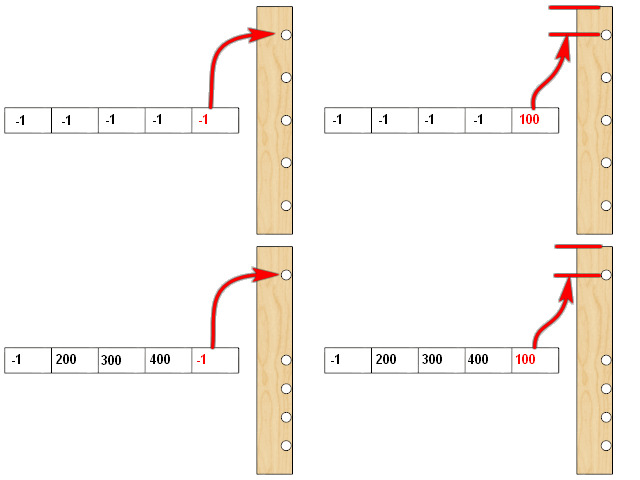
- Added Hinge positions for Tall, Mid and Standard doors. You can now have up to 5 hinges on a door. Please note that this information is sent over to CutMaster CNC for machining of the side panels and 1 piece doors.
These CabMaker GIF's (from context help) give examples of what can be accomplished with hinge positions. The GIF's have a 2 second delay between frames.
Box 1
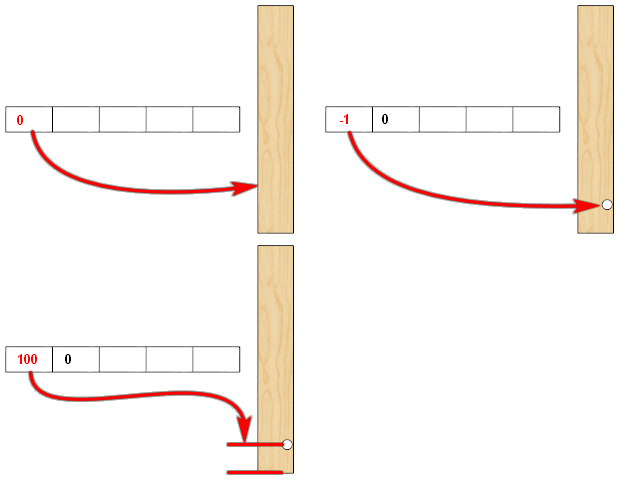
Box 2
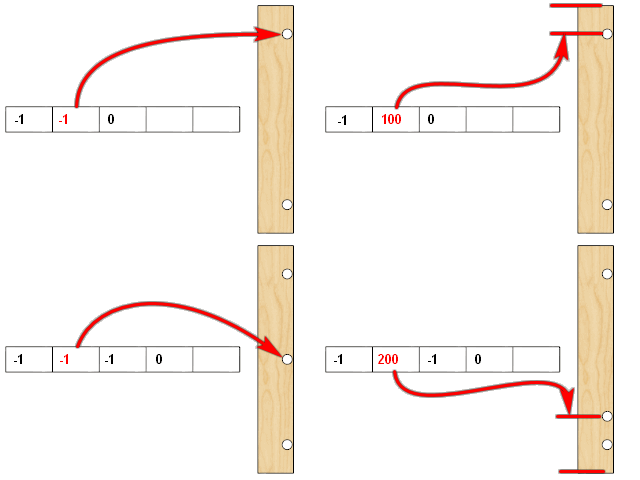
Box 3
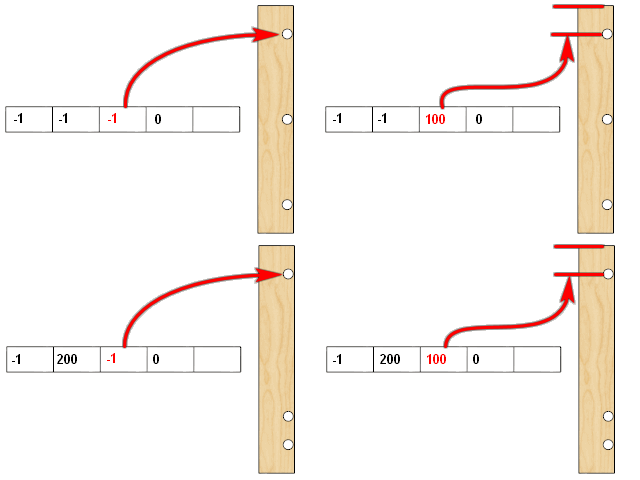
Box 4
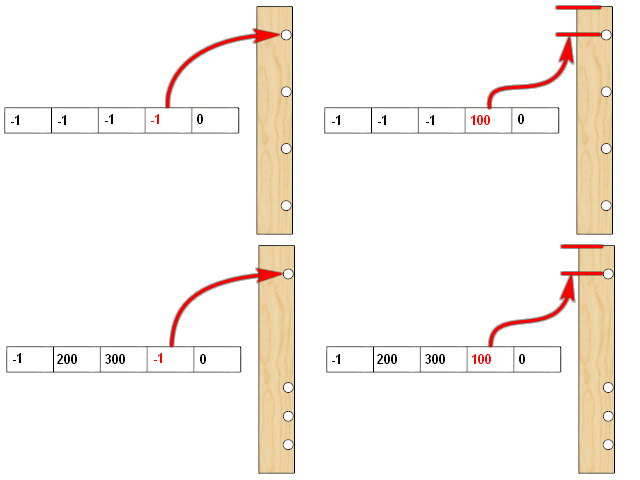
Box 5
-
Hello,
Am I blind, or there is no way to force handle height for the lower part of a tall cabinet? So not the mid section, not the top one, the "default one".
thanks in advance,
-
The mid door is the only door that allows you to adjust the vertical position of a handle.
I am just finishing up on another feature and was planning to visit Doors next. I can add this as a FR (feature request)
-
HEllo GAry, I don't get how you selected the line about "make full door" as the problem. Why this one among the others?
-
create_door_part is actually the first clue but make_full_door is the high level method which is called from make_door_drawer. This tells us that the problem is with doors / drawers.
The add_face, do_create_part and do_create_vert part are lower level methods which are called many times from many places such as make_top_bottom and make_shelves etc.
In this case the duplicate points error was caused by the Door Stile Width set to 0
-
I have a similar error but I cannot find the problem. HEre is the ruby consol c/p
I understand that there is a problem with the sides (?), but I don't see anythingstart_operation
Duplicate points in array
c:/users/marti/appdata/roaming/sketchup/sketchup 2018/sketchup/plugins/gkware_cabmaker3/cabmaker3.rbe:8666:inadd_face' c:/users/marti/appdata/roaming/sketchup/sketchup 2018/sketchup/plugins/gkware_cabmaker3/cabmaker3.rbe:8666:increate_part'
c:/users/marti/appdata/roaming/sketchup/sketchup 2018/sketchup/plugins/gkware_cabmaker3/cabmaker3.rbe:1170:inmake_sides' c:/users/marti/appdata/roaming/sketchup/sketchup 2018/sketchup/plugins/gkware_cabmaker3/cabmaker3.rbe:8929:indraw_cabinet'
c:/users/marti/appdata/roaming/sketchup/sketchup 2018/sketchup/plugins/gkware_cabmaker3/cabmaker3.rbe:9519:inmake_one_cabinet' c:/users/marti/appdata/roaming/sketchup/sketchup 2018/sketchup/plugins/gkware_cabmaker3/cabmaker3.rbe:9479:inprepare_cabinet'
c:/users/marti/appdata/roaming/sketchup/sketchup 2018/sketchup/plugins/gkware_cabmaker3/cabmaker3_gui.rbe:178:inblock in show_cab_dialog' c:/users/marti/appdata/roaming/sketchup/sketchup 2018/sketchup/plugins/gkware_cabmaker3/cabmaker3_gui.rbe:172:incall'
c:/users/marti/appdata/roaming/sketchup/sketchup 2018/sketchup/plugins/gkware_cabmaker3/cabmaker3_gui.rbe:172:inexecute_script' c:/users/marti/appdata/roaming/sketchup/sketchup 2018/sketchup/plugins/gkware_cabmaker3/cabmaker3_gui.rbe:172:inblock in show_cab_dialog'
c:/users/marti/appdata/roaming/sketchup/sketchup 2018/sketchup/plugins/gkware_cabmaker3/cabmaker3_gui.rbe:172:incall' c:/users/marti/appdata/roaming/sketchup/sketchup 2018/sketchup/plugins/gkware_cabmaker3/cabmaker3_gui.rbe:172:inexecute_script'
c:/users/marti/appdata/roaming/sketchup/sketchup 2018/sketchup/plugins/gkware_cabmaker3/cabmaker3_gui.rbe:172:inblock in show_cab_dialog' c:/users/marti/appdata/roaming/sketchup/sketchup 2018/sketchup/plugins/gkware_cabmaker3/cabmaker3_gui.rbe:172:incall'
c:/users/marti/appdata/roaming/sketchup/sketchup 2018/sketchup/plugins/gkware_cabmaker3/cabmaker3_gui.rbe:172:inexecute_script' c:/users/marti/appdata/roaming/sketchup/sketchup 2018/sketchup/plugins/gkware_cabmaker3/cabmaker3_gui.rbe:172:inblock in show_cab_dialog'
c:/users/marti/appdata/roaming/sketchup/sketchup 2018/sketchup/plugins/gkware_cabmaker3/cabmaker3_gui.rbe:172:incall' c:/users/marti/appdata/roaming/sketchup/sketchup 2018/sketchup/plugins/gkware_cabmaker3/cabmaker3_gui.rbe:172:inexecute_script'
c:/users/marti/appdata/roaming/sketchup/sketchup 2018/sketchup/plugins/gkware_cabmaker3/cabmaker3_gui.rbe:172:inblock in show_cab_dialog' c:/users/marti/appdata/roaming/sketchup/sketchup 2018/sketchup/plugins/gkware_cabmaker3/cabmaker3_gui.rbe:172:incall'
c:/users/marti/appdata/roaming/sketchup/sketchup 2018/sketchup/plugins/gkware_cabmaker3/cabmaker3_gui.rbe:172:inexecute_script' c:/users/marti/appdata/roaming/sketchup/sketchup 2018/sketchup/plugins/gkware_cabmaker3/cabmaker3_gui.rbe:172:inblock in show_cab_dialog'
c:/users/marti/appdata/roaming/sketchup/sketchup 2018/sketchup/plugins/gkware_cabmaker3/cabmaker3_gui.rbe:172:incall' c:/users/marti/appdata/roaming/sketchup/sketchup 2018/sketchup/plugins/gkware_cabmaker3/cabmaker3_gui.rbe:172:inexecute_script'
c:/users/marti/appdata/roaming/sketchup/sketchup 2018/sketchup/plugins/gkware_cabmaker3/cabmaker3_gui.rbe:172:inblock in show_cab_dialog' c:/users/marti/appdata/roaming/sketchup/sketchup 2018/sketchup/plugins/gkware_cabmaker3/cabmaker3_gui.rbe:172:incall'
c:/users/marti/appdata/roaming/sketchup/sketchup 2018/sketchup/plugins/gkware_cabmaker3/cabmaker3_gui.rbe:172:inexecute_script' c:/users/marti/appdata/roaming/sketchup/sketchup 2018/sketchup/plugins/gkware_cabmaker3/cabmaker3_gui.rbe:172:inblock in show_cab_dialog'
c:/users/marti/appdata/roaming/sketchup/sketchup 2018/sketchup/plugins/gkware_cabmaker3/cabmaker3_gui.rbe:172:incall' c:/users/marti/appdata/roaming/sketchup/sketchup 2018/sketchup/plugins/gkware_cabmaker3/cabmaker3_gui.rbe:172:inexecute_script'
c:/users/marti/appdata/roaming/sketchup/sketchup 2018/sketchup/plugins/gkware_cabmaker3/cabmaker3_gui.rbe:172:inblock in show_cab_dialog' c:/users/marti/appdata/roaming/sketchup/sketchup 2018/sketchup/plugins/gkware_cabmaker3/cabmaker3_gui.rbe:172:incall'
c:/users/marti/appdata/roaming/sketchup/sketchup 2018/sketchup/plugins/gkware_cabmaker3/cabmaker3_gui.rbe:172:inexecute_script' c:/users/marti/appdata/roaming/sketchup/sketchup 2018/sketchup/plugins/gkware_cabmaker3/cabmaker3_gui.rbe:172:inblock in show_cab_dialog'
c:/users/marti/appdata/roaming/sketchup/sketchup 2018/sketchup/plugins/gkware_cabmaker3/cabmaker3_gui.rbe:185:incall' c:/users/marti/appdata/roaming/sketchup/sketchup 2018/sketchup/plugins/gkware_cabmaker3/cabmaker3_gui.rbe:185:inshow_modal'
c:/users/marti/appdata/roaming/sketchup/sketchup 2018/sketchup/plugins/gkware_cabmaker3/cabmaker3_gui.rbe:185:inshow_cab_dialog' c:/users/marti/appdata/roaming/sketchup/sketchup 2018/sketchup/plugins/gkware_cabmaker3/cabmaker3.rbe:9112:inload_cabmaker'
c:/users/marti/appdata/roaming/sketchup/sketchup 2018/sketchup/plugins/gkware_cabmaker3/cabmaker3.rbe:454:indo_run_app' c:/users/marti/appdata/roaming/sketchup/sketchup 2018/sketchup/plugins/gkware_cabmaker3/cabmaker3.rbe:404:inactivate'
c:/users/marti/appdata/roaming/sketchup/sketchup 2018/sketchup/plugins/gkware_cabmaker3/cabmaker3.rbe:9640:inselect_tool' c:/users/marti/appdata/roaming/sketchup/sketchup 2018/sketchup/plugins/gkware_cabmaker3/cabmaker3.rbe:9640:ininitialize'
c:/users/marti/appdata/roaming/sketchup/sketchup 2018/sketchup/plugins/gkware_cabmaker3/cabmaker3.rbe:10893:innew' c:/users/marti/appdata/roaming/sketchup/sketchup 2018/sketchup/plugins/gkware_cabmaker3/cabmaker3.rbe:10893:inblock (2 levels) in module:CabMaker3'
SketchUp:1:in `call'
abort_operation -
Please email me direct to help resolve.
make_sides is where the problem is. Which version of CabMaker are you running? This is important so I can go to the exact line of code that triggered the error.
It could be in the profile of the side or it could be with some of the dado's.
There is more to go wrong (bad parameters) with base cabinets - so it is helpful to know what all your cabinet and rule settings are. One area where people have issues is with integrated kicks where they use parameters that create duplicate points.
So please do not clutter up this thread - so send me your responses by email.
-
I should mention that with a little help from me Martin was able to determine the problem. It had to do with setting the kick height to 0.
Since several people have had this error I have coded around it. In the future this one won't bite you.
-
CabMaker 3.0.133 and CutMaster 3.0.1.81 are now available on my website.
Added shelf support cluster size optional cabinet override.
Now working on additional pilot holes in CutMaster for various configurations of backs.
-
CabMaker 3.0.134 and CutMaster 3.0.1.82 are now available on my website.
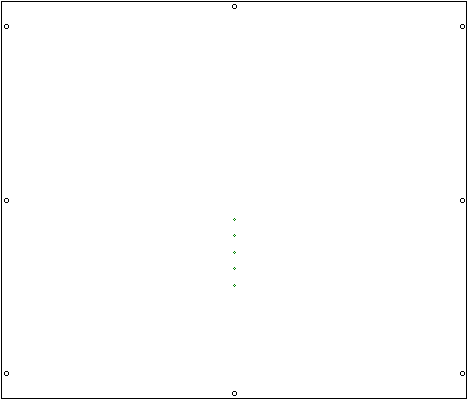
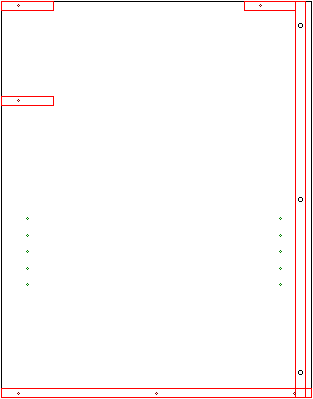
Added support for pilot holes for cabinet backs.
-
I'm looking at providing more merge options to help out users who build closets (wardrobes).
I would like to get construction details from users and or explanations on how you guys build your closets.
I'm thinking something like this.
-
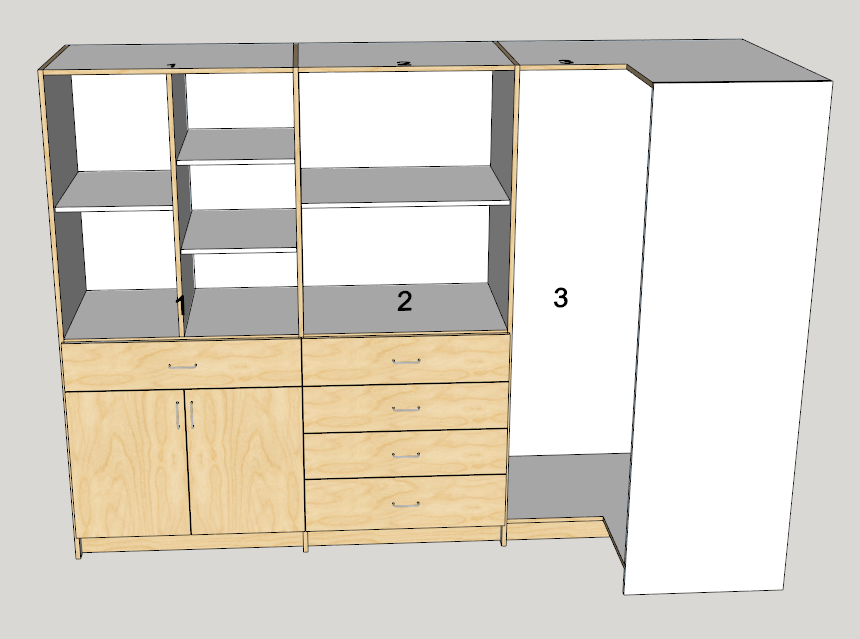
There are a number of closet styles that can be simply created without complicated merging. In this case I adjusted left and right gaps for ALL cabinets by 1/2 the case thickness. Sides go to floor. I omited left side for Cabinets 2 and 3.
-
Now we need Cutmaster to support double sided machining.
-
There are some situations where the back side of a part needs machining. Personally with CNC I would avoid it as much as possible. Having said that there are situations that could benefit from it.
The nesting that cutmaster produces will always machine the left side of common panels. The right side will go into it's own folder and not be a nest. Additionally the outside shape of the part will be in layer that will have it's name appended with an underscore signifying that the polyline is for reference only.
Second side machining means you will have to set aside parts that need second side machining after the nest is complete. Then you will have to load the correct second side DXF and position the part correctly on the CNC.
So there is a lot that can go wrong and that is why I would try to avoid it.
-
Hello,
would there be a way to add this kind of door profile?
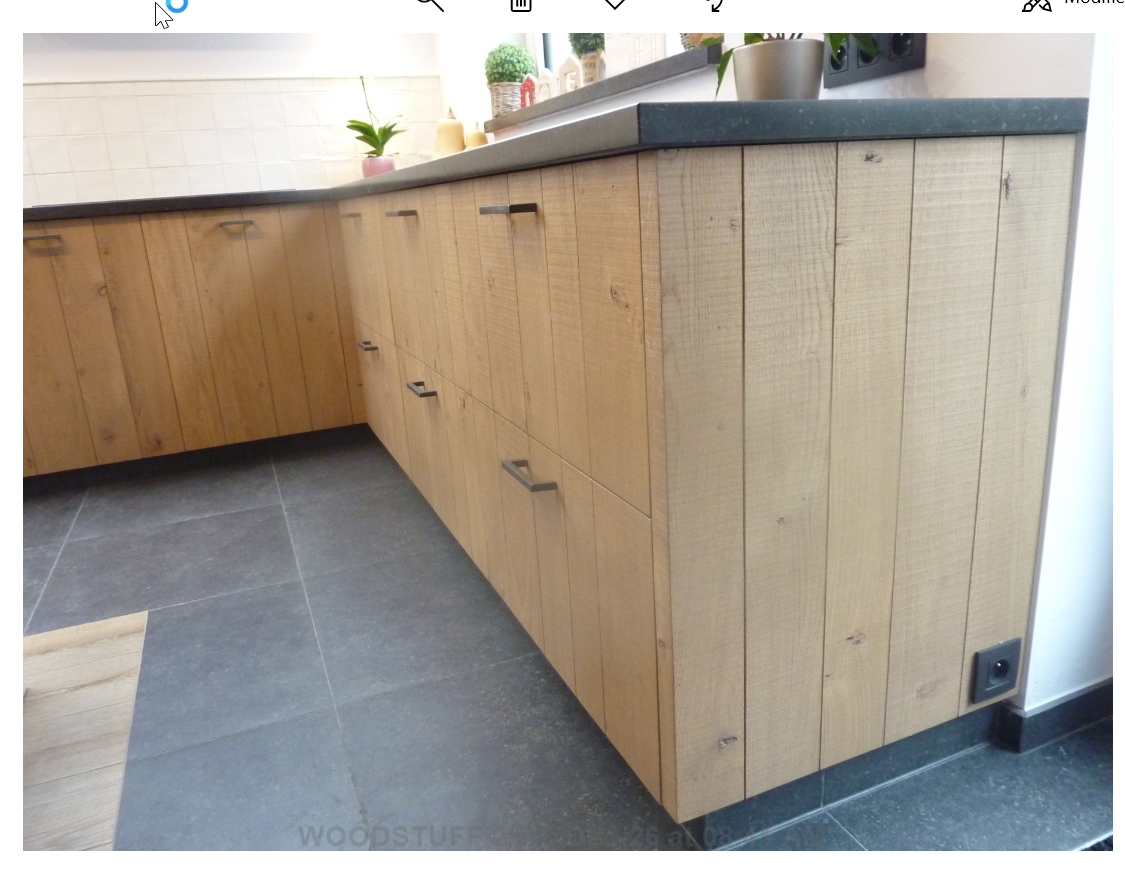
or
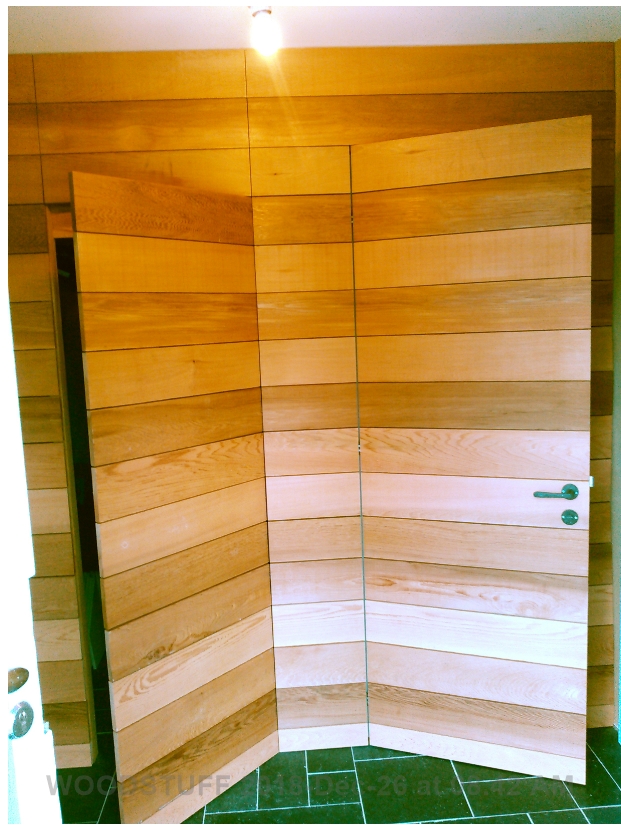
I thougth about it, and I guess there are 2 difficulties:
- the door profiles are all for framed door, so I suppose the magic behind your "add door profile" process won't work with this. But maybe is there something to do with "panel profiles" you mention in the manual? but I don't see any panel profile in "door profile.skp"
- there should be some kind of specific process capable of adaptating the number of groove regarding the door size.
Using a simple texture would be easier I guess, with the problem of having to create different texture for each case (wood type, color, orientation).
br,
-
I can't see adding a door like this. However I am starting to work on doors and will be adding an optional bead for Shaker style doors.
-
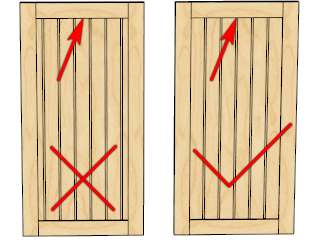
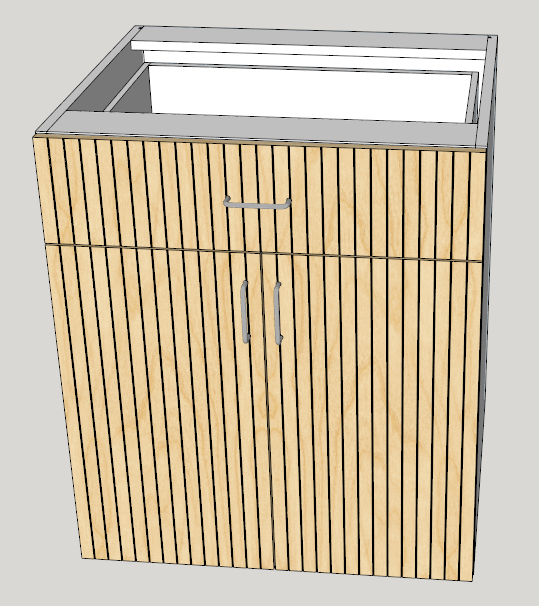
I've added 4 default Panel Bead Profiles and an option for Bead Spacing and a check box for Dead Center. Beading will follow the grain and will work for 5 piece Shaker and Slab.
From top to bottom these are called Standard, Smooth, V Groove and Half Round.
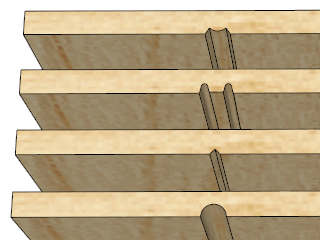
Bead Spacing
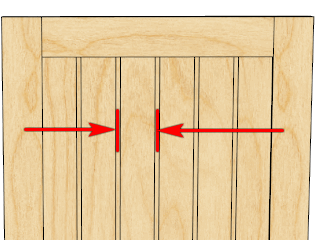
Dead Center
-
Cabmaker now gives you a tool to help you choose door sizes for beaded doors.
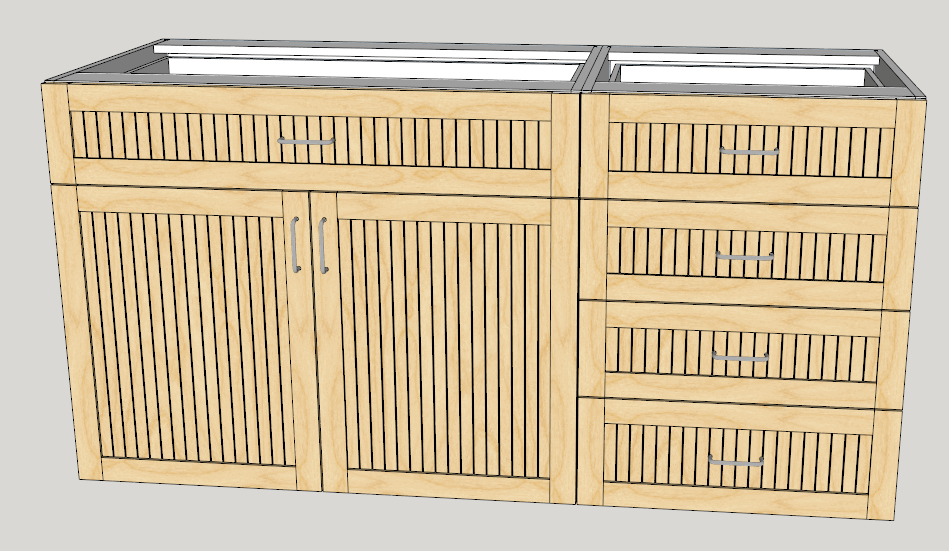
As you can see if you choose a bead spacing and cabinet width like this it won't look very good. This spacing is 50 mm and the cabinet width is 700.
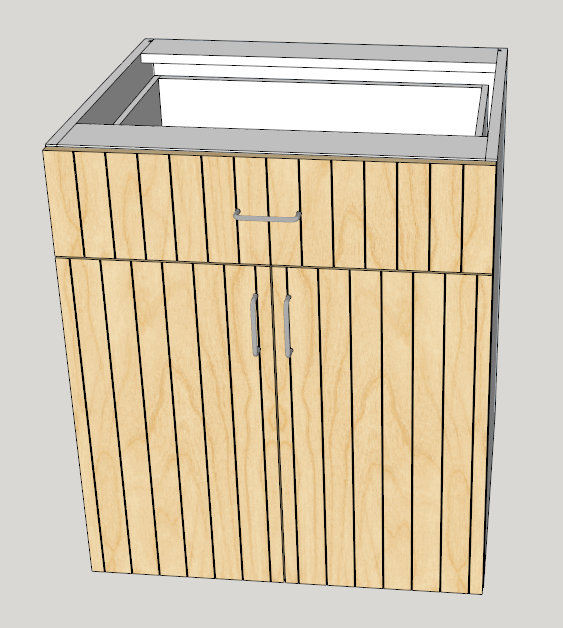
If the width is changed to 800 mm then it works.
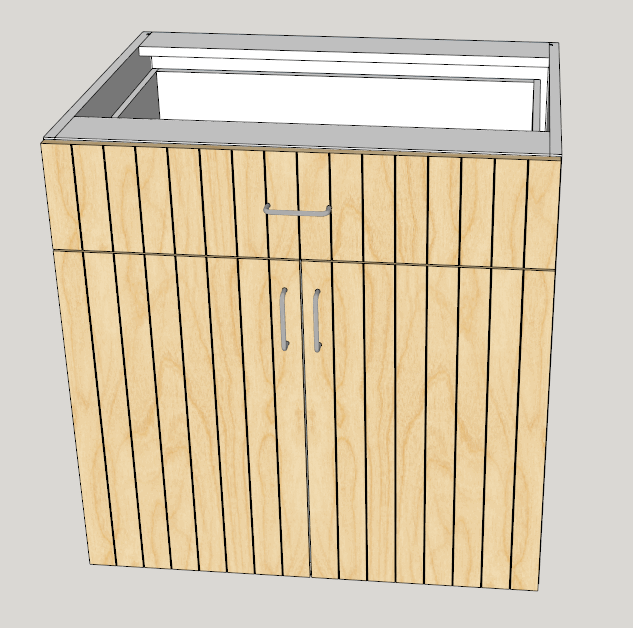
Or if the width is left at 700 and the spacing is changed to 25 then it works.
-
The next major version 4 of CabMaker is awaiting Sketchup 2019.
PLEASE note:
-
Licensed users running CabMaker 2 can upgrade to CabMaker 3 with a 25% discount. This discount will end when CabMaker 4 comes out.
-
Licensed users of CabMaker 3 who have purchased a license within 3 months of CabMaker 4 release will receive a free upgrade to CabMaker 4 upon request.
Lots of new features.
- Top and Bottom hangers now edged differently
- Added bead board for plain doors and for Shaker doors
- Moved Oven Panel section under Context Help over to additional
- Added Handle Height for Top Section of Tall cabinets
- Handle Override wasn't working for Drawers. Fixed
- Added drawer - 2 handles when wider:
- Added horizontal offset for handles
- Added Door Style drop down for Finished Panels and Finished Backs.
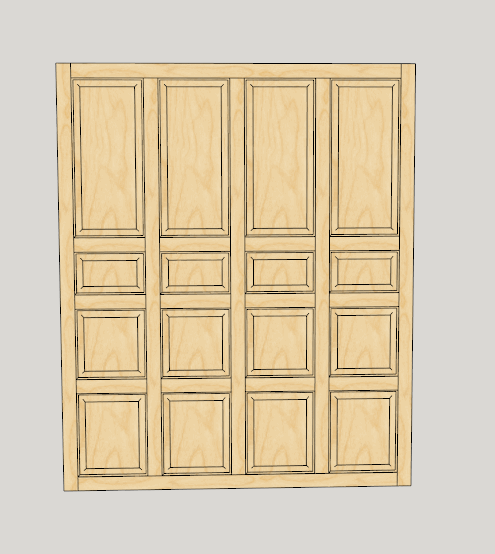
- Added 1 to 4 panels wide for - Finished Panels, Finished Backs, Doors, Top Doors and Mid Doors
- Added mid rail heights for - Finished Panels, Finished Backs, Doors, Top Doors and Mid Doors
- Added button that makes a copied cabinet unique
Doors with multiple panels and Finished sides configured independently from doors.
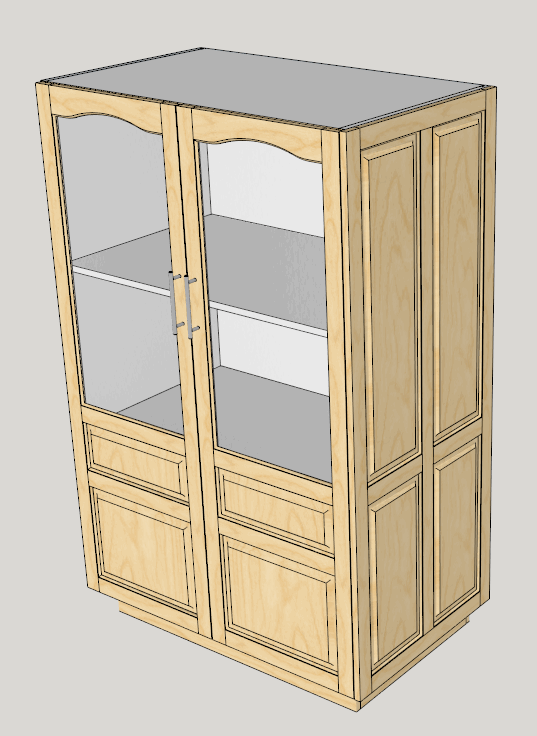
Finished backs - great for kitchen islands etc.
-
-
CabMaker 3.0.135 and CutMaster 3.0.1.85 are now available on my website.
These will be the last updates for Major version 3CabMaker 4.0.136 will be available later this week along with modifications to pricing. The 25% discount for CabMaker 2 users upgrading to CabMaker 3 will end once CabMaker 4 is released.


Advertisement