Display problem
-
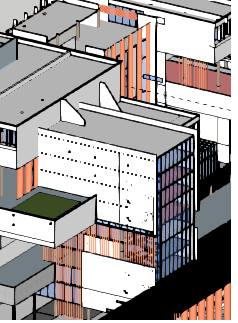
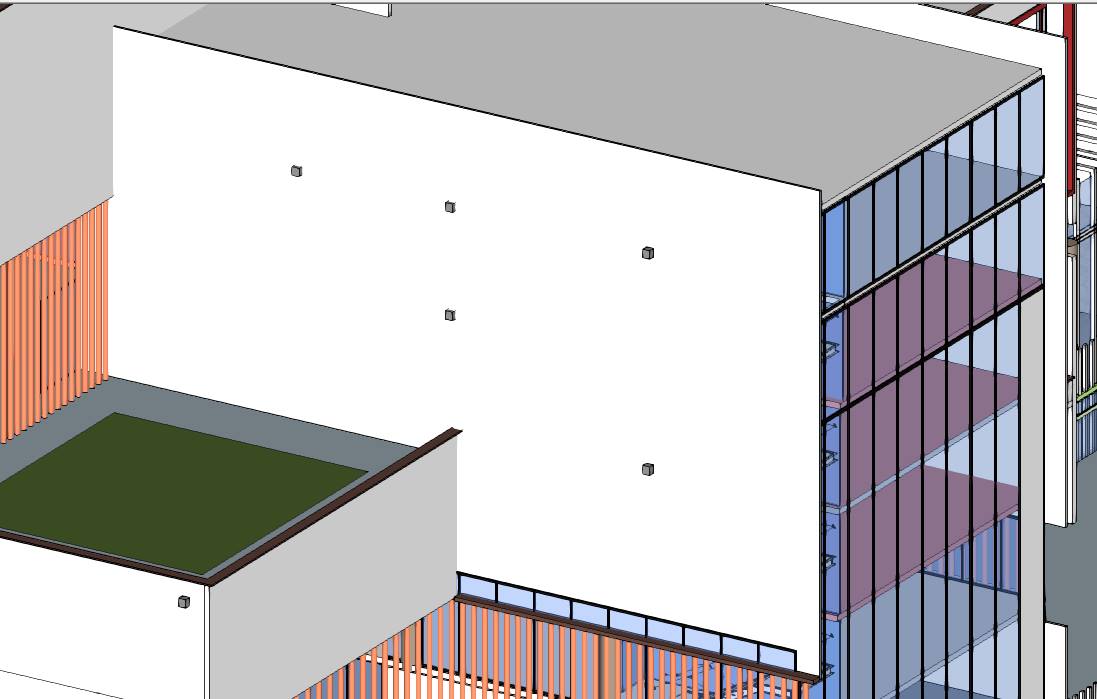
my laptop used to work perfect with a very good display . After re-installing the windows every seems awful
All drivers are up to date
Sketchup version 2015
windows 7 home edit. X64
Any help
-
Try turning off Hardware Acceleration in Window>Preferences>OpenGL. Close and restart SketchUp after making the change and see if that helps.
-
iam very sorry for being late in reply.
i tried what u said but nothing happened.when zooming out ,lines appears through faces but when zooming in it looks great .
that's happened only when i re-installed the windows

Hello! It looks like you're interested in this conversation, but you don't have an account yet.
Getting fed up of having to scroll through the same posts each visit? When you register for an account, you'll always come back to exactly where you were before, and choose to be notified of new replies (either via email, or push notification). You'll also be able to save bookmarks and upvote posts to show your appreciation to other community members.
With your input, this post could be even better 💗
Register Login


Advertisement