sketchucation logo sketchucation
    • Login
    Oops, your profile's looking a bit empty! To help us tailor your experience, please fill in key details like your SketchUp version, skill level, operating system, and more. Update and save your info on your profile page today!
    ⚠️ Update | Sketchucation Tools 5.0.8 released with licensing improvements and bugfixes Download

    [PLUGIN] Flowify v1.1.0 (updated 150327)

    Scheduled Pinned Locked Moved Plugins
    126 Posts 57 Posters 220.7k Views 57 Watching
    Loading More Posts
    • Oldest to Newest
    • Newest to Oldest
    • Most Votes
    Reply
    • Reply as topic
    Log in to reply
    This topic has been deleted. Only users with topic management privileges can see it.
    • cottyC
      cotty
      last edited by

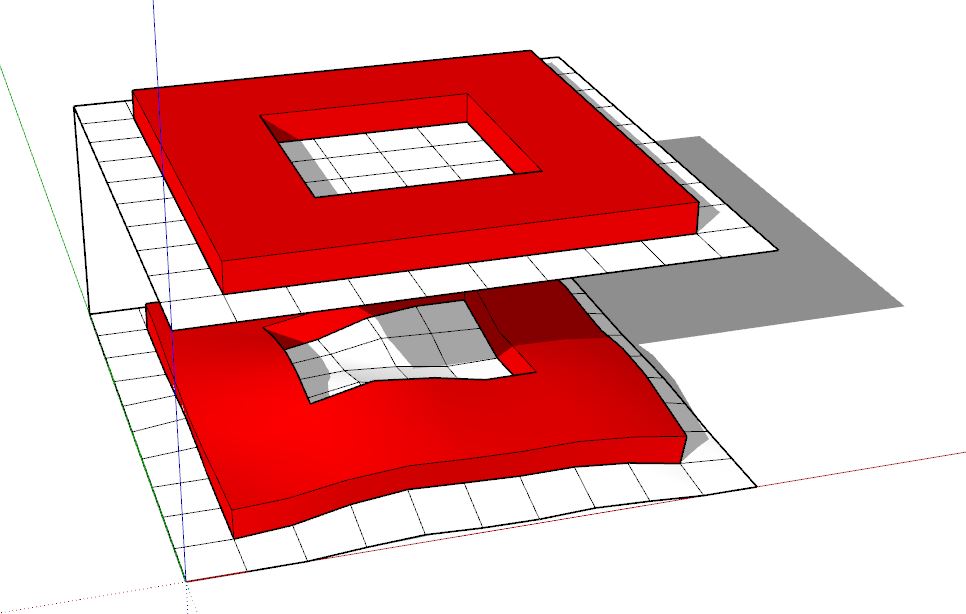
      Flowify do work in 2020...

      flowify_2020.JPG

      my SketchUp gallery

      1 Reply Last reply
      Reply Quote 0
      • alvisA
        alvis
        last edited by

        @vizan said:

        Hello! How can I apply top geometry to bottom using your plugin?
        [attachment=0:zcrmklbm]<!-- ia0 -->img_15112019_181118.jpg<!-- ia0 -->[/attachment:zcrmklbm]

        403 Forbidden

        favicon

        (sketchucation.com)

        1 Reply Last reply
        Reply Quote 0
        • N
          Nan Htet Htet Aye Mon
          last edited by

          Hi Caul...
          Thank you so much for the amazing plug in.
          I want to use Flowify in Sketchup 2020.
          Any update for it.
          Thank you

          1 Reply Last reply
          Reply Quote 0
          • cottyC
            cotty
            last edited by

            @nan htet htet aye mon said:

            Hi Caul...
            Thank you so much for the amazing plug in.
            I want to use Flowify in Sketchup 2020.
            Any update for it.
            Thank you

            Did you read my answer to your last question?

            my SketchUp gallery

            1 Reply Last reply
            Reply Quote 0
            • E
              emygarbanzo
              last edited by

              Hi, I have tried to use flowify a lot of times and it just doesnt work, i dont know if its because of my sketchup or something else. I have folowed every step there is so I dont know what to do.

              I would aprreciate so much if someone could help me.


              flowify 3d.skp

              1 Reply Last reply
              Reply Quote 0
              • cottyC
                cotty
                last edited by

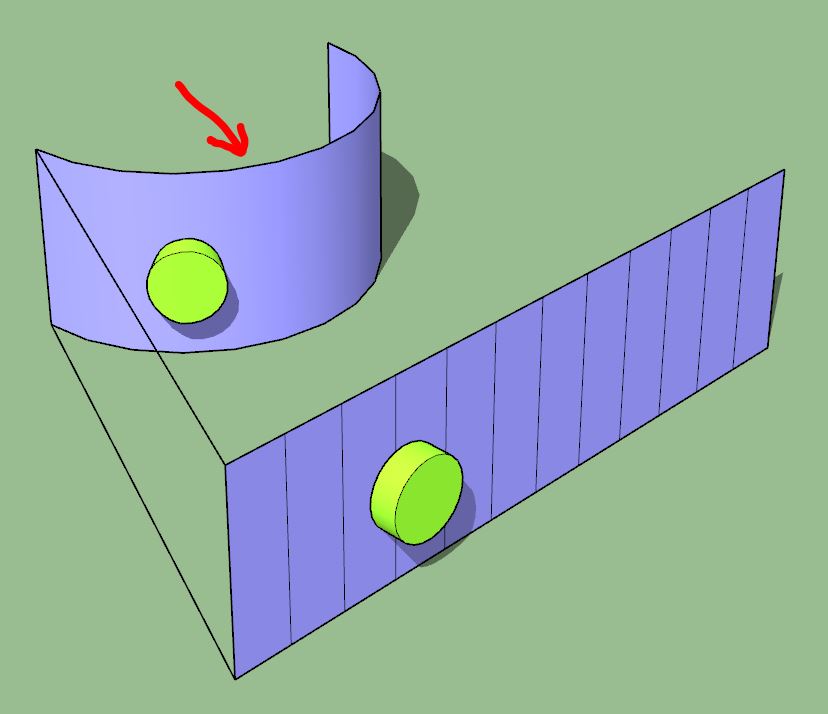
                You need a "Group with [only] target surface" here too...
                flowify 3d.JPG

                my SketchUp gallery

                1 Reply Last reply
                Reply Quote 0
                • H
                  hrachid
                  last edited by

                  I'm facing a problem with the extension,,,,
                  I'm using ketchup 2018,, and when i reopen the file the extension disappears !!!!
                  anyone can help?
                  Thanks

                  1 Reply Last reply
                  Reply Quote 0
                  • S
                    silbedia
                    last edited by

                    Hi,

                    I'm having an issue imposing a grid on a curved 3D surface. I have the projection plane group, target surface group, and connection edge group, all in one group. When I select the entire group and do extensions > flowify > impose grid, in order to check to see if it all works right, I dont get a grid. I adjusted the target surface so that there isnt overlapping geometry (which is barely present at the bottom of the cone) but that still didn't make a difference.

                    My target surface group uses a radial grid and not a rectangular grid in its hidden geometry, is this the problem? When I try it using a target surface with simpler rectangular geometry it works fine.
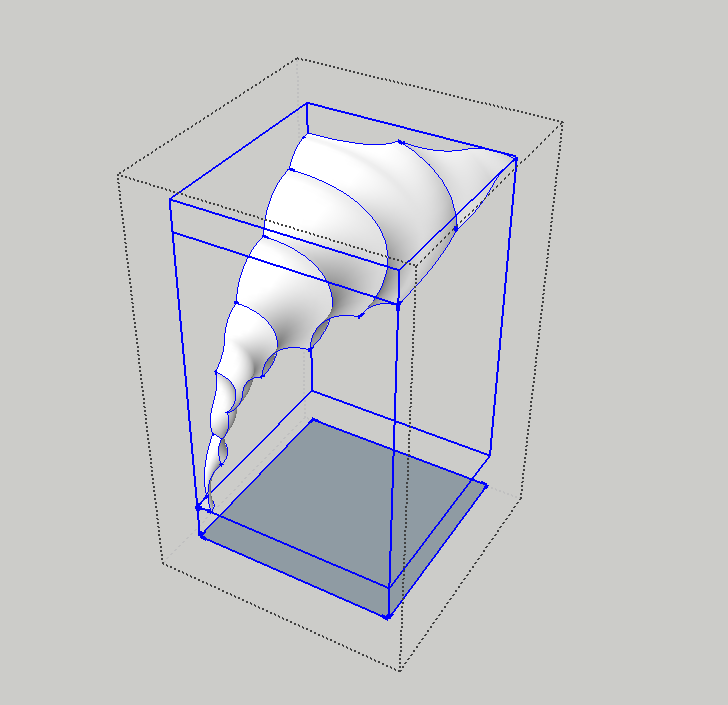

                    flowify issue.PNG

                    1 Reply Last reply
                    Reply Quote 0
                    • J
                      Jamie1407
                      last edited by

                      it doesnt appear and error so i guess now everything is ok. but when i click on flowify it doesnt do anything i keep waiting and nothing not even an error. Nothing.

                      thanks for your help. any help will be useful.


                      here is the file

                      1 Reply Last reply
                      Reply Quote 0
                      • pilouP
                        pilou
                        last edited by

                        @ Jamie If you want some help post your file in V6 or Maxi 2017 Make ! 😄

                        https://i.postimg.cc/FzgQ2pTb/v6.jpg

                        Frenchy Pilou
                        Is beautiful that please without concept!
                        My Little site :)

                        1 Reply Last reply
                        Reply Quote 0
                        • N
                          nlipovac
                          last edited by

                          @jamie1407 said:

                          it doesnt appear and error so i guess now everything is ok. but when i click on flowify it doesnt do anything i keep waiting and nothing not even an error. Nothing.

                          thanks for your help. any help will be useful.

                          On destination mesh:
                          You have two group levels inside that mesh group so I exploded that one.
                          I removed the rim around that mesh since it is not needed to wrap that Voronoi mesh.
                          Run Solid inspector and removed stay edges.
                          Removed line group and created it again.

                          On Voronoi mesh I removed thickness, you can add it after you create a new one using the JointPushPull plugin.

                          There are some weird spikes after I run Flowify but you can move them to their position manually.


                          flowifyy help.skp

                          1 Reply Last reply
                          Reply Quote 0
                          • J
                            Jamie1407
                            last edited by

                            @nlipovac said:

                            @jamie1407 said:

                            it doesnt appear and error so i guess now everything is ok. but when i click on flowify it doesnt do anything i keep waiting and nothing not even an error. Nothing.

                            thanks for your help. any help will be useful.

                            On destination mesh:
                            You have two group levels inside that mesh group so I exploded that one.
                            I removed the rim around that mesh since it is not needed to wrap that Voronoi mesh.
                            Run Solid inspector and removed stay edges.
                            Removed line group and created it again.

                            On Voronoi mesh I removed thickness, you can add it after you create a new one using the JointPushPull plugin.

                            There are some weird spikes after I run Flowify but you can move them to their position manually.

                            Omg thank so much!

                            1 Reply Last reply
                            Reply Quote 0
                            • J
                              junie1111
                              last edited by

                              Hi there, can I ask one thing?
                              I tried to use plugin but I guess doesn't work when file is huge....
                              Clicked plugin and nothing happened. No alarm.....
                              Is there any method without divide geometry?
                              Any help will be helpful
                              Many thanks.


                              sketchup.skp

                              1 Reply Last reply
                              Reply Quote 0
                              • A
                                amycreech
                                last edited by

                                Hello!

                                I'm trying to use the Flowify extension to apply tufting to a curved sofa, but it looks like Flowify is only compatible with Sketchup 2019 and under. I was wondering if there is a similar extension I can use to do the same effect of bending the geometry?

                                Thank you in advance,
                                Amy

                                1 Reply Last reply
                                Reply Quote 0
                                • N
                                  nlipovac
                                  last edited by

                                  @amycreech said:

                                  Hello!

                                  I'm trying to use the Flowify extension to apply tufting to a curved sofa, but it looks like Flowify is only compatible with Sketchup 2019 and under. I was wondering if there is a similar extension I can use to do the same effect of bending the geometry?

                                  Thank you in advance,
                                  Amy

                                  I use Flowify for that purpose also and it works in SU 2021 just fine.
                                  Can you post pictures or a file so we can see what is the problem?

                                  1 Reply Last reply
                                  Reply Quote 0
                                  • N
                                    nlipovac
                                    last edited by

                                    @junie1111 said:

                                    Hi there, can I ask one thing?
                                    I tried to use plugin but I guess doesn't work when file is huge....
                                    Clicked plugin and nothing happened. No alarm.....
                                    Is there any method without divide geometry?
                                    Any help will be helpful
                                    Many thanks.

                                    So I deleted some of your model because I do not have time to do it all.
                                    You should try and do a portion at a time to have more control and to not stall your computer.
                                    I used just the Flowify method and not Flowify without cut
                                    Here is my try on curved baluster:
                                    https://1drv.ms/u/s!AkMAr9Me_-ODgY4pxDlGCkxKzsr4nQ?e=Fc6HRZ

                                    Few notes:

                                    • You can not use components, only groups
                                    • Clean your model of unnecessary geometry, like internal geometry.
                                    • Clean your model of unnecessary lines, if you do not have any use for them.
                                    1 Reply Last reply
                                    Reply Quote 0
                                    • M
                                      MalGaming
                                      last edited by

                                      Hello Caul ,
                                      Can You Update For Sketchup Pro 2020 ??

                                      1 Reply Last reply
                                      Reply Quote 0
                                      • S
                                        Sir
                                        last edited by

                                        This plugin is incredible, thank you. This task put even my parametric colleagues off!

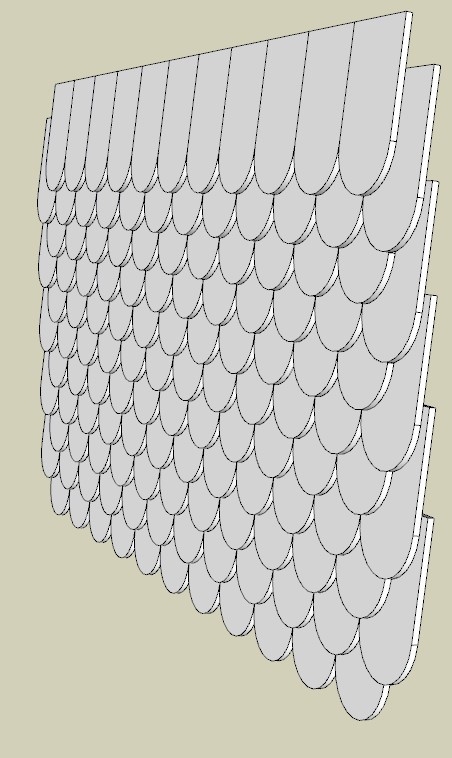
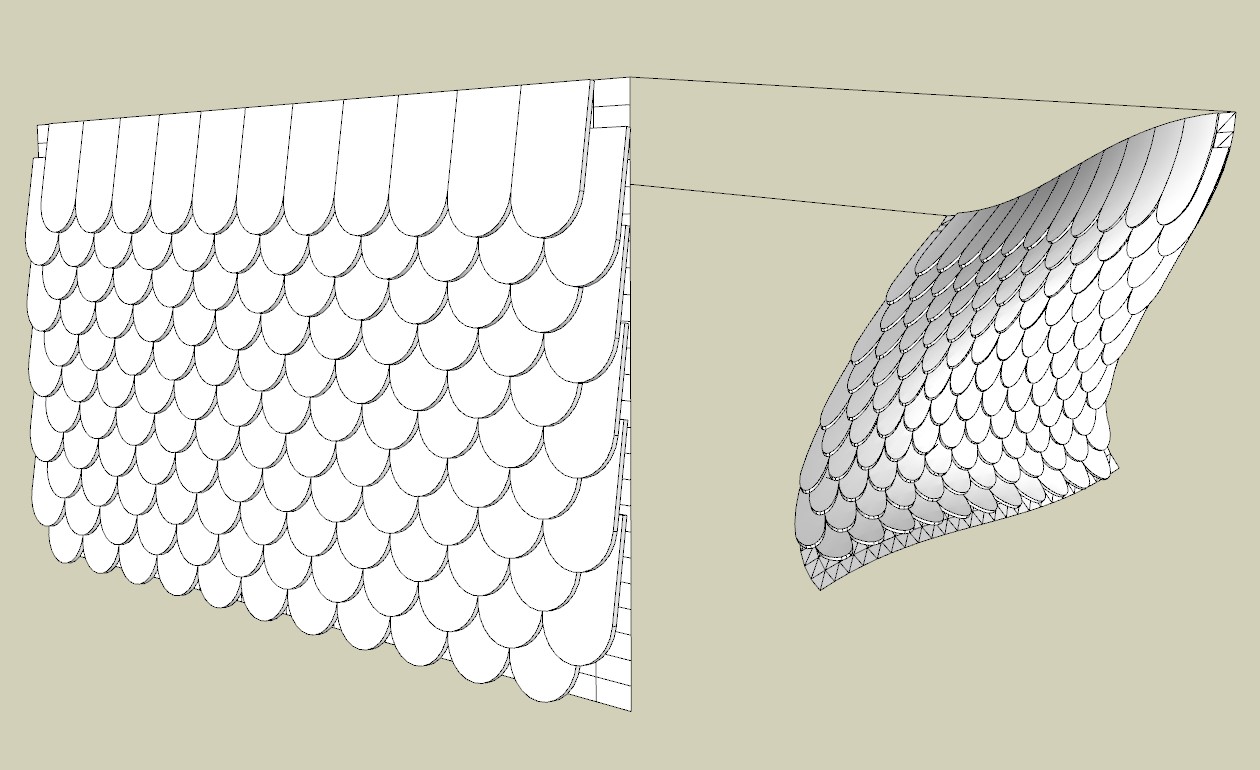
                                        OK the shingles dont stay the same size but ill take it.

                                        Thanks agian! 😮 👍 👍 👍


                                        shingles1.jpg


                                        shingles2.jpg

                                        1 Reply Last reply
                                        Reply Quote 0
                                        • locoL
                                          loco
                                          last edited by

                                          What is the most recent update for Flowify? Has it been updated yet for SketchUp 2021 or 2022?

                                          Windows 10, gpu rtx 3060 12gb ram, cpu AMD Ryzen 5 5600X 64gb ram, SketchUp 2022, Twinmotion 2022. My Little Tutorial

                                          1 Reply Last reply
                                          Reply Quote 0
                                          • pilouP
                                            pilou
                                            last edited by

                                            Take somewhere a version of the free 2017 Make for use the Flowify! 😉

                                            Frenchy Pilou
                                            Is beautiful that please without concept!
                                            My Little site :)

                                            1 Reply Last reply
                                            Reply Quote 0

                                            Hello! It looks like you're interested in this conversation, but you don't have an account yet.

                                            Getting fed up of having to scroll through the same posts each visit? When you register for an account, you'll always come back to exactly where you were before, and choose to be notified of new replies (either via email, or push notification). You'll also be able to save bookmarks and upvote posts to show your appreciation to other community members.

                                            With your input, this post could be even better 💗

                                            Register Login
                                            • 1
                                            • 2
                                            • 3
                                            • 4
                                            • 5
                                            • 6
                                            • 7
                                            • 3 / 7
                                            • First post
                                              Last post
                                            Buy SketchPlus
                                            Buy SUbD
                                            Buy WrapR
                                            Buy eBook
                                            Buy Modelur
                                            Buy Vertex Tools
                                            Buy SketchCuisine
                                            Buy FormFonts

                                            Advertisement