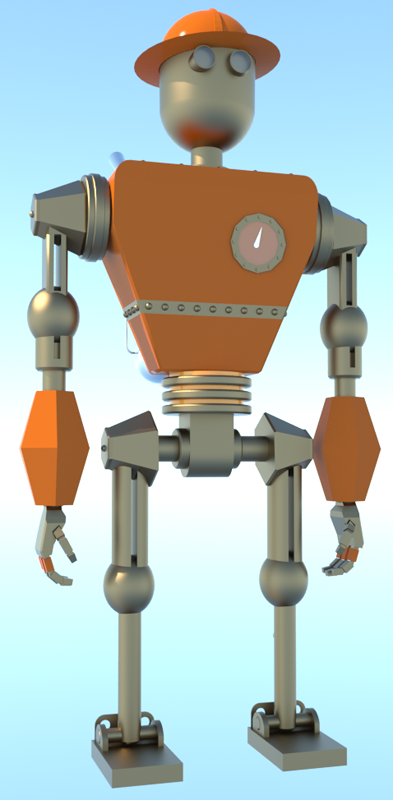
3D printing Dudley the robot
-
I'm thinking of trying to 3D print my robot Dudley....
So to start
- I have him in one sketchup file by himself.
- I think I have to explode him down to one layer (layer 0)?
- Then re-group all and check with the entity dialog that he is one solid?
This is what I have so far...
s
-
Hi Stuart, will you be printing Dudley all in one piece, or do you want him to move? If you want him articulated, printing the pieces separately and snapping them together like a ball jointed robot afterwards is recommended, because the clearances needed to print a moving assembly in one go will leave the joints loose and sloppy.
You will want all the parts in one group of you mean to print him in one piece. I wouldn't explode everything though, or you'll end up with a non-solid mess. It's usually better to make the individual groups solid and then use the Outer Shell tool to combine them into one solid group.
If I were you, I'd make this model one piece first to get a feel for the process, and then if you want to mess around with clearances for joints and assembling pieces, make another model. Just an idea.
Hello! It looks like you're interested in this conversation, but you don't have an account yet.
Getting fed up of having to scroll through the same posts each visit? When you register for an account, you'll always come back to exactly where you were before, and choose to be notified of new replies (either via email, or push notification). You'll also be able to save bookmarks and upvote posts to show your appreciation to other community members.
With your input, this post could be even better 💗
Register Login


Advertisement