How to slice geometry without sections?
-
Hi,
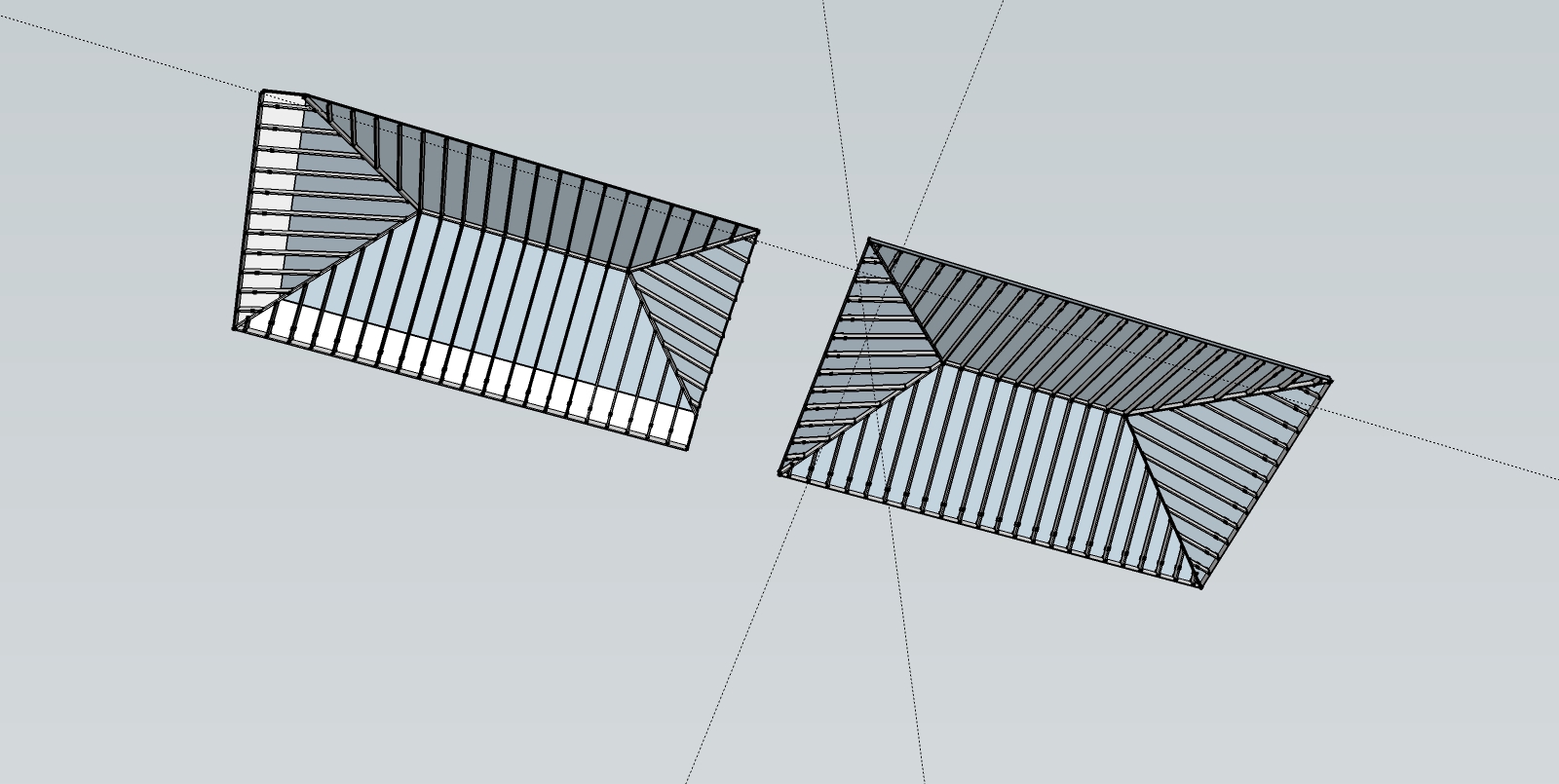
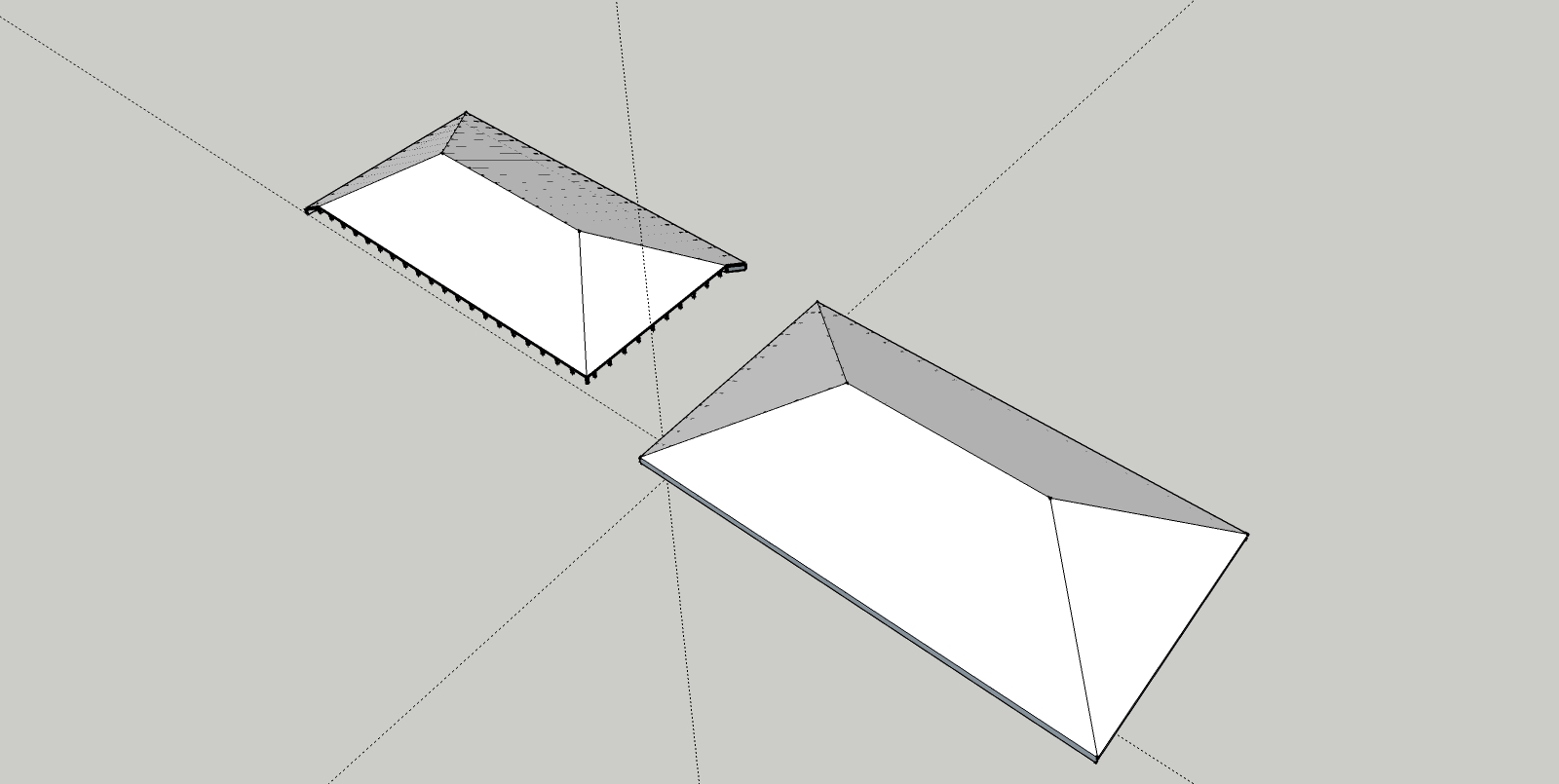
I have a roof (with beams and rafters) in multiple groups. I want to slice off and erase a 3' slice on 2 sides (back and side).
Pretty easy with a section...but when I export the geometry, I lose the "cut" because the section tool doesn't seem to allow me to "bake" the cut.
Any ideas? Have searched high and low for a miracle plugin...to no avail. The roof, is NOT a solid.
I've attached the SU file...would love to get pushed in the right direction - thanks.
-
Zorro 2 have a submenu: slice at section.
-
-
Both of the suggestions given should do as you ask.
-
mmmh....it could be that I am missing something pretty fundamental...but:
- When I try and use Slicer it tells me thats its not a Manifold Solid and I can go no further.
- If I try and use Zorro, no matter what I try, I can't seem to get the "slicing plane" to run vertically. It always insists on cutting through at an angle.
The first 2 images below shows the before and after that I am looking for (exactly what a section plane would do - but with real impact on the geometry). If it could cut and delete that would be even better!
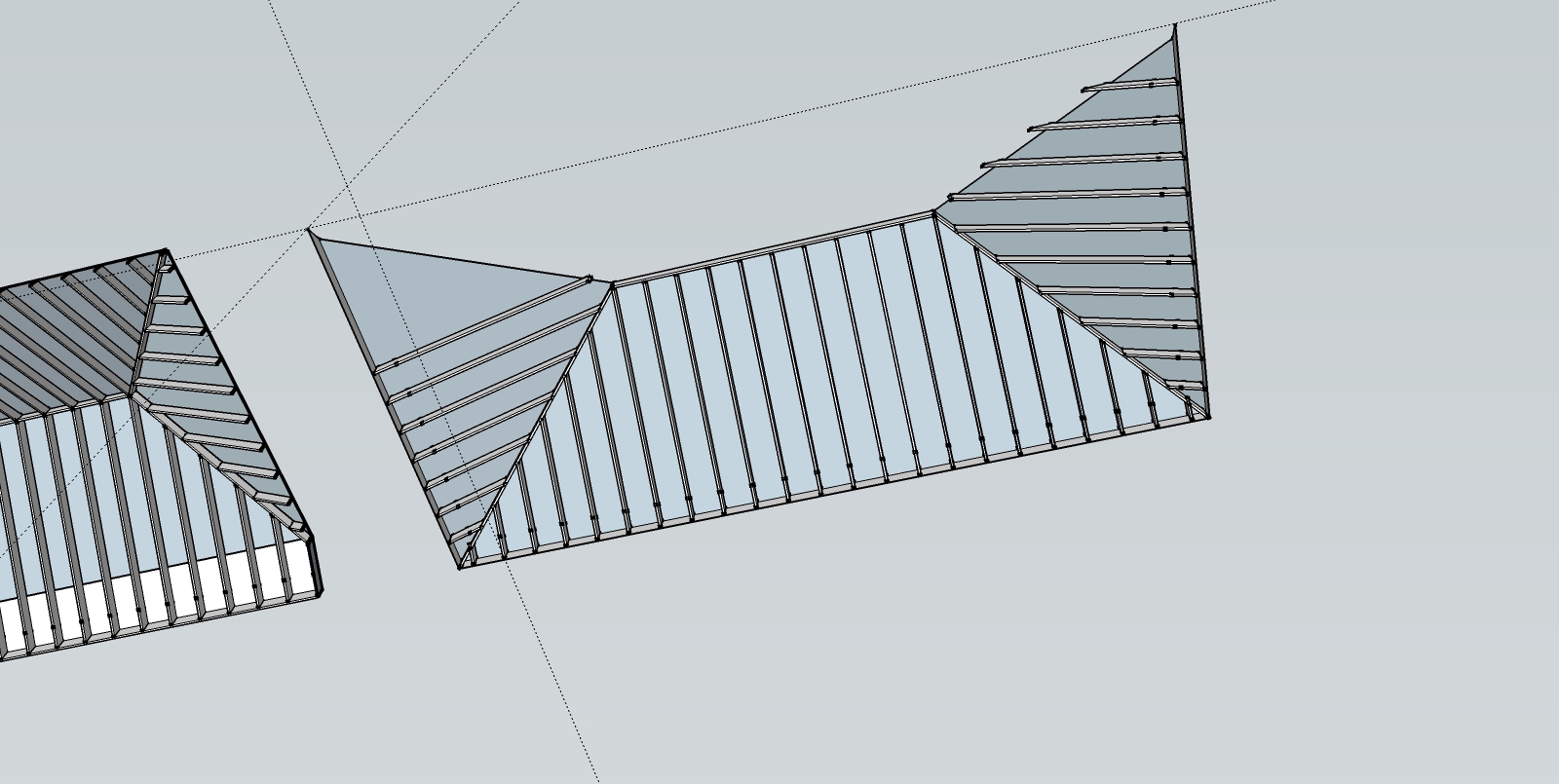
The third image shows Zorro - after choosing a cut line exactly on the Red Axis! H-E-L-P!
-
Why not approach this from another direction...
Try by firstly making the hip-tree beams, and any ridge-board or valleys etc.
That gives you something to extend/trim to...Then, assuming the rafters are raw geometry or individual groups...
Make them shorter than the span they need...
Select the end of the rafters.Use my Extrude Tools - ExtendEdgesByVectorToObjects...
Pick the vector, using the magenta 'inference' so that it's parallel to the rafter's length [or make a guide-line earlier on to help you snap]
Pick well through the target hip-tree etc.
The ends of the rafter[s] are then extruded to the hip-tree etc, with auto miters as you hope for... -
@skavan said:
mmmh....it could be that I am missing something pretty fundamental...but:
- When I try and use Slicer it tells me thats its not a Manifold Solid and I can go no further.
- If I try and use Zorro, no matter what I try, I can't seem to get the "slicing plane" to run vertically. It always insists on cutting through at an angle.
The first 2 images below shows the before and after that I am looking for (exactly what a section plane would do - but with real impact on the geometry). If it could cut and delete that would be even better!
The third image shows Zorro - after choosing a cut line exactly on the Red Axis! H-E-L-P!
[attachment=3:2l8uco4k]<!-- ia3 -->final cut a.jpg<!-- ia3 -->[/attachment:2l8uco4k]
[attachment=2:2l8uco4k]<!-- ia2 -->final cut b.jpg<!-- ia2 -->[/attachment:2l8uco4k]
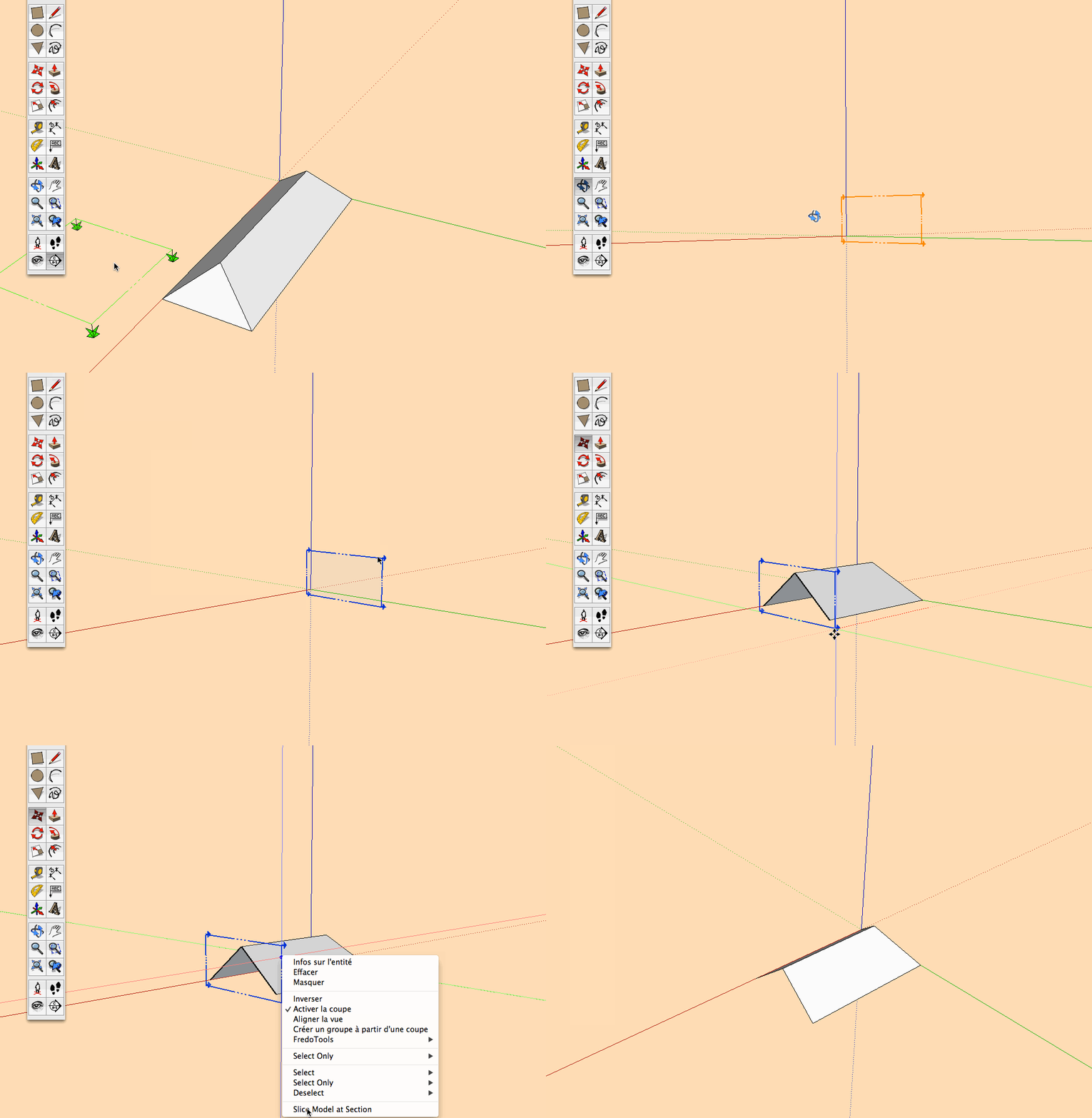
[attachment=1:2l8uco4k]<!-- ia1 -->final cut c.jpg<!-- ia1 -->[/attachment:2l8uco4k]For Zorro you must first insert a section, then right clicking the selected section the submenu propose slice model at section.
After this delete the section plane.
Note: make this inside group or component or it will slice the entire model.
Hope this is what you're looking for.
-
Awesome -- Zorro (now that I understand how to use it!) did the trick.
TIG's method is a bit more elegant - but a lot more work!





Hello! It looks like you're interested in this conversation, but you don't have an account yet.
Getting fed up of having to scroll through the same posts each visit? When you register for an account, you'll always come back to exactly where you were before, and choose to be notified of new replies (either via email, or push notification). You'll also be able to save bookmarks and upvote posts to show your appreciation to other community members.
With your input, this post could be even better 💗
Register Login


Advertisement