Trouble with extension lines
-
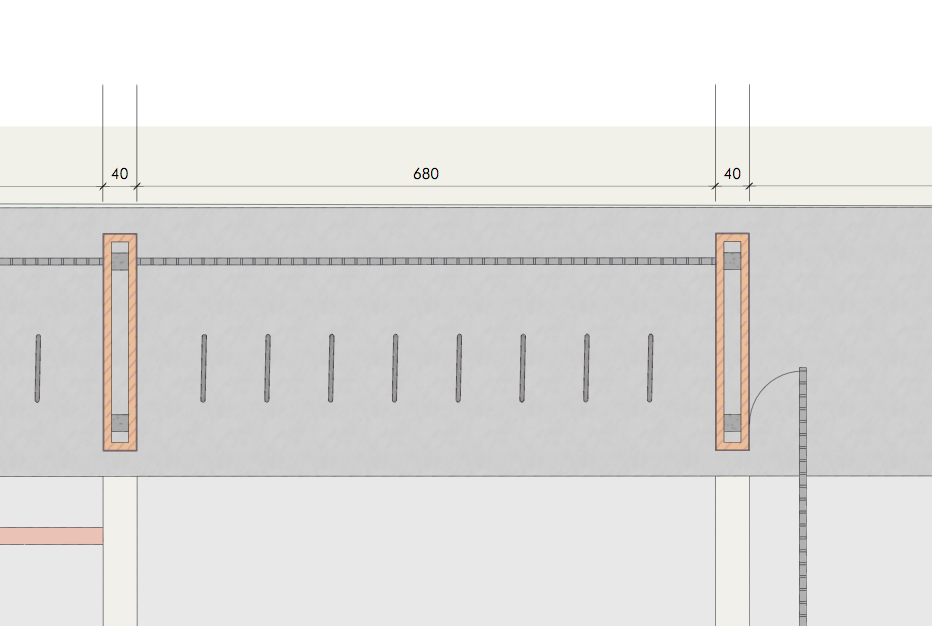
my extension lines are coming out too long unnecessarily and I do not seem to be able to find where to change this. I know I can change the length of extension sizes manually but I want a way to set them once and for all.
I do not understand why they get to be so long beyond the dimension line.
any tips.
-
Edson, I don't know why they got so long except perhaps you inadvertently sampled and applied a Shape Style setting to the dimensions? You should be able to adjust them back to the short length you want. Make the change to one and sample it with the eye dropper. Then apply it to the rest. If you select the Dimension tool, hit S and then sample a correct dimension, that should take care of the dimensions going forward.
If you're working with a template, it might be worth checking to see if it needs to be updated, too.
-
I'm having the same problem, except I cannot figure out how to change the extension lines manually... Could someone help direct me please?
-
It's really very simple. Double click on the dimension to open it for editing, select the extension line you wish to modify and change the start and/or end arrow size in the Shape Style inspector. Select the other extension line and do the same.
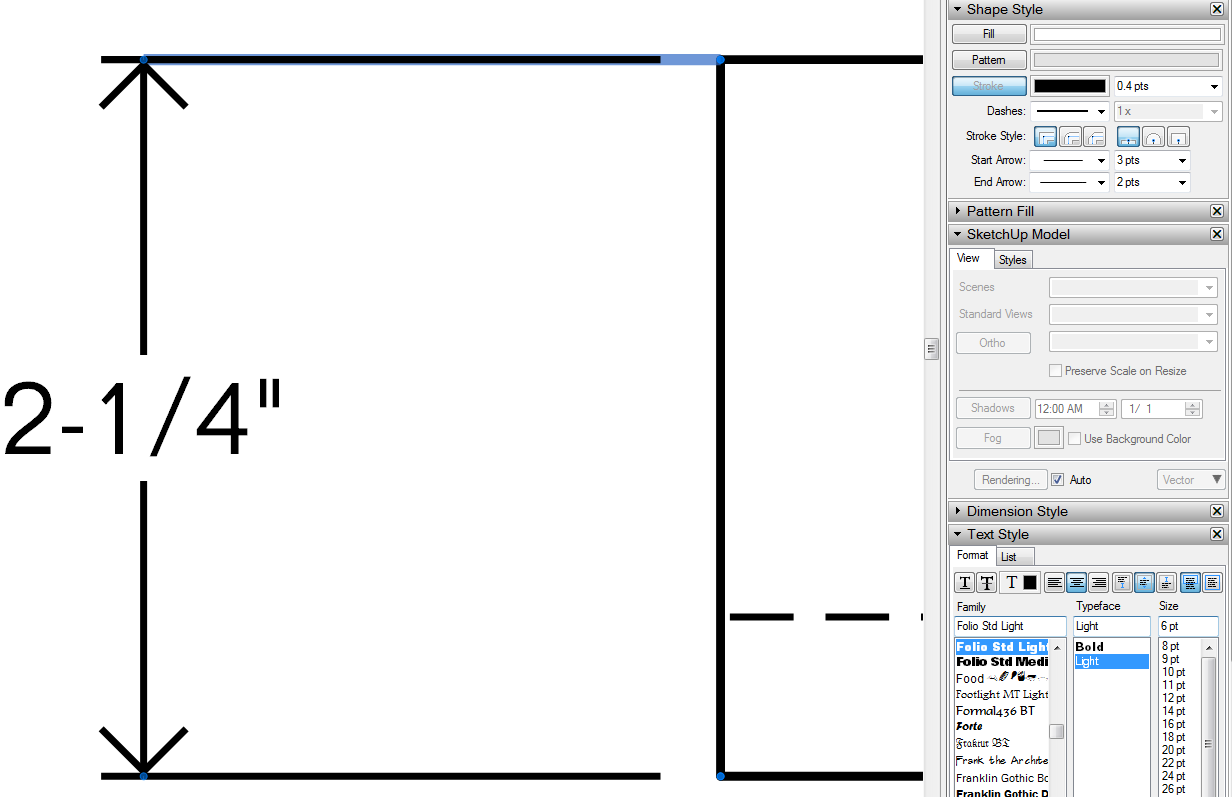
The start arrow is the end of the extension line toward the point you're dimensioning.
-
Anyone find a real solution for this yet?
I don't think the real question was ever addressed.
See the attached file for the lines that were originally questioned.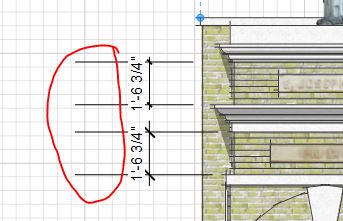


Hello! It looks like you're interested in this conversation, but you don't have an account yet.
Getting fed up of having to scroll through the same posts each visit? When you register for an account, you'll always come back to exactly where you were before, and choose to be notified of new replies (either via email, or push notification). You'll also be able to save bookmarks and upvote posts to show your appreciation to other community members.
With your input, this post could be even better 💗
Register Login


Advertisement