Issues with faces on model
-
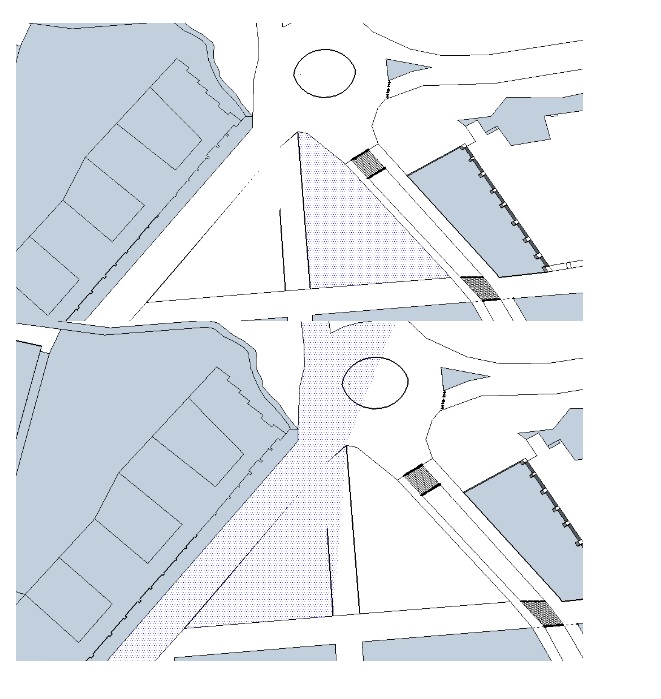
Hey! I'm a beginner with SketchUp, currently using it for an student assignment in urban planning. I have made a model for an small area with proposed buildings for an area. The problem is that one surface wont split from another. its like its something wrong with the lin so when I put asphalt on the road it get asphalt on the other streets to, but does are supposed to have a different surface (pederstrian street)
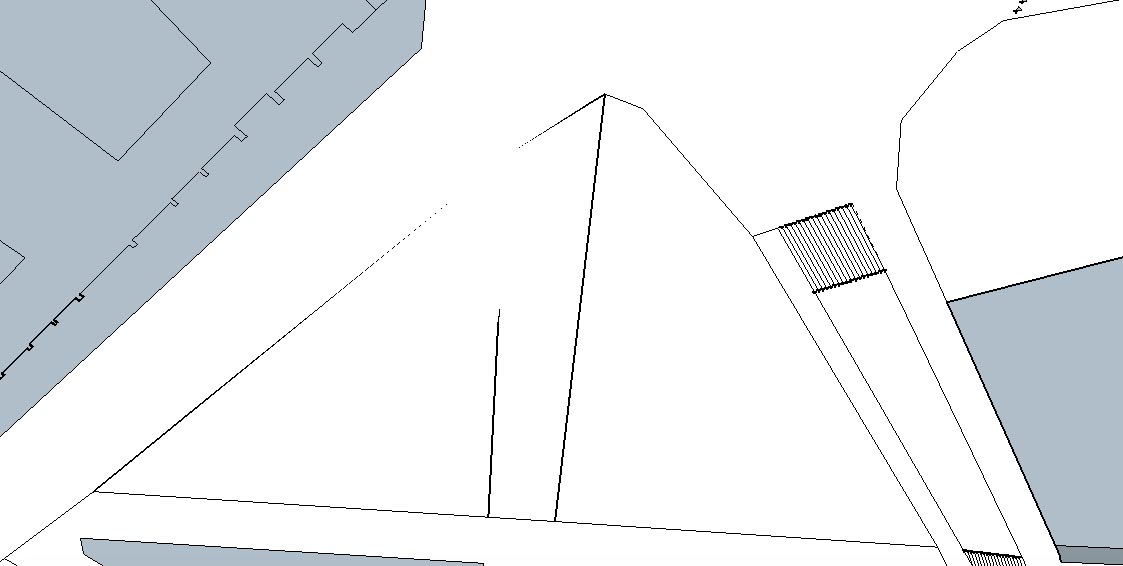
When I look at this particular lines from under is like they dissapear (see attachments).
Any idea what causes this problem?
-
Some faces are not 'flat' or 'coplanar'.
So they are intersecting with other faces.
Switch the view to Xray mode to see what I mean.
If you expect this to happen [but I think NOT!] and want edges at show at those intersections, then select a face ad right-click context-menu intersect...Model all geometry on 'Layer0' [always have that set as the active layer]
To keep the modeling neat and tidy make groups of related geometry.
That way grouped parts don't 'stick together' and you can even assign a new layer to them, which you can switch off, controlling visibility and making working with multi-level projects much easier...

Hello! It looks like you're interested in this conversation, but you don't have an account yet.
Getting fed up of having to scroll through the same posts each visit? When you register for an account, you'll always come back to exactly where you were before, and choose to be notified of new replies (either via email, or push notification). You'll also be able to save bookmarks and upvote posts to show your appreciation to other community members.
With your input, this post could be even better 💗
Register Login


Advertisement