Plugins Not Compatible with SU2015-64bit
-
Kim, it's not the old folder, it's a different one.
C:\ProgramData\SketchUp\SketchUp 2015\SketchUp\Pluginsthe old one was for example
C:\Program Files (x86)\SketchUp\SketchUp 2013\PluginsI don't know if thea does it, but Twilight certainly does create this other folder when it is installed.
-
@box said:
Kim, it's not the old folder, it's a different one.
OK - I see...
Thea4SU is located in the C:\ProgramData\SketchUp\SketchUp 2015\SketchUp\Plugins folder... -
So yes, it is the Thea installer in this case that has created the folder.
-
@box said:
So yes, it is the Thea installer in this case that has created the folder.
But just because the Thea installer is creating that folder, doesn't mean that it's wrong...
Thea4SU works correct from that folder...
If users then move other plugins/extensions to that folder, doesn't mean that they will work correct... -
Very true, I never said they wouldn't work there, just that it isn't the default location and is created by an exe. Tig explained it all in the post you posted.
-
We're on the same page in the same book...


-
It's the Sketchucation Tools that give both options without saying which is the preferred directory.
A clearer info there and I would have done it right.Instead of a list maybe the options with a checkbox and the "right" folder preselected.
-
Some add-on installers use the 'shared' ProgramData path and it makes that Plugins folder if it doesn't exist.
I believe that these 3rd party installers ought to offer the user a choice - after all, many users do no operate in a 'shared' environment on their PC, and therefore adding unnecessary extra folders seems unfriendly - other applications do have the 'install for everyone || install for this user only' radio-button options in their installer's dialog...
But when did thinking about what your end-users might actually want, feature in the thoughts of hardcore programmers ?This additional Plugins folder has no affect on the day to day installation of Plugins into the default AppData path User's Plugins folder.
But because the ProgramData path's Plugins folder is then found by SketchUp and added to the$:auto-loading path set, it is recognized by the SketchUcation PluginStore dialog's AutoInstall and the submenu Archive Installer, as a valid 'custom-plugins-folder' path, and it is then offered as a potential installation destination... Unless you want to share these other plugins, I recommend you stick with the default User's Plugin folder... -
@pixero said:
It's the Sketchucation Tools that give both options without saying which is the preferred directory.
A clearer info there and I would have done it right.Instead of a list maybe the options with a checkbox and the "right" folder preselected.
BUT the SketchUcation Plugins Tool's choice-dialog DOES show you which is the default User's AppData Plugins folder.
It is always the first one in the list.
AND that is always pre-highlighted when the dialog is first opened.
It assumes you'll normally want to install into there.
If you have chosen another folder before in that session, then it opens with that destination being pre-highlighted for any subsequent installations [during that session] - in a user friendly manner. -
Live Ivy is working in 2015.
http://sketchucation.com/forums/viewtopic.php?f=323%26amp;t=36882%26amp;p=545506#p545418
-
V-ray for SU 2015 has been released!
-
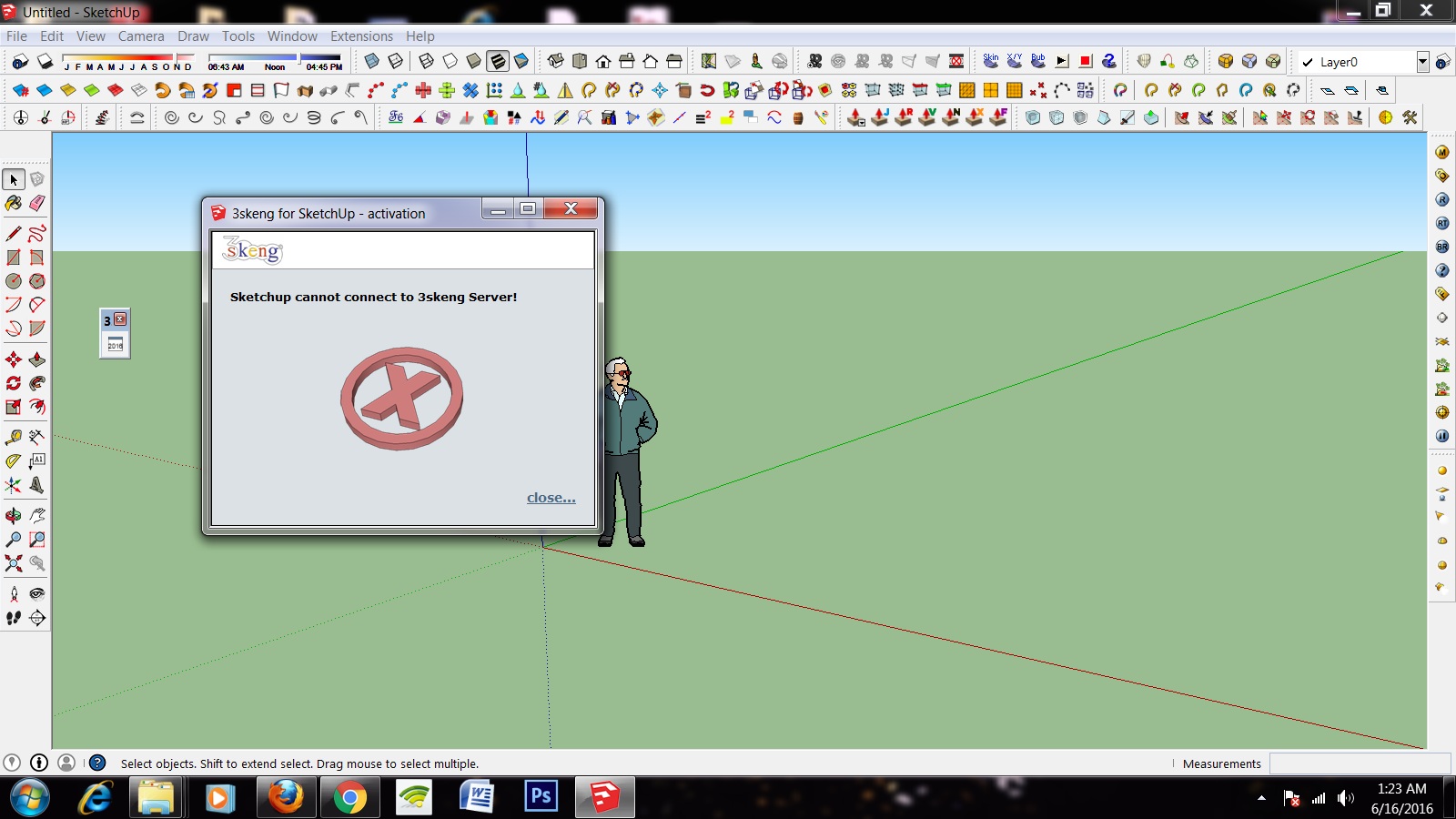
I have sketch up 2015 running on windows 7 64bit OS. But when I'm try to install 3Skeng on sketch it shows an error message. Sketchup Cannot connect to 3skeng server.
If anyone knows the solution please help me.
-
You must get in touch with the author of this Extension direct...
It almost certainly uses some dll or similar PC helper files which must be made to be 32 or 64bit compatible.
I assume their download site does not give clear guidance ?








Advertisement