Desperately Need help with vray (see attachment)
-
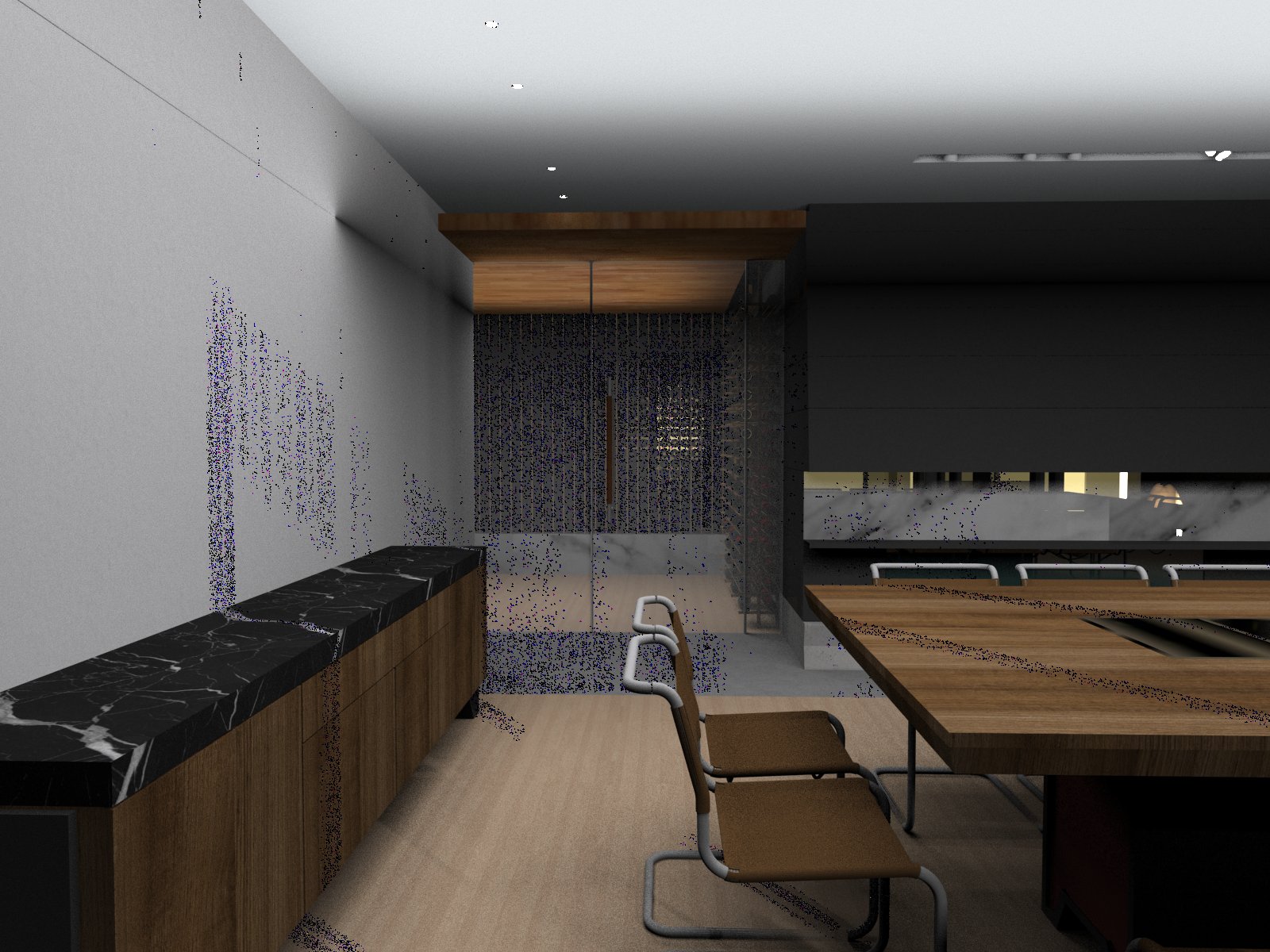
**%(#800000)[Im using vray to do some simple interior renders. not sure why its turning out like this?
Ive used the default sun settings (dimmed it a bit, it was too bright) and 2 rectangular lights. Please help me. what are all those grainy colors]?**
-
looks to me like you have 2 copies of the model occupying the same space. All the faces appear to be overlapping. See if you can delete down to one instance of everything.
-
 Or a bad case of termites
 -
@andybot said:
looks to me like you have 2 copies of the model occupying the same space. All the faces appear to be overlapping. See if you can delete down to one instance of everything.
no, there is nothing over lapping.

-
then perhaps the lighting isn't giving enough samples. Hard to say without seeing how the model is set up (light brightness, camera settings, sun location and so on.) Is this something you can post here?
-
Is any of the lighting perhaps Emmissive materials?
-
I second that. Currently you cannot use emissive materials as lighting (like some other engines), just lighting effect, like a TV screen. You must light your scene with omni, spot, IES, dome. rect lights. An interior like this would need a combination of these.

Hello! It looks like you're interested in this conversation, but you don't have an account yet.
Getting fed up of having to scroll through the same posts each visit? When you register for an account, you'll always come back to exactly where you were before, and choose to be notified of new replies (either via email, or push notification). You'll also be able to save bookmarks and upvote posts to show your appreciation to other community members.
With your input, this post could be even better 💗
Register Login


Advertisement