MSPhysics 1.0.3 (16 October 2017)
-
I recently saw a IKEA presentation where they used a custom plugin in Max for placing things more naturally. It had no setup if I'm not mistaken.
Would it be possible for a quick use mode where you with minimal input could simulate things like pens in a mug or stacked items like plates, books and such?
The key word is "minimal input" for quick, one time simulations like the above examples. -
Faust, I fixed the friction bug and improved start performamce witb joints in this, 0.9.4, version . However, I did break some things in the dialog. So I guess you're going to have to wait till next week for the fix.
Pixero, that's interesting. At the moment there is no simple way of simulating for siref groups till they stop, however, I added this to the list.
-
Here is some more info on IKEA's "earthquake" plugin:
http://vimeo.com/163789781It starts approx 23 minutes in but the whole video is very interesting to watch.
Martin says in the comments:
"The physics simulation is using a physics engine and is a plugin. Only one button setup. All hidden geometry is not used. All non selected will be unyeilding and all selected gets hardbody physics properties."Something like this would be very useful in SketchUp.
-
Not new - but SketchUp + MSPhysics. The rendered version looks much better...

Time: Modelling and MSPhysics 0,5 h; Layout and GIF-Output for this post 1,5 h (max. 2 MB)...
Edit: + a quick indigo render frame...
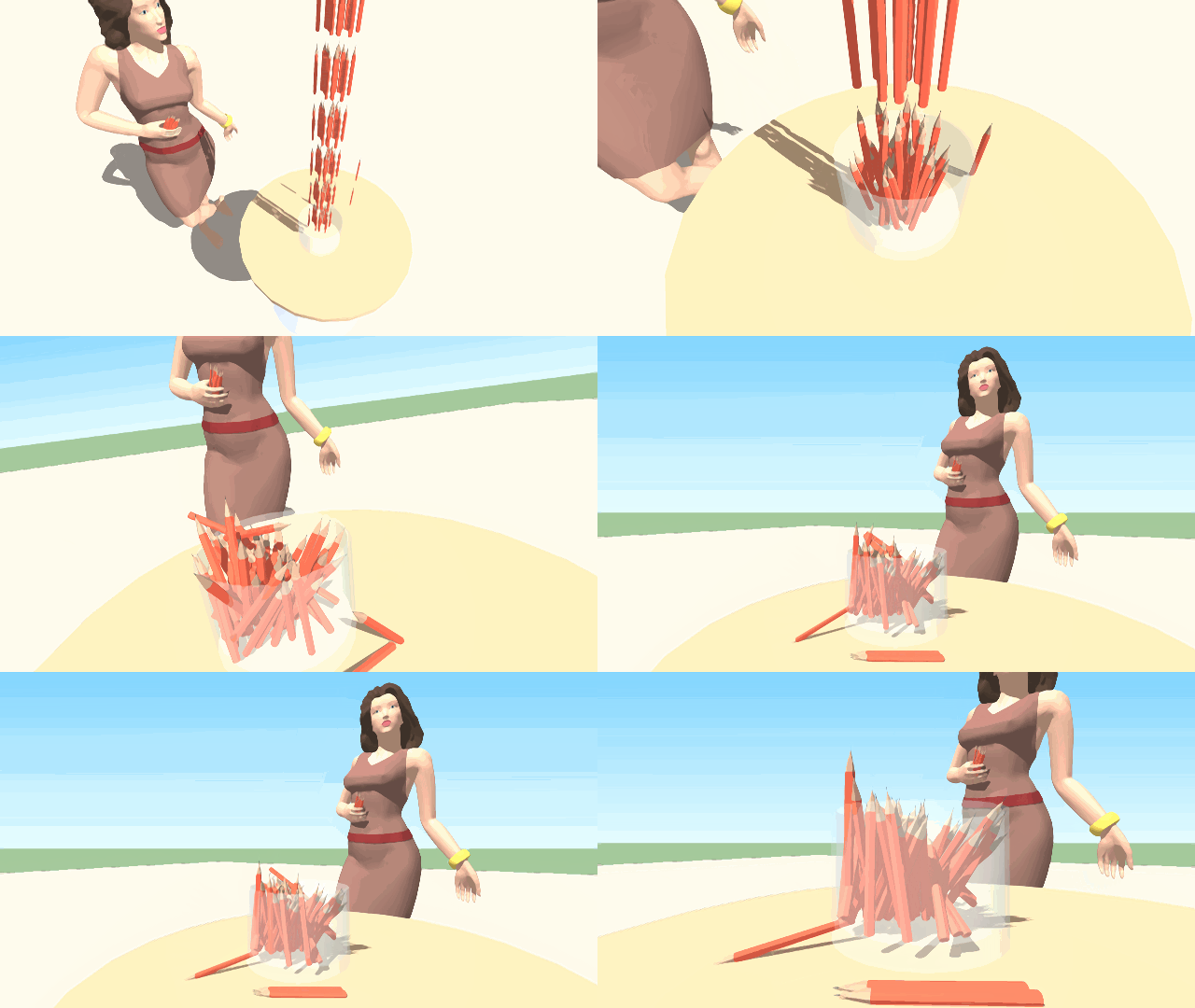
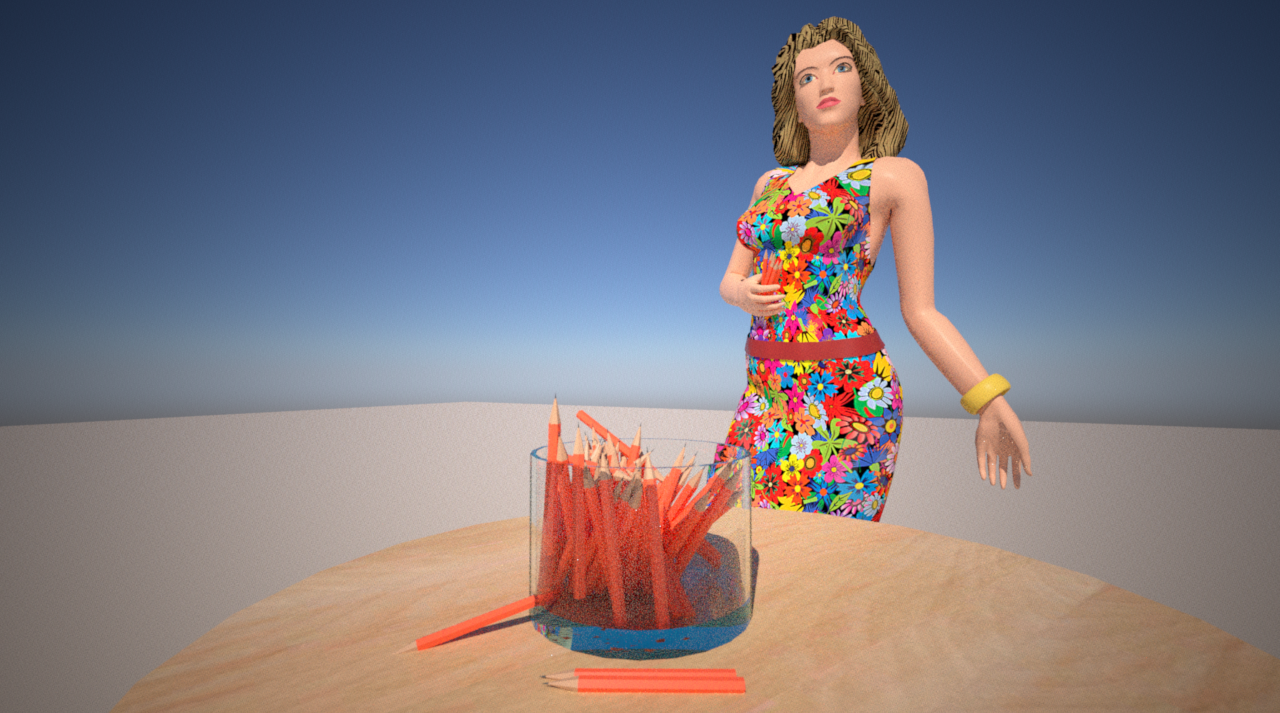
-
hello
how to change the color of a solid?I tried :
onStart{
@box = simulation.find_body_by_name("box")
or
@box = simulation.find_group_by_name("box")
}onUpdate{
if key("up") == 1
@box.material.color = [0, 255, 0]
Else
@box.material.color = [255, 255, 255]
end
}Envoyé de mon PRO 5 en utilisant Tapatalk
help me if please.
-
@synsuka3d said:
hello
how to change the color of a solid?I tried :
onStart{
@box = simulation.find_body_by_name("box")
or
@box = simulation.find_group_by_name("box")
}onUpdate{
if key("up") == 1
@box.material.color = [0, 255, 0]
Else
@box.material.color = [255, 255, 255]
end
}Envoyé de mon PRO 5 en utilisant Tapatalk
help me if please.
Hi, select the Paint Bucket and add material to group and try again.
-
Pixero, I'm working on that feature.
Faust, that's a stunning piece of animation!
SynSuka3d, like Istvan implied, you can add material to group prior to changing its color. You can also do it with script, in case the group doesn't have a material associated with it. However, if the inner faces are already colored by a different material, you must decolor them to default material, both front and back faces, so that the group's top level material is able to color them.
Note that the object that contains the script should be part of simulation, that is not ignored; otherwise, the script of that object won't execute.
Now, to answer your question, if the script is associated within the body you're coloring, you can have
@box = this.group. Otherwise, it should be@box = simulation.find_group_by_name("box"). Note that the name is case sensitive and considers all the blank spaces. Anyway, here is the script containing it all:onStart{ @box = simulation.find_group_by_name("box") # Add material to the box in case the box has no material. if @box.material.nil? mat = Sketchup.active_model.materials.add("BoxMaterial") @box.material = mat mat.color = [255,255,255] # optional end # Record starting color, just so we can reset it in the end @starting_color = @box.material.color # Utilize 'flag' variable to avoid coloring group the same color multiple times. # Just for optimization purpoposes... @flag = nil } onUpdate{ if key("up") == 1 if @flag != 1 @box.material.color = [0, 255, 0] @flag = 1 end elsif @flag == 1 @box.material.color = [255, 255, 255] @flag = 0 end } onEnd { # Reset color (also optional). @box.material.color = @starting_color } -
Thank you Anton_S
Good !!!
manage transparency of objects ?
alpha ? scriptEnvoyé de mon PRO 5 en utilisant Tapatalk
-
SynSuka3D, to change opacity, you have to utilize the material's alpha function: http://www.sketchup.com/intl/en/developer/docs/ourdoc/material#alpha=. For your model it would look like this:
@box.material.alpha = 0.5or any other alpha ranging from 0.0 (transparent) to 1.0 (opaque). -
I have a bug to report, maybe. I've noticed that if you use programmed ratios for things, such as gear reduction, if you leave objects as default (where they can sleep when still) you can cause things to sort of slip, and lose sync with each other. (example: gear teeth phase into each other)
The only way to stop this seems to be to make them never sleep. Is this behaving as intended?
I also have a file that causes crashes when I try to make a door work, but it seems to have stopped doing it. I will attempt to re-create the bug and post the file here.
-
Announcing version 0.9.5!
This version comes with more compatibility with Mac OS X. Now keyboard input and MIDI work on Mac OS X too. Also, a few new features were added, such as another play button, along with plenty of fixes, upgrades, and improvements. Check out the ChangeLog for more information. -
Hi. Hope you can help as I'm unable to get past an install error on Windows (64 bit machine). I'm using Sketchup Pro 2015 and attempting to install on a device connected to a workplace network which I think is the cause of the problem. I can install it successfully on a separate standalone (at home) laptop. I am installing with network administrator rights.
Having installed both the ams library v3.4.0 and ms physics v0.9.5 through the sketchucation plugin store button within sketchup, they both give confirmation messages that they have successfully installed. They both appear in the window>preferences>extensions list and are checked. At this point no toolbars are available, so I restart sketchup. I then receive this message...
Error Loading File C:/Users/SS7U6035/AppData/Roaming/SketchUp/SketchUp 2015/SketchUp/Plugins/MSPhysics/main.rb
Error: #<Exception: An exception occurred while loading MSPhysics library. The exception occurred due to one or more of the following reasons:- LoadError: 161: The specified path is invalid. - C:/Users/SS7U6035/AppData/Roaming/SketchUp/SketchUp 2015/SketchUp/Plugins/MSPhysics/win64/2.0/msp_lib.so
- LoadError: 161: The specified path is invalid. - C:/Users/SS7U6035/AppData/Roaming/SketchUp/SketchUp 2015/SketchUp/Plugins/MSPhysics/win64/2.0/msp_lib_no_sdl.so
F:/Sketchup/Sketchup 2015/Tools/extensions.rb:197:in
require' F:/Sketchup/Sketchup 2015/Tools/extensions.rb:197:inload'
C:/Users/SS7U6035/AppData/Roaming/SketchUp/SketchUp 2015/SketchUp/Plugins/MSPhysics.rb:90:inregister_extension' C:/Users/SS7U6035/AppData/Roaming/SketchUp/SketchUp 2015/SketchUp/Plugins/MSPhysics.rb:90:inmodule:MSPhysics'
C:/Users/SS7U6035/AppData/Roaming/SketchUp/SketchUp 2015/SketchUp/Plugins/MSPhysics.rb:72:in `<top (required)>'All the files and paths listed in the error message are present and correct in those locations. Grateful for any suggestions.
Thanks
-
Thank you for your insightful report, count_olaf. I will investigate it as soon as possible.
-
Update from 9.3 to 9.5 did not work with installation in Extension Store. The old files ams_Lib.hash and MSPhysics.hash are not deleted and old models did not work. Installation per hand by deleting the old directories and copy the new to the plugin folder works...
The new selection functions are great to test parts of large models - fantastic!!! -
Oh that explains the issue. I didn't sign the extensions due to technical issues. Why did the plugin packaging had to become more complicated? Really! That's why y'all got errors. Anyway, so, count_olaf, as faust suggested, to fix that you have to delete original versions first and then install the new ones. This process might not be necessary after the extensions will be signed, which I will so shortly.
-
Well, I just tried signing my extensions and unfortunately the extension signature tool doesn't work. So, y'all have to do it the hard way for now, that is first delete original AMS Library and MSPhysics versions and then install the new ones in place (do not overwrite).
-
[LOUDLY CRYING FACE]

-
You have an accent in your Windows user-name 'Lémony'.
This has long been taboo !
It breaks older versions of SketchUp's Ruby completely !!
However, it should be possible to encode such a string when defining the file-path to avoid these issues - somewhat straightforward with newer Ruby versions - such as yours 'v2016'...Perhaps the author needs to reconsider the paths' encoding...
-
What? I thought I fixed that bug...

-
Unfortunately I didn't fix the encoding issue. I thought I did but I didn't. I will work on it soon.
Thanks for the report, SynSuka3d.
TIG, thank you for remarking on the issue.


Hello! It looks like you're interested in this conversation, but you don't have an account yet.
Getting fed up of having to scroll through the same posts each visit? When you register for an account, you'll always come back to exactly where you were before, and choose to be notified of new replies (either via email, or push notification). You'll also be able to save bookmarks and upvote posts to show your appreciation to other community members.
With your input, this post could be even better 💗
Register Login


Advertisement