Menu camera advanced dialog missing
-
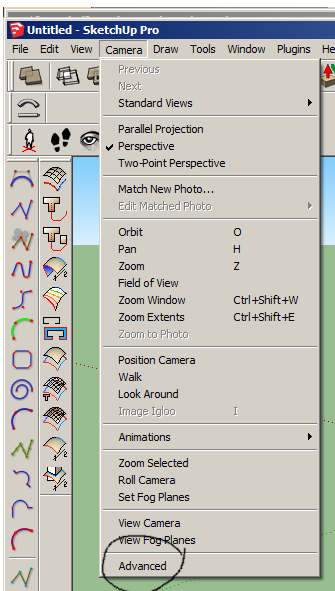
Hi all, when I've wanted to adjust a scene / view I've always used:
menu>camera>advanced (see attached image)
and a nice dialog pops up with a lot of controls, I used it all the time, but where has it gone? I don't actually know if it's native to SU or a plugin, but it sure would be useful to get it back.
-
Did you remove or deactivate Advanced Camera Tools?
-
For new versions it's an extension: http://extensions.sketchup.com/de/content/advanced-camera-tools
-
If that was the old Advanced Camera Tools plugin, I think the new one might have changed location. You can find it now under the Tools menu.
Tools > Advanced Camera Tools
I don't have a copy of the old version of this though, so I can't verify that what you used to have was really the old ACT though. I've forgotten if that is where it used to install itself.
-
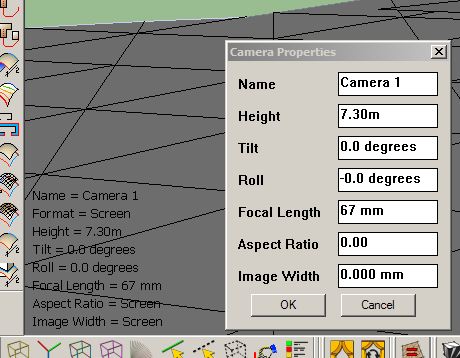
Thanks to all, I reloaded the advanced camera tools msi, but still couldn't get the old view, having had a look at the new one (attachment) it seems to be fine



Hello! It looks like you're interested in this conversation, but you don't have an account yet.
Getting fed up of having to scroll through the same posts each visit? When you register for an account, you'll always come back to exactly where you were before, and choose to be notified of new replies (either via email, or push notification). You'll also be able to save bookmarks and upvote posts to show your appreciation to other community members.
With your input, this post could be even better 💗
Register Login


Advertisement