sketchucation logo sketchucation
    • 登入
    Oops, your profile's looking a bit empty! To help us tailor your experience, please fill in key details like your SketchUp version, skill level, operating system, and more. Update and save your info on your profile page today!
    ⚠️ Important | Libfredo 15.6b introduces important bugfixes for Fredo's Extensions Update

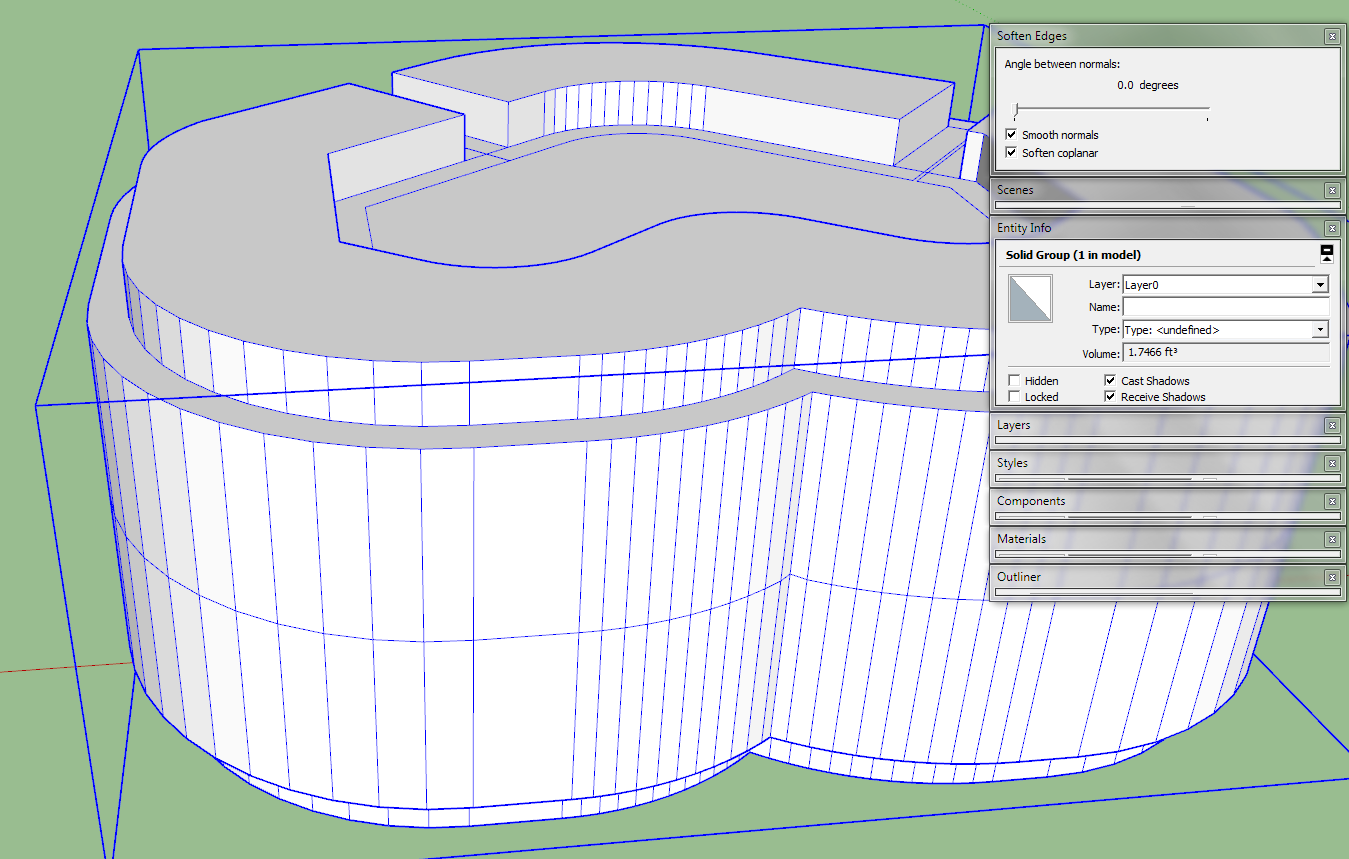
    Aparently not a solid form?

    已排程 已置頂 已鎖定 已移動 Newbie Forum
    sketchup
    46 貼文 7 Posters 2.2k 瀏覽 7 Watching
    正在載入更多貼文
    • 從舊到新
    • 從新到舊
    • 最多點贊
    回覆
    • 在新貼文中回覆
    登入後回覆
    此主題已被刪除。只有擁有主題管理權限的使用者可以查看。
    • P 離線
      Polynechramorph
      最後由 編輯

      And here in V8


      1ccallipersScale1a31.skp

      1 條回覆 最後回覆 回覆 引用 0
      • Dave RD 離線
        Dave R
        最後由 編輯

        I wonder if the scaling has caused you some issues. The definitions of the components are at different scales. In your V13 as I downloaded it, the main bar component measures 17800mm long overall. It is scaled up from the original size. Component #2 is also scaled up from its original size. Their component definitions were created when those components were correctly sized. The other four component definitions were created at this scaled up size. Perhaps the IGS file shows the components at their definition-defined sizes?

        The fix at this stage would be to correct the scale of the entire model--scale back down to life size--then explode the four components that need their definitions corrected and make new components of them.

        This scale thing is another reason I use the process I've described when working on small components. It avoids this problem altogether.

        Etaoin Shrdlu

        %

        (THERE'S NO PLACE LIKE)

        G28 X0.0 Y0.0 Z0.0

        M30

        %

        1 條回覆 最後回覆 回覆 引用 0
        • P 離線
          Polynechramorph
          最後由 編輯

          Thank you all very much for all your help! I've manged to create a file that I can export and use and am now with a very much altered design in the prototyping stage.
          This thread can be closed now.

          1 條回覆 最後回覆 回覆 引用 0
          • A 離線
            afnanfahmi
            最後由 編輯

            hi, can u guys check my model, mine also does not contain solid elements, it said something wrong with the surface border, hope anyone could repair it for me


            WL Wax.skp

            1 條回覆 最後回覆 回覆 引用 0
            • TIGT 離線
              TIG Moderator
              最後由 編輯

              You have some convoluted intersecting edges/faces at one internal corner.
              I found that deleting the geometry relating to it and the two 'spikes', then adding one new edge back in made it a solid...
              It's easier if you use Monochrome mode and un-smooth all of the edges...
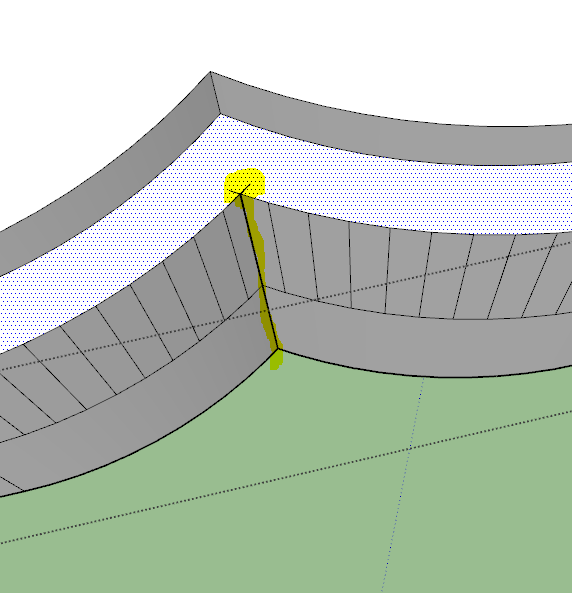

              Capture.PNG


              Capture1.PNG

              TIG

              1 條回覆 最後回覆 回覆 引用 0
              • A 離線
                afnanfahmi
                最後由 編輯

                thanks man, thanks for the monochrome tips too

                1 條回覆 最後回覆 回覆 引用 0
                • 1
                • 2
                • 3
                • 3 / 3
                • 第一個貼文
                  最後的貼文
                Buy SketchPlus
                Buy SUbD
                Buy WrapR
                Buy eBook
                Buy Modelur
                Buy Vertex Tools
                Buy SketchCuisine
                Buy FormFonts

                Advertisement