Incomplete faces after DWG import
-
This happens often enough I decided to ask here.
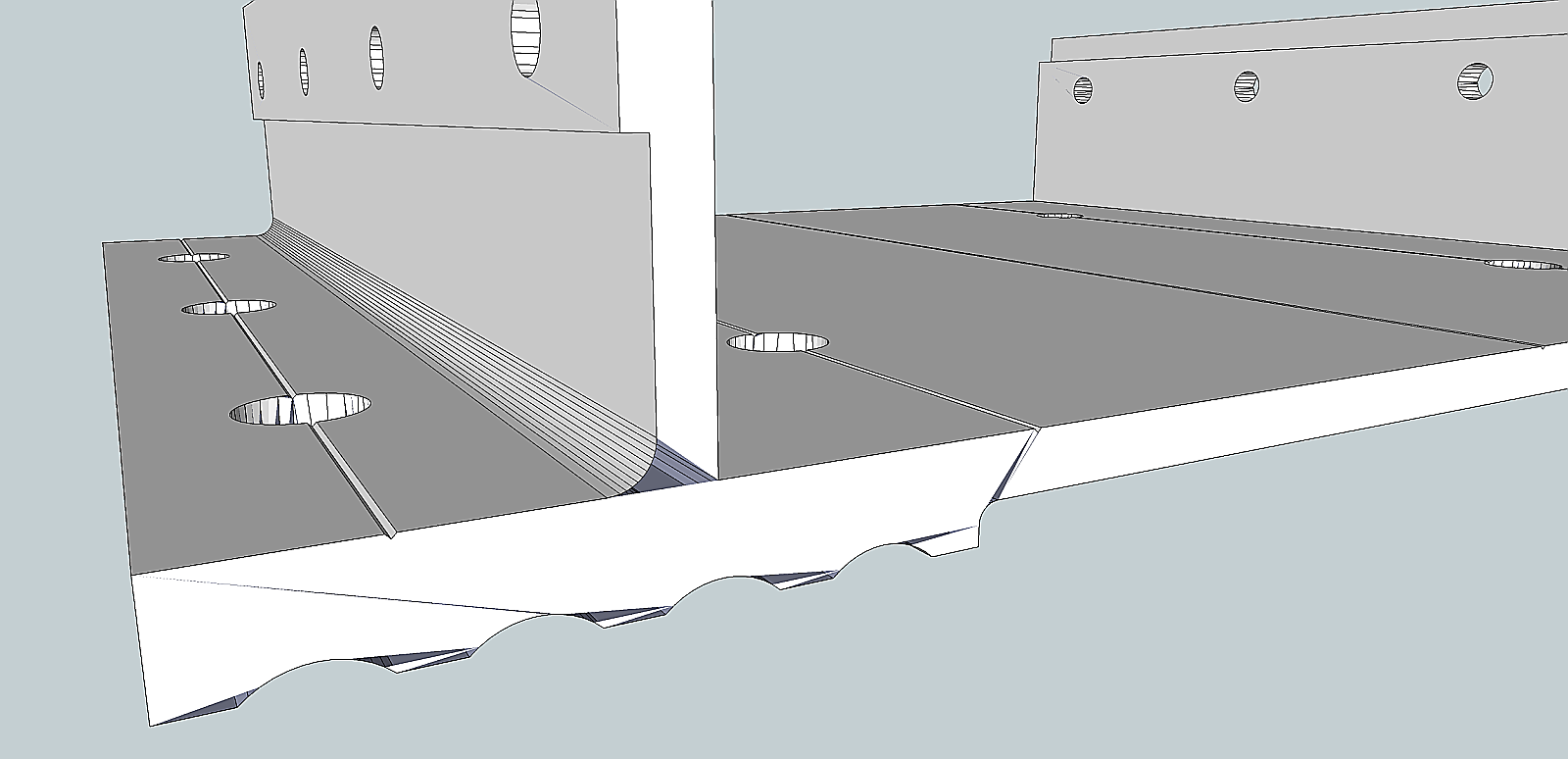
I have attached an example of a 3D DWG import.
The edge of this bracket should be a solid face but as you can see there are a number of gaps. Sometimes I can add the missing faces by drawing lines. Then I erase the lines and the face is as it should be.
In this case, no amount of "monkeying" around will yield a solid face
-
Care to share the dwg file so I can test?
-
SketchUp can have a hard time with really small faces.
Try importing it 10 or100 times bigger and scale it down afterwards.
(Under import options instead of millimeters use cm.) -
I think Jan is on it. The line segments in your arcs are probably too short. It looks like you also have a bunch of ugly triangulation going on that you need to clean up.
-
Thanks
Turns out my vendor (who is using SolidWorks) was working in a larger scale and reducing to my required size.
I asked my vendor to make the DWG export unscaled, and it imported nicely



Hello! It looks like you're interested in this conversation, but you don't have an account yet.
Getting fed up of having to scroll through the same posts each visit? When you register for an account, you'll always come back to exactly where you were before, and choose to be notified of new replies (either via email, or push notification). You'll also be able to save bookmarks and upvote posts to show your appreciation to other community members.
With your input, this post could be even better 💗
Register Login


Advertisement