Load Component and Rotation
-
Hi ,
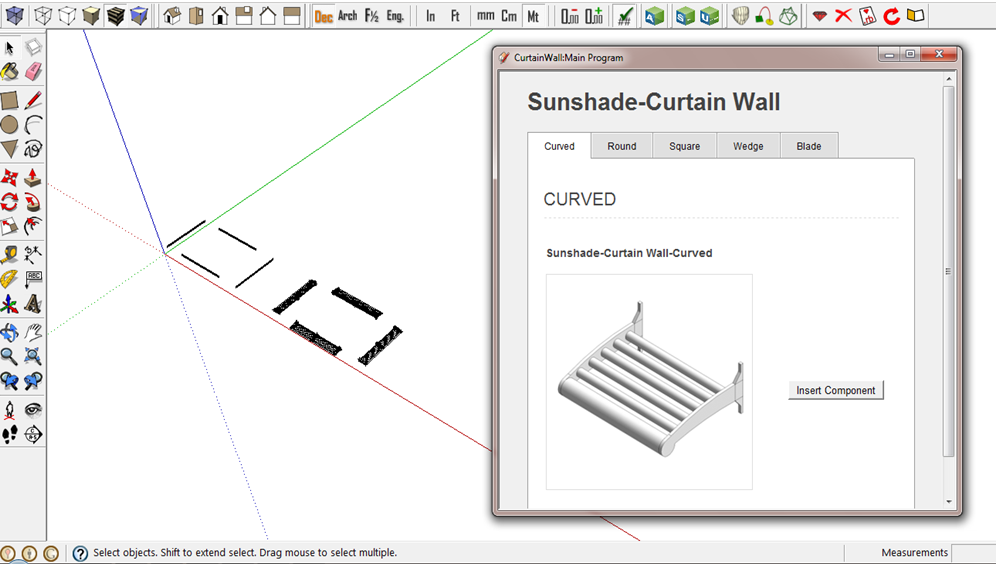
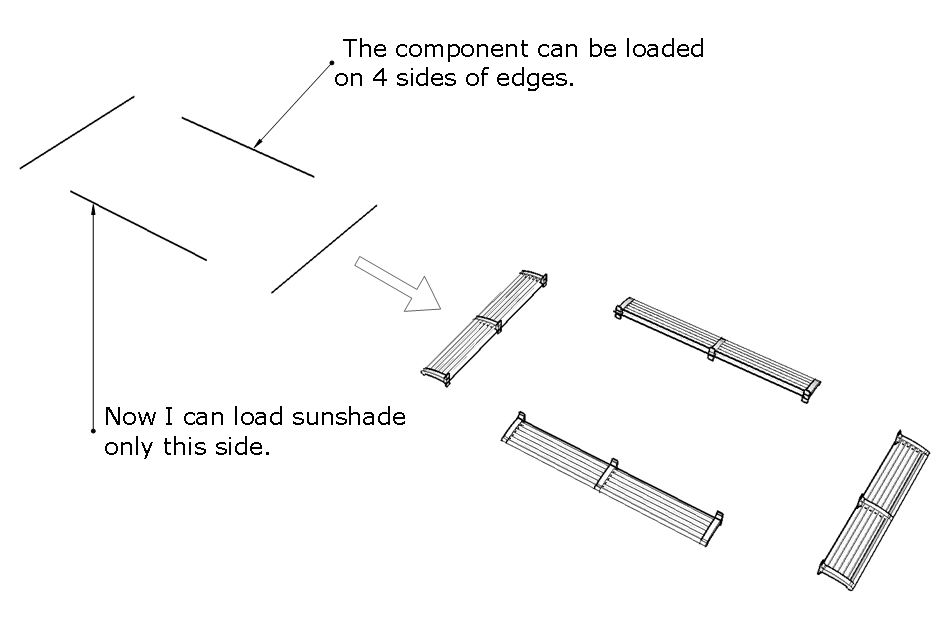
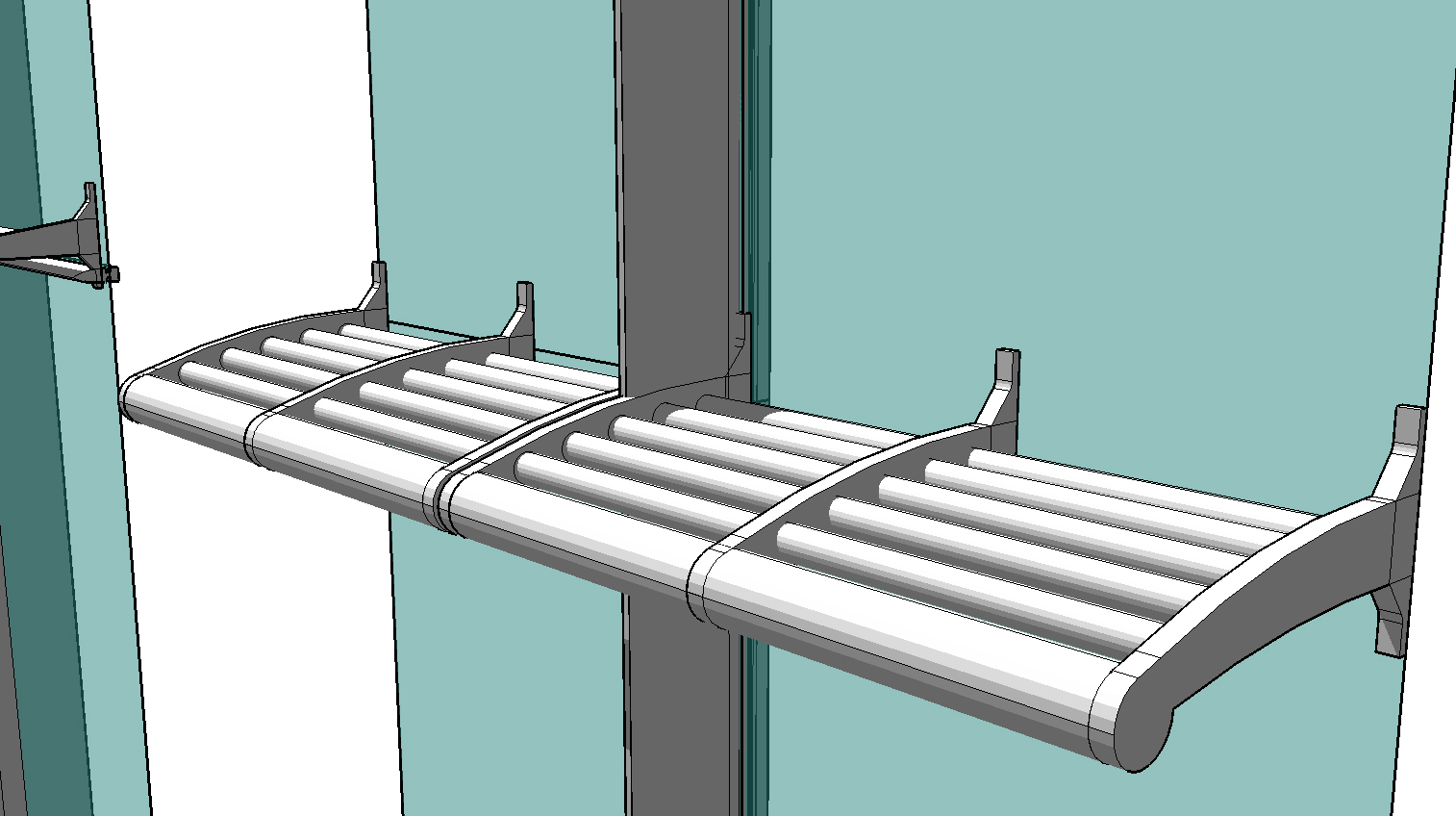
I'm trying to load a sunshade component in " 4 sides of drawing edges " .I can do only one side. Anyone can give me any idea how can I load with a rotation in a code ?
I want the code can apply around a building facade.require 'sketchup.rb' def insert_file_skp(sFile, point, sName) model = Sketchup.active_model pants_def = model.definitions.load sFile # Then define a location, and place our skp there. pants_location = point transform = Geom;;Transformation.new pants_location entities = Sketchup.active_model.active_entities instance = entities.add_instance pants_def, transform instance.name= sName return instance end def move_compo(edge, compo) model = Sketchup.active_model start_point = edge.start.position end_point = edge.end.position if start_point.x < end_point.x pt = start_point else pt = end_point end p pt ## Z Scale 90 degrees cpt = compo.transformation.origin xscale = edge.length / 1.m tscale = Geom;;Transformation.scaling cpt, xscale, 1, 1 compo.transform!(tscale) vector = pt - cpt tr = Geom;;Transformation.translation vector compo.transform!(tr) end def insert_Sunshade_Curved model = Sketchup.active_model model.start_operation( "Add Component", true) selection = model.selection selection.each{|entity| sFile = Sketchup.find_support_file "CurtainWall_Architect/Components/Sunshade/Sunshade_Curved.skp", "Plugins" if entity.class == Sketchup;;Edge edge = entity line = edge.line #vector of edge if (line[1].dot Z_AXIS).abs == 0.0 compo = insert_file_skp( sFile, Geom;;Point3d.new(0,0,0), "Sunshade-Curved") move_compo(edge, compo) end } model.commit_operation end
-
Your code inserts an instance at the origin, scales it to the edge.length and moved it to the edge.start.position.
So far so good.
Now in
move_compo()you need to find the angle that the edge makes with the X_AXIS.I am typing this from memory, as I can't test it right now, so please be aware that you might need to spot typos and even flip some logic***
vec = edge.line[1] ang = X_AXIS.angle_between(vec) ang = -ang if X_AXIS.cross(vec).z < 0******e.g. it might be
> 0?Now rotate the instance about the edge.start.position
trr = Geom::Transformation.rotation(edge.start.position, Z_AXIS, ang) compo.transform!(trr)That should rotate the instance onto its edge's line...
-
Thank you so much !
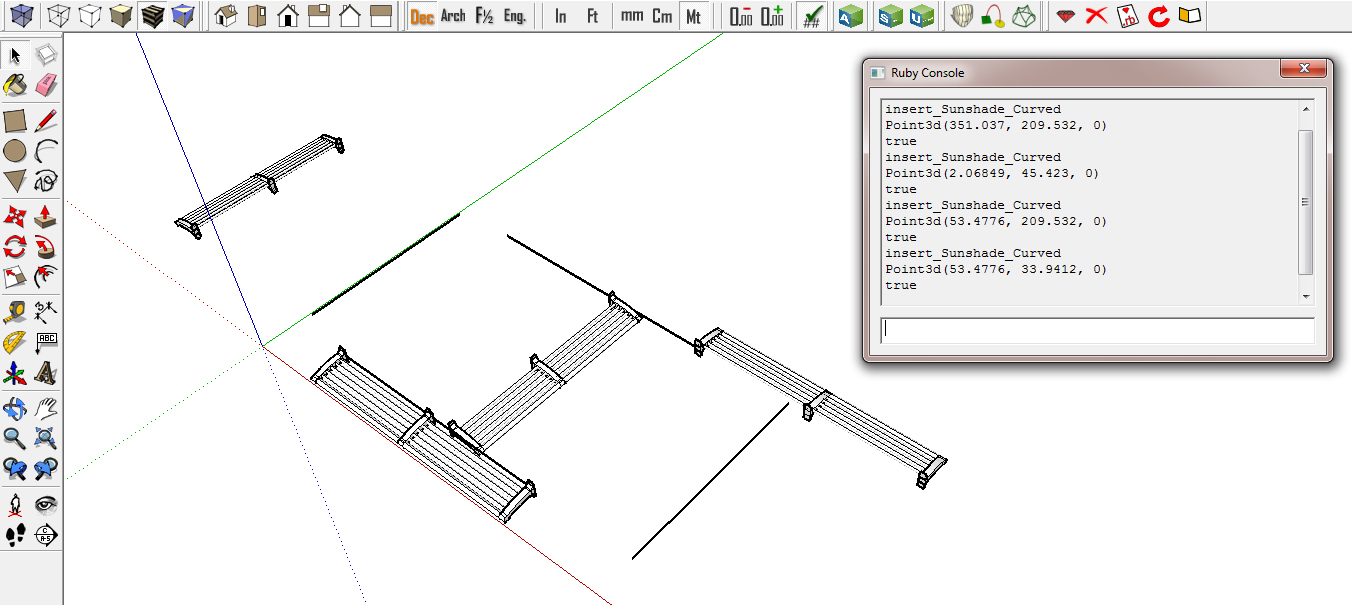
I try to solve form your suggestion It's rotate , but not place at the edges.
I don't know why.
require 'sketchup.rb'
def insert_file_skp(sFile, point, sName)
model = Sketchup.active_model
pants_def = model.definitions.load sFileThen define a location, and place our skp there.
pants_location = point
transform = Geom::Transformation.new pants_location
entities = Sketchup.active_model.active_entities
instance = entities.add_instance pants_def, transform
instance.name= sName
return instance
enddef move_compo(edge, compo)
model = Sketchup.active_model
start_point = edge.start.position
end_point = edge.end.position#------------- Edit ----------------#
[highlight=#ffff80:1fxmkzqh]vec = edge.line[1]
ang = X_AXIS.angle_between(vec)
ang = -ang if X_AXIS.cross(vec).z < 0[/highlight:1fxmkzqh]
#------------------------------------#
if start_point.x < end_point.x
pt = start_point
else
pt = end_point
end
p ptcpt = compo.transformation.origin
xscale = edge.length / 1.m
tscale = Geom::Transformation.scaling cpt, xscale, 1, 1
compo.transform!(tscale)vec = pt - cpt
#------------- Edit ----------------#
[highlight=#ffff80:1fxmkzqh]tr1 = Geom::Transformation.translation vec
tr2 = Geom::Transformation.rotation(edge.start.position, Z_AXIS, ang)instance1 = compo.transform!(tr1)
instance2 = compo.transform!(tr2)[/highlight:1fxmkzqh]#------------------------------------#
end
def insert_Sunshade_Curved
model = Sketchup.active_model
model.start_operation( "Add Component", true)
selection = model.selection
selection.each{|entity|
sFile = Sketchup.find_support_file "CurtainWall_Architect/Components/Sunshade/Sunshade_Curved.skp", "Plugins"if entity.class == Sketchup::Edge edge = entity line = edge.line #vector of edge if (line[1].dot Z_AXIS).abs == 0.0 compo = insert_file_skp( sFile, Geom::Point3d.new(0,0,0), "Sunshade-Curved") move_compo(edge, compo) end end}
model.commit_operation
end
-
You want to move the compo that you have initially placed at the ORIGIN to the start of the edge ?
So use
vect = ORIGIN.vector_to(edge.start.position)
Then use that to move it into place [and then do my rotation code...]
tr1 = Geom::Transformation.translation(vect) tr2 = Geom::Transformation.rotation(edge.start.position, Z_AXIS, ang) compo.transform!(tr1) compo.transform!(tr2)Check my ..z < 0 works... it might need to be ..z > 0 ??
I haven't managed to test any of this

Incidentally, you can combine transformations thus
compo.transform!(tr2*tr1)
once you know it's working right - note the order of the combination * - relocating to a point then rotating about that point, is likely to produce a different result compared to rotating about a point then relocating to that point... -
Thank you very much , TIG

Finally I can load , scale , and rotate sunshades from your advice !!!
This code works very nice. z < 0 made the components run on the edges.
def move_compo(edge, compo)
model = Sketchup.active_model
start_point = edge.start.position
end_point = edge.end.position#------------- Edit ----------------#
[highlight=#ffff80:1zu9kjw1]vect = edge.line[1]
ang = X_AXIS.angle_between(vect)
ang = -ang if X_AXIS.cross(vect).z < 0[/highlight:1zu9kjw1]
#------------------------------------#
cpt = compo.transformation.originxscale = edge.length / 1.m
tscale = Geom::Transformation.scaling cpt, xscale, 1, 1
compo.transform!(tscale)vect = ORIGIN.vector_to(edge.start.position)
#------------- Edit ----------------#
[highlight=#ffff80:1zu9kjw1]tr1 = Geom::Transformation.translation(vect)
tr2 = Geom::Transformation.rotation(edge.start.position, Z_AXIS, ang)
compo.transform!(tr2*tr1)[/highlight:1zu9kjw1]#------------------------------------#
end
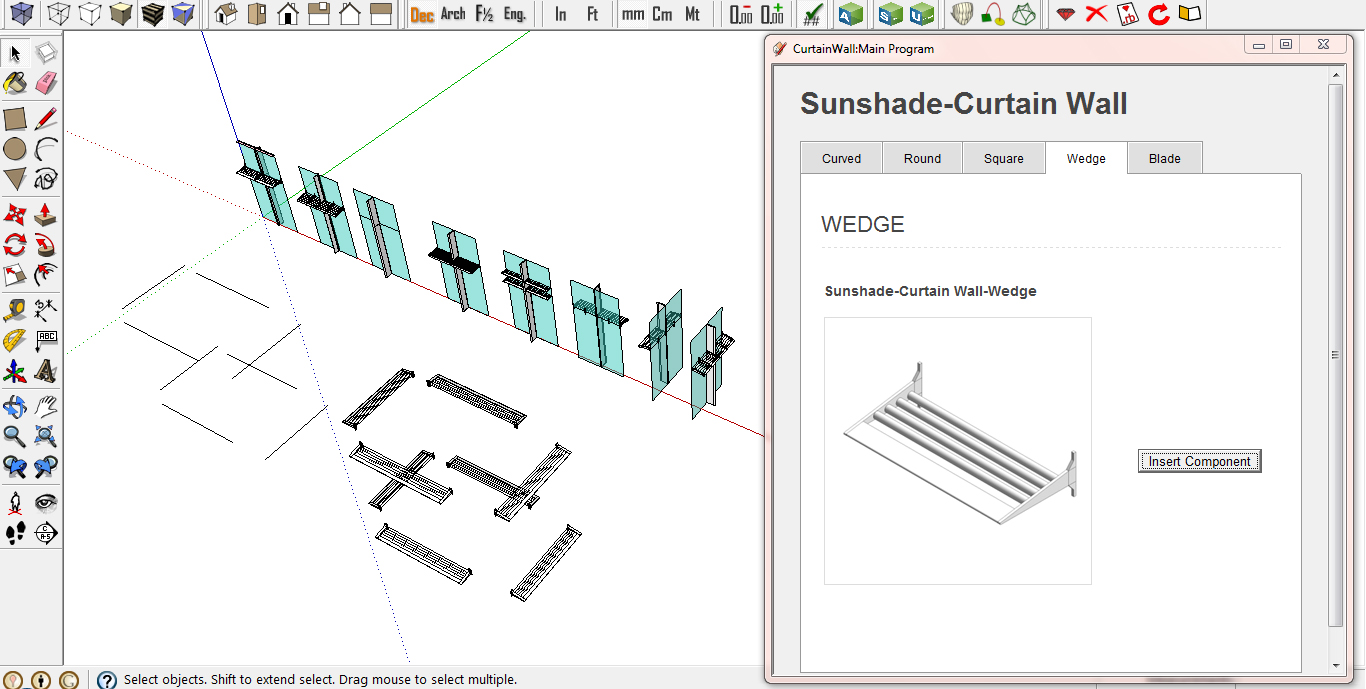
-
Glad to help.
I guessed at the right 'cross' result - it'd either be .z<0 or .z>0 !

-
I respect you !!! I'm a big fan of you.


Hello! It looks like you're interested in this conversation, but you don't have an account yet.
Getting fed up of having to scroll through the same posts each visit? When you register for an account, you'll always come back to exactly where you were before, and choose to be notified of new replies (either via email, or push notification). You'll also be able to save bookmarks and upvote posts to show your appreciation to other community members.
With your input, this post could be even better 💗
Register Login


Advertisement