Vray 4 SU8 bump map problem
-
Hello
I have a following problem with Vray in Sketchup 8.I have a table textured from all sides with wood material. This wood material has a bump map assigned. When I make a render the bump map didnt work on all sides. It is visible only on vertical side but nut horizontal (not on table top). I dont know where is the problem, I have only this one material assigned to all wood. If I rotate table top to vertical position and then do the render bump map is working. But not in horisontal position.
Does anyone has a clue how to solve this?
Thanks for answers.
-
Do you have any pictures of this?
My immediate thought is for reversed faces, but i can't say until i see some exported images. -
@maslius said:
Hello
I have a following problem with Vray in Sketchup 8.I have a table textured from all sides with wood material. This wood material has a bump map assigned. When I make a render the bump map didnt work on all sides. It is visible only on vertical side but nut horizontal (not on table top). I dont know where is the problem, I have only this one material assigned to all wood. If I rotate table top to vertical position and then do the render bump map is working. But not in horisontal position.
Does anyone has a clue how to solve this?
Thanks for answers.
The appearance of your bump depends on the angle that your light sources are hitting the surface. If the light is more head-on, the bump will look flatter. Also, if not much light is shining on the surface at all (like the sides) it will be hard to see any bump effect.
-
Bump mapping has been greatly improved in 1.6
-
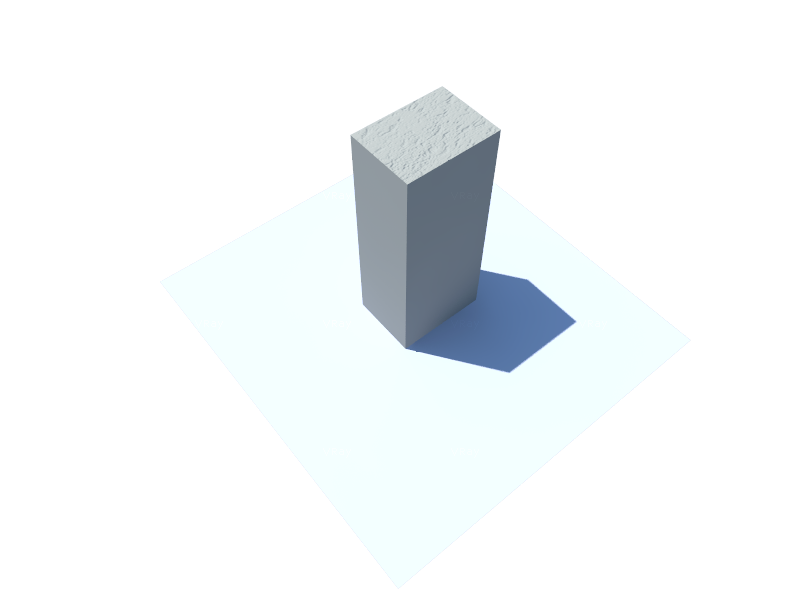
have the same problem... please help !
-
can you also post a screen shot of the sketchup viewport? From the look of that render, it appears that the bump is on the horizontal surface, but not the vertical. This is the opposite of what you stated in your original description. A viewport screen shot will give us an idea of what/where materials are applied to the model.
-
Back faces?



Hello! It looks like you're interested in this conversation, but you don't have an account yet.
Getting fed up of having to scroll through the same posts each visit? When you register for an account, you'll always come back to exactly where you were before, and choose to be notified of new replies (either via email, or push notification). You'll also be able to save bookmarks and upvote posts to show your appreciation to other community members.
With your input, this post could be even better 💗
Register Login


Advertisement