sketchucation logo sketchucation
    • Anmelden
    Oops, your profile's looking a bit empty! To help us tailor your experience, please fill in key details like your SketchUp version, skill level, operating system, and more. Update and save your info on your profile page today!
    ⚠️ Important | Libfredo 15.6b introduces important bugfixes for Fredo's Extensions Update

    Subdivision Modeling Furniture

    Geplant Angeheftet Gesperrt Verschoben Corner Bar
    37 Beiträge 15 Kommentatoren 2.2k Aufrufe 15 Watching
    Lade mehr Beiträge
    • Älteste zuerst
    • Neuste zuerst
    • Meiste Stimmen
    Antworten
    • In einem neuen Thema antworten
    Anmelden zum Antworten
    Dieses Thema wurde gelöscht. Nur Nutzer mit entsprechenden Rechten können es sehen.
    • N Offline
      numerobis
      zuletzt editiert von

      Nice modeling! 😎

      @hieru said:

      Are the modelling techniques similar to those used with Artisan.....in other words, is it a transferable skill - either using SU skills in max and blender, or using max and blender skills in SU?

      Using Artisan is no Sub-D modeling... it subdivides geometry yes, but destructive and using tris.

      1 Antwort Letzte Antwort Antworten Zitieren 0
      • HieruH Offline
        Hieru
        zuletzt editiert von

        I appreciate that, but wondered whether there are any commonalities in the approach to creating proxies.

        www.davidhier.co.uk

        1 Antwort Letzte Antwort Antworten Zitieren 0
        • pugz1983P Offline
          pugz1983
          zuletzt editiert von

          Hi Guys,

          Thanks for the nice words about the model. Great to hear that you like the models. I'will prepare a model for SU and post it here for you to download. Love to see it in one of your renders or work.

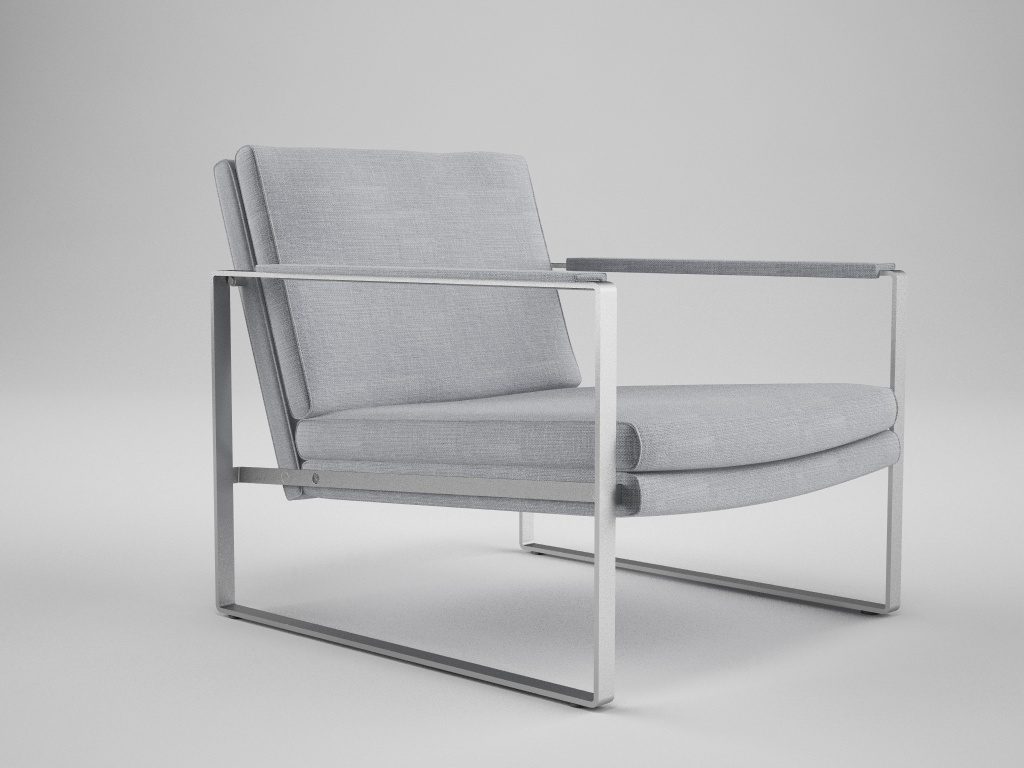
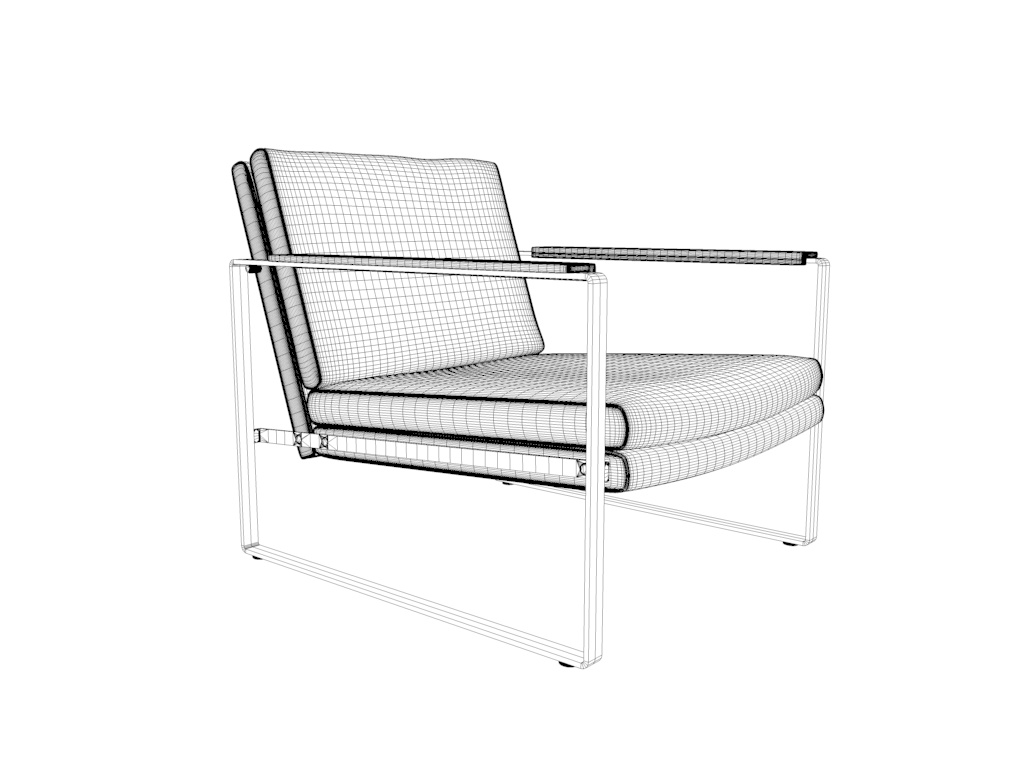
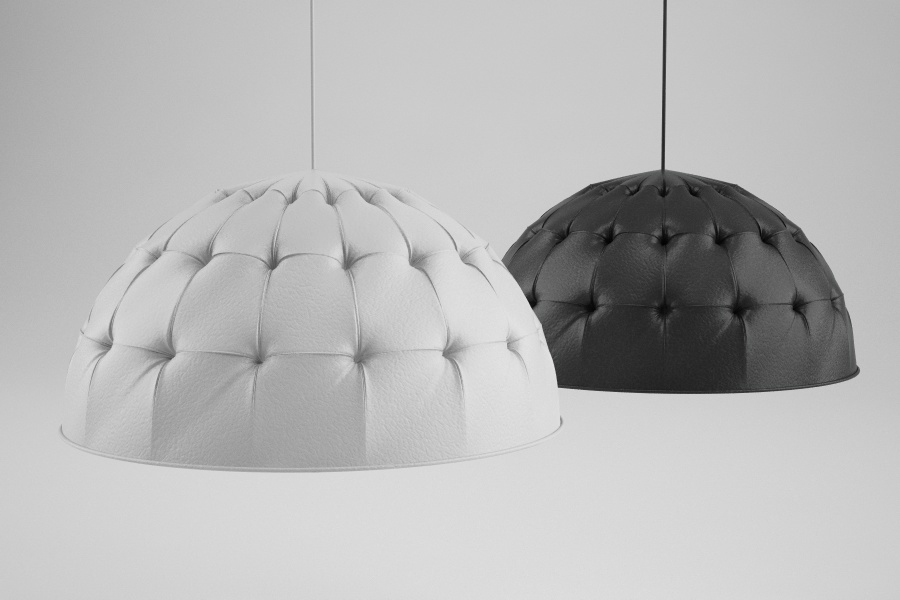
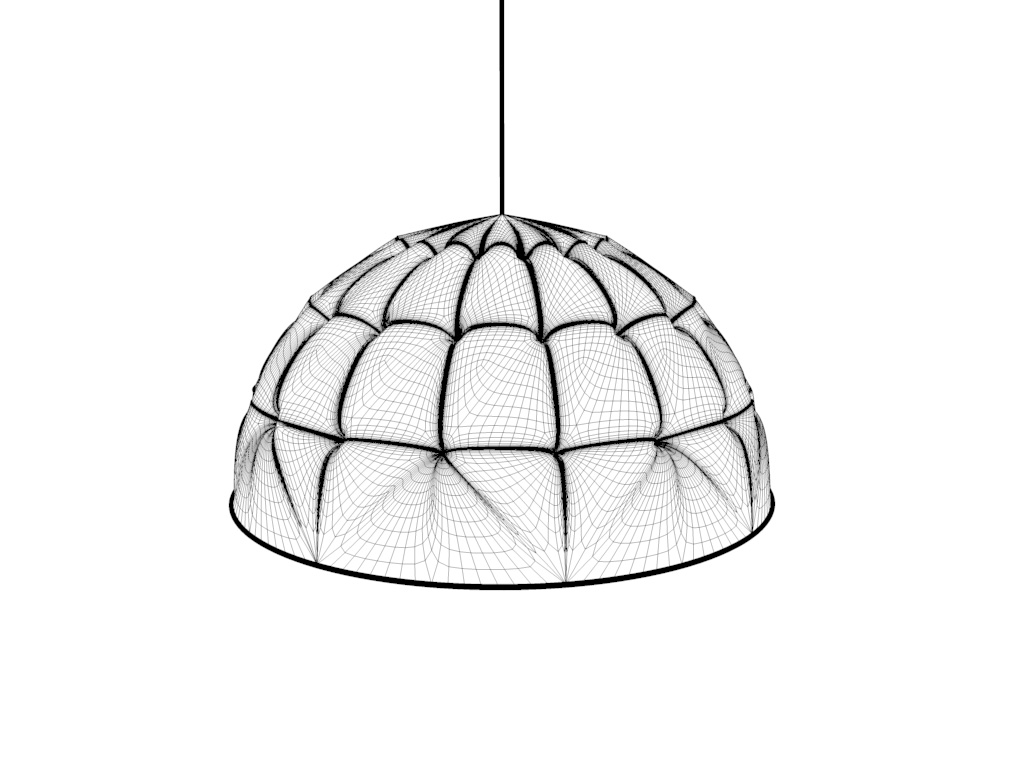
          Here is another Chair I made and a test I did trying the model the Chesterfield look thingy. I decided to first try it out on a lamp.

          @Hieru:
          The modeling proces is more or less the same as with artisan. It's all about where you cut the geometry with the knife tool. Most used tools are Bevel, Extrude, and a lot of loop selections and moving points 😄

          Greetz Twan


          render1_0000.jpg


          render1_0000_WIRE.jpg


          CHESTERFIELD_LAMP1_0000.jpg


          CHESTERFIELD-LAMP1_WIRE.jpg

          1 Antwort Letzte Antwort Antworten Zitieren 0
          • HieruH Offline
            Hieru
            zuletzt editiert von

            @pugz1983 said:

            The modeling proces is more or less the same as with artisan. It's all about where you cut the geometry with the knife tool. Most used tools are Bevel, Extrude, and a lot of loop selections and moving points 😄

            I had a look at various tutorials over the weekend and could definitely see some crossover
            and useful approaches that might work with Artisan.

            Keep up the good work and thanks for inspiring me to up my game 👍

            www.davidhier.co.uk

            1 Antwort Letzte Antwort Antworten Zitieren 0
            • jenujacobJ Offline
              jenujacob
              zuletzt editiert von

              is there a particular reason you are going into Sub-D rather than NURBS?
              i am asking becoz i have just started to get my hands dirty with Rhino. I just want to make sure i am making the right decision. My primary focus is in architecture, but i dont mind diving into furnitures and other industrial designs in the future! 😄

              1 Antwort Letzte Antwort Antworten Zitieren 0
              • N Offline
                notareal
                zuletzt editiert von

                @unknownuser said:

                @gilles said:

                Nice work, but be care with Le Corbusier copyright:

                no way will that hold up in court.

                but yeah, nice work for sure 👍

                "The French courts have found in favor of the Le Corbusier rights-holders who initiated these claims." looks like they have case already win in court, but Getty Images is appealing...
                French courts seem quite interesting as one publish pictures of the Eiffel tower in daylight, but not with a nigh illumination http://www.eiffel-tower.com/the-eiffel-tower-image-and-brand/image-rights-the-eiffel-tower-brand.html

                Great modelling anyways!

                Welcome to try [Thea Render](http://www.thearender.com/), Thea support | [kerkythea.net](http://www.kerkythea.net/) -team member

                1 Antwort Letzte Antwort Antworten Zitieren 0
                • michaliszissiouM Offline
                  michaliszissiou
                  zuletzt editiert von

                  Should I add this? Here?
                  Recently, zbrush 4 r6 is out. What's new?
                  A great new z remesher, meaning a new auto retopology tool. Amazing, after my first tests.
                  Just sculpt the basics, under dynamesh mode, ask for retopology then.
                  Here an example.

                  After auto retopology (ZBrush imported to blender)
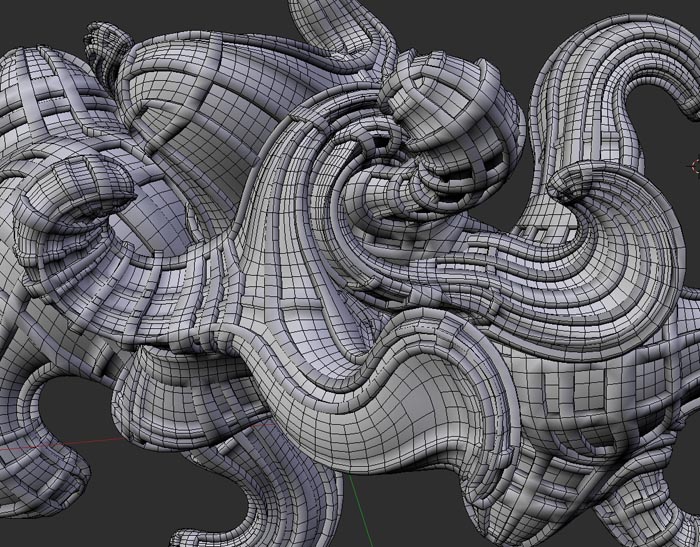
                  Screen Shot 2013-06-30 at 2.48.03 AM.jpg

                  After UV ing (blender is one of the best UV editors around) applying displacements (bumps) and AO maps.
                  A ~24 k faces model.
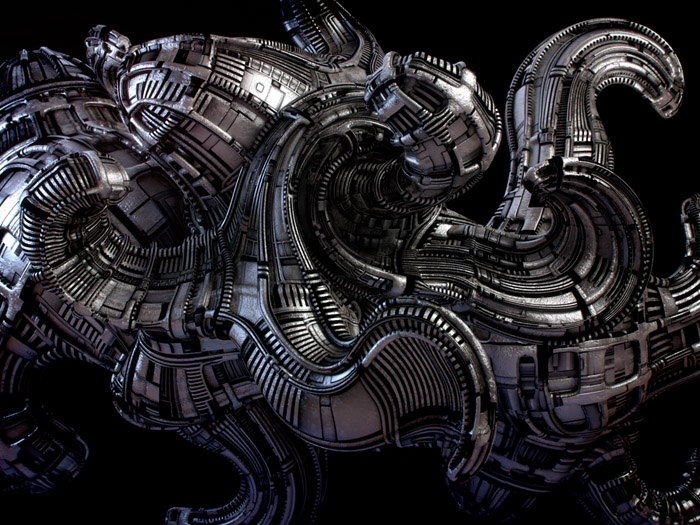
                  LahSpZBtopo700.jpg

                  1 Antwort Letzte Antwort Antworten Zitieren 0
                  • pugz1983P Offline
                    pugz1983
                    zuletzt editiert von

                    Hi Micha,

                    Love your style. Seems you got the whole UV mapping and displacement thing under control. I've had a look at Z-brush. I like to possibilities of teh app but the navigation and UI are not my cup of tea. Can't get my head around the navigation. For the basic sculpting of furniture I use other sculpting app.

                    Greetz Twan

                    1 Antwort Letzte Antwort Antworten Zitieren 0
                    • michaliszissiouM Offline
                      michaliszissiou
                      zuletzt editiert von

                      thanks Twan
                      Though real displacements can be activated, what you see in render is only a new bumps algorithm of cycles.Plus the use of a pre baked AO map.
                      Problems with the zbrush navigation? There's a whole documentation located in zb folder.
                      However, because you obviously prefer the SUp style, instead of the default xyz, select the y. (the buttons column on the right)
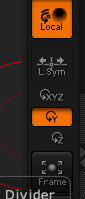

                      Screen Shot 2013-07-03 at 3.28.52 PM.png

                      1 Antwort Letzte Antwort Antworten Zitieren 0
                      • pilouP Offline
                        pilou
                        zuletzt editiert von

                        @unknownuser said:

                        Problems with the zbrush navigation? There's a whole documentation located in zb folder.

                        And when you press Ctrl when your mouse is over an Icone you will have some help's text! 😉

                        Frenchy Pilou
                        Is beautiful that please without concept!
                        My Little site :)

                        1 Antwort Letzte Antwort Antworten Zitieren 0
                        • RichardR Offline
                          Richard
                          zuletzt editiert von

                          Twan - these models are stunning!!!!!

                          I look forward to your suggestion of getting them into the SCF store! Will be a great inclusion!

                          [BUILTBRAND.COM.AU](http://builtbrand.com.au/)

                          1 Antwort Letzte Antwort Antworten Zitieren 0
                          • michaliszissiouM Offline
                            michaliszissiou
                            zuletzt editiert von

                            @unknownuser said:

                            The hardest part in my opinion is the creases of the fabric. There are a few methods to make creases like sculpting or using displacement maps. I'm still not sure what the best method is. Still a long way to go but I hope I'm on the right track. Love some comments on the model and render.

                            Your modeling is impressive.
                            Fabric creases isn't that hard. Your best option is the excellent sculpt mode (multiresolution modifier) of blender.
                            Then you can have UVs (blender is one of the most advanced on this matter) and bake displacements or bumps or normal maps (from multires). This is important for exporting these models as low poly base with displ or bumps.
                            Staying in blender/cycles render, you don't need it. Because you can have the low poly in preview scene, sending the hi subd data to the render engine.
                            The hardest part, IMO, is the UV mapping. Especially on geometrical patterns like fabrics tartans etc. You may need to have the unwrapped faces (in UV editor) aligned to these patterns. Manually this is quite a PITA.
                            In blender there's a wonderful method of unwrapping. "Follow active quad". Not the right place to explain it further but you may visit my small tutorial on such methods http://blenderartists.org/forum/showthread.php?273033-Sculpting-with-UVs-and-displacements&p=2245866&viewfull=1#post2245866
                            Though this method deals with something different, the way I use the UV editor may interests you.

                            You mentioned the term "crease". But it was about sculpting.
                            However, in subdivision modeling there is an important hidden trick.
                            You can select loops, edges, and apply a crease value. When subd (catmul clark smoothing) takes place, these edges will remain sharp-er according to the value of crease.
                            Great !! But, exporting as obj there may be an issue. Will crease data will exported as well? Obj supports it. Blender? You have to try the most recent betas from official http://builder.blender.org/download/
                            I'm sure, C4D already supports it.
                            If you export low poly assets + displ maps in SUp, you just apply the subsurf modifiers, so, no issues on this.
                            In recent blender builds, collada works just fine. This is how you export in SUp.

                            1 Antwort Letzte Antwort Antworten Zitieren 0
                            • Rich O BrienR Offline
                              Rich O Brien Moderator
                              zuletzt editiert von

                              @unknownuser said:

                              If you export low poly assets + displ maps in SUp, you just apply the subsurf modifiers, so, no issues on this.
                              In recent blender builds, collada works just fine. This is how you export in SUp.

                              Some of us have a .obj exporter for SketchUp that can export tri'd quads into Blender and in Blender it is only Quads 👍

                              Download the free D'oh Book for SketchUp 📖

                              1 Antwort Letzte Antwort Antworten Zitieren 0
                              • pilouP Offline
                                pilou
                                zuletzt editiert von

                                Your thread is Epic! 😎 (48 pages for the moment) 💚
                                By Michalis

                                https://dl.dropbox.com/u/24090090/prCYCLES_bakingS.jpg

                                Frenchy Pilou
                                Is beautiful that please without concept!
                                My Little site :)

                                1 Antwort Letzte Antwort Antworten Zitieren 0
                                • michaliszissiouM Offline
                                  michaliszissiou
                                  zuletzt editiert von

                                  Thanks pilou, too kind of you. 48 pages, but I posted a synopsis in the second post of the most important tricks and post around these pages.
                                  @Rich, we're talking about the opposite.

                                  Exporting from SUp to blender or to other apps can be a PITA.
                                  We suggest TIG's free obj exporter, I guess so. Excellent to export a rather huge SUp scene and render in cycles.

                                  1. triangulation.
                                  2. not welded vertices. Edit mode (blender) selelct all [W] menu, delete doubles
                                  3. Select all, [ctrl+F] menu in blender, tris to quads, cross your fingers.
                                  4. UVs in SUp: Every face is a UV not connected island. -10 for SUp. LOL
                                    (Most SUp users fear to get involved into a decent UV editor. If they knew all about the SUp UV editor... well nevermind). UV editor ha ha. Just use blender, select [U] menu, reset/ ctrl+P to pack these separated faces on UV texture map and have something similar to the SU UV editor. Ask for follow active quad and have something much more interesting. If it is a house something walls, select cubic and have something better. Or, like me, start thinking how great is to have an advanced UV editor for free. Learn how to use it. For archi vis use, it is one of the most important tools anyway.
                                  1 Antwort Letzte Antwort Antworten Zitieren 0
                                  • Rich O BrienR Offline
                                    Rich O Brien Moderator
                                    zuletzt editiert von

                                    We speak the same Mick.

                                    I now use Blender extensively and where i deal SU models I use the unreleased SU2Blender obj exporter that removes tris from SU mesh and delivers to blender quad only mesh.

                                    It does mean adopting a new modeling philosophy in SU but that is what users need to do anyway if they wish to become proficient in Blender.

                                    Download the free D'oh Book for SketchUp 📖

                                    1 Antwort Letzte Antwort Antworten Zitieren 0
                                    • michaliszissiouM Offline
                                      michaliszissiou
                                      zuletzt editiert von

                                      @unknownuser said:

                                      I now use Blender extensively and where i deal SU models I use the unreleased SU2Blender obj exporter that removes tris from SU mesh and delivers to blender quad only mesh.

                                      Some more informations Rich?

                                      1 Antwort Letzte Antwort Antworten Zitieren 0
                                      • Rich O BrienR Offline
                                        Rich O Brien Moderator
                                        zuletzt editiert von

                                        If you use Thomthom's QuadFace tools to apply the soft/smooth/cast shadows off to the edge dividing the quad then you can export that 'SketchUp QuadFace' to Blender as a Quad.

                                        The exporter is not available publicly but I'll give someone a poke about it.

                                        Download the free D'oh Book for SketchUp 📖

                                        1 Antwort Letzte Antwort Antworten Zitieren 0
                                        • michaliszissiouM Offline
                                          michaliszissiou
                                          zuletzt editiert von

                                          Thanks Rich.
                                          I just tried the collada exporter today. (SU)
                                          And the new collada importers in blender.
                                          No triangulation, in fact even n-gons are preserved.
                                          Of course, I'm not sure if everyone will appreciate n-gons.

                                          1 Antwort Letzte Antwort Antworten Zitieren 0
                                          • HieruH Offline
                                            Hieru
                                            zuletzt editiert von

                                            @michaliszissiou said:

                                            Just use blender, select [U] menu, reset/ ctrl+P to pack these separated faces on UV texture map and have something similar to the SU UV editor.

                                            Do the textures get fragmented again if you export to obj from Blender?

                                            www.davidhier.co.uk

                                            1 Antwort Letzte Antwort Antworten Zitieren 0
                                            • 1
                                            • 2
                                            • 1 / 2
                                            • Erster Beitrag
                                              Letzter Beitrag
                                            Buy SketchPlus
                                            Buy SUbD
                                            Buy WrapR
                                            Buy eBook
                                            Buy Modelur
                                            Buy Vertex Tools
                                            Buy SketchCuisine
                                            Buy FormFonts

                                            Advertisement