sketchucation logo sketchucation
    • 登入
    Oops, your profile's looking a bit empty! To help us tailor your experience, please fill in key details like your SketchUp version, skill level, operating system, and more. Update and save your info on your profile page today!
    🔌 Smart Spline | Fluid way to handle splines for furniture design and complex structures. Download

    [Plugin][$] TopoShaper - v2.7b - 30 Jan 26


    已排程 已置頂 已鎖定 已移動 Plugins
    456 貼文 144 Posters 715.4k 瀏覽 143 Watching
    正在載入更多貼文
    • 從舊到新
    • 從新到舊
    • 最多點贊
    回覆
    • 在新貼文中回覆
    登入後回覆
    此主題已被刪除。只有擁有主題管理權限的使用者可以查看。
    • G 離線
      Grey24601
      最後由 編輯

      Hi Fredo Thanks for the response. I cleaned it up and it still makes no difference.

      For my own education what do the options on the Selection panel do? Such as Limit prolongation on edge crossings?

      1 條回覆 最後回覆 回覆 引用 0
      • fredo6F 離線
        fredo6
        最後由 編輯

        @grey24601 said:

        For my own education what do the options on the Selection panel do? Such as Limit prolongation on edge crossings?

        A said, there is no way to address your problem in the current version. The terrain hull is computed automatically and cannot be specified.

        1 條回覆 最後回覆 回覆 引用 0
        • J 離線
          josefen
          最後由 編輯

          I'm stresstesting Toposhaper:Cloud as i type.

          I've imported 57 816 points with z-values from a dwg file.

          Any predition - will it work with this amout of points?

          1 條回覆 最後回覆 回覆 引用 0
          • fredo6F 離線
            fredo6
            最後由 編輯

            @josefen said:

            I'm stresstesting Toposhaper:Cloud as i type.

            I've imported 57 816 points with z-values from a dwg file.

            Any predition - will it work with this amout of points?

            Not sure, but you'll have time for more than a coffee...!
            I suggest that you first start on a subset of points. Be aware that if you have a dense mesh of points, you may have some spikes in the terrain, because the surface goes through ALL points.

            Anyway, once you have constructed the terrain as a triangular mesh, you can generate the iso contours, and then use the TopoShaper QuadMesh to make it smoother and more regular.

            Fredo

            1 條回覆 最後回覆 回覆 引用 0
            • K 離線
              KMAM
              最後由 編輯

              Toposhaper was not letting me increase my grid it would get stuck at 50% so I uninstalled and reinstalled both Toposhaper and Lib and now it is crashing when I try to generate terrain at all.


              error report for crash

              1 條回覆 最後回覆 回覆 引用 0
              • fredo6F 離線
                fredo6
                最後由 編輯

                @kmam said:

                Toposhaper was not letting me increase my grid it would get stuck at 50% so I uninstalled and reinstalled both Toposhaper and Lib and now it is crashing when I try to generate terrain at all.

                This is a very unusual error. Could you post of PM me the model and the desired grid resolution.

                Fredo

                1 條回覆 最後回覆 回覆 引用 0
                • K 離線
                  KMAM
                  最後由 編輯

                  I sent a PM

                  1 條回覆 最後回覆 回覆 引用 0
                  • fredo6F 離線
                    fredo6
                    最後由 編輯

                    NEW RELEASE: TopoShaper v2.5c - 29 Oct 19

                    Requirement: LibFredo6 8.7a

                    TopoShaper 2.5c is a maintenance release for bug fixing.


                    Home Page of TopoShaper for information and Download.

                    Main post of this TopoShaper thread.

                    1 條回覆 最後回覆 回覆 引用 0
                    • B 離線
                      BenRitter
                      最後由 編輯

                      Thanks again for your generosity

                      1 條回覆 最後回覆 回覆 引用 0
                      • zooenZ 離線
                        zooen
                        最後由 編輯

                        Merci Fredo, tes plugins me sont très utiles, voire indispensables pour certains travaux.

                        Zooen

                        1 條回覆 最後回覆 回覆 引用 0
                        • xtovX 離線
                          xtov
                          最後由 編輯

                          First Fredo, "Mille mercis", Thank you so much for all your plugins. They are invaluable...

                          I like and use a lot TopoShaper and i have a request. Could it be possible to add some editing tool for Cloud Points as you did for contours: set CP to a specified Z, remove CP, Add CP at specified Z ?

                          This will greatly speed up the process of building a nice and clean topography for projects (like for example the site tools in Revit where you just build some topo points by giving the altitude).

                          Kind regards,
                          thanks again
                          and Excellentes fêtes de fin d'année

                          Xtov

                          1 條回覆 最後回覆 回覆 引用 0
                          • fredo6F 離線
                            fredo6
                            最後由 編輯

                            @xtov said:

                            Could it be possible to add some editing tool for Cloud Points as you did for contours: set CP to a specified Z, remove CP, Add CP at specified Z ?

                            This is in my plan and will be fully addressed in a new plugin called FredoGuides.

                            I think there are some plugins doing what you are looking for, for instance Thomthom Guide Tools.

                            Possibly, you may want to have a look at FredoTools:DrawAlong, which allows to create guide points and specify their position.

                            But I agree that a dedicated tool would be better.

                            1 條回覆 最後回覆 回覆 引用 0
                            • sketchartist023S 離線
                              sketchartist023
                              最後由 編輯

                              Do you think this plugin will work for details like this or no?
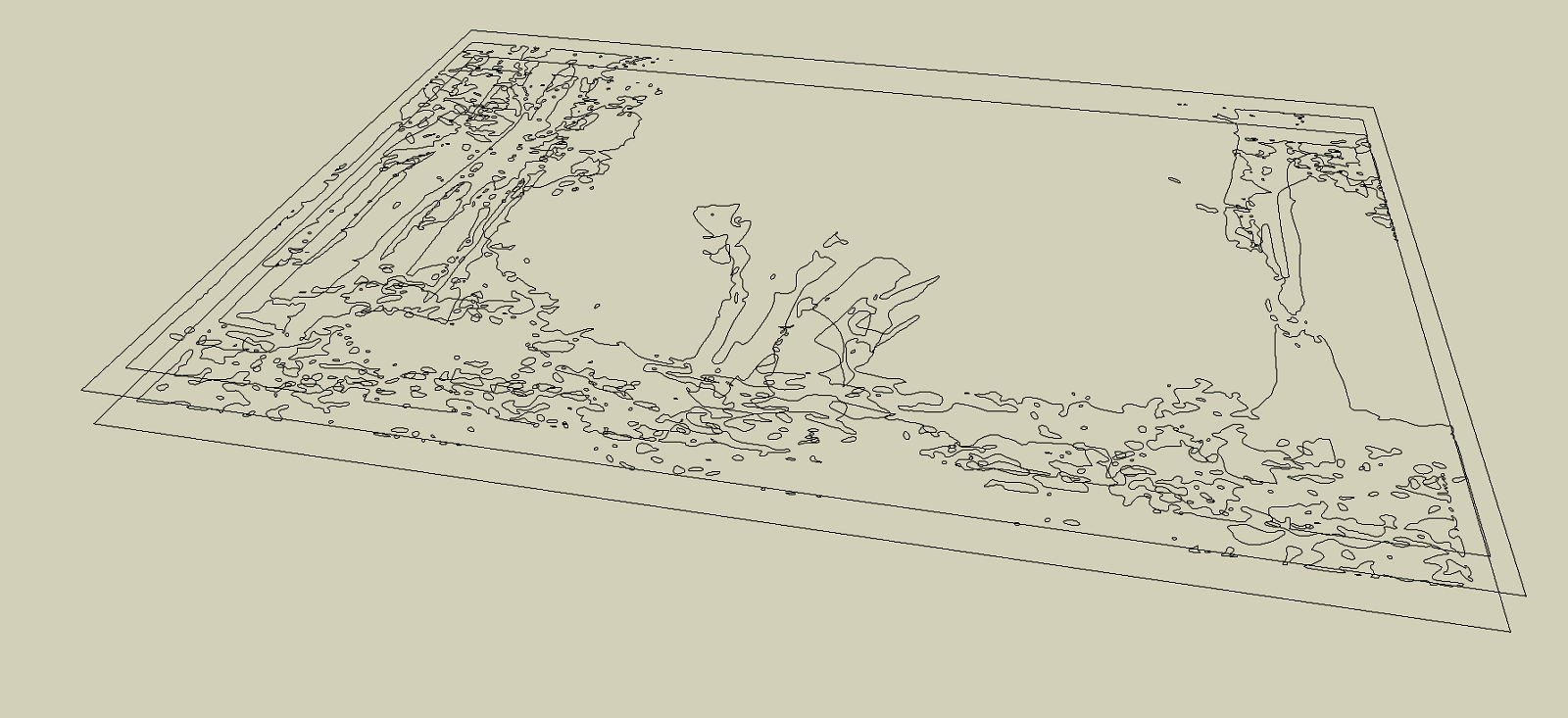

                              isos 2 z alt

                              1 條回覆 最後回覆 回覆 引用 0
                              • fredo6F 離線
                                fredo6
                                最後由 編輯

                                @sketchartist023 said:

                                Do you think this plugin will work for details like this or no?

                                Difficult to judge, but what is sure is that

                                • you need to clean up the crossing lines, and also 'artificial' contours that do not seem to belong to the terrain itself.
                                • A lot of the small rounds may be useless, unless you use a high-resolution grid

                                Anyway, the best is to try and see.

                                1 條回覆 最後回覆 回覆 引用 0
                                • sketchartist023S 離線
                                  sketchartist023
                                  最後由 編輯

                                  @fredo6 said:

                                  @sketchartist023 said:

                                  Do you think this plugin will work for details like this or no?

                                  Difficult to judge, but what is sure is that

                                  • you need to clean up the crossing lines, and also 'artificial' contours that do not seem to belong to the terrain itself.
                                  • A lot of the small rounds may be useless, unless you use a high-resolution grid

                                  Anyway, the best is to try and see.

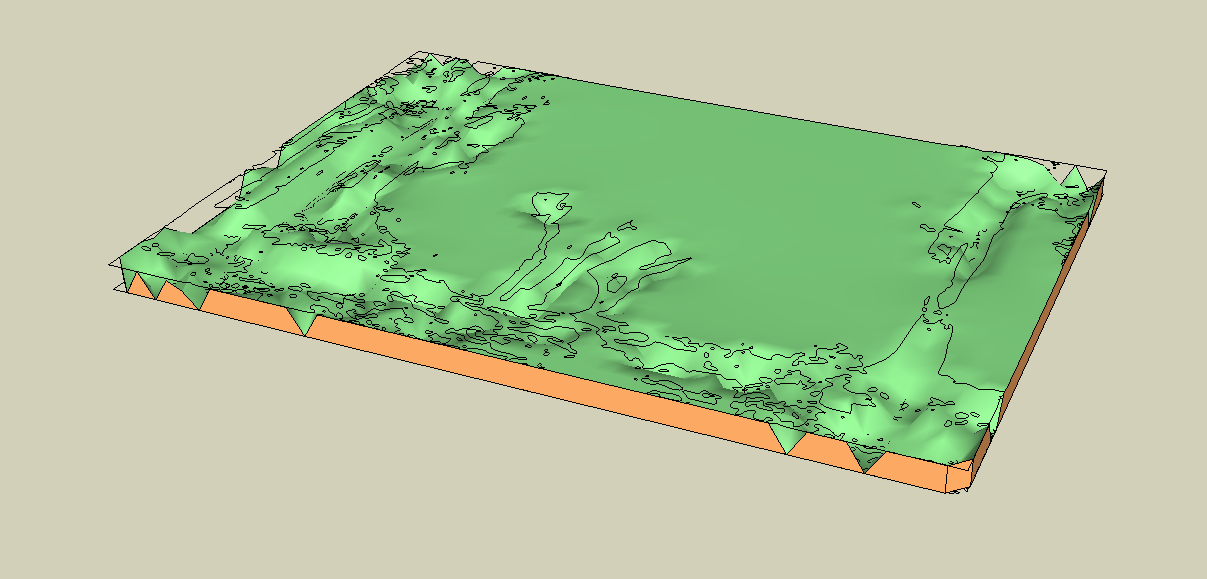
                                  I did just that, and the biggest difference that made no errors were the artificial contours, specifically the very outer border. WHich makes sense because z x and y would all equal the same (therefore an error), so once I deleted those and did a clean (based on the instructions of iso usage), it worked very well!

                                  Check it out 😄


                                  2 layer iso working fine detail

                                  1 條回覆 最後回覆 回覆 引用 0
                                  • sketchartist023S 離線
                                    sketchartist023
                                    最後由 編輯

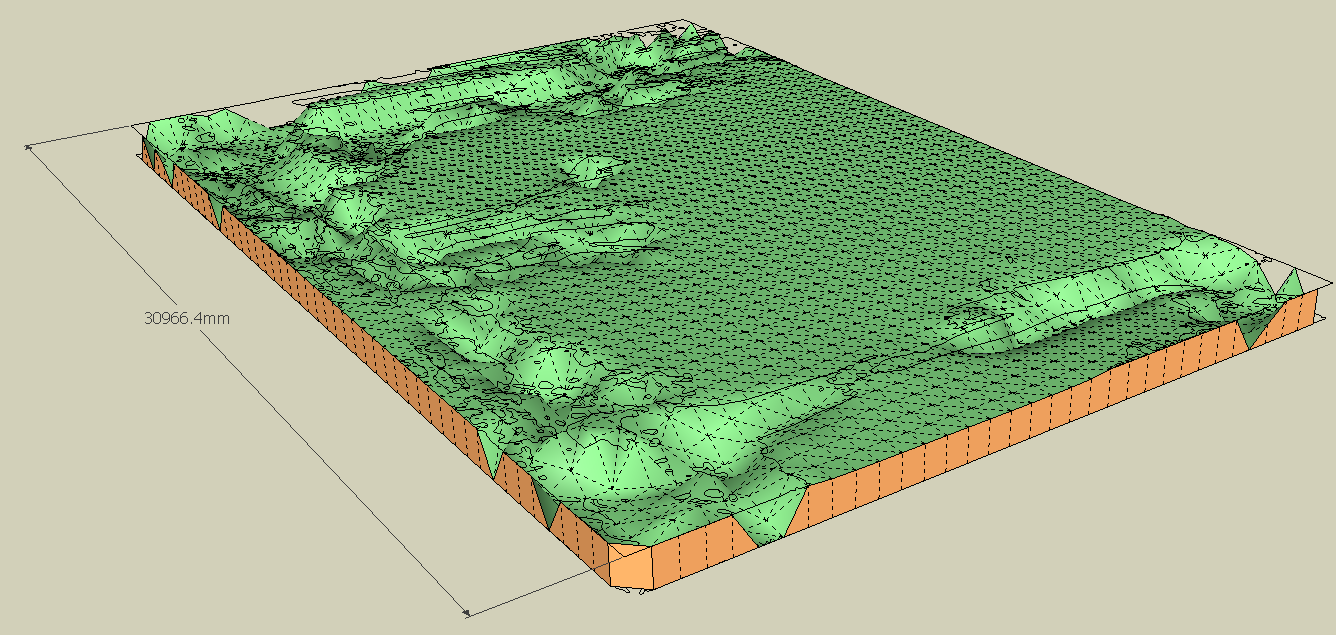
                                    The resolution is also very acceptable considering the width of this model test is only 4 inches 😛

                                    I will read how to change resolution in case I need those smaller ones that you mentioned too. Hopefully, for 3d printing purposes, it will be useful to keep 😄 Thank you much for your help!


                                    dims and resolution

                                    1 條回覆 最後回覆 回覆 引用 0
                                    • sketchartist023S 離線
                                      sketchartist023
                                      最後由 編輯

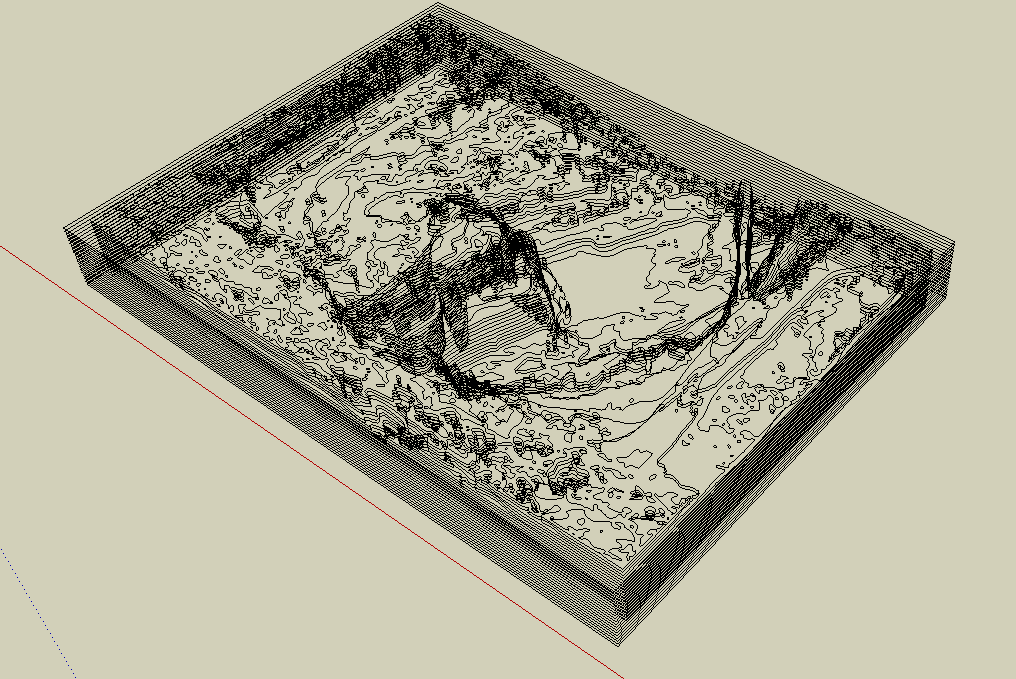
                                      Wish me luck lolz 😛 And yes, this was all done by hand so far. Wish could use the js align tool but I have to learn it first 😛

                                      Progress is progress!


                                      20 iso layers 16180mm z diff

                                      1 條回覆 最後回覆 回覆 引用 0
                                      • fredo6F 離線
                                        fredo6
                                        最後由 編輯

                                        @sketchartist023 said:

                                        The resolution is also very acceptable considering the width of this model test is only 4 inches 😛
                                        I will read how to change resolution in case I need those smaller ones that you mentioned too. Hopefully, for 3d printing purposes, it will be useful to keep 😄 Thank you much for your help!

                                        I think your model would benefit from a higher resolution, as the terrain is basically flat with some very local deeps.

                                        Also, you can always generate the terrain with its new isocontours (which would be clean), and then

                                        • extract the group with these isocontours
                                        • use them to regenerate a new terrain, possibly with another resolution.

                                        Fredo

                                        1 條回覆 最後回覆 回覆 引用 0
                                        • sketchartist023S 離線
                                          sketchartist023
                                          最後由 編輯

                                          @fredo6 said:

                                          @sketchartist023 said:

                                          The resolution is also very acceptable considering the width of this model test is only 4 inches 😛
                                          I will read how to change resolution in case I need those smaller ones that you mentioned too. Hopefully, for 3d printing purposes, it will be useful to keep 😄 Thank you much for your help!

                                          I think your model would benefit from a higher resolution, as the terrain is basically flat with some very local deeps.

                                          Also, you can always generate the terrain with its new isocontours (which would be clean), and then

                                          • extract the group with these isocontours
                                          • use them to regenerate a new terrain, possibly with another resolution.

                                          Fredo

                                          That is great info thank you 😄 Whqat would I likely have to do to generate new isocontours? Do you refer to within the same plugin? I can see howthat would benefit for both generation and time of generation without errors so I'd like to try that method for sure because my SU crashed with this last test. Likely a maxed memory usage idk but new isos would be ideal I agree with this resolution need. Thank you very much again for everything 😄

                                          EDIT: The new iso's might also rid the use of artificial contours I would imagine too, to that would be less work for my end if it works out well with generation 😄 In other words, I wouldnt have to manually erase them one by one after alignments 😛

                                          1 條回覆 最後回覆 回覆 引用 0
                                          • fredo6F 離線
                                            fredo6
                                            最後由 編輯

                                            @sketchartist023 said:

                                            What would I likely have to do to generate new isocontours? Do you refer to within the same plugin?

                                            When you generate the geometry, you have the option to generate the iso-contours for the terrain. These iso-contours are those corresponding to the generated terrain and thus may differ from the original ones. They are created as a subgroup of the terrain group.

                                            1 條回覆 最後回覆 回覆 引用 0
                                            • 1
                                            • 2
                                            • 3
                                            • 4
                                            • 5
                                            • 22
                                            • 23
                                            • 2 / 23
                                            • 第一個貼文
                                              最後的貼文
                                            Buy SketchPlus
                                            Buy SUbD
                                            Buy WrapR
                                            Buy eBook
                                            Buy Modelur
                                            Buy Vertex Tools
                                            Buy SketchCuisine
                                            Buy FormFonts

                                            Advertisement