Problem with casting shadows from invisible object
-
Hey friends,
Like various others have said before, I'm trying to create an invisible shadow-casting object to make up for the shadow casting limitations of the 2d trees I am using. I've read the previous threads about using a transparent PNG as a texture, but I have (for some reason) never been able to make this work. I've used PNGs with 0% opacity, PNGs with 1% opacity, I've tried TIFs (though I think SU doesn't support transparency in TIF?). I've even downloaded Gaieus' 'transparent buildings with shadow' example component from the warehouse (http://sketchup.google.com/3dwarehouse/details?mid=779b98e58f0afd42cb6ac4bba1570c24&prevstart=0), and every time, my PNGs render as white.
I was wondering if there was any obvious reason for this, or some setting I'm failing to enable in vray?
I'm running SU version 8.0.4811, if that matters. Not sure how to check my VfS version #.
I've attached the sketchup viewport and rendered output...
Thanks!
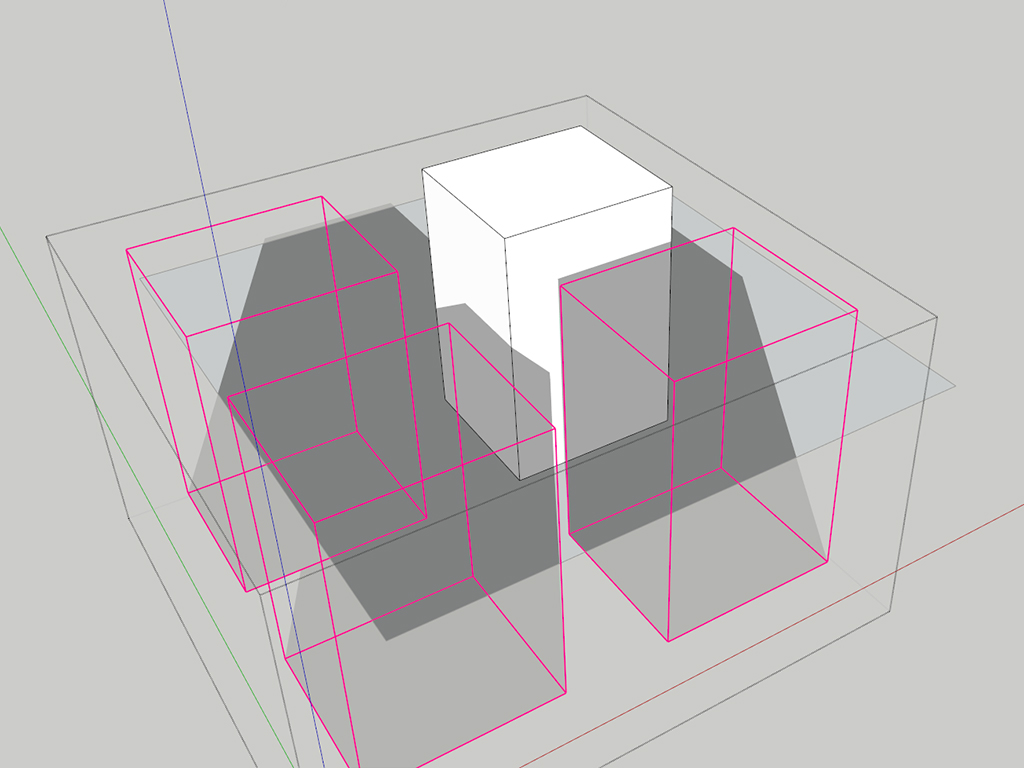
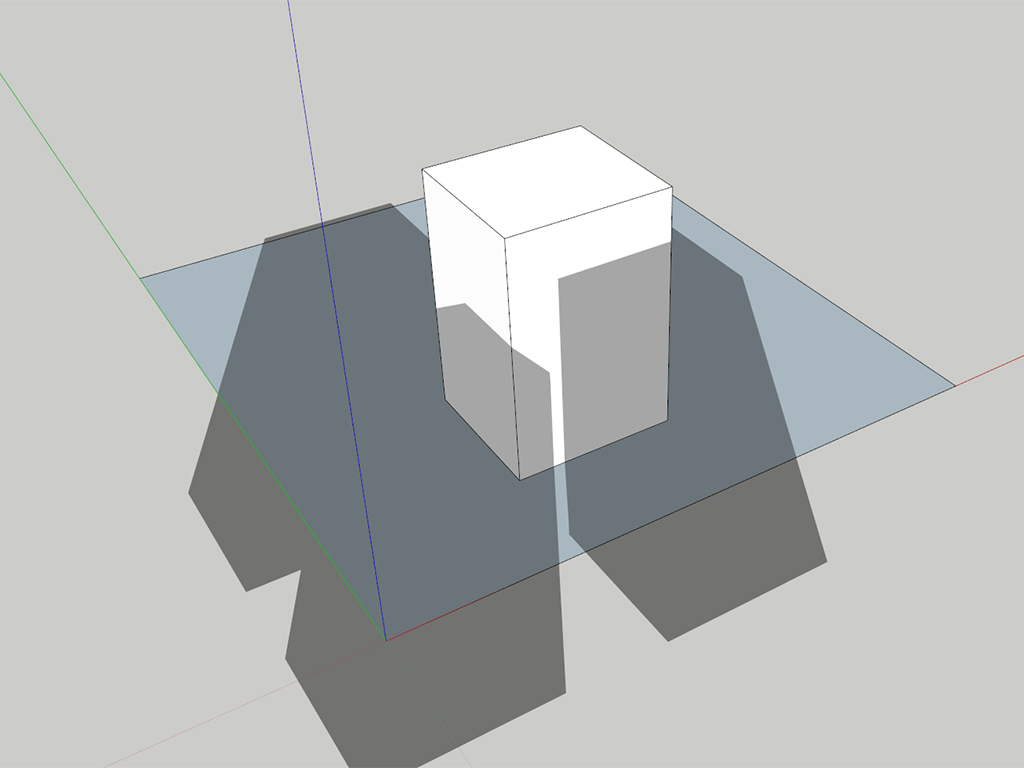
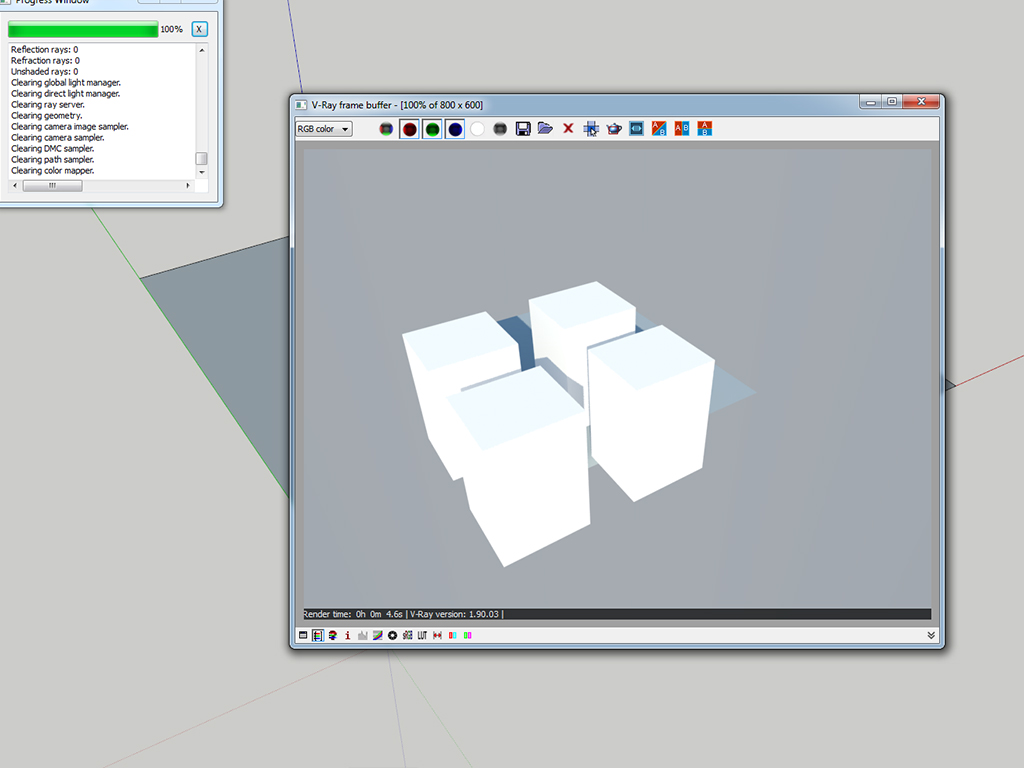
-
I am not a specialist in sketchup yet, since I have started not so long ago, so I am not sure if it will solve your problem, but since I have been trying recently to create a perforated box maybe this will help you, as it helped me.
What I did was applying the texture to both sides of each plane. If only applied outside it would still render as non-transparent thing, but applying it to both sides of each wall has made it work. -
you got an old version update to lastest and then leave the opacity 100% and tick "use color texture for transparency" in the diffuse slot, that's it. for proper shadow apply the png on both positive and negative faces.


Hello! It looks like you're interested in this conversation, but you don't have an account yet.
Getting fed up of having to scroll through the same posts each visit? When you register for an account, you'll always come back to exactly where you were before, and choose to be notified of new replies (either via email, or push notification). You'll also be able to save bookmarks and upvote posts to show your appreciation to other community members.
With your input, this post could be even better 💗
Register Login


Advertisement