Two different Face Styles at a time?
-
While showing people my model, I'd like to have some it shown with the "Shaded" face view for some components, and with the "X-Ray" effect for other components. Is this possible somehow?
I've tried making a second copy of my model and either hiding compnents to expose interior detail, and also tried various section cuts, but beither are exactly what I was looking for. Ideally, I'd like to have two copies of my entire model on the screen ... one copy shaded with textures, and another with X-ray.
-
No. You can't get two different face styles at the same time. You could apply transparent materials to those things you want to show as X-ray. If you are only showing people images, you could make a couple of different image exports and combine them. That might actually be easier and yield better results.
-
You can certainly have two files open with different styles.
I may be seeing this too simplistically but.....as seperate entities you can hide anything you want.
P.S. ignore the toolbar layout, I'm on a borrowed PC.
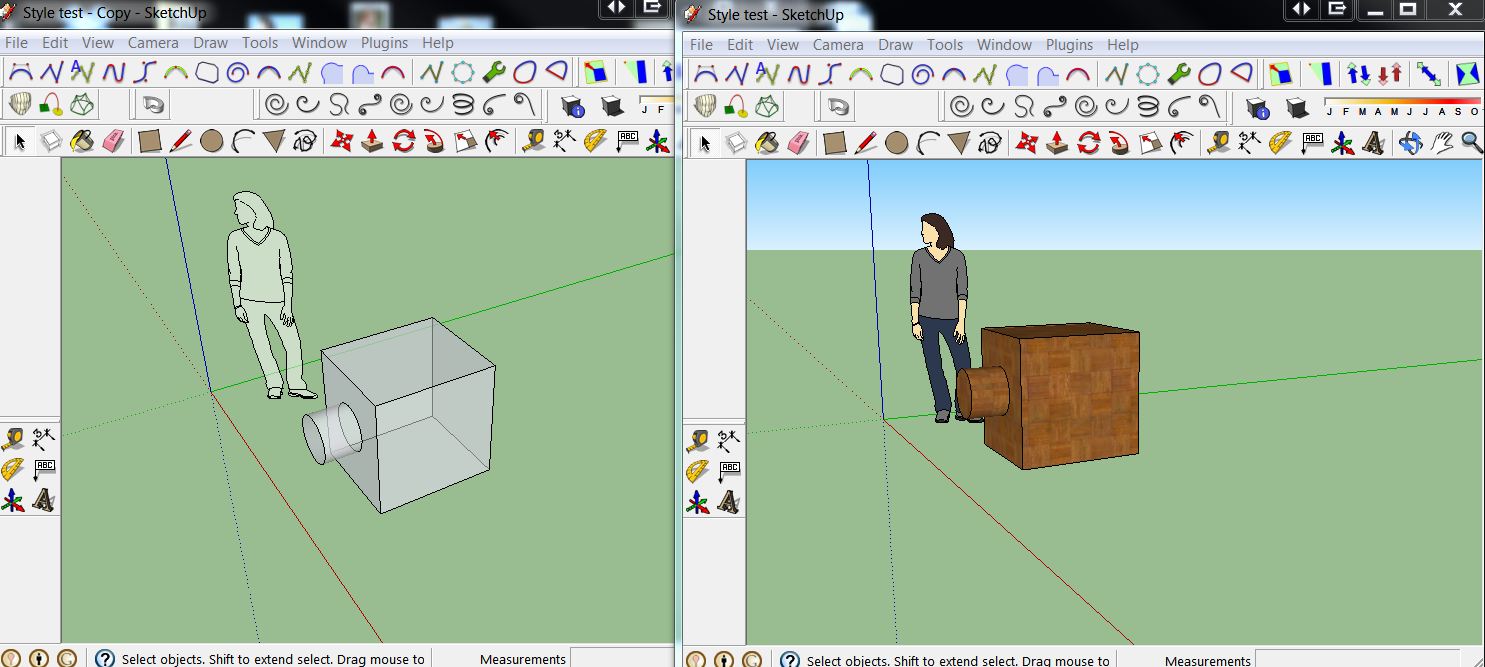
-
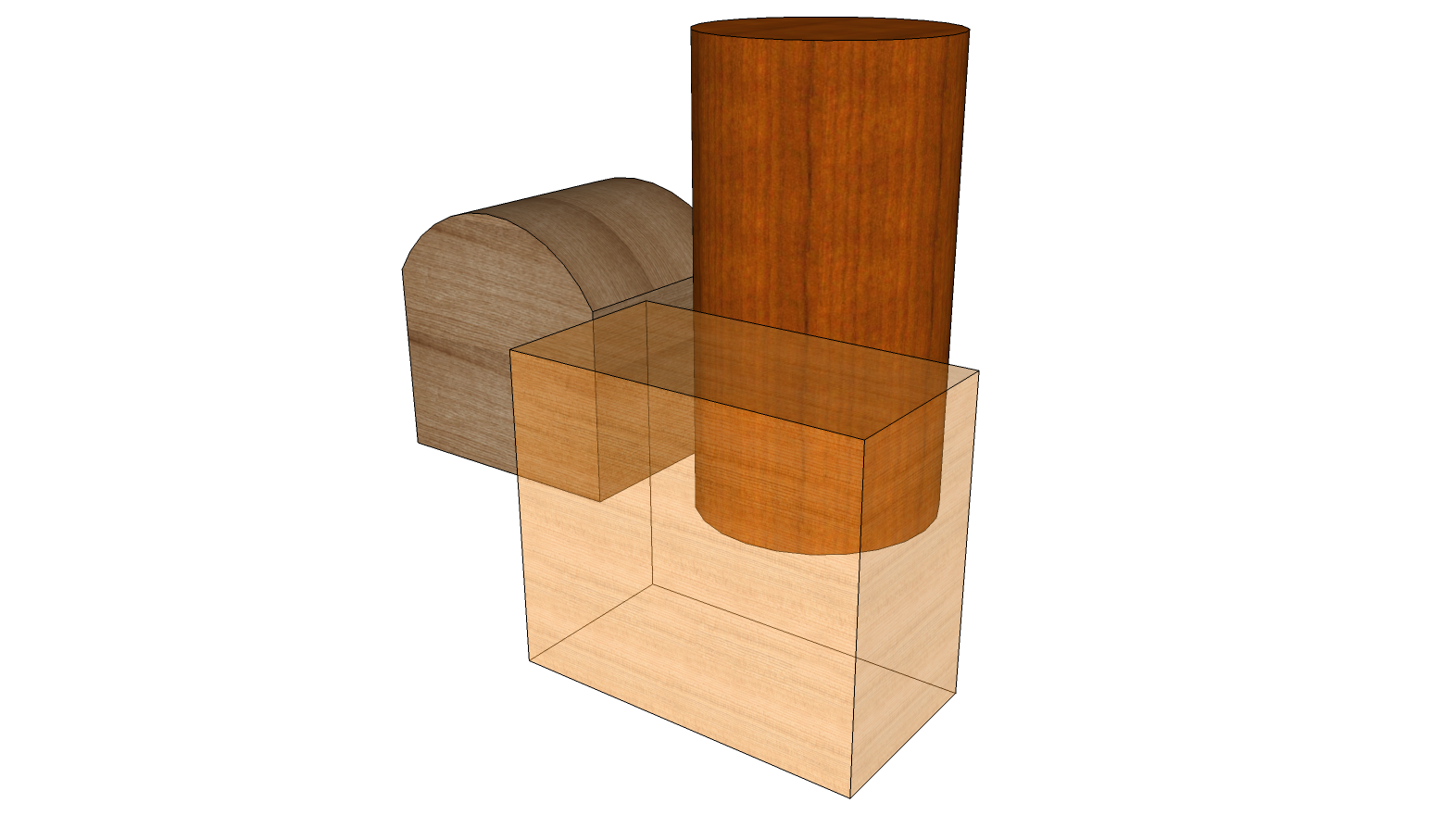
I took as he's looking for something more like this. I could be wrong, too.
-
@markl said:
Ideally, I'd like to have two copies of my entire model on the screen ... one copy shaded with textures, and another with X-ray.
Probably Dave, but it was this bit that I picked up on and why I said I was probably being too simplistic.
-
That confused me, too. Well, we'll see what he says when he returns.
-
Hey guys. First, I'll apologize for my terrible typing in my original message! It looked right when I previewed it, but apparently I'm a bad proofreader!
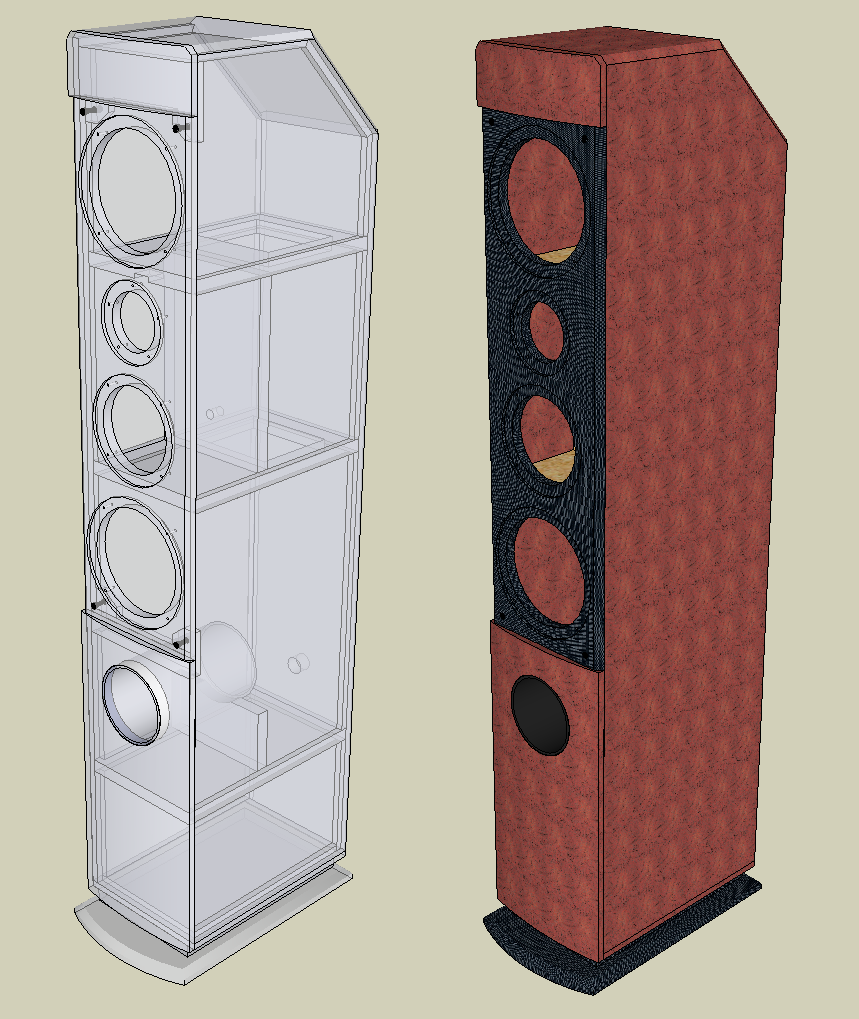
As for my question and your responses, DaveR is close to the mark. I am designing a stereo speaker cabinet. I want to show two views of it ... one shaded with textures to show it's exterior appearance, and next to it, an x-ray version of the same thing to reveal the interior constructions ... bracing, joinery, etc, and I'd like to show these two views side-by-side.
-
So John was close, too.
You could do what you want using the method I described by painting one set of components with a transparent material. I think a better option would be to just make two image exports, one in X-ray and one not and combine them in an image editor. I'll make a quickie example. Hang tight.
-
Here we go. Does this play for you?
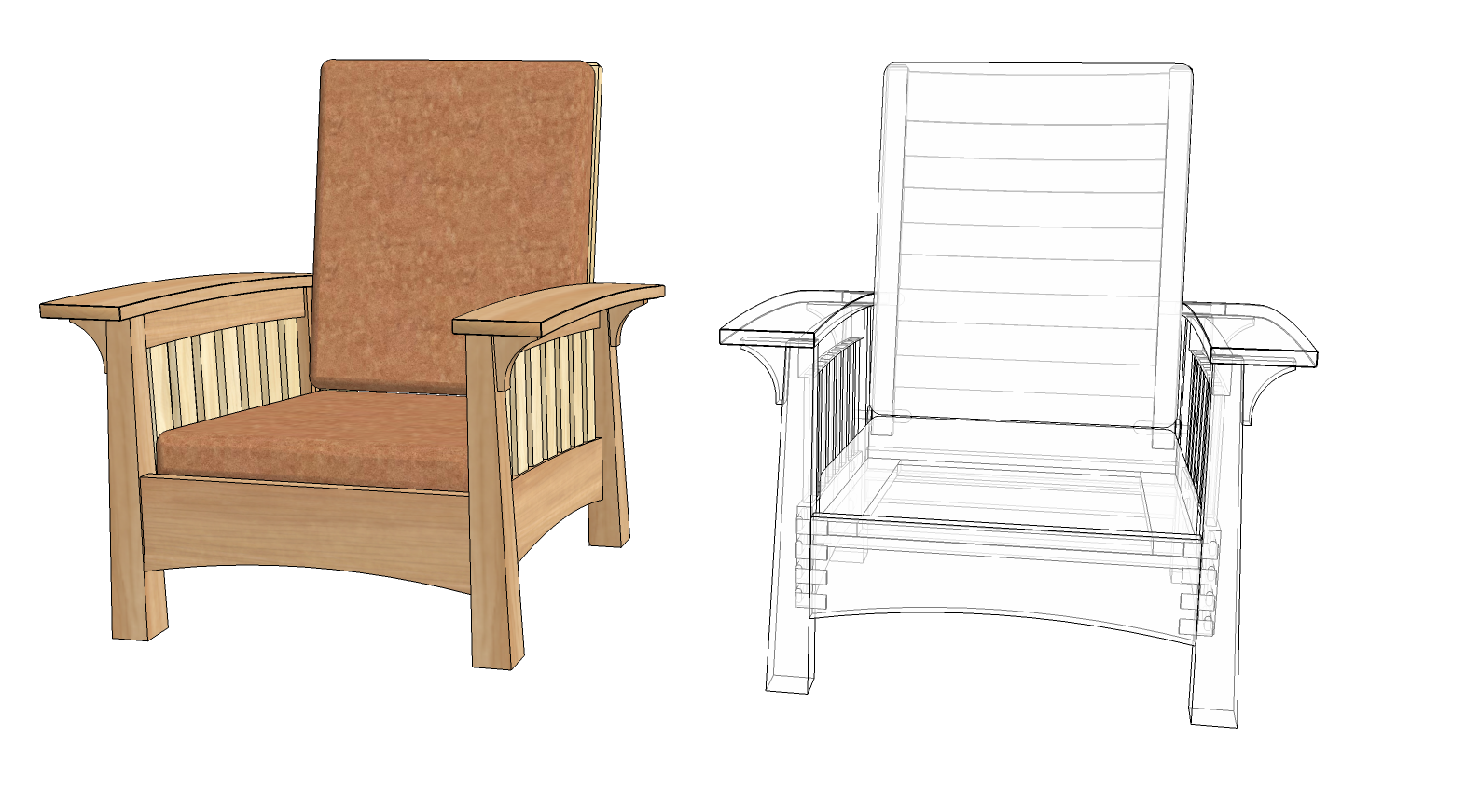
This is done in a similar way except the chair on the right is just done with Hidden Geometry turned on instead of the X-ray thing.

-
Dave, great job! Your first example is pretty much what I was getting at. I think I can duplicate what you've done with the tools I have available ... too bad Sketchup can't make it easier to do it directly. Thanks again to you and John for the assistance!
-
Here's what I ended up doing..


Hello! It looks like you're interested in this conversation, but you don't have an account yet.
Getting fed up of having to scroll through the same posts each visit? When you register for an account, you'll always come back to exactly where you were before, and choose to be notified of new replies (either via email, or push notification). You'll also be able to save bookmarks and upvote posts to show your appreciation to other community members.
With your input, this post could be even better 💗
Register Login


Advertisement